TL;DR
Google lists three conditions for appearing in AI Overviews. Your page must be indexed. It must be allowed to show a snippet. And your site must be set to "include" in the Search generative AI control in Search Console. There is no special AI schema and no llms.txt trick. After that, you win by ranking for the questions that trigger Overviews and answering them plainly. Since 31 August 2026 you can measure the result, because every site now has a Generative AI performance report.
In 30 seconds
- Eligibility is a yes or no check: indexed, snippet allowed, generative AI control set to include.
- Many guides that rank today are out of date. They say you can't opt out of AI Overviews or measure them. Both changed on 31 August 2026.
- Overviews show up mostly on long searches and questions. Pew found 53% of searches with 10 or more words got an AI summary, against 8% of one or two word searches.
- The new report shows impressions by page. It does not show clicks or queries, so pair it with the Performance report and your analytics.
What is a Google AI Overview?
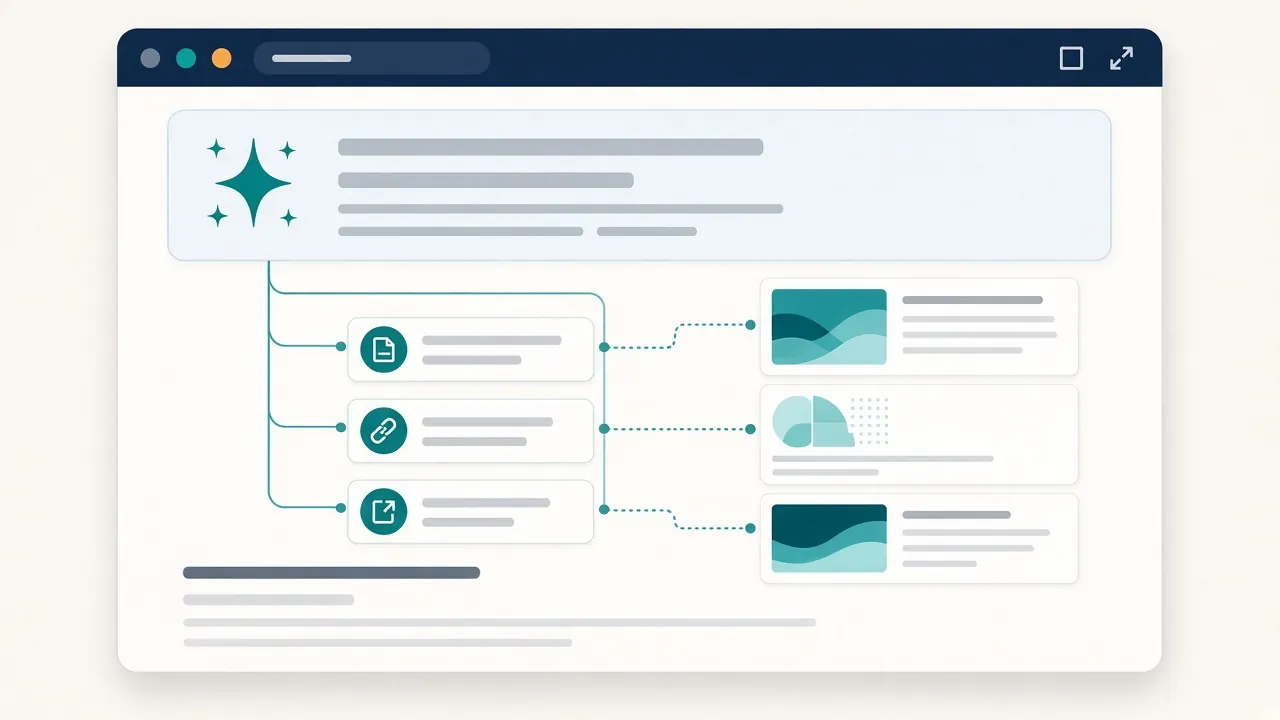
An AI Overview is a short summary written by AI that Google shows above some search results, with links to the pages it used. Google says Overviews only appear when its systems decide they add something to the normal results, so they often don't show at all (Google Search Central).
What does Google require to show your page?
Google's documentation gives a short list. A page must be indexed and eligible to show in Search with a snippet (Google). Google's optimization guide adds one more: your site must be included in Search generative AI features in Search Console (Google).
That's the full technical bar. Google says you don't need new machine readable files, AI text files or special schema.org markup.
What changed on 31 August 2026?
Two Search Console features reached every site worldwide on that date.
The Search generative AI control. Find it under Settings, then Search generative AI. You can include your site (the default), exclude it, or inherit the choice from a parent property. Excluding removes your links and content from AI Overviews, AI Mode and generative AI features in Discover. Google says the control is not a ranking signal for the rest of Search (Search Console Help).
The Generative AI performance report. It counts how often links to your site appeared in AI Overviews and AI Mode, grouped by page, country, date and device (Search Console Help).
Much of the advice that ranks today predates this. On 31 October 2026, one of the top US results for this keyword still made claims Google's own pages now contradict.
| Claim you'll still read | What Google's docs say (October 2026) |
|---|---|
| "There is no way to opt your site out of Google AI Overviews specifically" (HubSpot, updated 17 Aug 2026) | You can exclude your site with the Search generative AI control. It doesn't affect the rest of Search. |
| Search Console "doesn't break out AI specific impressions" (same page) | The Generative AI performance report shows AI Overview and AI Mode impressions by page. |
| FAQ schema makes pages "measurably more likely" to appear (same page, no study linked) | Structured data is not required, and there's no special markup for AI features. |
| Add an llms.txt file so AI can read your site | Google Search ignores llms.txt. It neither helps nor harms. |
| Break content into tiny chunks for AI | Not required. Google handles pages that cover several topics. |
That page was updated two weeks before the rollout, so this isn't a dig. Just check the date on any AI search advice before you act on it.
Which searches trigger AI Overviews?
Long searches and questions trigger Overviews far more often than short ones. Pew Research Center studied 68,879 Google searches made by 900 US adults in March 2025 (Pew Research Center).
| Type of search | Share that showed an AI summary |
|---|---|
| All searches | 18% |
| One or two words | 8% |
| Ten words or more | 53% |
| Starts with who, what, when or why | 60% |
| Full sentence (has a noun and a verb) | 36% |
A page built around a two word phrase will rarely meet an Overview. A page that answers full questions will meet them often.
Google also says Overviews use "query fan out". It runs several related searches in the background and pulls links from each (Google). Your page can be cited for one of those side questions even if it doesn't rank for the main search.
The 7 step AI Overview checklist
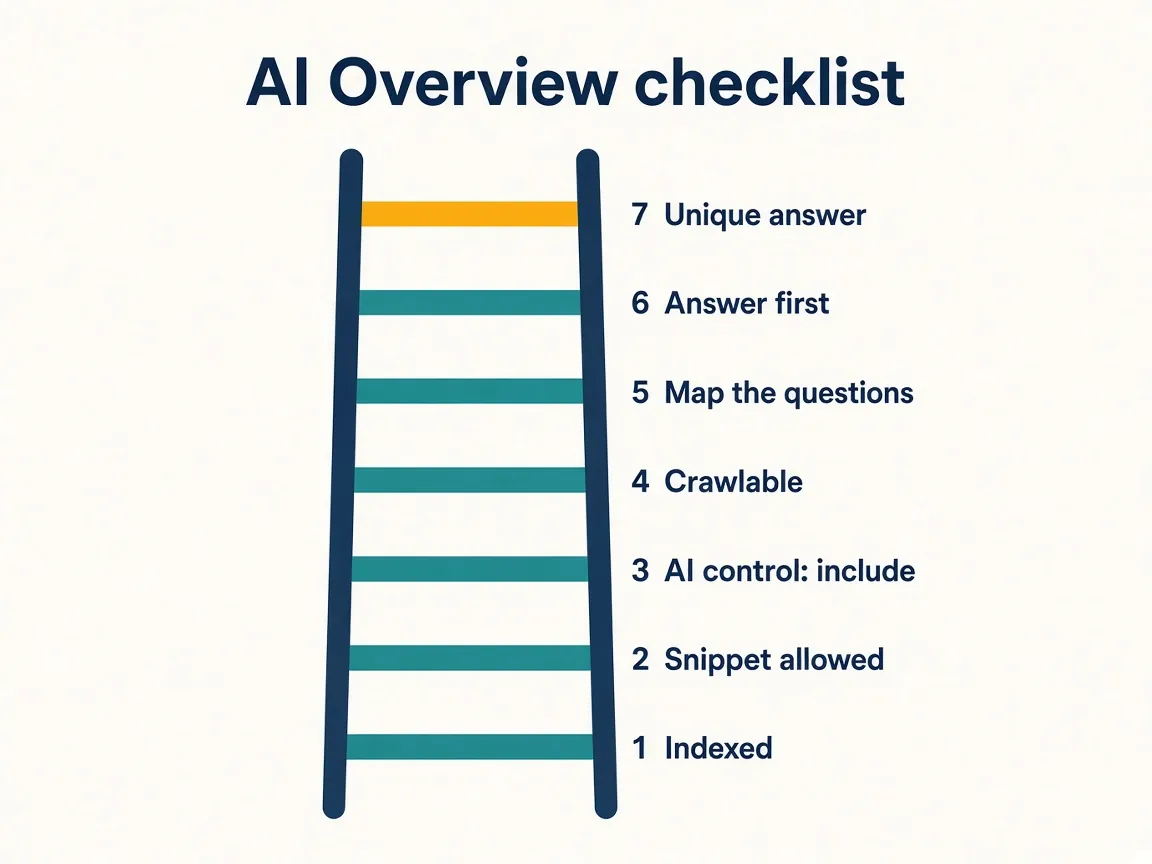
Run these in order. Each step passes or fails, so you know where to stop and fix.
- Confirm the page is indexed. Use URL Inspection in Search Console. Nothing else matters until this passes.
- Confirm a snippet is allowed. Look for
nosnippet, a very lowmax-snippetvalue, ordata-nosnippetwrapped around your key answer. - Check the generative AI control. Open Settings, then Search generative AI. It should say include, or inherit from a parent property that includes.
- Check robots.txt and your CDN. Googlebot must be able to crawl the page. Blocking Google-Extended won't remove you from Overviews; Google points to it for AI training and its other AI systems.
- Map the questions. List the full questions buyers type, plus the follow ups. Search each in a private US browser window and note which show an Overview.
- Answer in the first two sentences. Write each heading as the question, then give the plain answer before the proof. A reader landing mid page from an Overview shouldn't need your intro.
- Add something nobody else has. Google's guide says unique content will likely matter more for AI visibility than any other tip it gives.
| Requirement | How to check | Fix if it fails |
|---|---|---|
| Indexed | URL Inspection, Page indexing report | Remove noindex, fix robots.txt and soft 404s, set a clean canonical |
| Snippet allowed | View source for nosnippet, max-snippet, data-nosnippet | Remove or relax the control on pages you want cited |
| Site included | Search Console, Settings, Search generative AI | Switch to include, or fix the parent property |
| Crawlable | robots.txt report, CDN firewall logs | Let Googlebot through bot and firewall rules |
| Structured data matches page | Rich Results Test | Make the JSON-LD match the visible text, or remove it |
| Unique, useful answer | Compare your section with the pages Google cites | Add your own example, data or checklist |
How do you measure AI Overview impact on leads?
Use three reports, because each answers a different question.
| Question | Where to look | Limit |
|---|---|---|
| Do my pages appear in AI Overviews or AI Mode? | Generative AI performance report, Pages tab | Impressions only. No clicks or queries. Overviews and AI Mode are combined |
| Are Google clicks growing on those pages? | Performance report, Web search type, filtered to the page | AI clicks are mixed in with normal clicks |
| Do those visits become leads? | Google Analytics landing page report, Organic Search | AI Overview visits sit inside Organic Search |
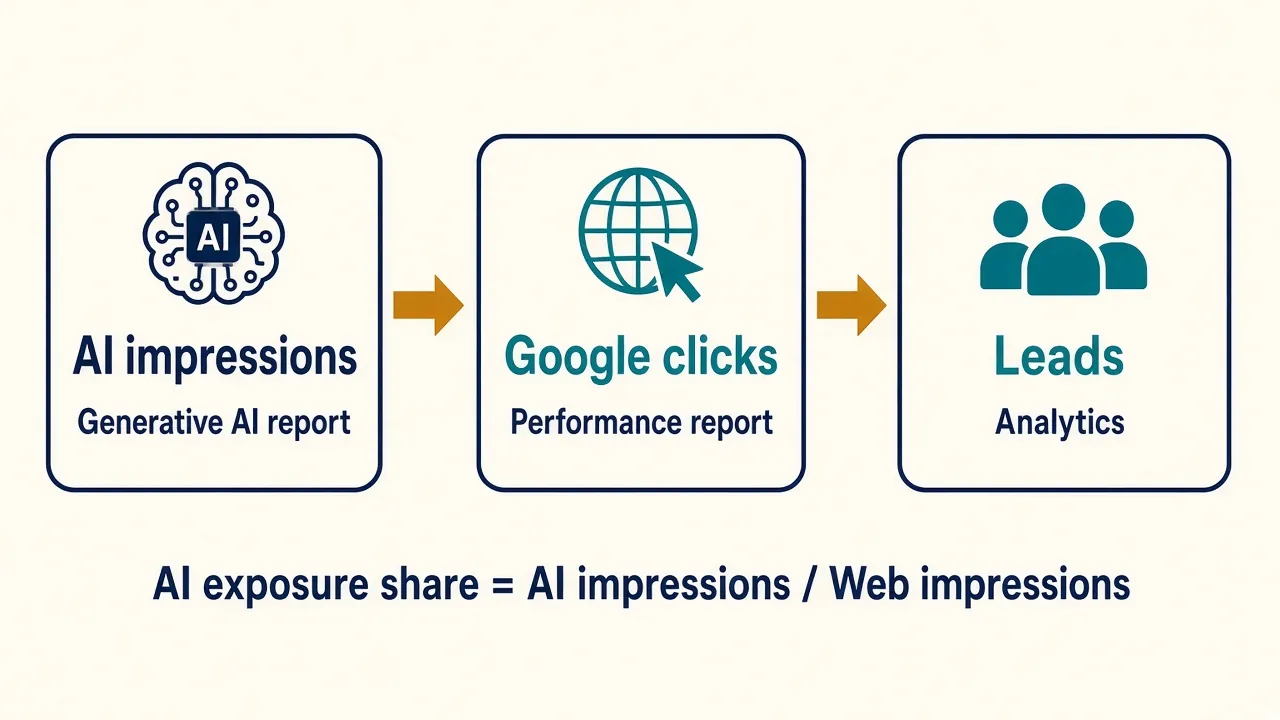
Here's a simple ratio to track. For each page, take its generative AI impressions and its total Web impressions for the same dates. Divide the first by the second. I call this AI exposure share.
Example figures, not client data: a page gets 4,000 Web impressions in 28 days and 1,200 generative AI impressions. Its AI exposure share is 1,200 ÷ 4,000 = 30%. AI impressions are already counted inside the Web total, so never add the two together.
Track it monthly next to clicks and leads. If exposure rises while leads fall, the Overview may be answering the question in full. Add something worth the click, such as a calculator, a template or a price.
Expect fewer clicks and judge the page on leads. Pew found people clicked a normal result on 8% of visits when an AI summary showed, against 15% without one, and clicked a link inside the summary on 1% of visits (Pew Research Center).
Why do you rank but not get cited?
Pew found 88% of AI summaries cited three or more sources, so you compete for a few slots per answer. In my read, the usual reasons you miss out:
- Your answer sits under a long intro.
- Your page says what every other page says, so Google picks a source with something extra.
- A preview control limits your snippet.
- The Overview leaned on a side question your page doesn't answer.
Need a second pair of eyes?
My GEO service runs this checklist on your site, from eligibility to measurement. New to the term? Read what generative engine optimization is. If Google visits don't tie to leads yet, start with analytics and tracking, my SEO consulting, or see how I work with US businesses. Or just get in touch.
About the author: Vicky Lalwani is an SEO, GEO and paid media consultant based in Ahmedabad, India, working with businesses in the US, UK, Australia and the UAE. He has 8+ years in digital marketing, was previously Head of Digital Marketing at a US agency running 35+ accounts, and has managed $1.3M+ a year in ad spend. He leads a small team that delivers the work. LinkedIn
Sources
- Google Search Central, AI features and your website
- Google Search Central, Optimizing for generative AI features on Google Search
- Search Console Help, Search generative AI control
- Search Console Help, Generative AI performance report (Search)
- Search Console Help, What are impressions, position, and clicks?
- Pew Research Center, Google users are less likely to click on links when an AI summary appears (22 July 2025)
- HubSpot, How to optimize for AI Overviews (updated 17 Aug 2026)
FAQ
Do I need FAQ schema for AI Overviews?
No. Google says there's no special schema.org markup needed for AI features. Other markup can still earn rich results if it matches the visible text.
Can I opt out of AI Overviews?
Yes. Since 31 August 2026, the Search generative AI control in Search Console lets you exclude your site from AI Overviews, AI Mode and generative AI in Discover. Google says the change generally takes a few days and doesn't affect your normal rankings.
Does ranking first guarantee a place in the Overview?
No. Google says meeting every requirement doesn't guarantee your page will be shown. Ranking helps, but cited links vary by answer.
Where can I see clicks from AI Overviews?
In the Performance report under the Web search type, where they count as normal clicks. You can't separate them from other clicks. Every link in one AI Overview shares a single position.
How long after an update can an Overview change?
Google says recrawling can take several days to several months, depending on the page. Request indexing in URL Inspection to ask for a faster one.