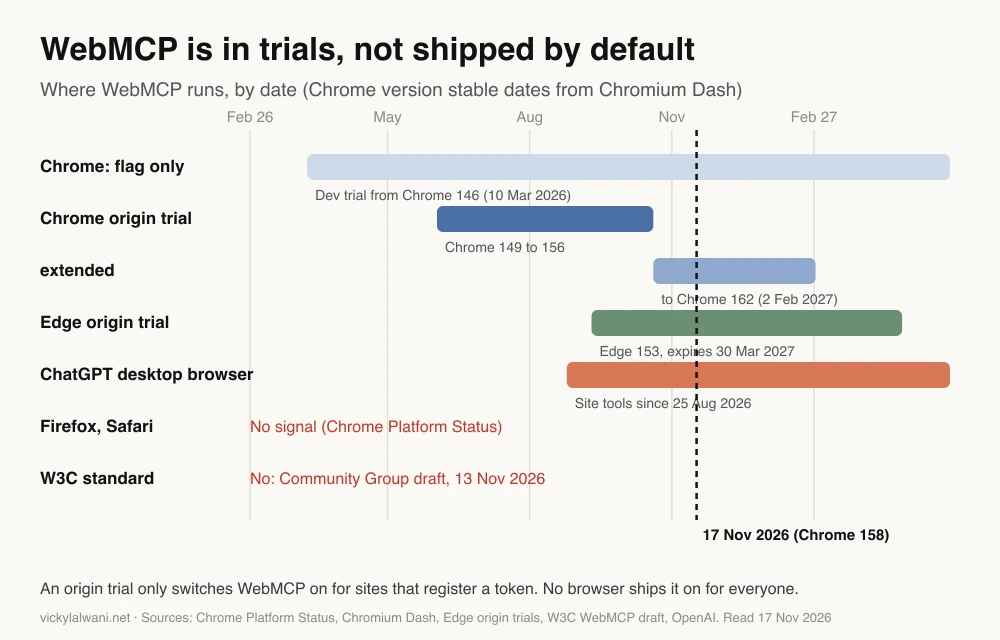
WebMCP for SEO is about whether AI agents can complete tasks on your site, not about rankings. As of November 2026 WebMCP is a W3C Community Group draft, runs in Chrome and Edge origin trials and in the ChatGPT desktop browser, is not on by default in any browser, and Google has not called it a ranking signal.
TL;DR
WebMCP is a proposed browser API that lets a web page hand AI agents named tools, such as "search_products" or "book_table", instead of making them guess from screenshots. As of 17 November 2026 it is a Community Group draft, not a W3C standard, and no browser turns it on for every site by default.
What is live: Chrome and Edge origin trials (opt-in per site, Chrome 149 to 162 and Edge until 30 March 2027) and site tools in the ChatGPT desktop app's built-in browser since August 2026. What is not: Firefox or Safari support, a final standard, and any statement from Google that WebMCP affects rankings.
For SEO, treat WebMCP as an experiment for sites with real tasks to complete (booking, quoting, searching stock). Fix accessible forms, stable layouts and structured data first, because they help people, search and agents whether or not WebMCP takes off.
Short answer: WebMCP for SEO is about whether AI agents can complete tasks on your site, not about rankings. In November 2026 it is an experiment: Chrome and Edge offer it to sites that join an origin trial, and ChatGPT's desktop browser can use it, but it is not a finished standard and Google has said nothing about it as a ranking signal.
The first version of this article treated WebMCP as a distant idea. A lot has moved since, and some of it has been oversold in SEO posts, so this update says plainly what is shipped, what is not, and what is worth doing now. If you want a second opinion on how ready your site is for AI search and agents, that is part of my GEO and AI search work.
This article sticks to WebMCP. For the wider checklist of making a site usable by agents (forms, checkout, bot access), see how to optimise a website for AI agents. For being cited in AI answers, see website structure for AI search.
What is WebMCP?
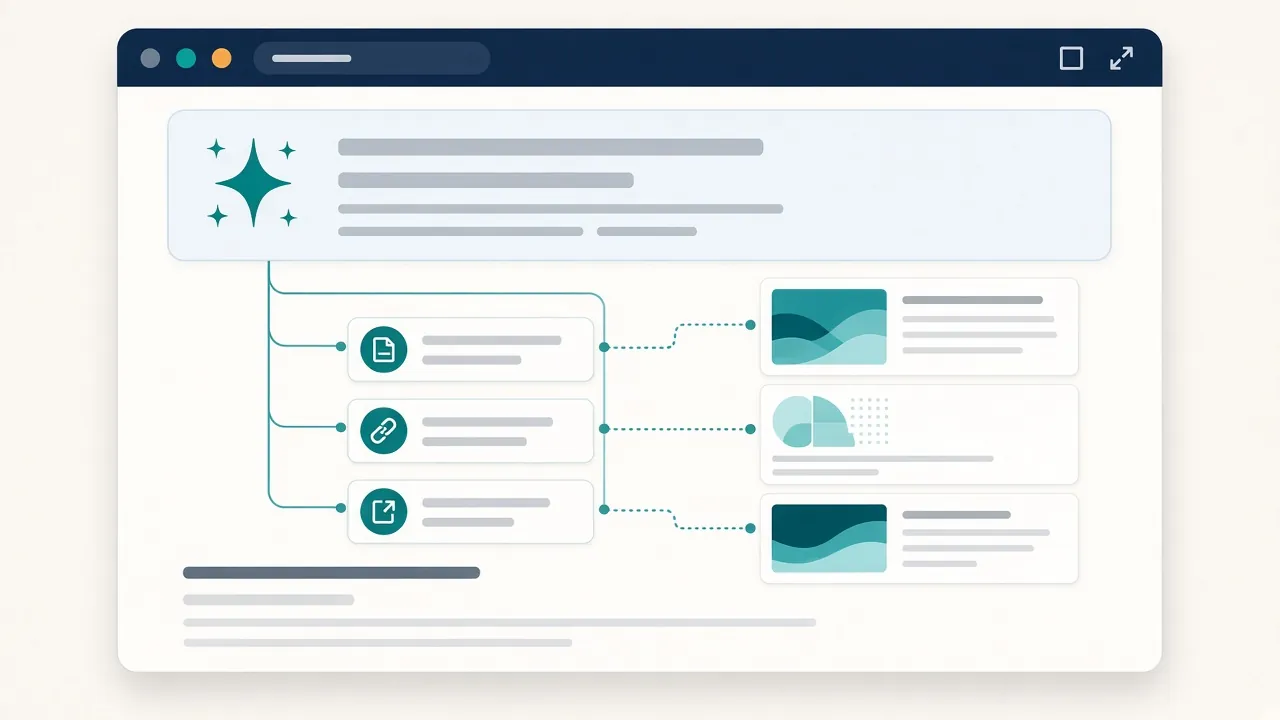
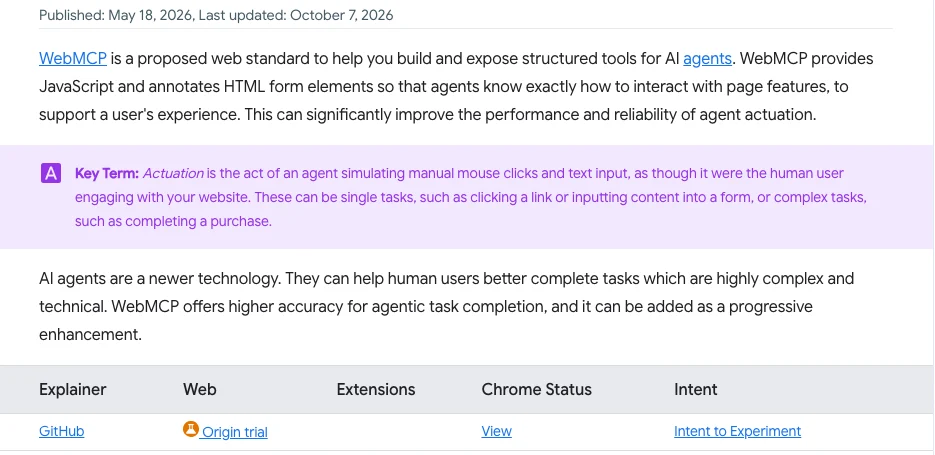
Short answer: a draft web API that lets a page register tools for AI agents, each with a name, a plain-English description and a typed list of inputs. The agent calls the tool instead of clicking through the page. It runs in the browser, uses the visitor's existing login and exists only while the page is open.
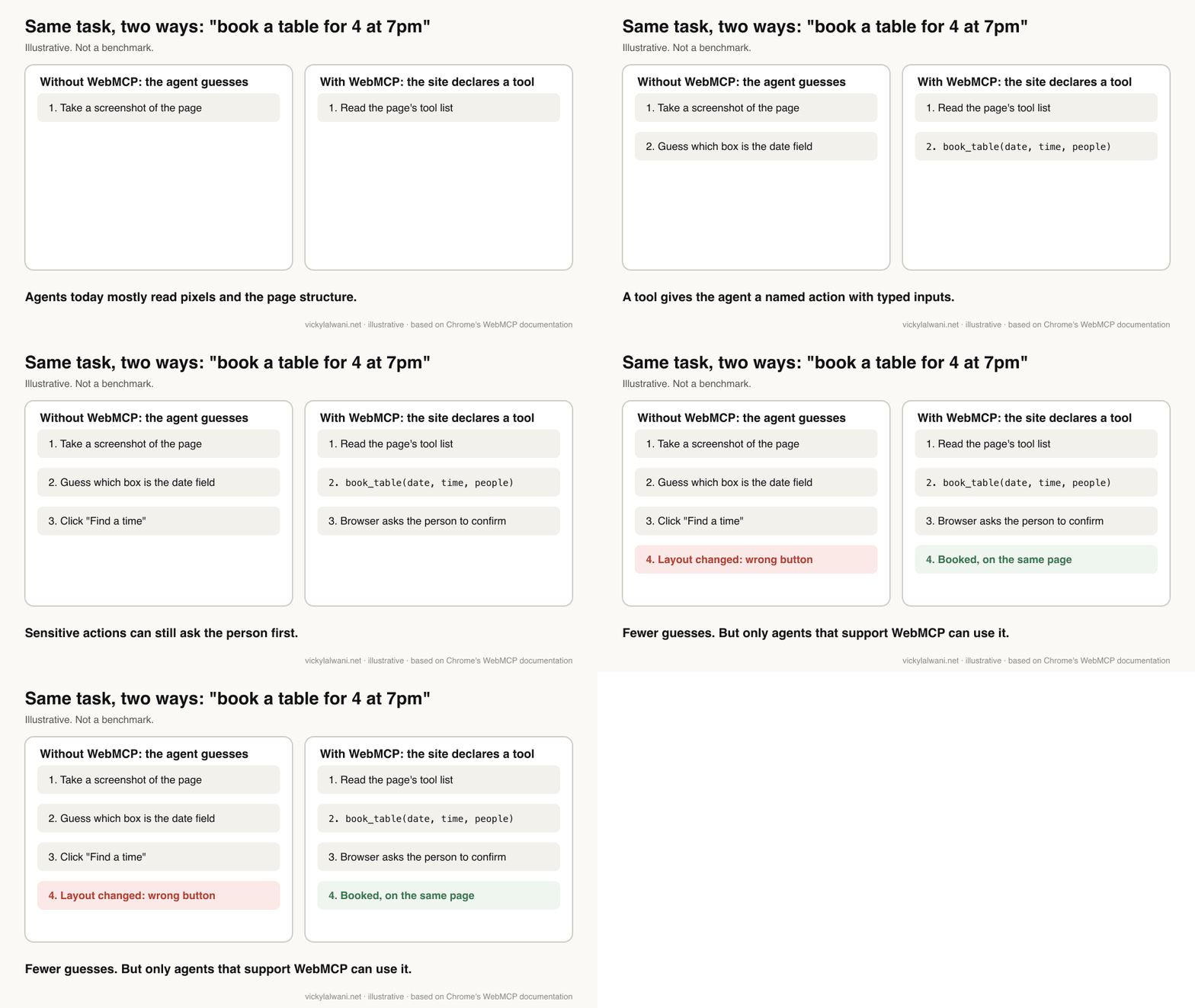
Think of a restaurant site. Today an agent asked to "book a table for four at 7pm" takes screenshots, reads the page structure and guesses which box is the date field. If the layout changes, it clicks the wrong button. With WebMCP the page says: here is a tool called book_table, and it needs a date, a time and a number of people.
Chrome's WebMCP documentation describes two ways to do it. The imperative API is JavaScript: the page calls document.modelContext.registerTool(). The declarative API is HTML: you add attributes to an existing form. Early demos and many tutorials from early 2026 use navigator.modelContext; Chrome's current pages and the draft use document, so check the date on any guide you copy from.
| Term | Plain meaning |
|---|---|
| Agent | AI that acts for a person, not just answers |
| Tool | One named action a page offers |
| Actuation | An agent clicking and typing like a person |
| Origin trial | A time-limited test a site opts into with a token |
| Community Group draft | A proposal, not a W3C standard |
What is shipped and what is not, as of November 2026?
Short answer: shipped as experiments: Chrome and Edge origin trials, a Chrome flag for local testing, ChatGPT desktop site tools and a Lighthouse audit category. Not shipped: WebMCP on by default in any browser, Firefox or Safari support, a W3C standard, and any Google Search ranking effect.
| Item | Status, 17 Nov 2026 | Source |
|---|---|---|
| Chrome, local testing | Flag since Chrome 146 | Chrome Platform Status |
| Chrome, real visitors | Origin trial, Chrome 149 to 162 | Chrome Platform Status |
| Chrome, on by default | No | Chrome Platform Status |
| Edge | Origin trial, ends 30 Mar 2027 | Edge origin trials |
| Firefox and Safari | No public signal | Chrome Platform Status |
| Standard | Community Group draft, 13 Nov 2026 | W3C WebMCP draft |
| ChatGPT desktop browser | Uses site tools since Aug 2026 | OpenAI |
| Gemini in Chrome | "Will soon support", May 2026 | Chrome I/O post |
| Google ranking signal | No statement from Google | Google Search Central |
The standard
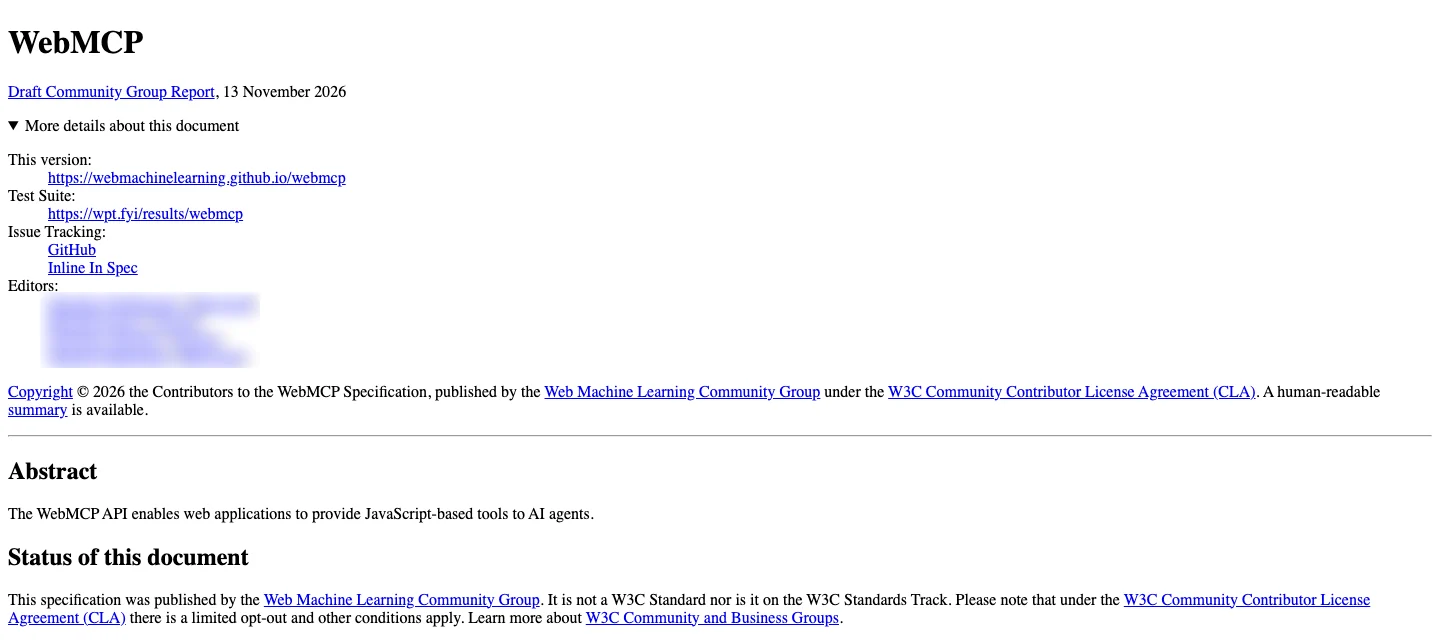
The WebMCP specification is a Draft Community Group Report dated 13 November 2026, published by the W3C Web Machine Learning Community Group, with editors from Google and Microsoft. Its own status section says it "is not a W3C Standard nor is it on the W3C Standards Track". Community Groups are where ideas are incubated; a standard comes later, if at all.
Chrome and Edge
Chrome Platform Status lists WebMCP as a dev trial from Chrome 146 (behind a flag) and an origin trial from Chrome 149, originally to Chrome 156 and since extended to Chrome 162. The extension request says feedback from the trial led to API changes Google wants to test. Chrome 162 is scheduled for stable release on 2 February 2027.
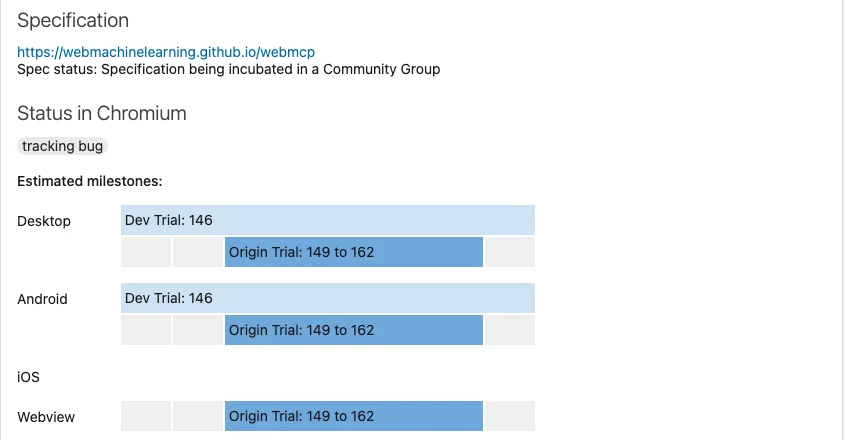
An origin trial means a site registers, gets a token and adds it to its pages. Then the API works for real Chrome visitors to that site only. Nothing changes for any other site. Edge runs its own WebMCP origin trial, listed in the Edge 153 release notes and expiring on 30 March 2027.
Who actually calls the tools
This is the part most SEO posts skip. A tool nobody calls does nothing. The clearest consumer so far is OpenAI: on 25 August 2026 OpenAI Developers announced WebMCP support in the ChatGPT desktop app's built-in browser, and its release notes say ChatGPT Work and Codex can use tools that supported websites provide there, with sensitive-action confirmations still applying. A Shopify engineering lead said the same day that its storefronts were ready.
Google said at I/O in May 2026 that Gemini in Chrome "will soon support" WebMCP. I found no Google page confirming it is live as of 17 November 2026. Chrome's own docs list developer extensions and DevTools for testing, and note these are separate from Gemini in Chrome.
Does WebMCP affect SEO rankings?
Short answer: there is no evidence it does. Google has published nothing saying WebMCP is a ranking or AI Overviews signal, and Chrome's own agent-ready guidance says that when agents are searching, the normal principles of SEO still apply. WebMCP matters at the next step, when an agent tries to do something on your site.
Chrome's team splits the agentic web into two stages: agents searching the web, and agents using it. Their agent-ready toolkit post (22 June 2026) says the principles of SEO still apply to the first stage and focuses WebMCP on the second.
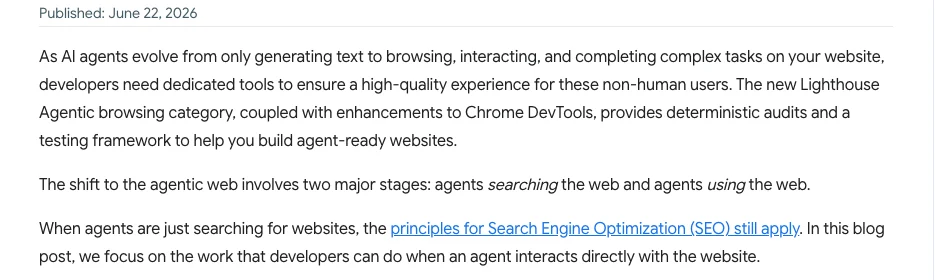
So the honest SEO case is indirect. If an assistant is choosing between two booking sites and one completes the task reliably, people may end up on that one. That is a conversion and visibility argument, not a ranking factor, and nobody has published data showing the effect yet.
| Claim you may read | What the sources support |
|---|---|
| "WebMCP is a ranking factor" | No Google statement |
| "It is a W3C standard" | No, a Community Group draft |
| "It works in all browsers" | Chrome and Edge trials only |
| "It replaces MCP" | Chrome says it does not |
| "It replaces schema markup" | No; different jobs |
| "Agents already use it" | Some do, mainly ChatGPT's desktop browser |
When clients ask me about AI search, the question usually arrives as "how do we get more leads?", not "should we add WebMCP?". That is the right frame: start with the tasks that bring enquiries and ask whether an agent could complete them on your site today.
How is WebMCP different from MCP, schema markup and llms.txt?
Short answer: MCP connects an AI app to a server and works without a browser. WebMCP lives in the page and only exists while it is open. Schema markup describes what a page is about; WebMCP describes what a visitor can do. llms.txt is an optional text file some sites publish for AI tools; it is unrelated to WebMCP.
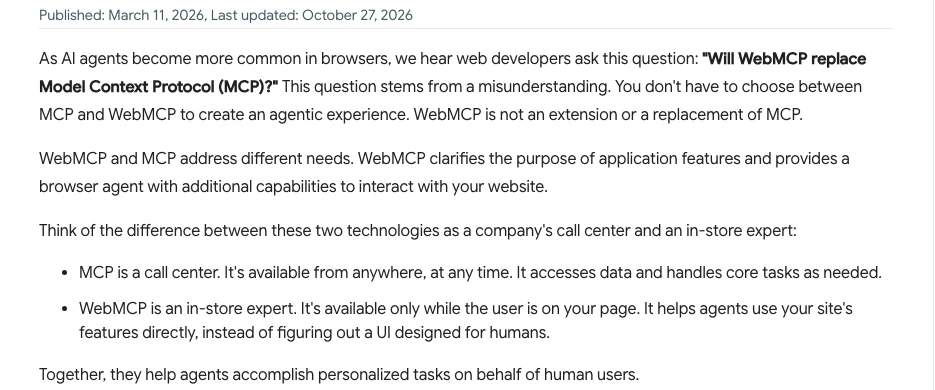
Chrome answers the most common mix-up directly: WebMCP is not an extension or a replacement of MCP. Their comparison is a call centre (MCP, available any time) and an in-store expert (WebMCP, available while you are on the page).
| Thing | What it does | Where it lives | SEO role |
|---|---|---|---|
| Schema markup | Describes the page | Page HTML | Rich results, understanding |
| WebMCP | Offers actions | Page, while open | Agent task completion |
| MCP server | Offers data and actions | Your server | Integrations, not search |
| llms.txt | A summary file for AI tools | Site root | Optional, unproven |
If you already run an MCP server for your product, see MCP tools for AI agents; WebMCP would sit alongside it, not replace it.
What should you prepare now?
Short answer: the foundations that help people, search and every kind of agent: labelled forms, semantic buttons and links, a stable layout, accurate structured data and reliable confirmations. Then list your key tasks. Add WebMCP only if those tasks matter to revenue and you can test it.
Google's web.dev guide Build agent-friendly websites makes the point well: everything that makes a site agent-ready also makes it better for humans. Most of it is accessibility work you should be doing anyway.
| Step | Why | Effort |
|---|---|---|
| Label every form field | Agents and screen readers read labels | Low |
| Real buttons and links | Clickable divs are invisible to agents | Low |
| Stop layout shift | Screenshot agents misclick | Medium |
| Accurate structured data | Search and AI read your facts | Medium |
| List your key tasks | These become candidate tools | Low |
| Clear confirmations and errors | Agents need to know it worked | Medium |
| Prototype one read-only tool | Learn without risk | Medium |
Check it with Lighthouse
Chrome's agent-ready toolkit added a Lighthouse "Agentic browsing" category from Chrome and Lighthouse 150. It checks a subset of accessibility audits, layout stability (Cumulative Layout Shift) and, if you use WebMCP, whether tools register and their schemas are valid. Chrome calls the category informational and unbenchmarked: it gives passes and warnings, not a score.
A prompt to find your candidate tools
Here is my site's sitemap and the text of my top 10 pages by conversions: [paste].
List the tasks a visitor comes to complete (search, filter, check availability, quote, book, buy, contact).
For each task, give: page URL, the form or control that does it, inputs needed, whether it changes data,
and whether it should need a human confirmation. Output a table. Do not invent tasks the pages do not offer.
How do you add a WebMCP tool to a form?
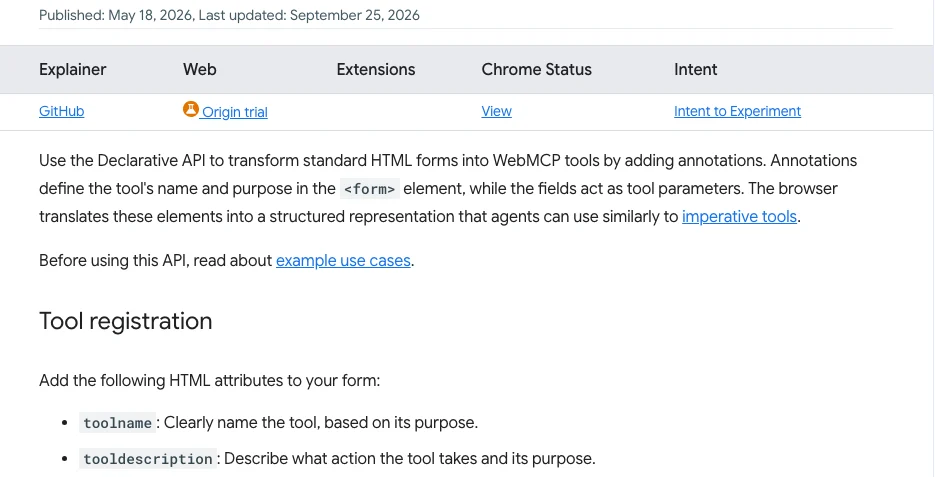
Short answer: with the declarative API you add a toolname and a tooldescription to an existing form, and a toolparamdescription to any field that needs explaining. The browser turns the form into a structured tool. It only works for visitors on a browser where WebMCP is switched on.
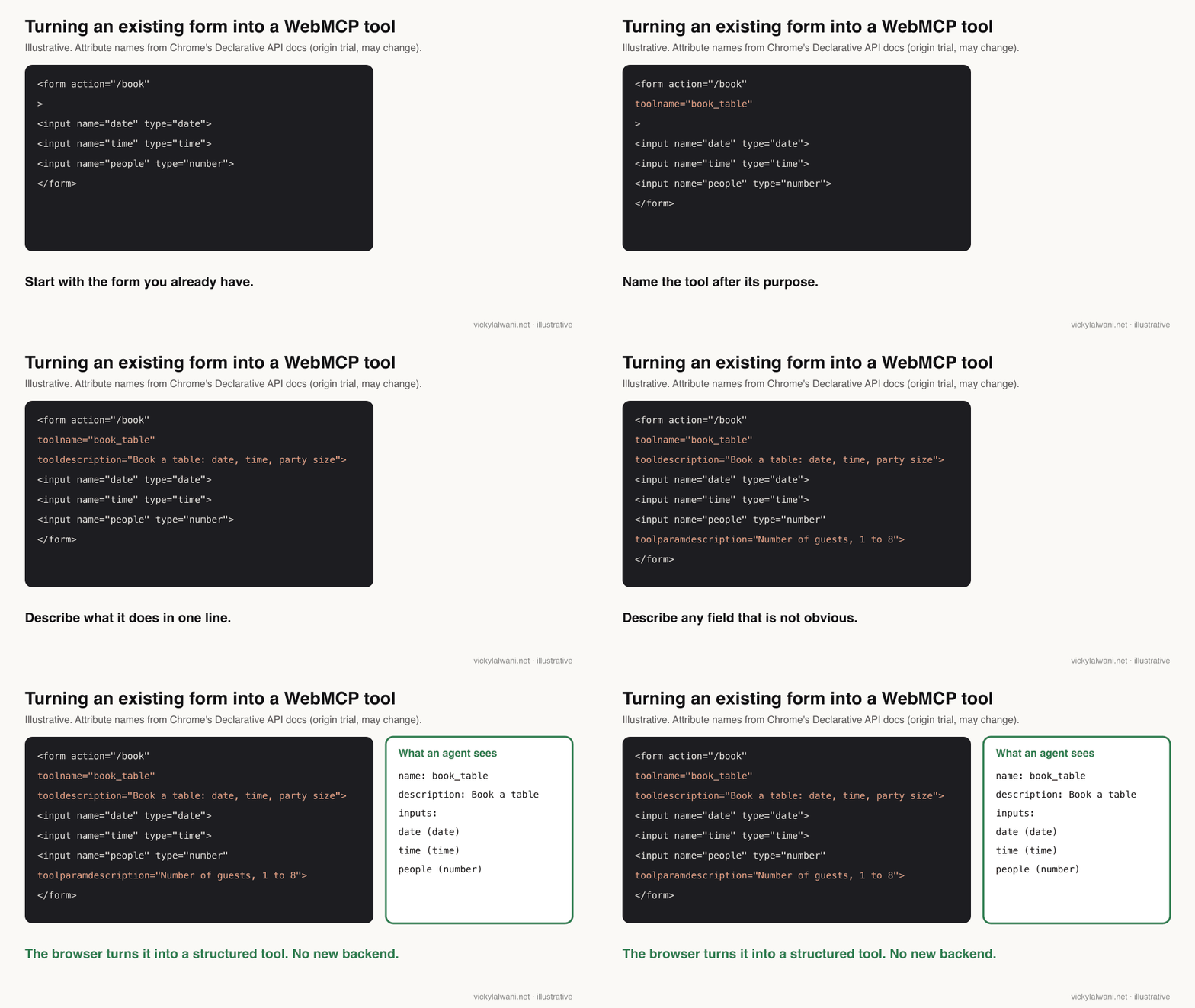
Chrome's Declarative API page lists four attributes: toolname, tooldescription, toolparamdescription and toolautosubmit (which lets the agent submit the form itself). Here is a minimal example to test on a staging site.
<form action="/quote" toolname="request_quote"
      tooldescription="Request a quote. Needs service, postcode and preferred date.">
  <label for="service">Service</label>
  <select id="service" name="service">...</select>
  <label for="postcode">Postcode</label>
  <input id="postcode" name="postcode" toolparamdescription="Postcode or ZIP code of the property">
  <label for="date">Preferred date</label>
  <input id="date" name="date" type="date">
  <button type="submit">Get a quote</button>
</form>
Leave out toolautosubmit for anything that sends an enquiry, takes payment or changes an account, so a person always presses the final button. For local testing, Chrome's docs say to turn on the flag at chrome://flags/#enable-webmcp-testing; for real visitors, register for the origin trial.
| Option | Who sees it | Use it for |
|---|---|---|
| Chrome flag | Only you | Local prototypes |
| Chrome origin trial token | Chrome visitors to your site | Real-world testing |
| Edge origin trial token | Edge visitors to your site | Real-world testing |
| No WebMCP | Everyone else | The normal form must still work |
What are the risks of WebMCP?
Short answer: a tool can do anything the logged-in visitor can do, at machine speed, and an agent cannot verify that a tool does what its description says. Keep tools narrow, require a human confirmation for anything that costs money or changes data, log every call, and expect the API to change before it is final.
The draft's security section is frank: there is no guarantee that a tool's declared intent matches its behaviour. A developer on Reddit tested this by registering a tool called delete_all_data, labelling it read-only, and watching their own agent trust the label. That is a problem for agents more than for honest sites, but it shapes how clients will treat your tools.
| Risk | What to do |
|---|---|
| Purchases or bookings at scale | Human confirmation, rate limits |
| Agent retries a write | Make actions safe to repeat |
| Personal data in tool inputs | Collect only what the task needs |
| API changes in the trial | Keep the code small, behind a check |
| Trial ends | The normal form keeps working |
| Nobody calls the tools | Log calls before investing more |
Privacy rules still apply to anything an agent submits for a person. If the tool handles personal data, check it with whoever owns privacy for the site; this is not legal advice.
What people say on X and Reddit
Short answer: browser and platform teams are enthusiastic; developers who have built with it say few agents call the tools yet, that trust in tool labels is unsolved, and that it should be a progressive enhancement, not a core feature.
| Who | What they said | Take it as | Link |
|---|---|---|---|
| Chrome for Developers | WebMCP opens for early preview (13 Feb 2026) | Official | X post |
| Cloudflare | Developer preview of a switch that adds WebMCP to a site (6 Aug 2026) | Vendor | X post |
| OpenAI Developers | WebMCP support in the ChatGPT desktop browser and ChatGPT Sites (25 Aug 2026) | Official | X post |
| A Shopify engineering lead | Shopify storefronts ready for ChatGPT's browser: catalogue search, carts (25 Aug 2026) | Vendor | X post |
| Chrome for Developers | Calls WebMCP an experimental standard; backs OpenAI's WebMCP challenge (25 Aug 2026) | Official | X post |
| Moz | Shares an explainer on preparing sites for AI agents with WebMCP (26 Aug 2026) | SEO publisher | X post |
| r/webdev | Supply side only, few callers; a Chrome DevRel reply says it is still experimental (30 Jul 2026) | Mixed | Thread |
| r/mcp | A builder's test: a destructive tool labelled read-only fooled their agent (24 Oct 2026) | First-hand | Thread |
| r/mcp | Most treat it as a draft; one says to start with one read-only action (31 Oct 2026) | Opinion | Thread |
| r/webdev | Many build a normal MCP server instead; Firefox and Safari silent (9 Nov 2026) | Mixed | Thread |
The X posts come from companies that build or sell WebMCP features. The Reddit threads come from developers deciding whether it is worth their time, which is closer to the decision a site owner faces.
Videos worth watching
Short answer: Chrome's short explainer and its Q&A on status, then OpenAI's demo to see a non-Google agent use it. None of them sells anything, though all three come from companies backing WebMCP.
Made by Chrome for Developers, 27 October 2026. It does not sell anything. The quickest plain explanation.
Made by Chrome for Developers, 19 October 2026. It does not sell anything. Covers standards status and browser support from the team building it.
Made by OpenAI, 25 August 2026. It promotes OpenAI's own browser support, so watch it as a demo of one consumer.
| Video | Channel | Date | What it covers |
|---|---|---|---|
| What is WebMCP? | Chrome for Developers | 27 Oct 2026 | Short explainer |
| Answering your questions about WebMCP | Chrome for Developers | 19 Oct 2026 | Status, support, Q&A |
| Build agent-ready sites with WebMCP | OpenAI | 25 Aug 2026 | ChatGPT and Codex demo |
| Lighthouse audits with DevTools for agents | Chrome for Developers | 6 Aug 2026 | Agentic browsing audits |
| Practical steps to make your website agent-ready | Chrome for Developers | 2 Jul 2026 | Hands-on workshop |
| Build your website for the agentic era | Chrome for Developers | 22 May 2026 | Google I/O session |
Where this advice is weak
- Status changes month to month. Everything above was checked on 17 November 2026; check Chrome Platform Status before you build.
- I could not confirm whether Gemini in Chrome calls WebMCP tools yet. Google's last public word I found is "will soon support" (May 2026).
- OpenAI's help pages block automated checks, so the ChatGPT details come from its release notes and its developer account on X.
- There is no public data on how often agents call WebMCP tools or whether that changes traffic or conversions. Anything claiming a ranking or revenue effect is a guess.
- This is researched guidance from the specification, Chrome and Edge documentation and developer reports, not a case study.
Sources
| Source | What it supports | Date |
|---|---|---|
| WebMCP draft (W3C Community Group) | Not a W3C standard; document.modelContext | 13 Nov 2026 |
| WebMCP explainer on GitHub | Proposal, Google and Microsoft authors | Read 17 Nov 2026 |
| Chrome Platform Status | Dev trial 146, origin trial 149 to 162, no signal from Firefox or Safari | Updated 11 Nov 2026 |
| Chrome: WebMCP | Two APIs, flag, limits, origin trial | Updated 7 Oct 2026 |
| Chrome: Declarative API | Form attributes | Updated 25 Sep 2026 |
| Chrome: WebMCP and MCP | Not a replacement for MCP | Updated 27 Oct 2026 |
| Chrome: join the origin trial | Origin trial from Chrome 149 | 9 Jun 2026 |
| Chrome at Google I/O 2026 | Gemini in Chrome "will soon support" | 19 May 2026 |
| Chrome: agent-ready toolkit | SEO principles still apply; Lighthouse category | 22 Jun 2026 |
| web.dev: agent-friendly websites | Accessible, stable, semantic sites | Read 17 Nov 2026 |
| Edge origin trial | Expires 30 Mar 2027 | Read 17 Nov 2026 |
| Chromium Dash schedule | Chrome 146, 149, 156, 162 dates | Read 17 Nov 2026 |
| OpenAI ChatGPT release notes | Site tools use WebMCP in the desktop browser | Late Aug 2026 |
| X and Reddit posts | Linked in the table above | Feb to Nov 2026 |
Want to know if your site is ready for AI agents?
WebMCP is worth watching and, for some sites, worth a small test. It is not worth rebuilding your SEO strategy around yet. The work that pays off now is the same work that helps people and search: clear tasks, accessible forms, stable pages and accurate structured data. I can review your site for AI search and agent readiness, or handle the SEO for you. See my GEO and AI search service, the SEO consultant service and the rates on the pricing page. The AEO playbook has the wider checklist.
Keep reading: optimise a website for AI agents, website structure for AI search, MCP tools for AI agents and Google AI Mode SEO.
This article expands on my post on LinkedIn ↗.
FAQ
What is WebMCP?
WebMCP is a proposed browser API that lets a web page register tools for AI agents, each with a name, a description and typed inputs, so an agent can call "book_table" or "search_products" instead of guessing from the page. It runs in the browser, uses the visitor's existing login and only exists while the page is open.
Is WebMCP a W3C standard?
No. As of November 2026 WebMCP is a Draft Community Group Report from the W3C Web Machine Learning Community Group, dated 13 November 2026. The draft itself says it is not a W3C Standard and not on the W3C Standards Track.
Which browsers support WebMCP in November 2026?
Chrome and Edge, but only as origin trials that a site opts into: Chrome 149 to 162 and Edge until 30 March 2027, plus a Chrome flag for local testing since Chrome 146. Chrome Platform Status shows no public signal from Firefox or Safari, and no browser turns WebMCP on for every site by default.
Does WebMCP affect SEO rankings?
There is no evidence that it does. Google has not said WebMCP is a ranking or AI Overviews signal, and Chrome's own guidance says normal SEO principles still apply when agents search. Its value is helping agents complete tasks on your site once they arrive.
Which AI agents use WebMCP tools today?
The clearest example is ChatGPT: since August 2026 OpenAI says ChatGPT Work and Codex can use WebMCP site tools in the ChatGPT desktop app's built-in browser. Google said in May 2026 that Gemini in Chrome will soon support WebMCP, but I found no Google confirmation that it is live as of 17 November 2026.
Is WebMCP the same as MCP?
No. MCP connects an AI app to a server and works without a browser, while WebMCP tools live in a web page and disappear when it closes. Chrome's documentation says WebMCP is not an extension or a replacement of MCP, and many sites will use both.
Does WebMCP replace schema markup?
No. Schema markup describes what a page is about, such as a product, a business or an event, while WebMCP describes actions a visitor can take. Keep accurate structured data whether or not you test WebMCP.
How do I test WebMCP on my site?
Turn on chrome://flags/#enable-webmcp-testing to try it locally, then register for the Chrome or Edge origin trial to test with real visitors. Start with one read-only tool, such as a product search, keep the normal form working for everyone else, and log every call.
Should a small business add WebMCP now?
Usually not yet. Fix labelled forms, real buttons, stable layouts and accurate structured data first, because they help people, search and agents today. Test WebMCP only if your site has tasks that drive revenue, such as booking or quoting, and someone can maintain an experimental API.