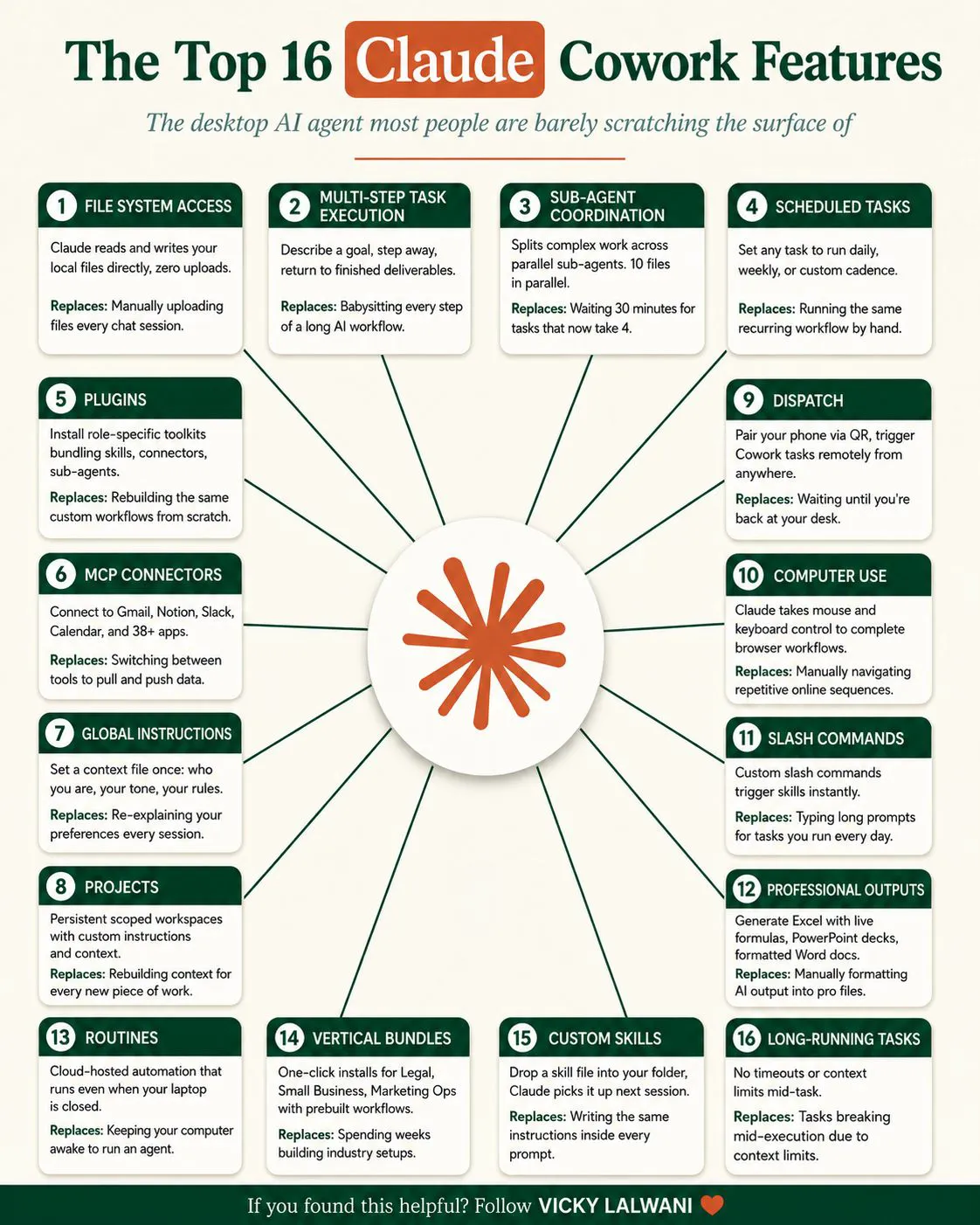
Claude Cowork is a desktop agent that works on your local files and runs repeatable work, not just chat. The main Claude Cowork features include file access, global instructions, slash commands, parallel sub-agents, scheduled routines, connectors and computer use, each replacing a manual step you repeat.
Stop babysitting your AI. That is the point of a desktop agent. Claude Cowork was built so you do not have to re-explain yourself, re-upload files or rebuild the same workflow again and again. Most people use it like a chatbot, but it works differently. This article looks at the main Claude Cowork features and the manual job each one replaces, so you can decide what to adopt in 2027. Feature names and availability change, so confirm details in Anthropic's current documentation.
The shift from answering to running the work
A chatbot answers a question and waits. An agent takes an assignment, works with your files and tools, and reports back. The practical difference is how much of your time goes into setup and supervision. The features below are all ways of reducing that overhead.
Six features and the chores they remove
- Local file access. Replaces uploading files into every chat. The agent can read and write files on your machine within the folders you allow.
- Global instructions. Replaces re-explaining your tone and preferences each session. You set it once and every session starts with that context.
- Industry bundles. Replace rebuilding workflows from scratch. Packaged setups for a particular field can be installed in one step.
- Slash commands. Replace typing the same long prompt daily. A short command triggers the saved routine.
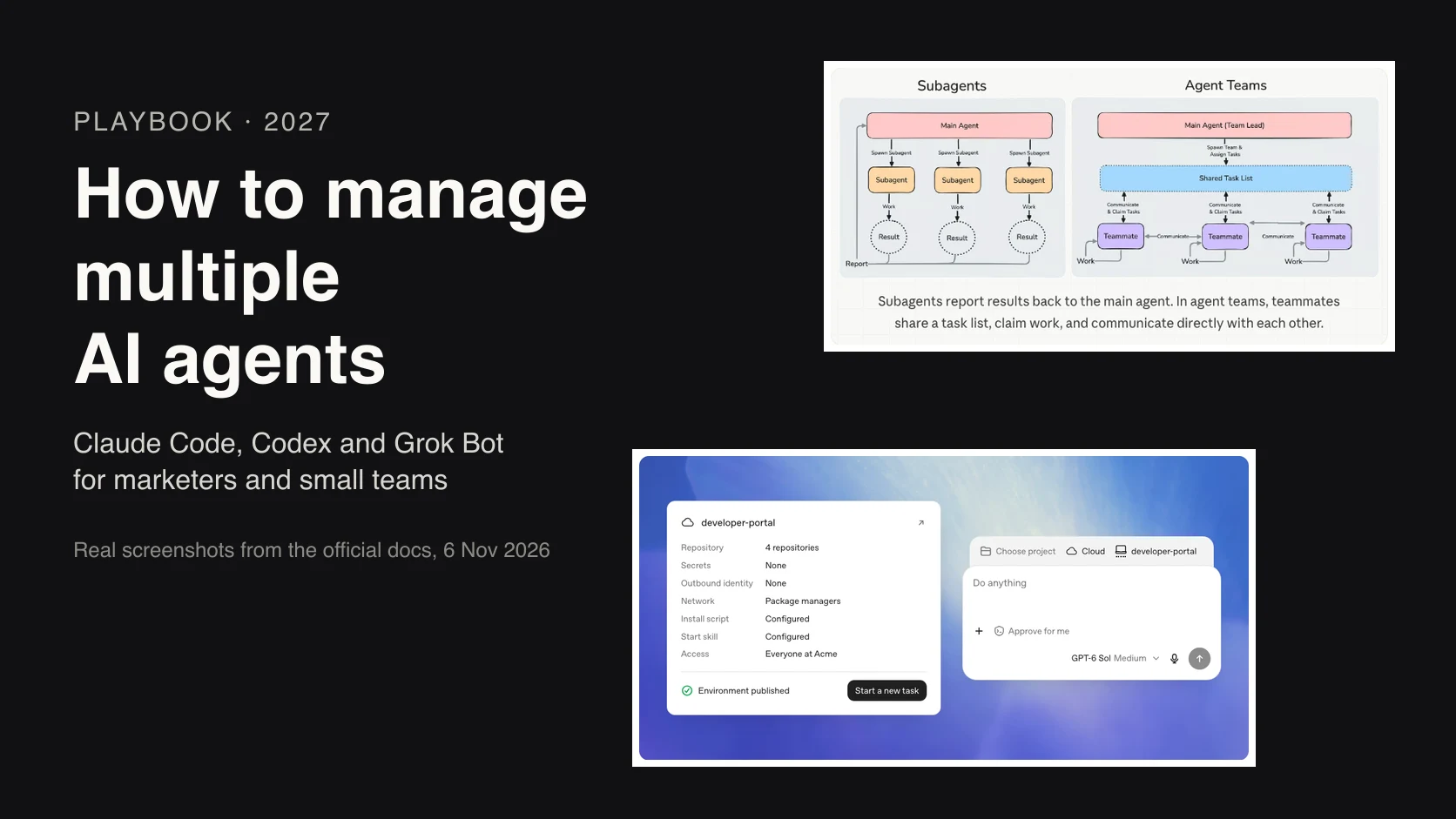
- Sub-agent coordination. Replaces waiting on one long task. Work is split across parallel agents, which can shorten big jobs considerably.
- Scheduled routines. Replace running tasks only when you are at your desk. They can run on a schedule you define.
Beyond these, the full list includes computer use, connectors to other tools, scheduled tasks, projects, professional document outputs and remote dispatch from a phone. Together they describe one desktop agent with many entry points. Cowork now sits inside the rebuilt desktop app people call Claude 2.0, so see what Claude 2.0 is for the new layout.
How to choose where to start
- List your repeated chores. Weekly reports, file renaming, research summaries, briefing documents.
- Match each chore to a feature. A repeated prompt suggests a slash command; a weekly job suggests a routine.
- Automate one, then measure. Time the task before and after.
- Add supervision rules. Decide which folders are off limits and which actions need approval.
Safety and good habits
Giving an agent access to files and tools brings real responsibility. Limit access to specific folders. Keep sensitive client data out unless you understand how it is handled. Review outputs before sending them anywhere, especially anything client-facing. Test scheduled routines manually before trusting them, and check them periodically, because a routine that quietly breaks is worse than a manual task.
Getting value from Claude Cowork features without overreach
It is tempting to switch on everything at once. A better approach is to build up in layers. Begin with global instructions and local file access in one working folder. Add two slash commands for your most repeated jobs. Then try one parallel task, such as researching several competitors at the same time, and compare the time with doing it sequentially. Only after that, add a scheduled routine for a task you have already run manually several times.
At each layer, decide what you are willing to let the agent do unattended. Reading and summarising is low risk. Editing files deserves a backup. Sending messages or changing accounts should always need your approval. Layered adoption keeps the benefits while keeping control, and it makes it easy to see which feature is actually saving you time.
The mindset change
The shift is not AI that answers. It is AI that runs the work while you do something else. Many people are still scratching the surface of what is already on their machine. If you spend an afternoon setting up instructions, commands and one scheduled routine, the return shows up every week.
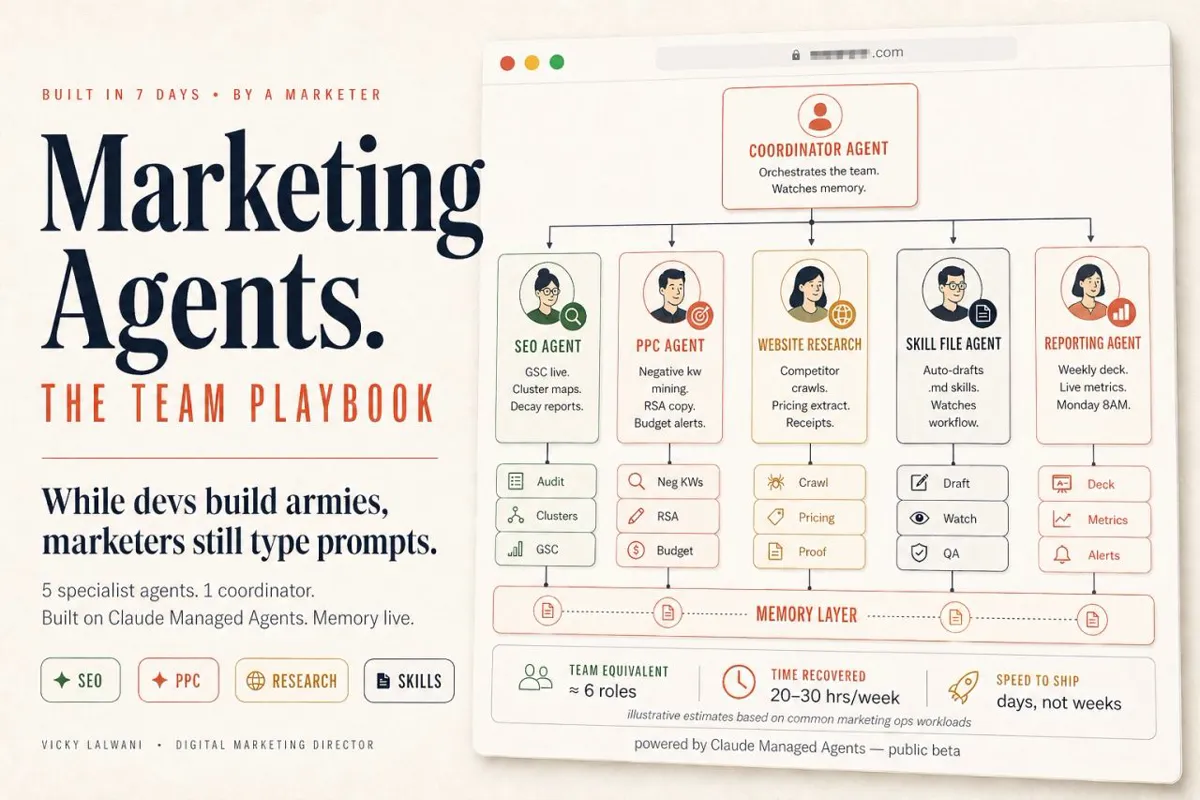
My AI marketing agents service can help set up desktop agents for your team, and the free guides include setup checklists.
Pick the sixteenth chore you did last month and ask which feature could take it over for 2027.
This article expands on my post on LinkedIn ↗.
FAQ
What is Claude Cowork?
It is a desktop agent from Anthropic designed to work on your files and tasks, with features like instructions, commands, sub-agents and scheduling. Check Anthropic's docs for current availability.
How is Cowork different from normal chat?
Chat answers questions in a conversation. A desktop agent can read and write files, follow standing instructions and run tasks on a schedule.
Which feature should I try first?
Global instructions, because setting your tone and context once improves every session straight away.