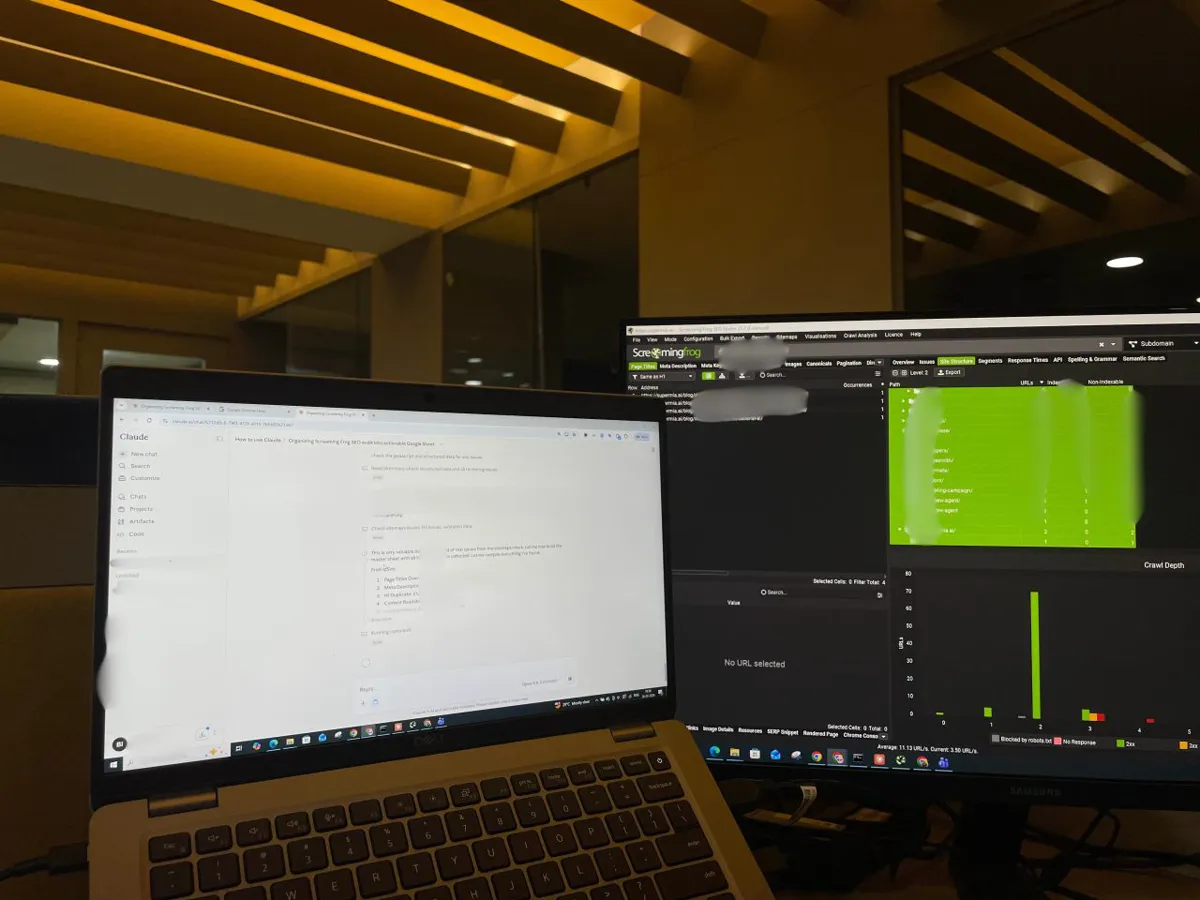
The Screaming Frog Claude MCP is an official MCP server built into the SEO Spider (version 24, May 2026) that lets Claude Desktop run crawls, read reports, export data and change crawl settings in a conversation. It needs a paid licence and the desktop app on the same computer, in STDIO or Streamable HTTP mode. Claude scheduled tasks run remotely, so schedule the crawl in Screaming Frog, export to Google Sheets, let Claude draft the plan, and approve every fix.
Screaming Frog has been the crawler most technical SEOs reach for, and for years the routine was the same: crawl, export, open the spreadsheet, decide what matters. Since May 2026 there is another way. The SEO Spider can act as an MCP server, so Claude Desktop can start a crawl, read the results, run exports and work through the data in a conversation.
This guide covers the connection itself: what the official Screaming Frog MCP does, how to set it up, which of the two modes to choose, how a scheduled routine actually fits together, and where the guardrails go. For the audit method (which exports, how to prioritise, how to track fixes) see the companion guide, Screaming Frog and Claude Code for a technical SEO audit. If you want the routine built for your site, that is part of my SEO consultant service.
TL;DR
What it is: an official MCP server built into the SEO Spider that lets Claude Desktop, LM Studio and other MCP clients run crawls, read reports, export data and run Node.js scripts. It shipped in version 24 on 19 May 2026.
What you need: a paid licence (it does not work in the free version), the latest SEO Spider in database storage mode, and Claude Desktop with the Screaming Frog extension, on the same computer.
Two modes: STDIO, where Claude launches the Spider out of sight, or Streamable HTTP, where you start the server in the app and watch every action.
The catch for "autopilot": Claude scheduled tasks run remotely, while the MCP runs on your desktop. Use Screaming Frog's own scheduler for the crawl and let Claude read the exports.
Jump to: Set-up · Modes · Tools · Scheduling · Guardrails · X and Reddit · Sources
What is the Screaming Frog Claude MCP?
Short answer: It is the Model Context Protocol (MCP) server built into Screaming Frog's SEO Spider. MCP is an open standard that lets an AI assistant call tools in other software. With it, Claude can start and monitor crawls, load saved crawls, generate reports and bulk exports, inspect single URLs and change crawl settings, all from a chat.
Screaming Frog's MCP guide was first posted on 17 March 2026, and the feature reached everyone in SEO Spider 24.0 on 19 May 2026. Version 25.0 on 3 November 2026 moved crawl configuration to JSON so an assistant can adjust settings directly, added debugging tools so the assistant can tell you why a crawl failed, and added full list mode support.
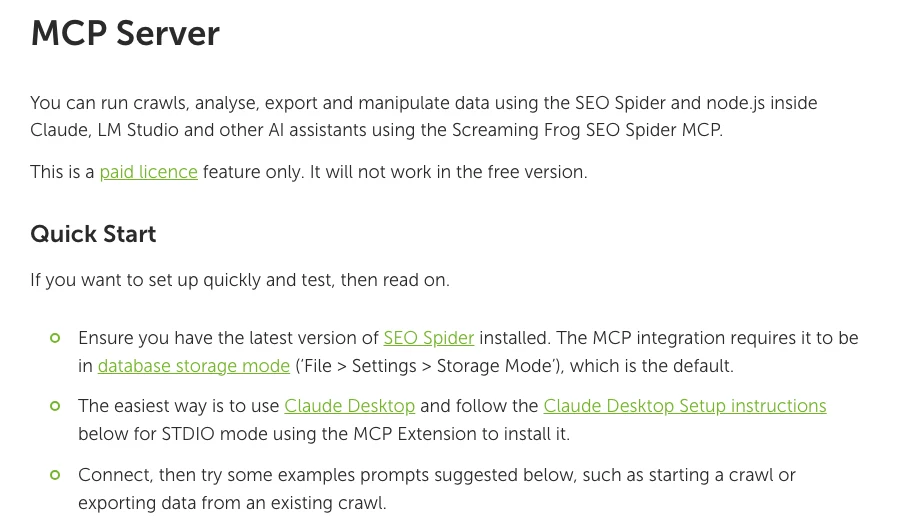
Before the official server, community projects wrapped the Screaming Frog command line in their own MCP servers (one is published as a Python package). They still exist, but the official server is maintained by the vendor and needs no extra code. Screaming Frog is also clear about its stance in the guide: it does not recommend using AI to replace an experienced SEO, and an SEO should interpret the crawl data into prioritised actions.
| Audit workflow | MCP connection | |
|---|---|---|
| Who runs the crawl | You | Claude, on request |
| How data reaches Claude | Exported files | Live tool calls |
| Best for | Deep, repeatable audits | Questions, follow-ups |
| Needs | Licence, exports | Licence, desktop app |
| Guide | Audit guide | This page |
How do you connect Screaming Frog to Claude?
Short answer: Install the latest SEO Spider, enable Node.js under File, Settings, MCP Server, download Screaming Frog's MCP extension, and install it in Claude Desktop under Settings, Desktop app, Extensions, Advanced settings, Install extension. Quit Claude completely, reopen it, and check the extension shows as running.
The steps from Screaming Frog's guide, in order:
- Update and check storage. Install the latest SEO Spider and keep it in database storage mode (the default).
- Enable Node.js. In the SEO Spider, open File, Settings, MCP Server and accept the Node.js runtime. For Streamable HTTP, also click Start MCP Server and install Node.js on the computer.
- Download the extension for your mode from the guide (STDIO or Streamable).
- Install it in Claude Desktop: Settings, Desktop app, Extensions, Manage, Advanced settings, Install extension, then choose the file.
- Quit Claude fully. On Windows, quit from the system tray, otherwise the app and the Spider server keep running in the background.
- Reopen and test on a small site: ask Claude to crawl it and summarise the top issues.
The extension file assumes the SEO Spider sits in the default install folder. If you installed it elsewhere, edit the path in the file. Claude Desktop is the easiest client; Screaming Frog notes it can run out of tokens quickly on a free Claude plan, and suggests LM Studio with a local model as a free alternative, while saying Claude will perform better.
An SEO agency channel, 2 Jul 2026: two minutes on installing the STDIO extension in Claude Desktop and running a first crawl. Promotes the agency.
STDIO or Streamable HTTP: which mode should you use?
Short answer: Start with STDIO: it is the mode Claude Desktop supports natively and the quickest to set up. Switch to Streamable HTTP if you want to watch the SEO Spider window while Claude works, which Screaming Frog recommends for reviewing data as it is analysed.
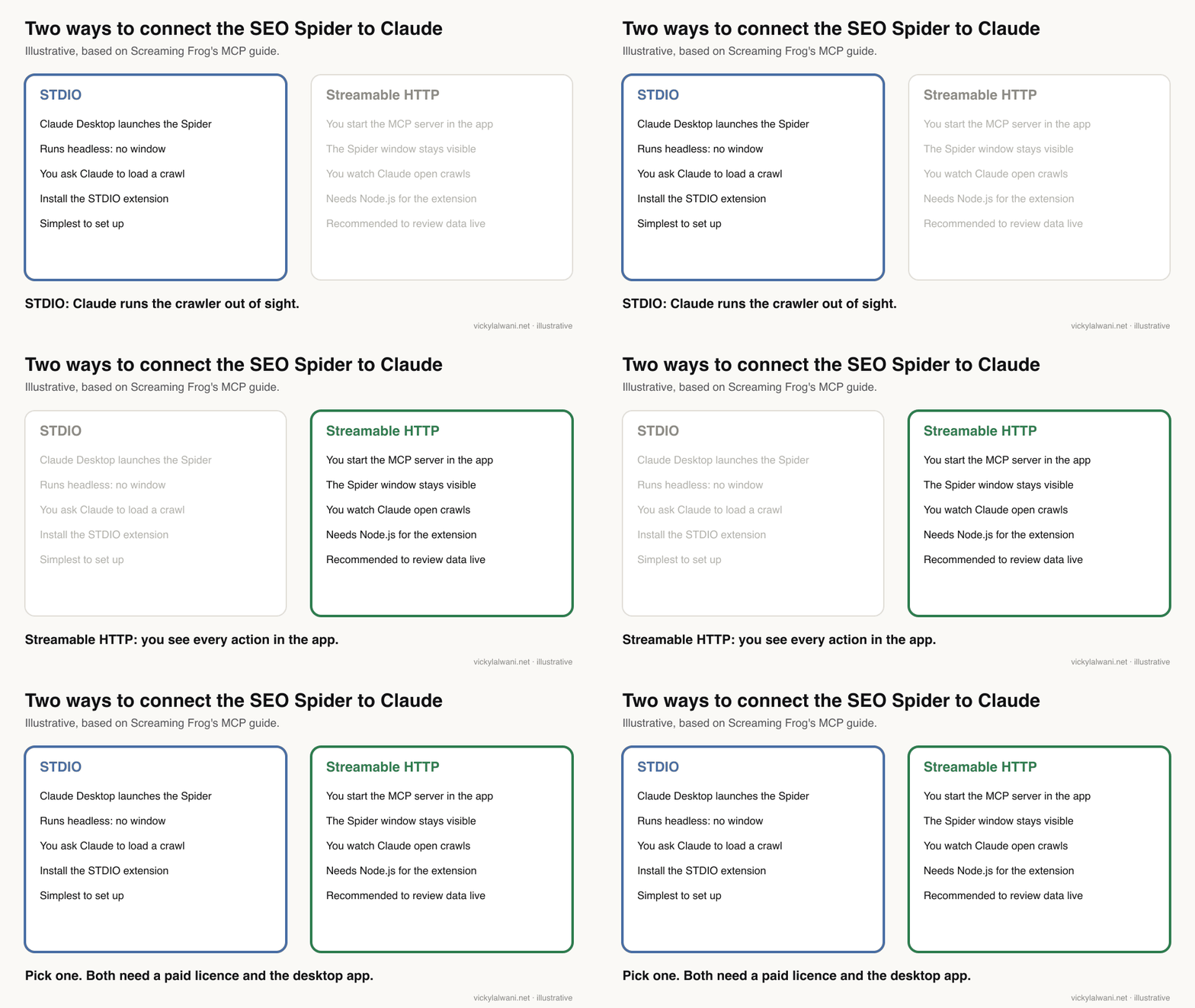
| STDIO | Streamable HTTP | |
|---|---|---|
| Who starts the Spider | Claude Desktop | You, from the app |
| Spider window | Hidden (headless) | Visible |
| Loading crawls | Ask Claude by crawl ID | You see it open |
| Extra install | None | Node.js shim |
| Best for | Quick questions | Reviewing as it works |
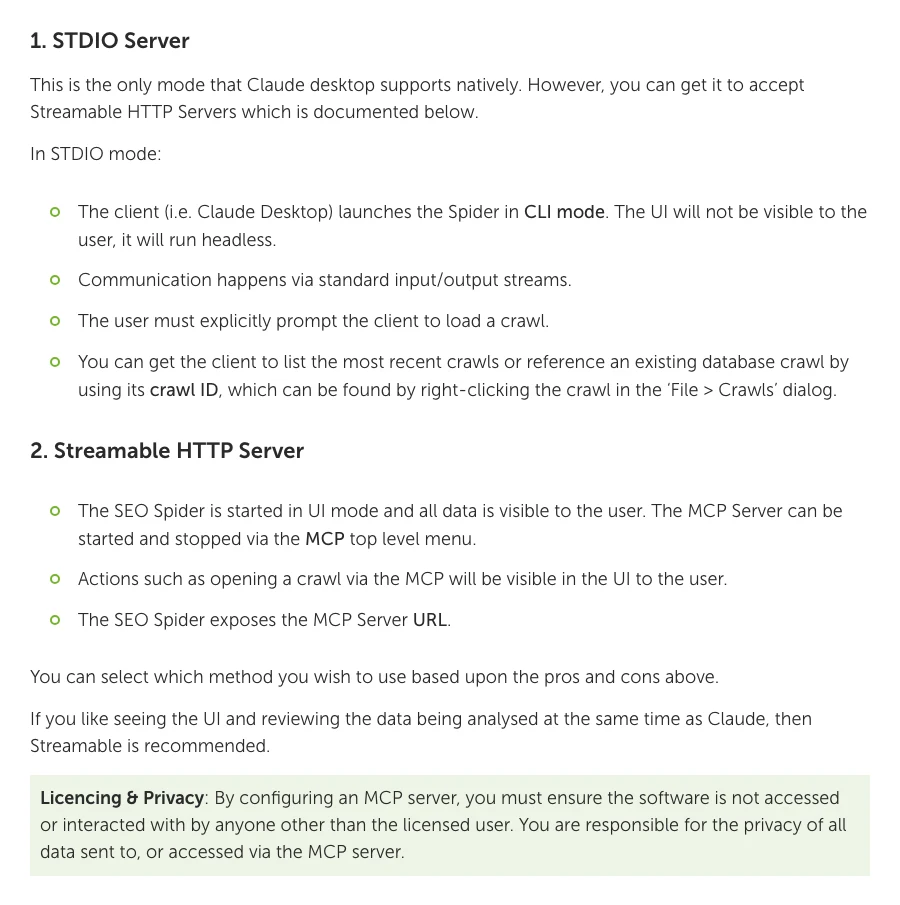
Note the licensing line under both modes: only the licensed user may access the server, and you are responsible for the privacy of everything sent through it. A shared team machine running the MCP for several people is outside those terms.
What can Claude do through the Screaming Frog MCP?
Short answer: Screaming Frog's published tool list has 44 tools: crawl control, reports and bulk exports, discovery of available reports and filters, URL inspection, configuration, API connections, a sandboxed file system and Node.js scripting. Most read data; a handful change settings, files or connections.
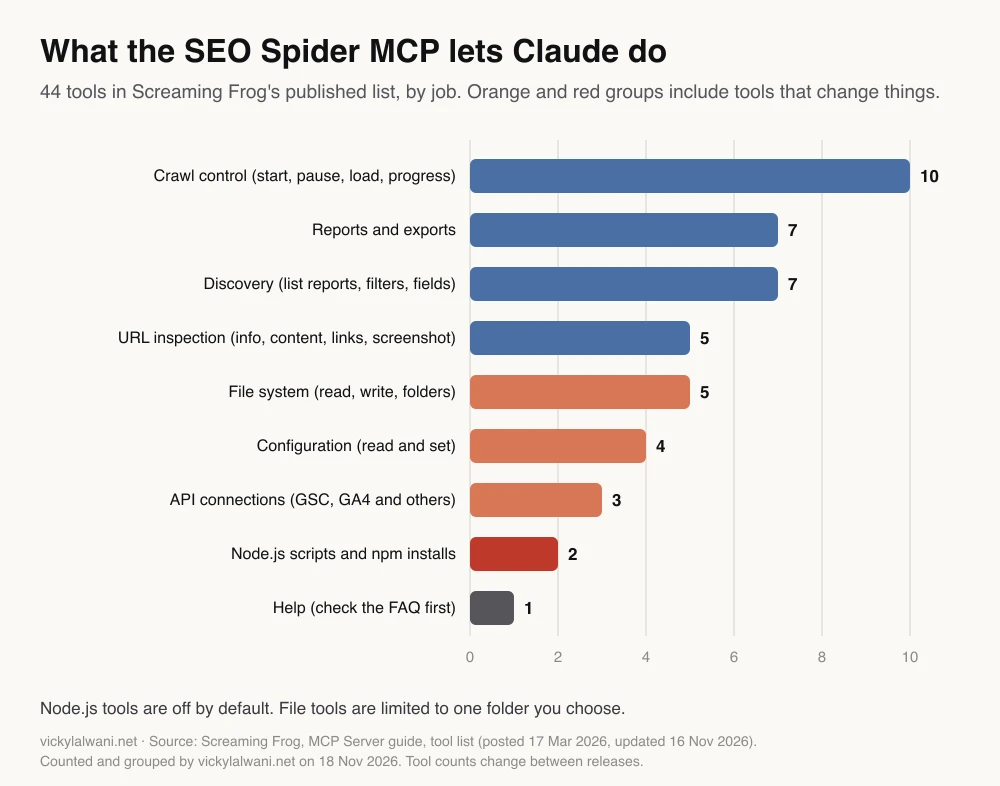
The design choices matter more than the count. Long jobs (loading a crawl, exporting, generating a report) run in the background and Claude polls their status, so a large site does not freeze the chat. Exports go to files in one allowed folder rather than into the conversation, because crawl data overflows a context window quickly. Screaming Frog's advice is to start a new chat for each job for the same reason.
| Tools that change something | What they change | Default |
|---|---|---|
| Set crawl configuration | Rendering, limits, speed | On |
| Connect or disconnect APIs | GSC, GA4 and others | On |
| Write file, create folder | Files in the allowed folder | On |
| Run Node.js script | Anything the script does | Off |
| Install npm package | Code on your machine | Off |
The examples in Screaming Frog's guide show the range: crawl a site and summarise the top issues by priority, combine broken links with Search Console clicks and inlinks to prioritise fixes, compare the last two crawls, build a redirect chain visual, or run an internal PageRank analysis on an existing crawl. A few prompts to start with:
Load my most recent crawl of example.com. Summarise the top issues by priority,
grouped by segment. For each, give 3 sample URLs I can check.

Bulk export client error (4xx) inlinks as CSV. Join it to the Internal export with
Search Console clicks and unique inlinks. Rank broken links by clicks on the linking page.

Open the last two crawls of example.com. List issues that are new, fixed or worse,
and flag anything touching indexability (noindex, canonicals, robots.txt).

Do not change the crawl configuration or connect any API without asking me first.
Save prompts that work as a Claude skill so every run follows the same steps and output format.
Can the Screaming Frog MCP run on a schedule?
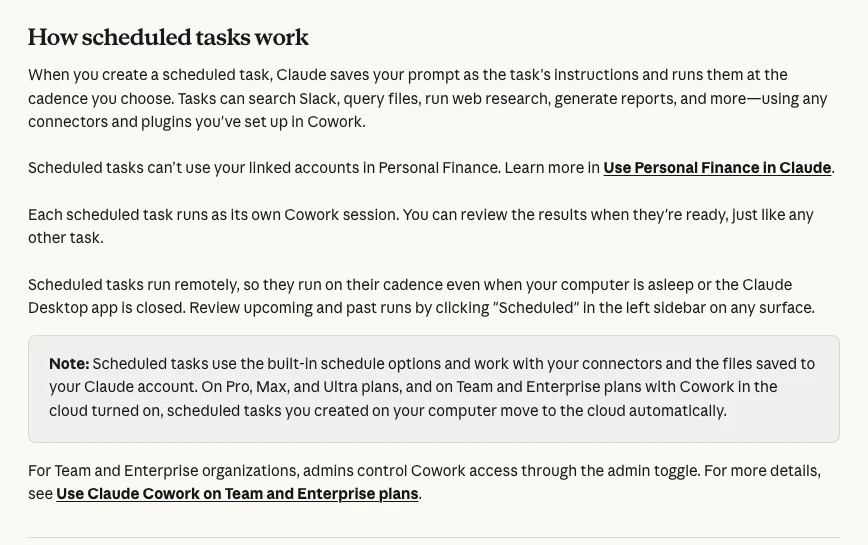
Short answer: Not on its own. The MCP runs on your desktop alongside the SEO Spider, while Claude's scheduled tasks run remotely and work from connectors and files saved to your Claude account. The practical pattern is to let Screaming Frog schedule the crawl and export to Google Drive, have a Claude scheduled task read the exports, and use the MCP for follow-up questions.
The original version of this article described Claude triggering the full crawl every Monday. Anthropic's help page changes that picture: scheduled tasks run remotely, so they run even when your computer is asleep, and they work with connectors and files saved to your Claude account. A task tied to a local folder runs only while the computer is awake and Claude Desktop is open, and that option is offered only to organisations with computer access turned on.
Screaming Frog already has the scheduling half. Under File, Scheduling in the user guide, a paid licence can run headless crawls on a timetable with a saved configuration, connect Search Console and analytics, and export tabs and reports to local files or Google Sheets in Google Drive. Since version 24, scheduled crawls can compare the last two crawls automatically and email the changes, including export attachments. Version 25 added a Run Now button and on or off switches for scheduled tasks.
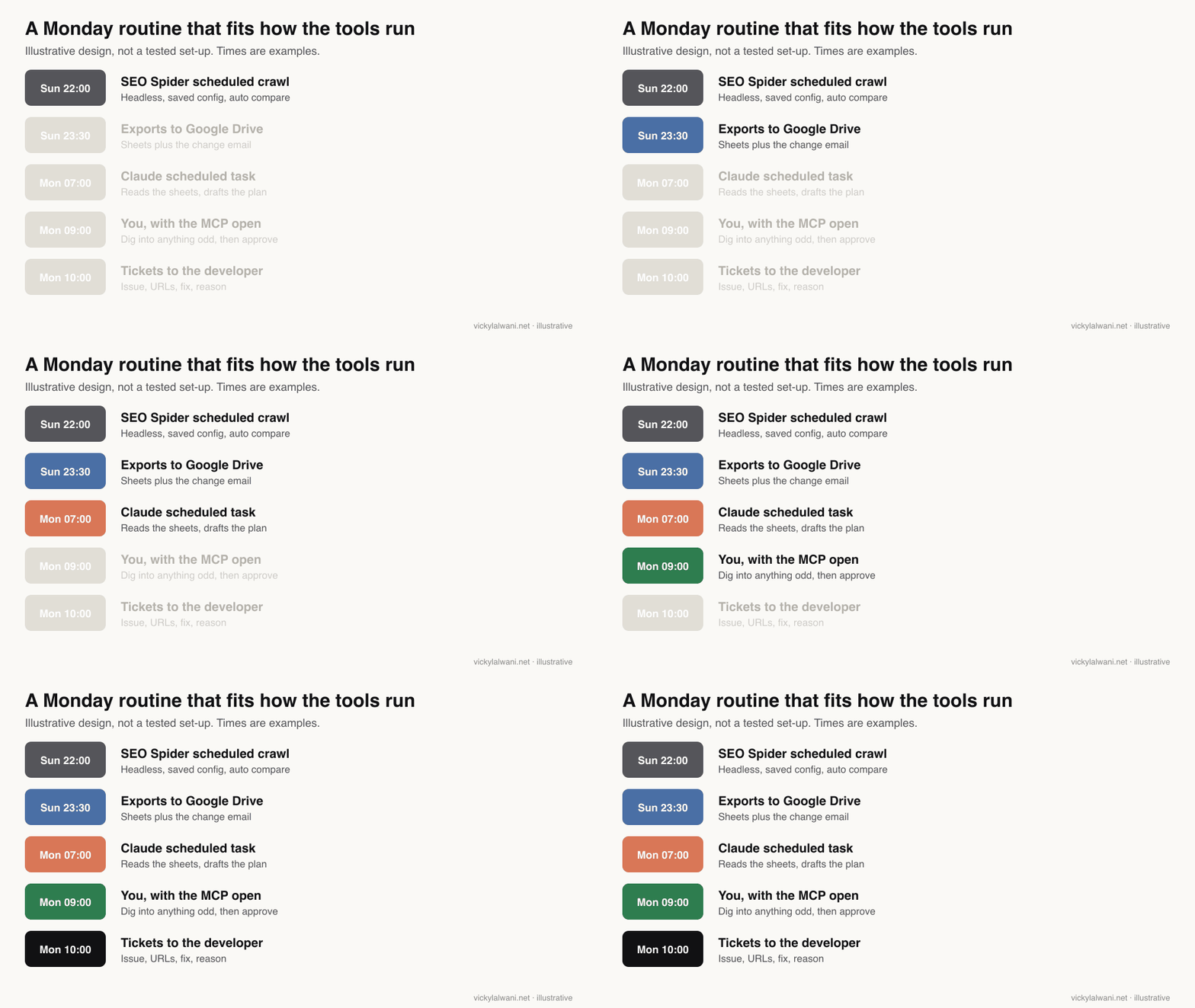
| Step | Tool | Runs where |
|---|---|---|
| Crawl, compare, export | SEO Spider scheduler | Your computer |
| Store the exports | Google Sheets in Drive | Cloud |
| Draft the plan | Claude scheduled task | Cloud |
| Investigate odd items | Claude Desktop with MCP | Your computer |
| Approve and ship | You, then the developer | Your process |
Screaming Frog has also suggested a mobile shortcut: using Claude Dispatch with the MCP on your desktop to start or report on crawls from your phone. The desktop still has to be on and running the SEO Spider.
What guardrails does a Screaming Frog MCP set-up need?
Short answer: Keep Node.js tools off unless you need them, point the file tools at a dedicated folder, ask Claude to cite URLs for every claim, and never let it push redirects, canonicals, noindex or robots.txt changes to a live site without review.
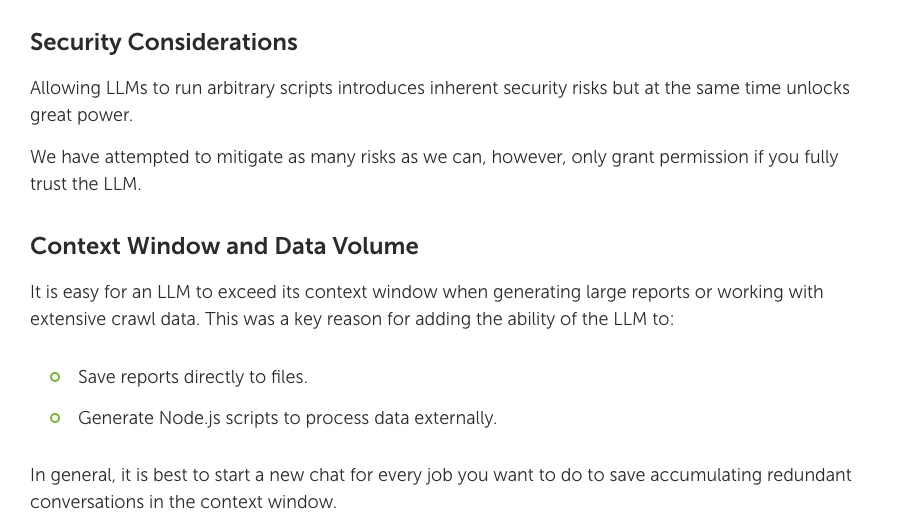
- Scripts are the real risk. The Node.js tools can run code and install packages on your machine. Screaming Frog says to grant permission only if you fully trust the model. Leave them off for routine audits.
- One folder. Set the MCP's allowed directory to a folder that holds only crawl exports.
- Ask before settings change. Tell Claude in the prompt or skill not to change configuration or connect APIs without asking.
- Verify indexability advice. A suggestion to block a page in robots.txt and also add noindex is self-defeating: Google never sees a noindex on a blocked page.
- Mind the data. Crawl data can include URLs with personal details. Check your Claude privacy setting (Anthropic's consumer terms) before connecting client sites.
- Approval before anything goes live, and a log of what changed and when, so problems can be reversed. That is the rule I keep on client work.
Send the approved plan where developers already take work from, one ticket per fix: the issue, affected URLs, the fix and why it matters. If the same issue returns crawl after crawl, the cause is a template or deployment step, and the fix belongs there.
What people say on X and Reddit
Short answer: The launch was welcomed by SEOs on X as a real time saver for crawl data work. On Reddit the tone is more cautious: people use MCPs for grunt work, distrust unofficial servers, and some prefer direct API access.
On launch day, an agency SEO on X called the official MCP a big change because a crawl and its analysis can happen in one place, and a Japanese SEO practitioner highlighted setting up, crawling, analysing and reporting in plain language. When version 25 shipped, a tech commentator on X pointed to MCP debugging tooling as a sign the vendor is investing in agent use.
Reddit is more guarded. An r/TechSEO user asking how to connect Search Console to Claude Code said most answers were spam pushing unofficial MCP servers, and an open-source audit MCP post in the same community was flagged by moderators as promotion. In r/PPC, one practitioner said they use the Screaming Frog MCP for SEO grunt work but still guide the model themselves.
| Source | Date | What it says | Type |
|---|---|---|---|
| Screaming Frog on X | 19 May 2026 | v24 release with the MCP | Official |
| An agency SEO on X | 19 May 2026 | Crawl and analyse inside Claude | Opinion |
| A Japanese SEO on X | 20 May 2026 | Plain-language crawl to report | Opinion |
| Screaming Frog on X | 5 Aug 2026 | Mobile crawls via Dispatch | Official tip |
| A tech commentator on X | 3 Nov 2026 | v25 adds MCP debugging | Commentary |
| r/PPC | 15 Jun 2026 | SF MCP for SEO grunt work | First-hand |
| r/TechSEO | 24 Jul 2026 | Wary of unofficial MCPs | Question |
| r/TechSEO | 21 Sep 2026 | Open-source audit MCP, flagged | Vendor |
| r/SEO | 21 Oct 2026 | Headless CLI for link analysis | Question |
Which videos are worth watching?
Short answer: There is no official Screaming Frog video on the MCP yet, so start with a short set-up walkthrough and a first-look test of version 24, then read the official guide for the details.
An ecommerce SEO consultant channel, 19 May 2026: a first look on release day, from installing the extension to crawling a site and asking follow-up questions about missing alt text and duplicate titles. Promotes the consultant.
| Video | Channel | Date | What it covers |
|---|---|---|---|
| Run crawls inside Claude (v24) | An ecommerce SEO consultant | 19 May 2026 | First look, follow-ups |
| Set up the MCP in 5 minutes | An SEO consultant | 4 Jun 2026 | Version check, server start |
| Set up the MCP in Claude Desktop | An SEO agency | 2 Jul 2026 | STDIO extension install |
| Screaming Frog SEO Spider | Screaming Frog | 28 Feb 2025 | What the tool does |
Where is this advice weak?
Short answer: The MCP is young and changes with each release, the Monday routine above is a design rather than a tested recipe, and the tool count will drift. Check the official guide before relying on any single step.
- Fast-moving feature. The MCP shipped in May 2026 and changed again in November. Screaming Frog says not every feature is supported through it yet.
- Scheduling across tools is fiddly. The routine depends on Drive exports, a connector and a scheduled task all behaving; any one can fail quietly. Check the first few runs by hand.
- Token use. Large crawls burn through usage. Keep exports in files and ask for summaries.
- No ranking promise. A faster audit is still an audit. Results depend on what gets fixed and on everything else that affects rankings.
Want a technical SEO routine built for your site?
My SEO consultant service covers the crawl set-up, the audit and the tracker behind it. For the Claude side (desktop extensions, skills, scheduled tasks and team rules) see Claude consulting. Rates are on the pricing page. For other connectors, read MCP servers for SEO, Claude MCP connectors for marketing and technical SEO audit automation.
Sources
| Source | What it supports | Date | Link |
|---|---|---|---|
| Screaming Frog | MCP set-up, modes, tools, security | 17 Mar 2026, upd. 16 Nov 2026 | MCP Server guide |
| Screaming Frog | v24: MCP, auto compare, email | 19 May 2026 | SEO Spider 24 |
| Screaming Frog | v25: JSON config, MCP debugging | 3 Nov 2026 | SEO Spider 25 |
| Screaming Frog | Version dates | 4 Nov 2026 | Release history |
| Screaming Frog | Paid licence features | Read 18 Nov 2026 | Pricing |
| Screaming Frog | Scheduling, headless, Drive exports | Read 18 Nov 2026 | User guide |
| Claude Help Center | Scheduled tasks run remotely | Read 17 Nov 2026 | Scheduled tasks |
| Claude Help Center | Skills | Read 17 Nov 2026 | Skills |
| Anthropic | Training choice, retention | 28 Aug 2025 | Consumer terms |
| Google Search Central | Noindex and robots.txt | Read 18 Nov 2026 | Noindex |
| PyPI | Community MCP server example | Read 18 Nov 2026 | screaming-frog-mcp |
| X, Reddit, YouTube | Practitioner views | 2025 to 2026 | Linked above |
This article expands on my post on LinkedIn ↗.
FAQ
What does connecting Screaming Frog to Claude do?
It lets Claude start crawls, load saved crawls, read reports, run bulk exports, inspect URLs and change crawl settings through the SEO Spider MCP server. You ask in plain language and Claude calls the tools, instead of you exporting files and uploading them.
Does the Screaming Frog MCP work with the free version?
No. Screaming Frog says the MCP server is a paid licence feature and will not work in the free version. A licence costs GBP 199 a year for one user, and the SEO Spider must be installed on the same computer as Claude Desktop.
When did Screaming Frog release its MCP server?
The MCP guide was first posted on 17 March 2026 and the feature shipped to all users in SEO Spider 24.0 on 19 May 2026. Version 25.0 on 3 November 2026 added JSON configuration and MCP debugging tools.
Should I use STDIO or Streamable HTTP mode?
STDIO is the mode Claude Desktop supports natively and the simplest to set up; Claude launches the SEO Spider headless. Streamable HTTP keeps the Spider window visible so you can watch what Claude does, and Screaming Frog recommends it if you want to review data as it is analysed.
Can Claude run Screaming Frog crawls automatically every week?
Not through the MCP alone, because Claude scheduled tasks run remotely while the MCP runs on your desktop. Use the SEO Spider scheduler for the crawl and exports, for example to Google Sheets, then have a Claude scheduled task read those exports and draft the plan.
Can Claude fix the SEO issues itself?
Claude can draft fixes and, with other tools such as Claude Code, edit a codebase. A person should review and approve changes before they go live, especially redirects, canonical tags, noindex and robots.txt rules, where one error can remove pages from search.
Is the Screaming Frog MCP safe to use?
It is safe with sensible settings. Leave the Node.js script and npm tools off unless you need them, limit file access to one folder, and keep the server for the licensed user only. Screaming Frog warns that letting a model run scripts carries inherent security risk.
How is the MCP different from a Screaming Frog Claude audit?
An audit workflow exports crawl files and gives them to Claude to prioritise, which suits deep, repeatable audits. The MCP lets Claude operate the crawler live, which suits questions and follow-ups. Many teams use both: exports for the plan, the MCP for investigation.