A conversion tracking setup that holds up starts with an event map: one table of the 6 to 10 events that matter, what triggers each, the parameters it sends and the one name used on every platform. Then build in order: consent defaults, the dataLayer spec, Google Tag Manager, GA4 key events, Google Ads conversions and the Meta Pixel with the Conversions API sharing an event ID, and test every event in GTM Preview before publishing.
TL;DR
- Start a conversion tracking setup with an event map: one table of the 6 to 10 events that matter, what triggers each, the parameters it sends and one name used on every platform.
- Then build in order: consent defaults, the dataLayer spec, GTM, GA4, Google Ads, the Meta Pixel with the Conversions API, and a full test in Preview before you publish.
- Use Google's recommended names where they exist, such as generate_lead and purchase, and keep custom names under 40 characters.
- I used this method on my own site on 17 November 2026: ten named events, one main key event, and a lead record that keeps the ad click ID for later.
Start a conversion tracking setup with an event map: one table of the events that matter, their triggers, their parameters and one name used on every platform. Then build the tags from it. Doing it in that order stops GA4, Google Ads and Meta disagreeing later, which is the problem most tracking repairs are really trying to solve.
This guide is for planning new tracking, or a rebuild. If tracking already exists and you want to know whether to trust it, start with the conversion tracking audit instead. If you would like the whole setup planned and built for you, that is my analytics and tracking service.
A note on evidence. Platform rules come from Google's Analytics, Tag Manager and Google Ads Help Centres, Google for Developers, Meta and Microsoft, read on 17 and 18 November 2026 and linked where used. The worked example is the event plan I built for this website on 17 November 2026. I do not share client names or figures.
Jump to: The event map · Which events · My own site · Naming · Build order · Testing · FAQs
Why do tracking setups break before the first tag?
Short answer: Because tags get built before anyone agrees what should be tracked. One person adds a GA4 event, another adds a pixel, an agency adds a conversion, and each platform ends up describing the same customer differently. The fix is an agreement, written down, before any tag.
The broken setups I get asked to look at usually have that origin. Tracking you cannot trust is worse than none, because it gives you confidence in the wrong decisions. Budgets and bidding both follow these numbers.
The same story comes up in practitioner forums. In an April 2026 r/GoogleTagManager thread, the poster described clicking through a whole site to guess what to track, then watching triggers break when the site changed. One practical reply: trigger tags from dataLayer pushes, not page elements, because page elements change.
What goes in an event map?
Short answer: Seven columns: the event name, when it fires in plain language, its parameters, whether it is a key event, the name used in Google Ads and Meta, who implements it, and how it is tested. Every later step inherits from this table.
An event is anything a visitor does that you record: a click, a form sent, a purchase. A parameter is a detail sent with it, such as the button text or the order value. A key event is GA4's name for an event that counts as a conversion.
| Column | Example | Why it matters |
|---|---|---|
| Event name | generate_lead | One name everywhere |
| Fires when | Form accepted, not clicked | Stops false leads |
| Parameters | lead_type, form_page | Lets you split reports |
| Key event? | Yes, main | What bidding learns from |
| Ads and Meta name | Lead conversion, Lead | Keeps platforms aligned |
| Owner | Developer, then GTM | Someone is accountable |
| Test | Preview, then GA4 Realtime | Proof it works |
Keep the table somewhere everyone can find it. Before adding a row, I ask whether the event would change a decision. If nobody would act on it, it can wait.
I run [business type] and my website goals are [main goal, for example enquiries or online sales]. Our pages are [list of key pages and forms]. We advertise on [Google Ads, Meta].

Draft an event map as a table with these columns: event name, fires when (plain language), parameters, key event (main, secondary or no), Google Ads conversion name, Meta standard event, owner, how to test.

Rules:
- 6 to 10 events maximum.
- Use Google Analytics recommended event names where one fits (for example generate_lead, purchase, sign_up).
- Lowercase letters, numbers and underscores only, under 40 characters.
- A lead counts only when the form is accepted, not when the button is clicked.
- Mark anything you are unsure about as "decide".
Which events should you track?
Short answer: Start with 6 to 10: one or two that are real business results, marked as key events, and the steps that lead to them. For lead generation the main one is generate_lead. For a shop it is purchase. Add more only when they would change a decision.
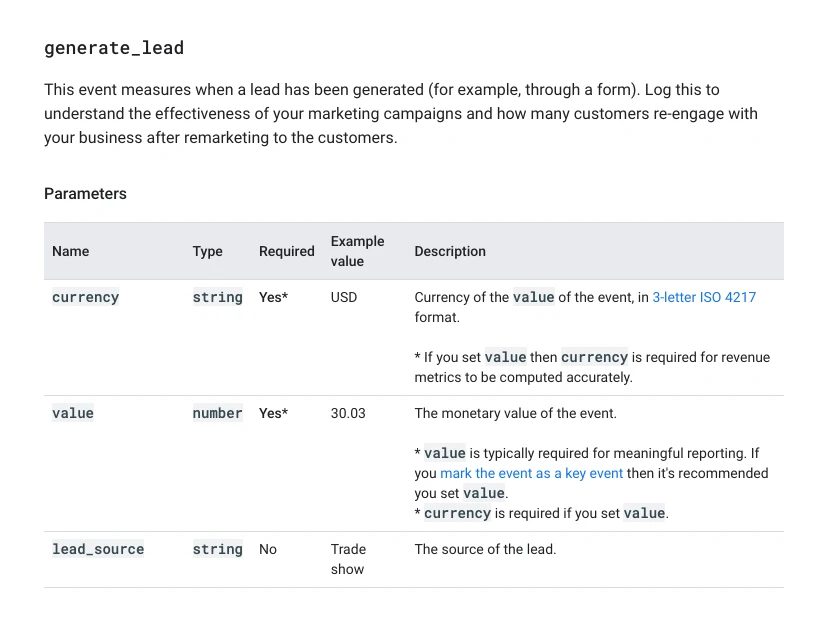
Google publishes recommended events for common goals. Using their names gets you GA4's built-in reports and fewer naming arguments. For leads, the list runs generate_lead, qualify_lead, working_lead, close_convert_lead, close_unconvert_lead and disqualify_lead, which lets you follow a lead past the form.
| Business model | Key events | Supporting events |
|---|---|---|
| Lead generation | generate_lead | cta_click, form_error |
| Calls and email | contact_click | click location |
| Ecommerce | purchase | add_to_cart, begin_checkout |
| Bookings | A booking event | Calendar opened, slot chosen |
| Content and accounts | sign_up | article_read, file_download |
Mark few key events. A standard GA4 property allows 30 key events, but more key events do not mean better data. In GA4, marking an event as a key event needs the Marketer role or above, and you set the default value and counting method there.
What does an event map look like in practice?
Short answer: On my own site, the plan built on 17 November 2026 has ten named events. One, generate_lead, is the main key event and fires only when a form submission is accepted. Contact clicks are a separate event, and everything else describes the journey, not the result.
Here is the core of it. GA4's automatic Enhanced Measurement already records page views, scrolls, outbound clicks, form starts, file downloads and video plays, so the plan only names what those cannot see.
| Event | Fires when | Key parameters | Key event? |
|---|---|---|---|
| generate_lead | A form or guide request is accepted | lead_type, form_page, wants_call | Yes, main |
| contact_click | Email, phone or WhatsApp link clicked | contact_method, click_location | Yes, secondary |
| linkedin_click | LinkedIn profile link clicked | click_location | No |
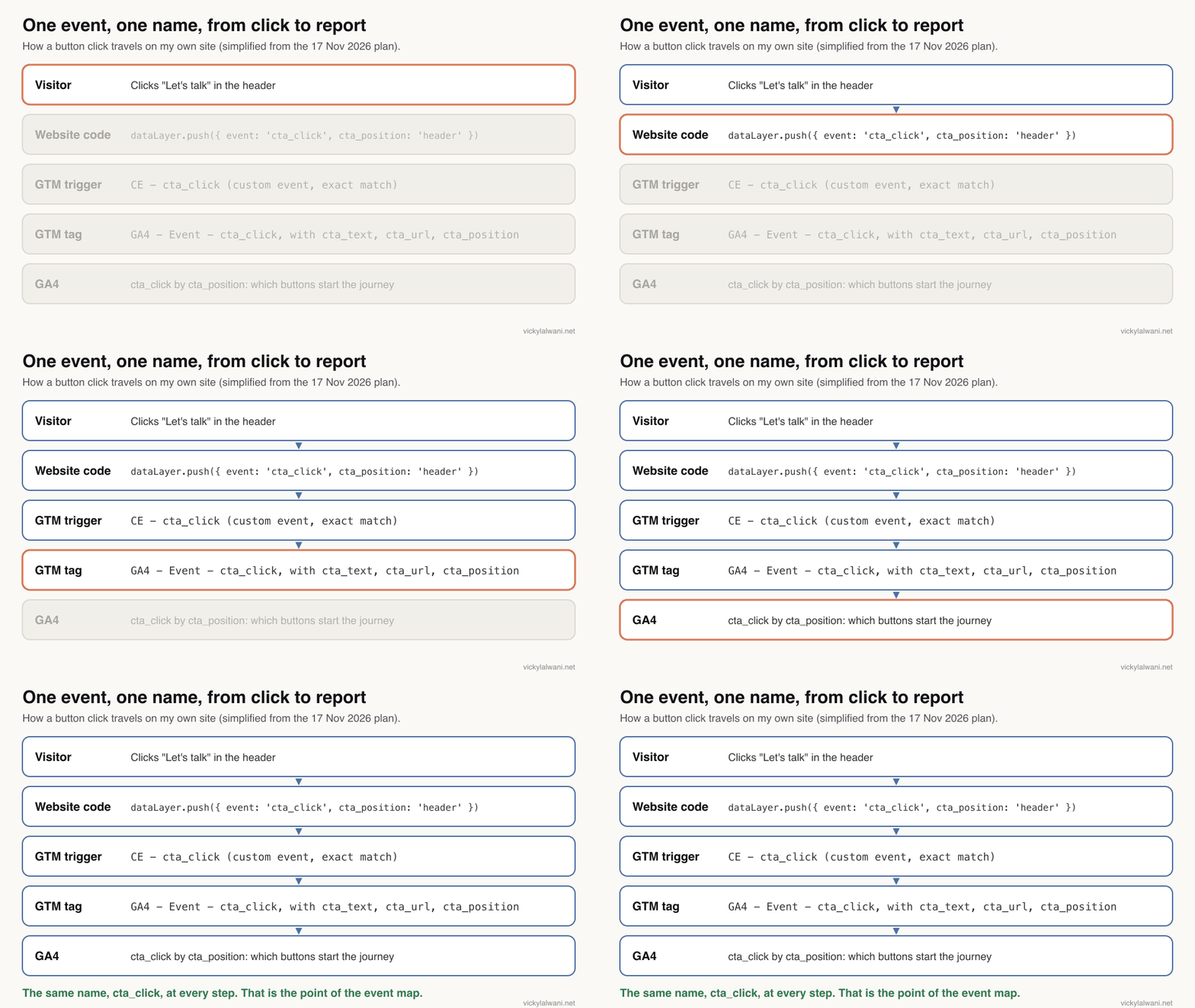
| cta_click | Any button or link to the contact page | cta_text, cta_url, cta_position | No |
| article_scroll | 25, 50, 75 and 90% of an article | percent_scrolled | No |
| article_read | 90% after at least 30 seconds | engaged_seconds | No |
| ai_referral | Visit starts from an AI assistant | ai_source, landing_page | No |
| ai_summary_click | An AI summary button clicked | ai_tool | No |
| page_not_found | Someone lands on a missing page | missing_path, broken_link_from | No |
| form_error | Validation or sending fails | form_name, error_type | No |
Four decisions in that plan are worth copying:
- A lead is a submission, not a click. Before the plan, email, phone and LinkedIn clicks were all counted as leads. Now
generate_leadis form leads only, and clicks have their own events. - Errors are tracked, but never what people typed.
form_errorsends the field names or the HTTP status, not the values. A rise in errors is a lost lead you would otherwise never see. - Each lead keeps two IDs. The site keeps the latest ad click ID, such as a GCLID, for 90 days, and each lead record stores it with the GA4 client ID. The next step is to send
qualify_leadorclose_convert_leadback when a lead is won, so reports show which channels produce clients, not just forms. - Some parameter names misbehave. In testing, a custom parameter called
page_pathdid not arrive as sent, so it becamemissing_path. Test every parameter, not just the event.
Storing the GA4 client ID is an old trick. A well-known GTM developer wrote up pushing the client ID into the dataLayer back in 2021. What has changed is how much it matters now that bidding wants qualified leads, not form fills.
How should you name events and parameters?
Short answer: Lowercase snake_case, starting with a letter, using only letters, numbers and underscores, under 40 characters. Use Google's recommended name when one exists, never two names for one action, and name the GTM tags and triggers after the event so anyone can read the container.
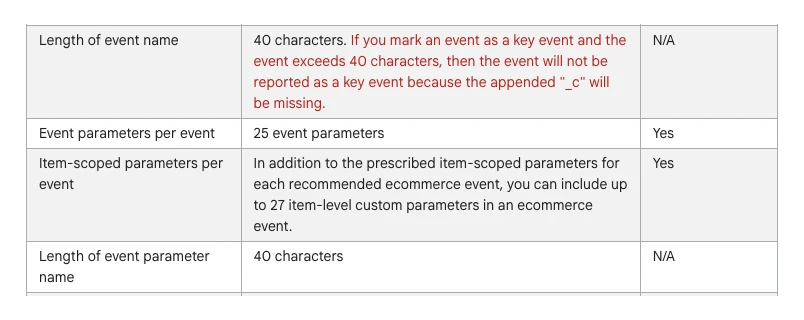
GA4's naming rules say event names must start with a letter and use only letters, numbers and underscores, and names are case sensitive, so generate_lead and Generate_Lead are two different events. The collection limits cap names at 40 characters and each event at 25 parameters.
| Item | Pattern on my own site | Example |
|---|---|---|
| GA4 event | snake_case, recommended first | generate_lead |
| GTM tag | GA4 - Event - <event> | GA4 - Event - cta_click |
| GTM trigger | CE - <event> | CE - cta_click |
| GTM variable | DLV - <key> | DLV - cta_position |
| Parameter | snake_case, no PII | click_location |
Any convention works if it is written down. In a March 2026 r/GoogleTagManager thread, a developer running five containers found ChatGPT and Claude each proposed a sensible naming rule, but different ones. Pick one, put it in the event map, and give it to whoever builds next, person or AI. If names have already drifted, GA4's rename and generate events feature can tidy some of it, but fixing the source is cleaner.
What does the dataLayer spec give your developer?
Short answer: A dataLayer spec turns each row of the event map into the exact code the website pushes, with example values. The developer implements it once, GTM reads it, and tags stop depending on button classes or page text that change with every redesign.
The dataLayer is a small JavaScript list on the page that the site writes to and GTM reads from. A frequent fault is tags expecting data the dataLayer does not contain, so the spec spells out every key.
This example follows the push on my own site, with an event_id added for sites that also send leads to Meta.
// Example. Fire only after the server accepts the form, not on the button click.
window.dataLayer = window.dataLayer || [];
window.dataLayer.push({
  event: "lead_submitted",       // GTM custom event; the GA4 tag sends it as generate_lead
  lead_type: "enquiry",          // enquiry or guide
  lead_page: "/services/example",
  lead_wants_call: "yes",
  event_id: "lead_7f3a91"        // one ID per lead, reused by the Meta Pixel and the Conversions API
});
The event_id line matters if Meta receives the same lead from the browser and your server. Meta deduplicates a matching event name and event ID received within 48 hours. Put the ID in the dataLayer so GTM hands one value to both. Add a test line for each event: what the developer should see in GTM Preview before calling it done.
What order should you build the tracking in?
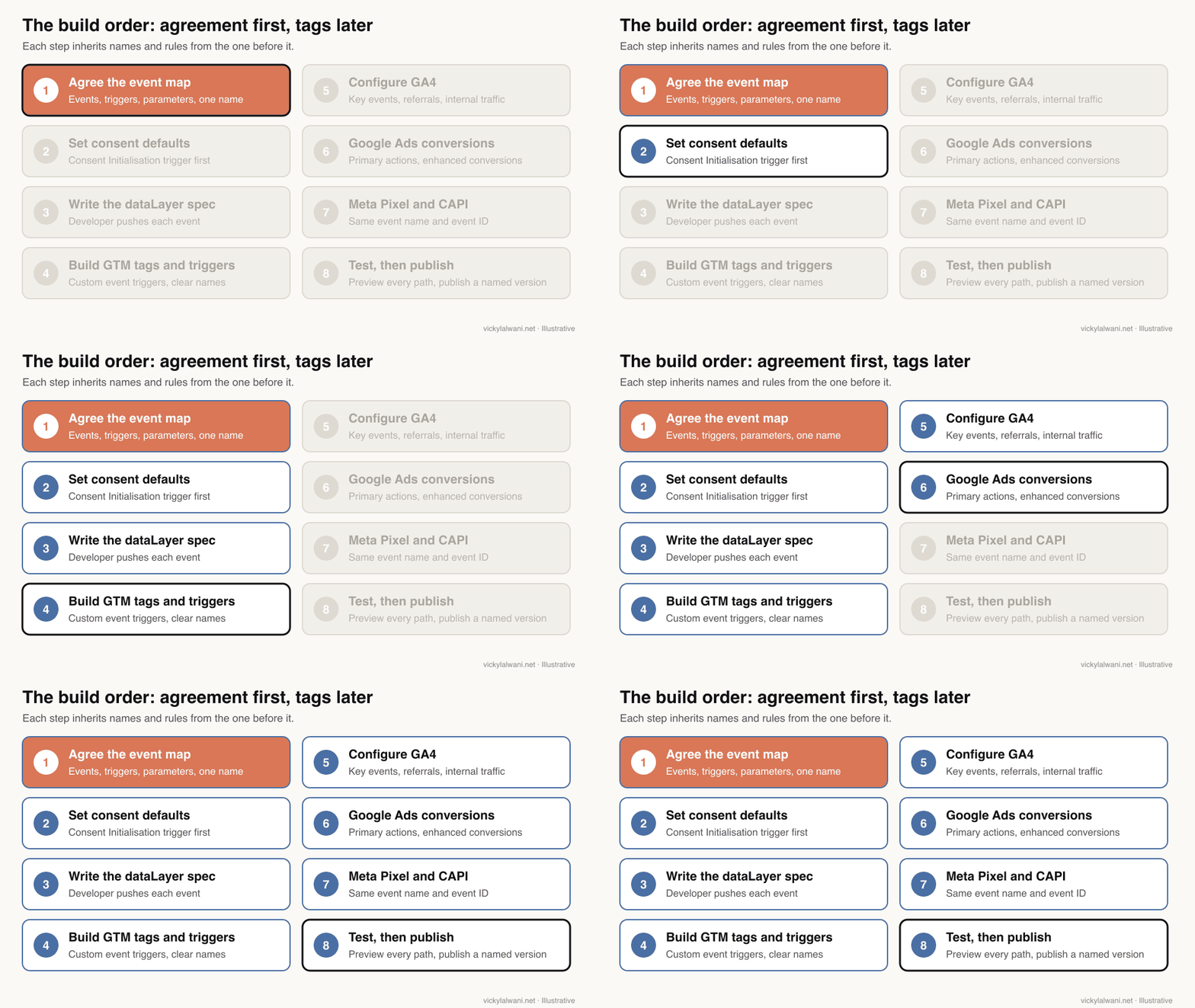
Short answer: Consent defaults first, then the dataLayer, then GTM tags and triggers, then the GA4 settings, Google Ads conversions and the Meta Pixel with the Conversions API, then a full test in Preview. Each step uses the names and rules from the one before it.
Consent
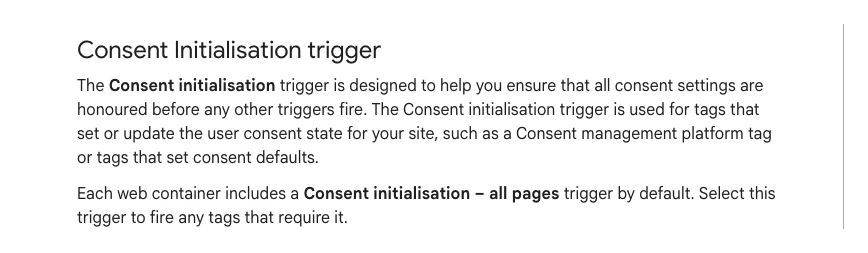
Consent decides what every tag may send, so it comes first. In GTM, the tag that sets consent defaults goes on the Consent Initialisation trigger, which fires before all other triggers. Consent mode v2 uses four signals: ad_storage, analytics_storage, and the two added for v2, ad_user_data and ad_personalization. Choose basic or advanced mode with whoever owns privacy, and get professional advice on what your market requires.
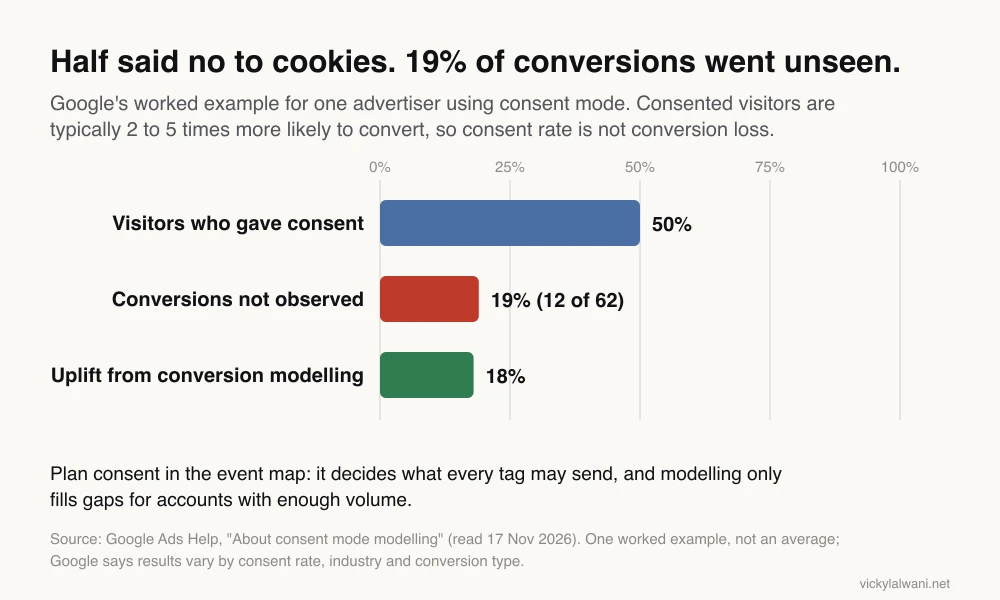
Consent rate and conversion loss are not the same. In Google's worked example, an advertiser with a 50% consent rate lost sight of 19% of conversions, 12 of 62, because consented visitors are typically 2 to 5 times more likely to convert. Modelling then added an 18% conversion rate uplift. That is one example, not an average.
Google Tag Manager
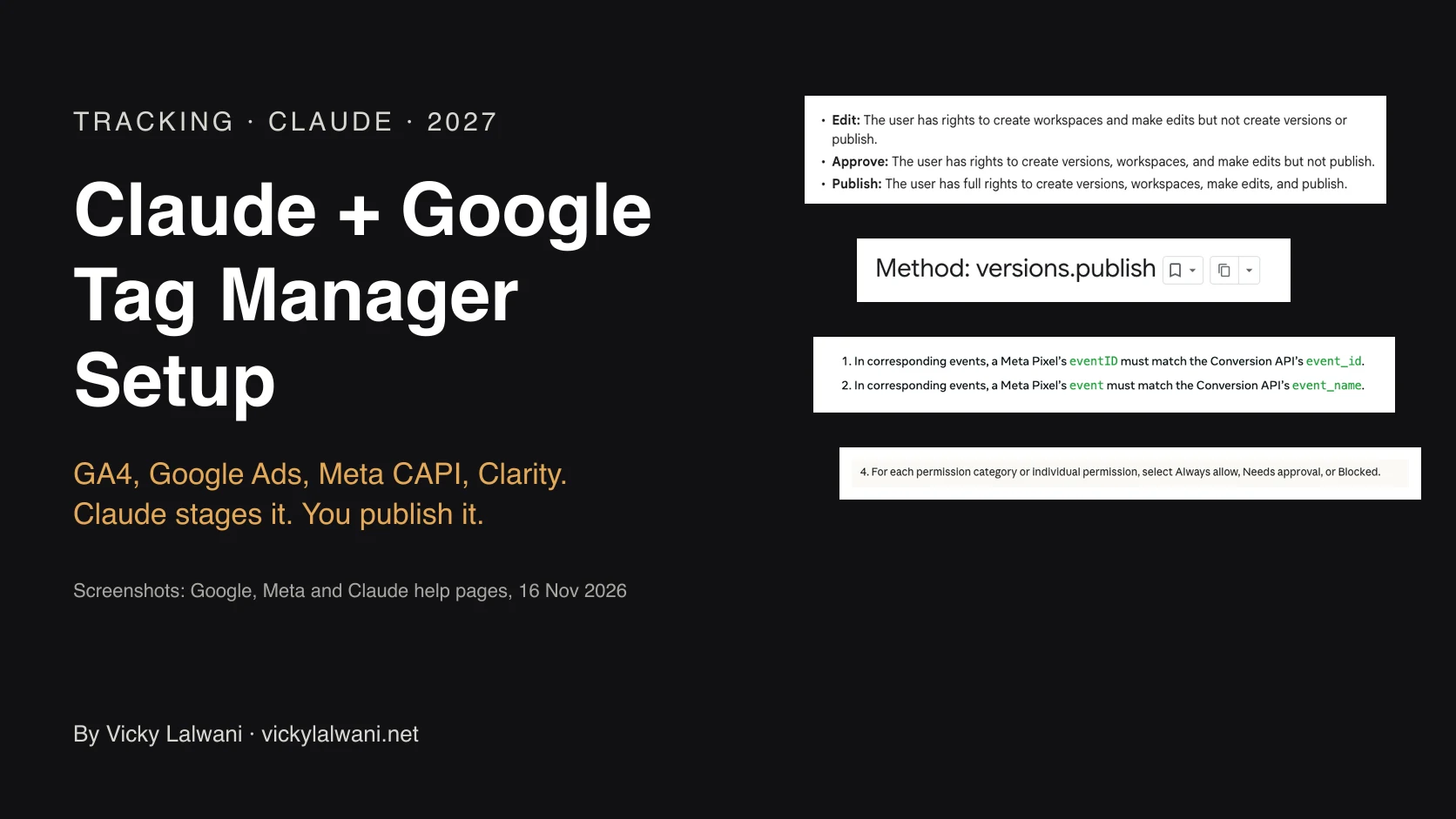
Use one container, folders, and the naming rule from the event map. Build each tag on a custom event trigger that matches a dataLayer push. Give the people who build Edit or Approve permission and keep Publish with the person who signs off.
GA4
Mark only the events tied to real goals as key events. Then fix the settings people skip: cross-domain measurement if a booking or payment step sits on another domain, unwanted referrals for payment and form services, the internal traffic filter, and data retention, which on a standard property can be 2 or 14 months for explorations. On my own site the form service went on the unwanted referrals list, because it was taking credit for visitors' real sources.
Google Ads
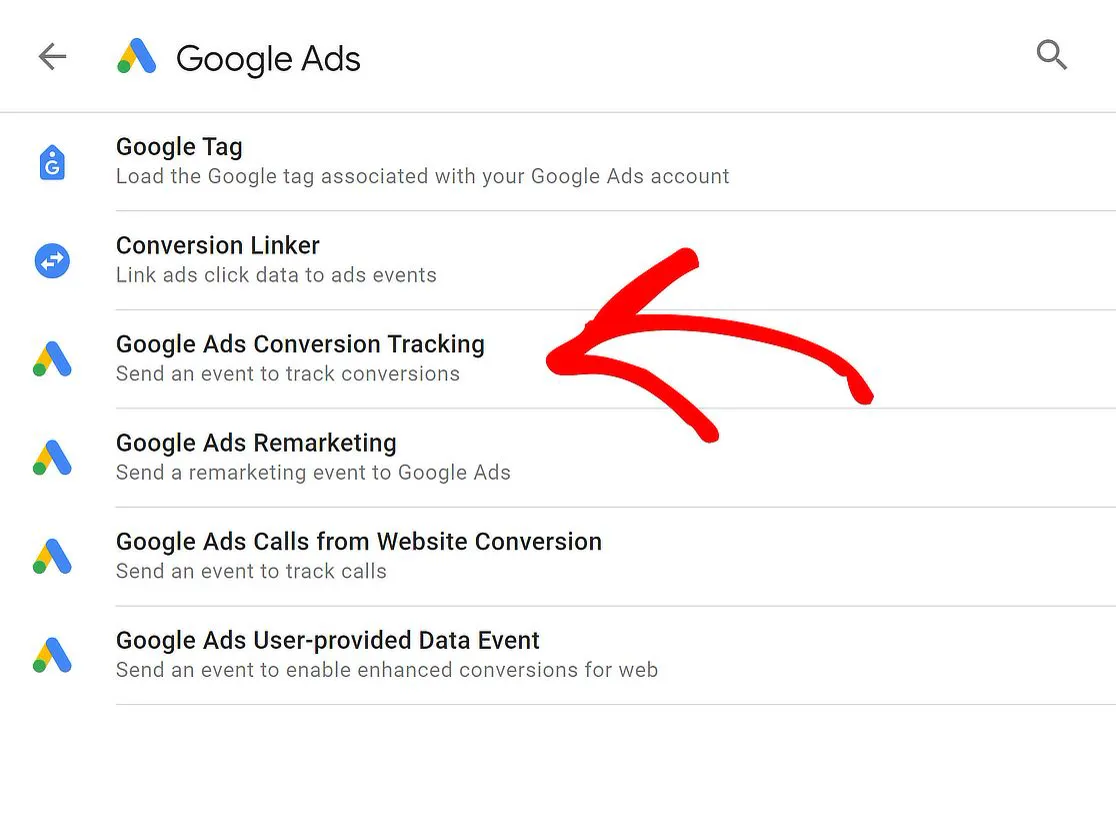
Create conversion actions for the real goals and set only those as primary, because primary actions are what bidding uses. For leads, count one per click. Turn on enhanced conversions, which since April 2026 is a single setting for web and leads. If you also import GA4 key events, keep one source primary per action: Google sets GA4-based conversions to secondary for that reason.
Meta Pixel and Conversions API
Send the same events from the browser and the server with the shared event_id from the dataLayer, plus customer information parameters that raise Event Match Quality. Meta advises aiming for 75% event coverage of server events to Pixel events. Server-side pieces need deploying by you or a developer, working from the spec.
Microsoft Clarity
Clarity's free heatmaps and recordings show the friction your numbers can only hint at. Add it through GTM in the same workspace so it is reviewed with everything else. Since 31 October 2025, Clarity enforces consent signals for visits from the EEA, the UK and Switzerland, so include it in the consent plan.
How do you test before you publish?
Short answer: Write one test per event before you build, run each in GTM Preview, and check the GA4 hit and its parameters arrive. Then publish a named version, and confirm the main events in GA4 Realtime or DebugView. A test that only checks the tag fired misses half the faults.
GTM Preview opens Tag Assistant, so you can use the site as if the draft were live and see each tag fire. These are the tests I wrote for my own site's plan:
| Test | Expected |
|---|---|
| Click header and hero buttons | cta_click with the right position |
| Click email and phone links | contact_click with the method |
| Scroll an article to the end, wait 30 s | article_scroll x4, article_read |
| Open a page with an AI utm_source | ai_referral |
| Visit a missing page | page_not_found |
| Send an empty form | form_error |
| Send a test lead | generate_lead, lead_type set |
| Play an article video | video_start |
Three lessons from running them. Test hits sent from a local copy arrive in GA4 with hostname localhost, so filter it out of reports. DebugView hides events from visitors who refused analytics cookies, and an internal traffic filter hides your own visits from Realtime, so test on another connection. And YouTube embeds without the YouTube JavaScript API are invisible to GA4's video tracking, so on my own site the article pages now switch it on.
Server-side conversions need their own test. In a November 2026 r/GoogleTagManager post, a tool maker found "Continue with Google" sign-ups went through a server redirect, so no container loaded and sign_up never fired. If a conversion completes on the server, plan to send it from the server.
What if you inherited tracking that already runs?
Short answer: Audit before you rebuild. Write the event map you want, compare it with what the container actually does, and rank each gap by how much it distorts the numbers bidding uses today. Then fix in that order.
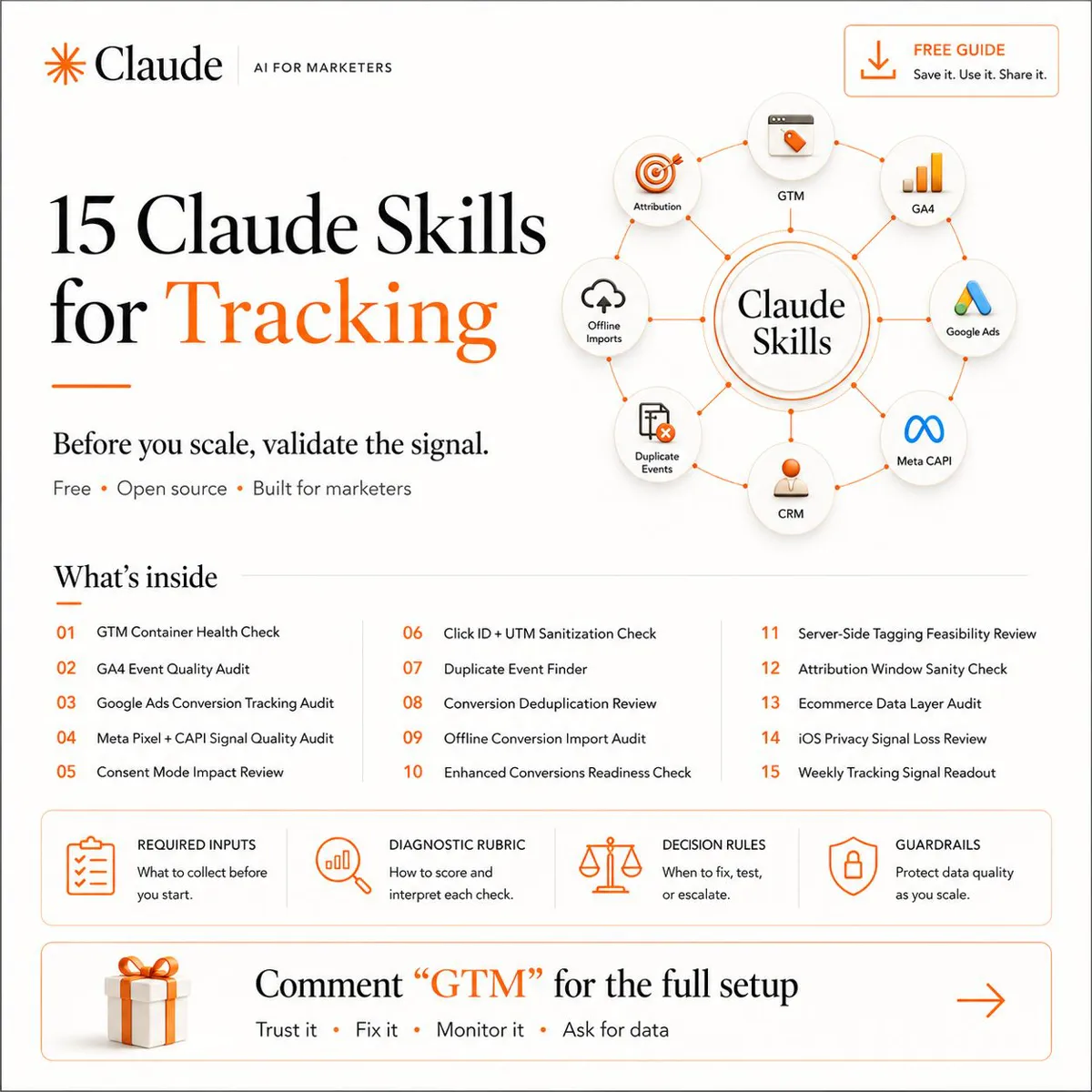
Rebuilding on instinct throws away what works. The 15-check conversion tracking audit covers that comparison. Expect reported results to look worse for a while when duplicates go, and warn stakeholders up front.
Where does AI fit, and where does it stop?
Short answer: AI is good at the slow, exact parts: drafting the event map, writing the dataLayer spec, and building tags and triggers in a GTM workspace. People keep three things: the accounts and credentials, the server-side deployment, and the decision to publish.
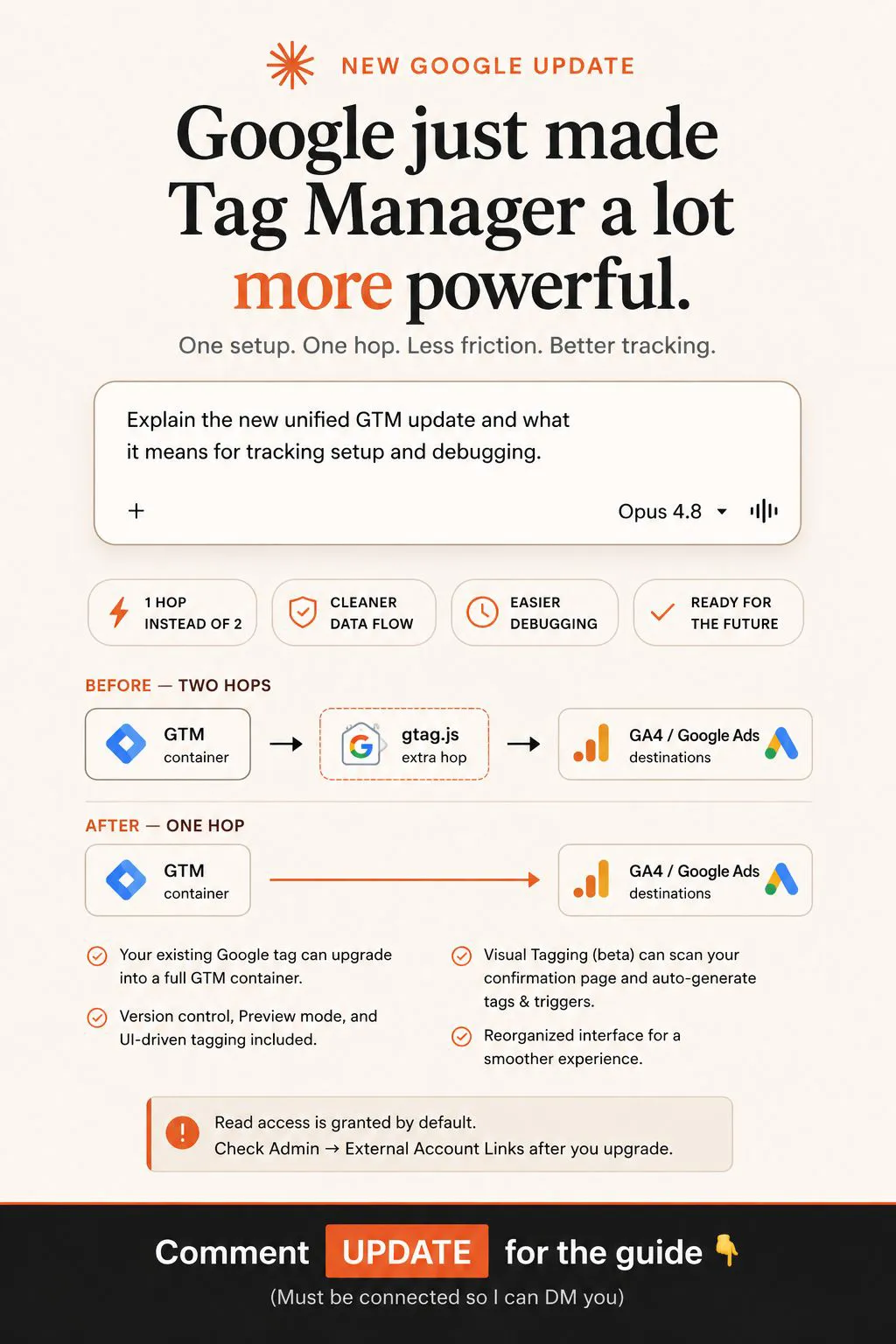
An AI tips creator on X put the appeal simply: describe what to track and Claude builds the tags, triggers and variables. That works best when the description is an agreed event map, not a guess. I keep campaigns in draft until every form and call button is measured, and a wrong tag published quietly can mislead you for months, so a person reviews a staged version before it goes live. My guide to Claude Google Tag Manager setup covers the permissions that make that review step hold.
Videos worth watching
A four-minute Analytics Academy lesson on GA4 events from the official Google Analytics channel, August 2023: automatic, recommended and custom events, which is the vocabulary an event map uses. It sells nothing.
A two-minute official clip on previewing a GTM workspace from the Google Analytics channel, November 2024: checking a conversion tag's trigger in Preview before publishing.
| Video | Channel | Date | What it covers |
|---|---|---|---|
| 2.2 Create and manage events in Google Analytics - Analytics Academy on Skillshop | Google Analytics (official) | Aug 2023 | Event types and custom events |
| Preview the Workspace | Google Analytics (official) | Nov 2024 | Testing a tag in GTM Preview |
| 2.4 Understand & create key events in Google Analytics - Analytics Academy on Skillshop | Google Analytics (official) | Aug 2023 | Marking key events |
| GA4 Key Events: How to Track Conversions in Google Analytics 4 (2025 Update) | Loves Data (training company) | Aug 2025 | Key events step by step |
| Major Google Tag Manager update - Optimized Tagging Experience | Analytics Mania (GTM training) | Oct 2026 | The 2026 GTM interface change |
| How to Correctly Install Facebook / Meta Conversions API + Event Deduplication | Stape (server-side vendor) | Jun 2024 | CAPI with a shared event ID |
What people say on X and Reddit
Short answer: People who plan tracking for a living say the mess starts when tags are built before anyone agrees what to track, and when triggers depend on page elements that developers later change. They favour a written plan, dataLayer pushes and a naming rule, and they disagree on how much to hand to AI.
| Source | Where | Date | What it says | Type |
|---|---|---|---|---|
| Post | Google Ads liaison, X | 21 Mar 2024 | GA4 conversions renamed key events; conversions live in Google Ads | Vendor (official) |
| Post | Google Analytics, X | 22 Sep 2025 | Rename and generate events to fix typos and standardise names | Vendor (official) |
| Post | A well-known GTM developer, X | 22 Jan 2021 | Push GA4 client ID into the dataLayer to send it onwards | First-hand |
| Post | An AI tips creator, X | 29 Jul 2026 | Describe what to track and Claude builds GTM tags | Opinion |
| Thread | r/GoogleTagManager | 16 Apr 2026 | Why tracking setups become a mess; replies: dataLayer, spot checks | Opinion |
| Thread | r/GoogleTagManager | 20 Mar 2026 | Naming broke down across five containers; replies: folders, prefixes | First-hand |
| Thread | r/GoogleTagManager | 16 Sep 2025 | One trigger for GA4 and Google Ads; keep GA4's standard names | Opinion |
| Thread | r/GoogleTagManager | 2 Nov 2026 | Google sign-ups skip the page, so sign_up never fires | First-hand, tool maker |
The April 2026 r/GoogleTagManager thread is the best summary of why event maps exist. The poster described clicking through a whole site, guessing what to track, writing a spreadsheet, then watching triggers break when the site changed. The practical replies were to trigger tags from dataLayer pushes rather than page elements, and to click through the main conversions yourself once a month. The March 2026 naming thread adds the other half: ChatGPT and Claude each suggested a sensible naming rule, but different ones, so pick one and write it down. The November 2026 post comes from someone who sells an analytics tool, but the lesson travels: a conversion that happens on the server, such as a Google sign-in, never loads your container.
Where this advice is weak
- My own site is a small lead generation site. A shop or an app needs more events and an ecommerce dataLayer, which this example does not show.
- Six to ten events is a starting rule, not a law. Large sites with several products will need more, but the test stays the same: would it change a decision?
- The consent chart is one Google example. Your consent rate and conversion loss will differ, and modelling needs volume many small accounts never reach.
- Some of my plan is still to come. Sending won leads back to GA4 and Google Ads is the next step, not something I can report results on.
- Platform rules move. Enhanced conversions changed in April 2026 and Clarity's consent rules in October 2025. Recheck the sources before you build.
Want your conversion tracking set up properly?
If you do one thing this week, write your event map, even if you already have tags running. Compare it with what your container does, and the gaps tell you where to start. If you would like it planned, built and tested for you, that is my analytics and tracking service, with the Google Ads side covered by my Google Ads management and the Meta side by my Meta ads service. Rates are on the pricing page, or get in touch through the contact page.
Keep reading: the conversion tracking audit, Claude Google Tag Manager setup and Google Ads not tracking conversions.
Sources
| Source | What it supports | Date | Link |
|---|---|---|---|
| Google for Developers: GA4 recommended events | generate_lead and lead events | Read 17 Nov 2026 | Link |
| Analytics Help: event collection limits | 40 characters, 25 parameters | Read 17 Nov 2026 | Link |
| Analytics Help: event naming rules | Letters, numbers, underscores | Read 17 Nov 2026 | Link |
| Analytics Help: configuration limits | 30 key events | Read 17 Nov 2026 | Link |
| Analytics Help: create and mark key events | Marketer role | Read 17 Nov 2026 | Link |
| Analytics Help: cross-domain, referrals, internal traffic | GA4 settings | Read 17 Nov 2026 | Link |
| Analytics Help: data retention | 2 or 14 months | Read 17 Nov 2026 | Link |
| Analytics Help: DebugView | Consent caveat | Read 17 Nov 2026 | Link |
| Tag Manager Help: Preview, permissions | Testing, roles | Read 17 Nov 2026 | Link |
| Tag Manager Help: consent mode support | Consent Initialisation trigger | Read 17 Nov 2026 | Link |
| Tag Manager Help: EU user consent | v2 parameters | Read 17 Nov 2026 | Link |
| Google for Developers: consent mode | Consent defaults | Read 17 Nov 2026 | Link |
| Google Ads Help: consent mode | Basic vs advanced | Read 17 Nov 2026 | Link |
| Google Ads Help: consent mode modelling | Chart: 50%, 19%, 18% | Read 17 Nov 2026 | Link |
| Google Ads Help: primary and secondary | Bidding actions | Read 17 Nov 2026 | Link |
| Google Ads Help: counting options | One per click for leads | Read 17 Nov 2026 | Link |
| Google Ads Help: enhanced conversions | One setting from April 2026 | Read 17 Nov 2026 | Link |
| Google Ads Help: GA4-based conversions | Secondary by default | Read 17 Nov 2026 | Link |
| Meta for Developers: deduplication | event_id, 48 hours | Read 17 Nov 2026 | Link |
| Meta Business Help: EMQ, best practices | Match quality, 75% coverage | Read 18 Nov 2026 | Link |
| Microsoft Learn: Clarity consent | Enforced from 31 Oct 2025 | Read 18 Nov 2026 | Link |
| My own site's tracking plan | Event table, tests, lessons | 17 Nov 2026 | Internal document |
| YouTube, X and Reddit | Videos and practitioner views | Checked 17 and 18 Nov 2026 | Linked in the tables above |
FAQ
What is an event map in conversion tracking?
An event map is one table listing the events that matter to the business, what triggers each, the parameters it sends, whether it is a key event and the exact name used in GA4, Google Ads and Meta. It becomes the source of truth for every tag, so the platforms describe the same actions the same way.
How do I set up conversion tracking from scratch?
Write the event map first, then set consent defaults, have a developer add the dataLayer pushes, build the tags in Google Tag Manager, mark key events in GA4, create Google Ads conversion actions and add the Meta Pixel with the Conversions API. Test every event in GTM Preview before you publish.
How many events should I track in GA4?
Start with 6 to 10 named events, with one or two marked as key events. GA4's Enhanced Measurement already records page views, scrolls, outbound clicks, form starts, downloads and video plays, so name only what those miss and add more when they would change a decision.
Which GA4 events should be key events?
Only events that are real business results, such as generate_lead for an enquiry or purchase for a sale, plus perhaps one secondary contact action. A standard GA4 property allows 30 key events, and marking one needs the Marketer role or above.
What are the GA4 event naming rules?
GA4 event names must start with a letter, use only letters, numbers and underscores, and stay within 40 characters, and they are case sensitive. Each event can carry up to 25 parameters, and Google's recommended names such as generate_lead should be used where one fits.
What is a dataLayer specification?
A dataLayer specification turns each row of the event map into the exact dataLayer.push code the website runs, with example values and the moment it fires. Google Tag Manager reads those pushes, so tags no longer depend on button classes or page text that change in a redesign.
Should a form button click count as a lead?
No. Count a lead when the form submission is accepted, not when the button is clicked, because clicks include failed and abandoned attempts. Track the click separately, for example as cta_click, and the failure as form_error.
How do I stop Meta Pixel and the Conversions API double counting?
Send the same event name and the same event ID from the Meta Pixel and the Conversions API, ideally from one value in the dataLayer. Meta discards the later copy when a matching pair reaches the same pixel within 48 hours.
Can Claude set up conversion tracking for me?
Claude can draft the event map, write the dataLayer spec and build tags and triggers in a Google Tag Manager workspace for review. People should keep the account credentials, deploy any server-side pieces and decide what publishes after testing in GTM Preview.