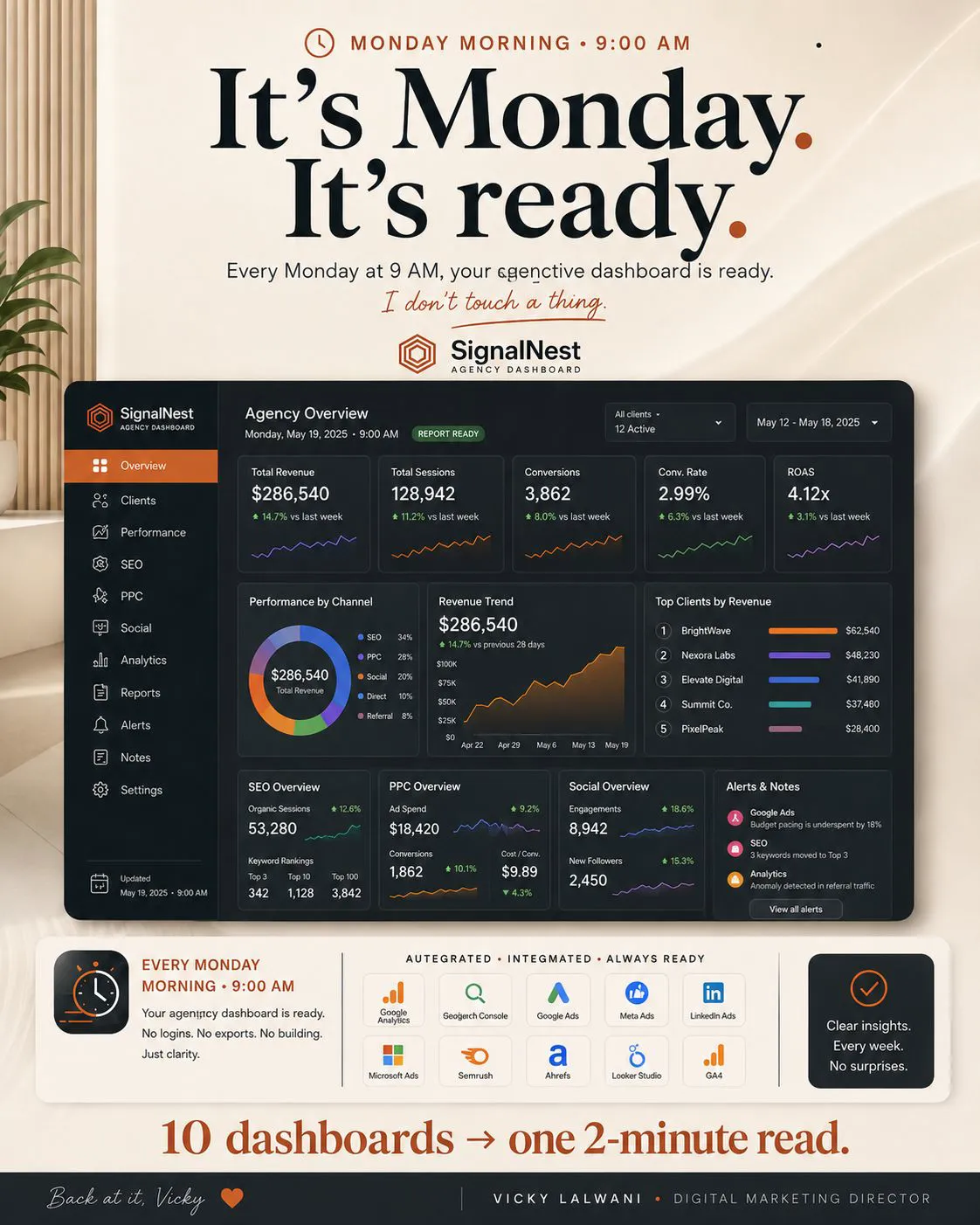
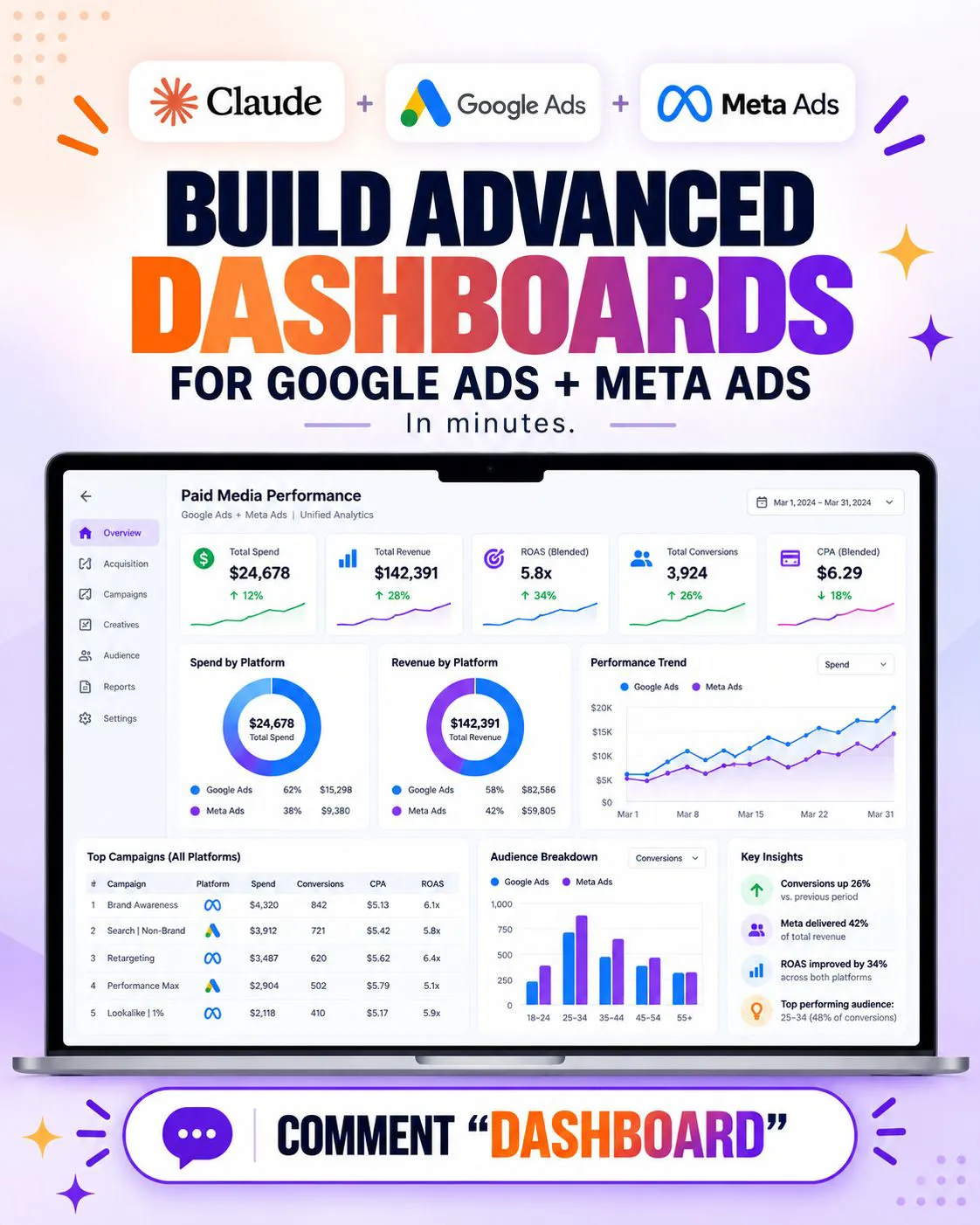
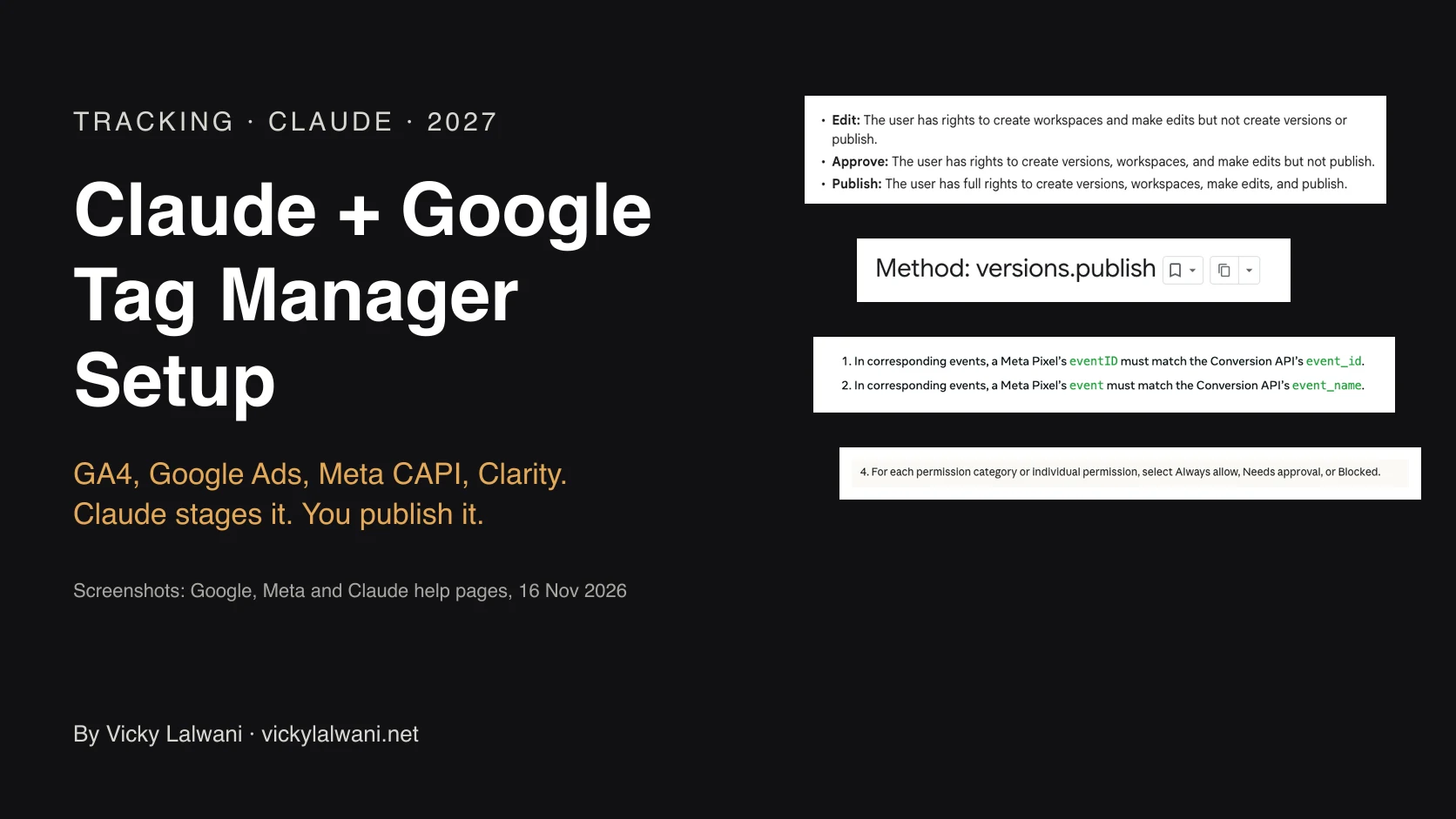
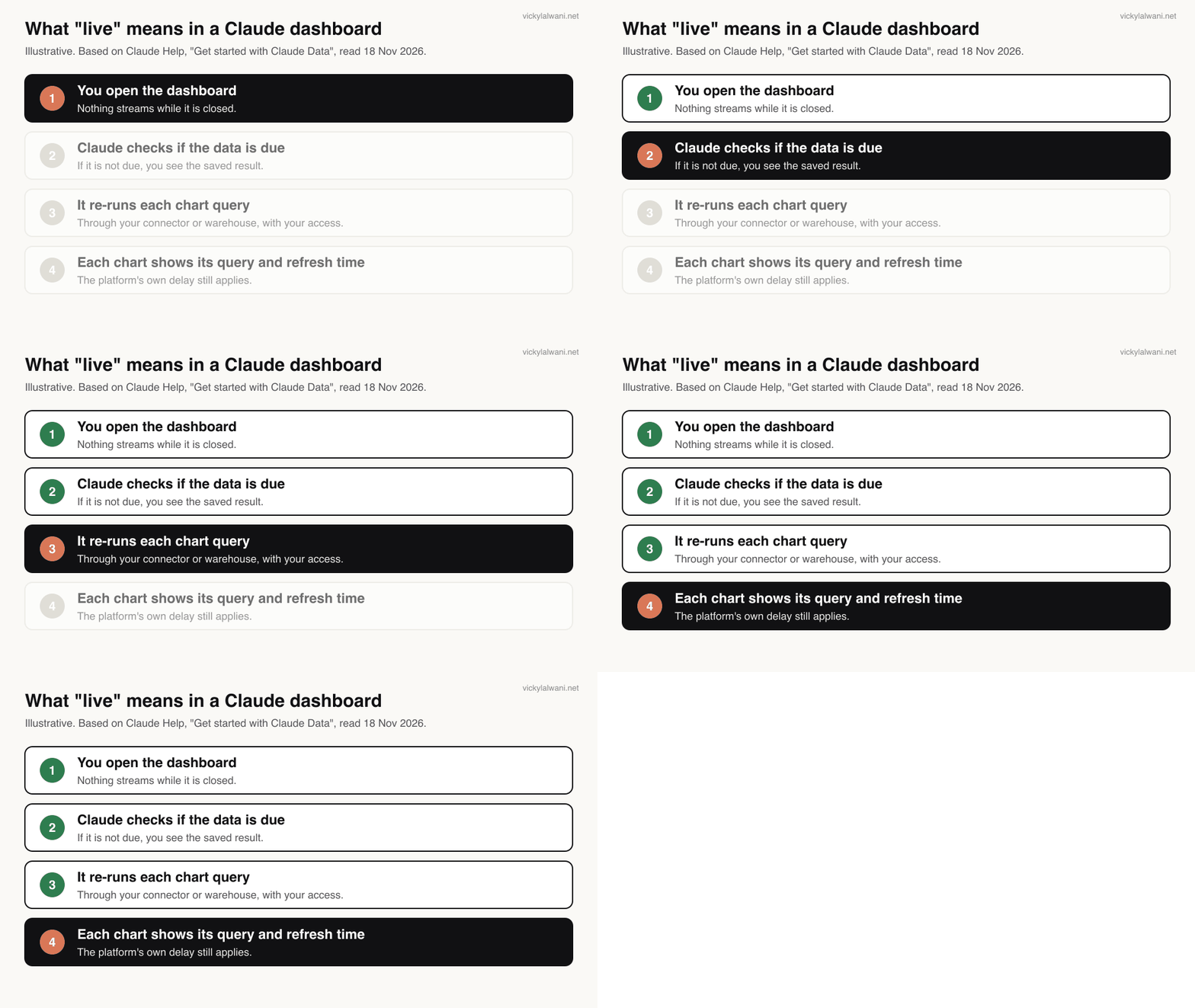
A Claude live dashboard is now a Claude Data artifact. Claude writes a query for each chart and refreshes the data when someone opens the dashboard and it is due, not as a stream. Connect and check each source first, build read-only, and add write access in a chat one platform at a time. Artifacts cannot use connector tools that need approval for each action, so set write tools to Needs approval, and add Meta ads MCP server rules or Google's propose and confirm step.
TL;DR
A Claude live dashboard is now a Claude Data artifact: Claude writes a query for each chart, and refreshes the data when someone opens the dashboard and it is due (Claude Help). It does not stream, and each ad platform has its own delay.
- Name change: Claude Dashboards became Claude Data, generally available on 10 November 2026 (Anthropic).
- Build order: connect, check each source, build read-only, then add write access one platform at a time.
- Safety: connector tools that need approval for each action can't be used by artifacts (Claude Help). Set every write tool to Needs approval and a saved dashboard can't change your ads.
- Platform guardrails: Meta's ads MCP server rules can block budget changes (Meta); Google's Google Ads MCP server makes each change it can make propose first, confirm second (GitHub).
You open a dashboard on Monday morning. Google Ads says one thing, Meta another, GA4 a third, and nobody knows which number to read out in the meeting. A Claude dashboard can put all three in one view in minutes. Whether you can trust it depends on what sits underneath: the connectors, the checks and the permissions. If you would rather have that layer set up for you, it is part of my analytics and tracking work, and for Meta accounts, my Meta Ads management.
How this was checked. Every product fact below comes from Anthropic, Google and Meta help and developer pages, read on 18 November 2026 without logging in. The prompts are starting points, not tested templates. Claude changes quickly, so check the linked pages before you rely on a detail.
Jump to: What it is · Real time? · Connectors or warehouse · Four sources · Checks · Prompt · Write access · Sharing · 90 days · X and Reddit · Videos · Weak spots · Sources
What is a Claude live dashboard in 2027?
Short answer: it is a dashboard Claude builds from your connected apps or data warehouse, which re-queries its sources when you open it. Since 10 November 2026 Anthropic calls this feature Claude Data. It is on Pro, Max, Ultra, Team and Enterprise plans.
Anthropic launched Claude Dashboards in beta on 8 October 2026, connected to warehouses such as BigQuery and Snowflake or to apps such as Salesforce (Anthropic). On 10 November it renamed the feature Claude Data and made it generally available, with certified queries and live sharing in beta (Anthropic). Existing dashboards keep working.
Older guides, including the first version of this one, talk about "live artifacts". Those were artifacts made in Claude Cowork before 19 August 2026. They still open and can be shared inside your organisation, but you can't edit them in place; you republish one as a new artifact to keep working on it (Claude Help).
| Name you may see | What it is now | Status |
|---|---|---|
| Live artifact (Cowork) | Made before 19 Aug 2026 | Opens; republish to edit |
| Claude Dashboards | Old name for Claude Data | Renamed 10 Nov 2026 |
| Claude Data | Dashboards, data stories, short videos | Generally available |
| Certified queries | Approved queries Claude reuses | Beta |
| Live sharing | Others see results from your access | Beta |
Team plans get Claude Data and both beta features switched on. On Enterprise, Claude Data turns on by default on 20 November 2026 unless an owner has already saved a setting, and the two beta features stay off (Claude Help). For the wider launch, including Claude Sheets, see Claude Sheets, Whiteboards and Data for marketers.
Each chart also shows the query behind it. For an ads dashboard that matters more than the design. You can open any number, see what was counted, and tell Claude to fix it.
Does a Claude dashboard update in real time?
Short answer: no. Claude refreshes a dashboard's data when someone opens it and the data is due for a refresh, not on a schedule. On top of that, each ad platform has its own delay: Google Ads cost refreshes hourly, while GA4 data can take 24 to 48 hours to settle.

So "live" means "fresh when you look". If a number looks old, use the refresh control, then check when that chart was last refreshed. Both are shown on the chart.
The bigger delay usually sits in the platforms. A dashboard can only show what the API has finished processing:
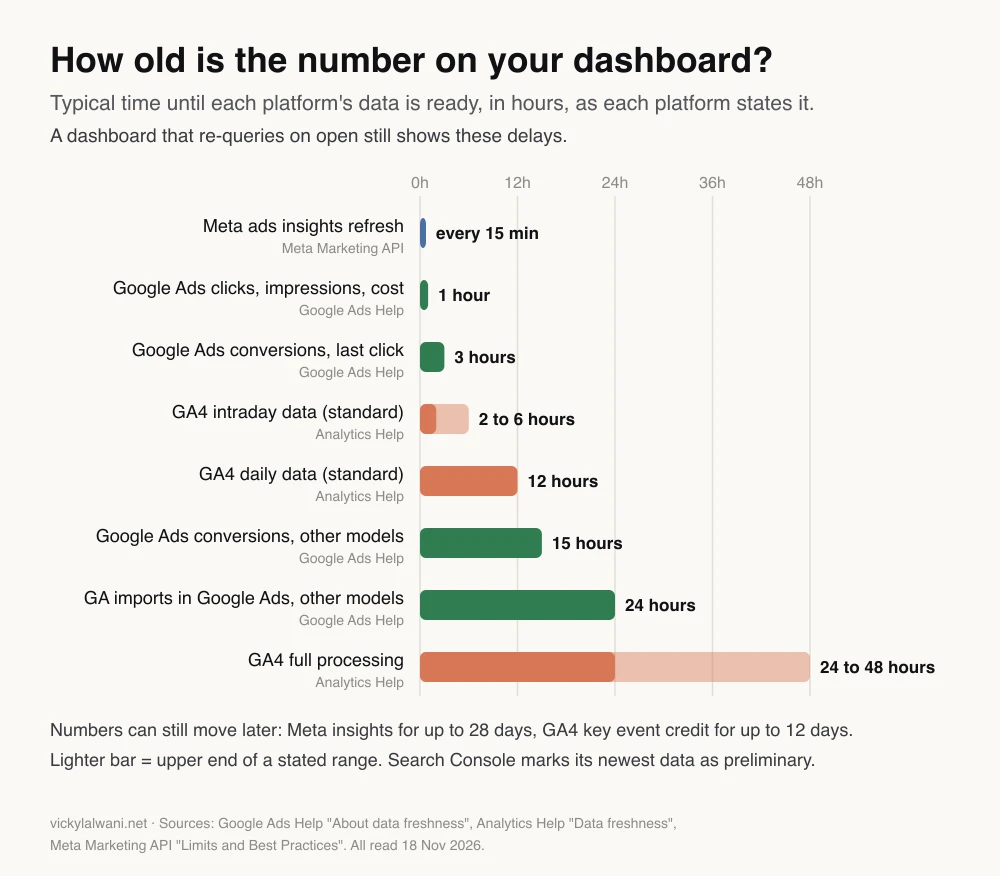
| Source | Typically ready | Can still change |
|---|---|---|
| Meta ads insights | Refresh every 15 min | Up to 28 days |
| Google Ads clicks and cost | Hourly | Invalid clicks removed later |
| Google Ads conversions | 3 h last click, 15 h other | Late conversions arrive |
| GA4 standard property | Intraday 2 to 6 h, daily 12 h | Key event credit, 12 days |
| Search Console | Newest data is preliminary | Until final |
Two practical rules follow. Compare complete days, not today. And for Search Console, the API returns only finalised data unless you ask for fresh data with dataState set to "all" (Google), so a dashboard that reads both may disagree with itself about yesterday.
Should ad data come through connectors or a warehouse?
Short answer: connect apps directly for a quick start with one or two accounts. Put ad data in a warehouse such as BigQuery when you have several platforms, several accounts or numbers that must match finance. Anthropic's launch post leads with warehouses such as BigQuery, Snowflake and Databricks.
Claude Data works with "a data warehouse" or "other apps you've connected to Claude" (Claude Help). For ads, that gives you two routes.
| Route | Good for | Watch out for |
|---|---|---|
| MCP connectors per app | One account, fast start | Each viewer needs access |
| Warehouse (BigQuery) | Many accounts, one truth | Daily loads, setup time |
| Both | Warehouse history, app detail | Two numbers for one metric |
The warehouse route is less work than it sounds. Google's BigQuery Data Transfer Service loads Google Ads data daily, with a default 7-day refresh window that you can extend to 30 days so late conversions land (Google Cloud). Its Facebook Ads connector runs at most once every 24 hours (Google Cloud). Then you add the BigQuery connector in Claude, which Google built.
A thread in r/ClaudeAI (12 Nov 2026) makes the case well. The poster built a multichannel sales dashboard on BigQuery and said the dashboard was the easy part; the work went into a layer that defines each metric and checks it against the platforms' own reports. Without that, they wrote, Claude builds a great-looking dashboard with wrong numbers.
If you report Google Ads and Meta side by side, read one cross-channel report for Google Ads and Meta first. It covers which platform owns which number.
How do you connect Google Ads, Meta, GA4 and Search Console?
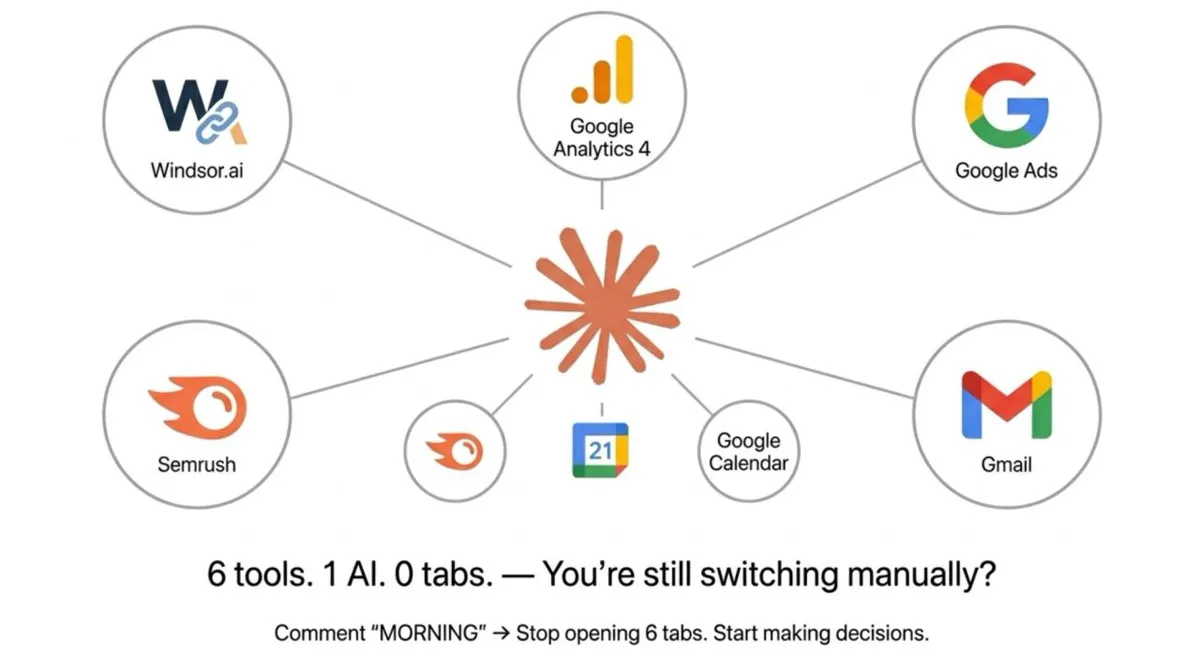
Short answer: Google Ads and GA4 each have an official open-source MCP server from Google. Meta runs its own ads MCP server, in open beta since 29 April 2026. I found no official Search Console MCP server, so use a third-party connector or Search Console's daily export to BigQuery.
| Source | Official route | Write tools | Setup |
|---|---|---|---|
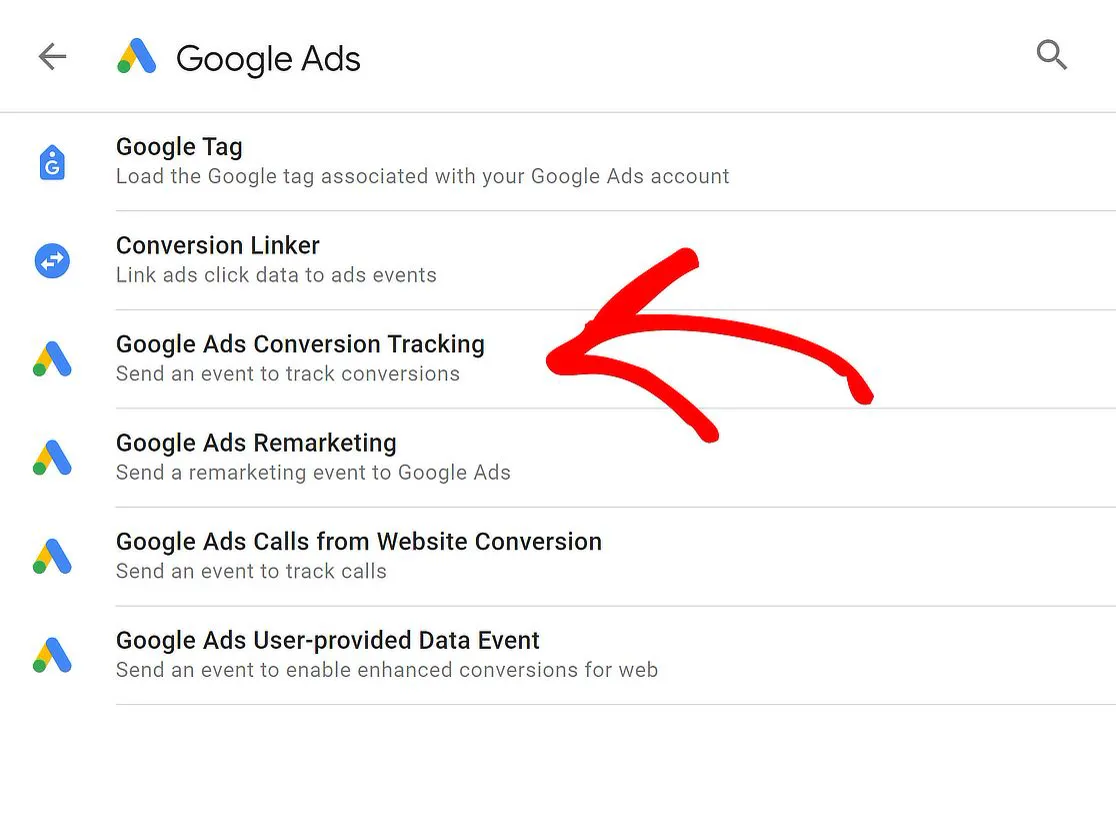
| Google Ads | Google Ads MCP server | Assets, labels | Cloud project, API access |
| Meta Ads | Meta ads MCP server | Campaigns, budgets, more | OAuth sign-in |
| GA4 | Google Analytics MCP | Only with --allow-write | Cloud project |
| Search Console | Search Console API | None needed | Service account or OAuth |
Google Ads
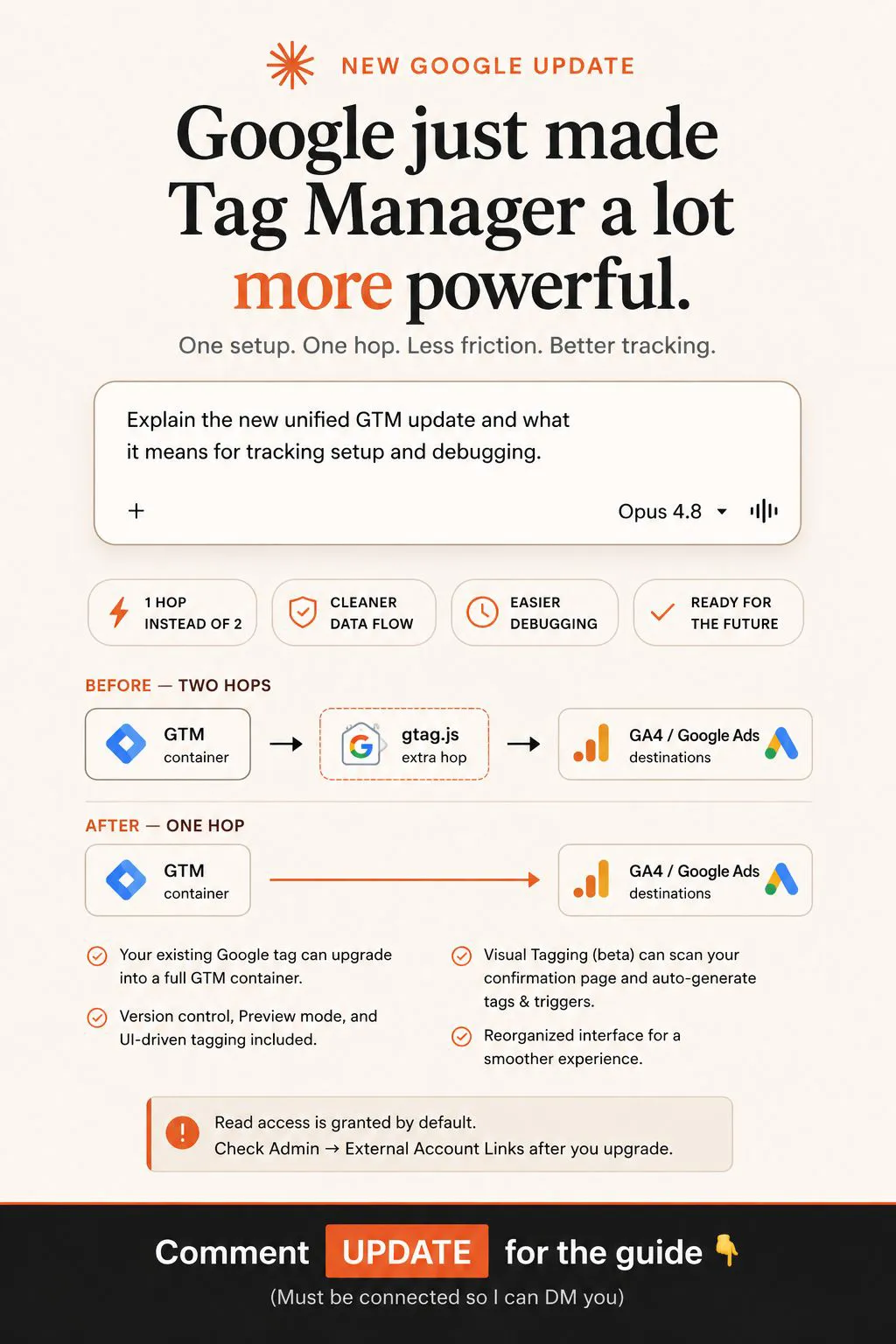
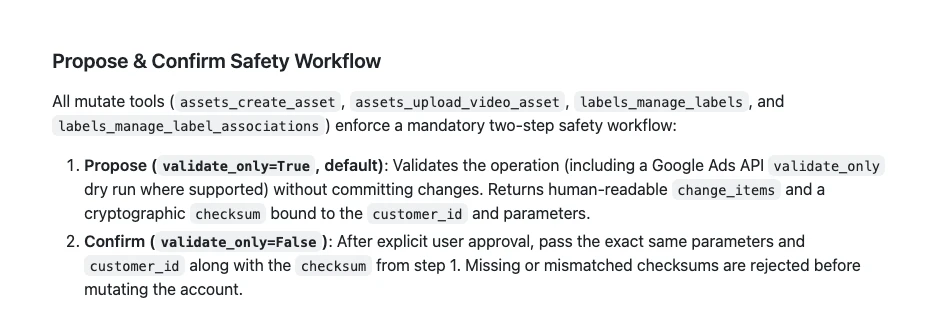
Google's Google Ads MCP server runs GAQL queries (Google Ads Query Language) for reporting. Its only write tools create assets, upload videos and manage labels, and each one uses a two-step "Propose and Confirm" workflow: a dry run with a checksum first, then the real change only after your approval (GitHub). You can switch the write categories off entirely in its tools_config.yaml for a read-only setup.
Expect the setup to take longer than the prompt. You need a Google Cloud project with the Google Ads API enabled. One r/googleads poster (Sep 2026) described a manager account, a service account, an access level that was too low and a refused upgrade request before anything worked.
Meta Ads
Meta launched its ads AI connectors, an ads MCP server and an ads CLI, in open beta on 29 April 2026 (Meta). Meta's help page lists reporting, campaign and ad creation, custom audiences, catalogues, signal diagnostics, A/B tests and activity logs. It says actions taken for you need your authorisation through the AI agent, and a draft mode saves new campaign work for review before it goes live (Meta).
Meta also notes that you may not have every tool yet. An r/PPC tester (Jun 2026) found reading data fine but other features weak, and said many accounts still showed the server as disabled after connecting.
GA4 and Search Console
Google's Analytics MCP server reads reports, funnels, key events and realtime data. Its write tools (annotations, custom dimensions, key events) only exist when you start it with the --allow-write flag and the edit scope (GitHub). Leave that flag off for a dashboard.
For Search Console, two details cause most empty results. A Domain property is written sc-domain:example.com, not as a full URL (Google). And if your connector signs in with a service account, add that account's email as a user on the property (Search Console Help). The API also limits each site to 1,200 queries a minute, and long date ranges grouped by page and query cost the most (Google). For history at scale, Search Console can schedule a daily bulk export to BigQuery (Search Console Help).
Local servers you add through a config file only load after you completely quit Claude Desktop and reopen it (MCP docs). Closing the window is not enough. For a wider map of marketing connectors, see what a marketing MCP server is.
How do you check the connectors before you build?
Short answer: ask Claude to list its tools by connector, then run one read-only query per source for a complete day and show the account ID and raw value. Compare each value with the platform's own screen. Build nothing until every source matches.
In my client work, the most common blocker is access, not strategy. "I gave you access" often turns out to be a view-only role, or the wrong account. So I check the real role on screen before anything else. A connector can only see and do what your role in the platform allows; Claude inherits each person's permissions from the connected service (Claude Help).
Before we build anything, check every data source. Do not build a dashboard yet.

1. List every connector you can use in this chat, grouped by app, and mark each tool as read or write.
2. For each ad and analytics source, run one read-only query for yesterday:
   - Google Ads: account name, customer ID, cost and clicks
   - Meta Ads: ad account name, ID, amount spent and link clicks
   - GA4: property name, ID, sessions and key events
   - Search Console: property (sc-domain: or URL prefix), clicks and impressions
3. Show the raw value each tool returned next to the field name it came from.
4. If a tool fails or returns nothing, say so. Never fill a gap with an estimate.
5. End with a table: source, account ID, yesterday's value, tool used, status.
Then open each platform and compare yesterday's numbers by hand. Expect small gaps, not big ones. If a value is wildly off, or an account name you do not recognise appears, the connector is reading the wrong account or nothing at all.
One caveat comes from a Japanese analytics consultancy on X (Aug 2025): the GA4 MCP server pulls numbers from the Data API, so some metrics can differ from the Explore and report screens. Check which metric and dimension were queried before you call a gap an error.
| Check | Pass | Fail means |
|---|---|---|
| Account ID | Matches the platform | Wrong account or role |
| Yesterday's cost | Within a few per cent | Time zone or currency |
| Conversions | Same action counted | Different definition |
| Empty result | Error shown | Silent failure, fix first |
What should the dashboard prompt say?
Short answer: name the sources, the date logic, the currency and the layout, and tell Claude to inspect each source before parsing it, to show errors instead of zeros, and to give every rate its counts. Detail in the prompt is what gets a correct dashboard first time.
Build a read-only paid media dashboard from the sources you just checked.

Data rules
- Inspect what each source returns before writing any parser. Never guess field names.
- Date range: the last 7 complete days relative to today's date, compared with the 7 days before.
  Never fix the range to the day you build this.
- Base currency: [GBP]. Convert other currencies at [rate source] and label converted figures.
- Google Ads cost and conversions come from Google Ads. Meta spend and results come from Meta Ads.
  Sessions and key events come from GA4. Do not mix sources for one metric.
- Every rate shows its counts: CPA with spend and conversions, ROAS with spend and revenue.
- Show "too little data" instead of a rate when a row has fewer than [20] conversions.

Layout, top to bottom
1. A three-line summary: where we are, what changed, what to look at this week.
2. Cards: spend, conversions, CPA and ROAS for each platform, each with its change from last period.
3. One chart: daily spend and conversions by platform.
4. A campaign table sorted by spend. Flag rows where ROAS is below [1.0] or CPA is above [target].

Errors
- If a source returns nothing or errors, show a red "no data" marker on its cards. A failure must never show as 0.
- Show when each source was last refreshed.

Do not include any tool that can change an ad account.
Each rule fixes a failure you will otherwise meet:
| Rule | Stops this |
|---|---|
| Inspect before parsing | Invented field names |
| Rolling dates | A range stuck on build day |
| Base currency | USD and GBP added together |
| One source per metric | Two conversion totals |
| Counts with rates | A 50% rate from one visitor |
| Error markers | A broken connector showing 0 |
The "counts with rates" rule comes straight from practice. An r/ClaudeAI poster (Nov 2026) found their dashboard rating one channel at a 50% conversion rate. It was one visitor. The number was right and the conclusion was wrong, which is exactly the kind of error a summary picks first.
Fit the view to the reader. A paid media manager wants CPA and ROAS by campaign. An SEO lead wants clicks, impressions and position. A director wants the three-line summary and nothing else. A request I hear often on calls is some version of "can it show a summary, not a list?", with a benchmark behind every label. For a daily version delivered as a briefing, see the Claude morning marketing briefing.
How do you add write access without losing control?
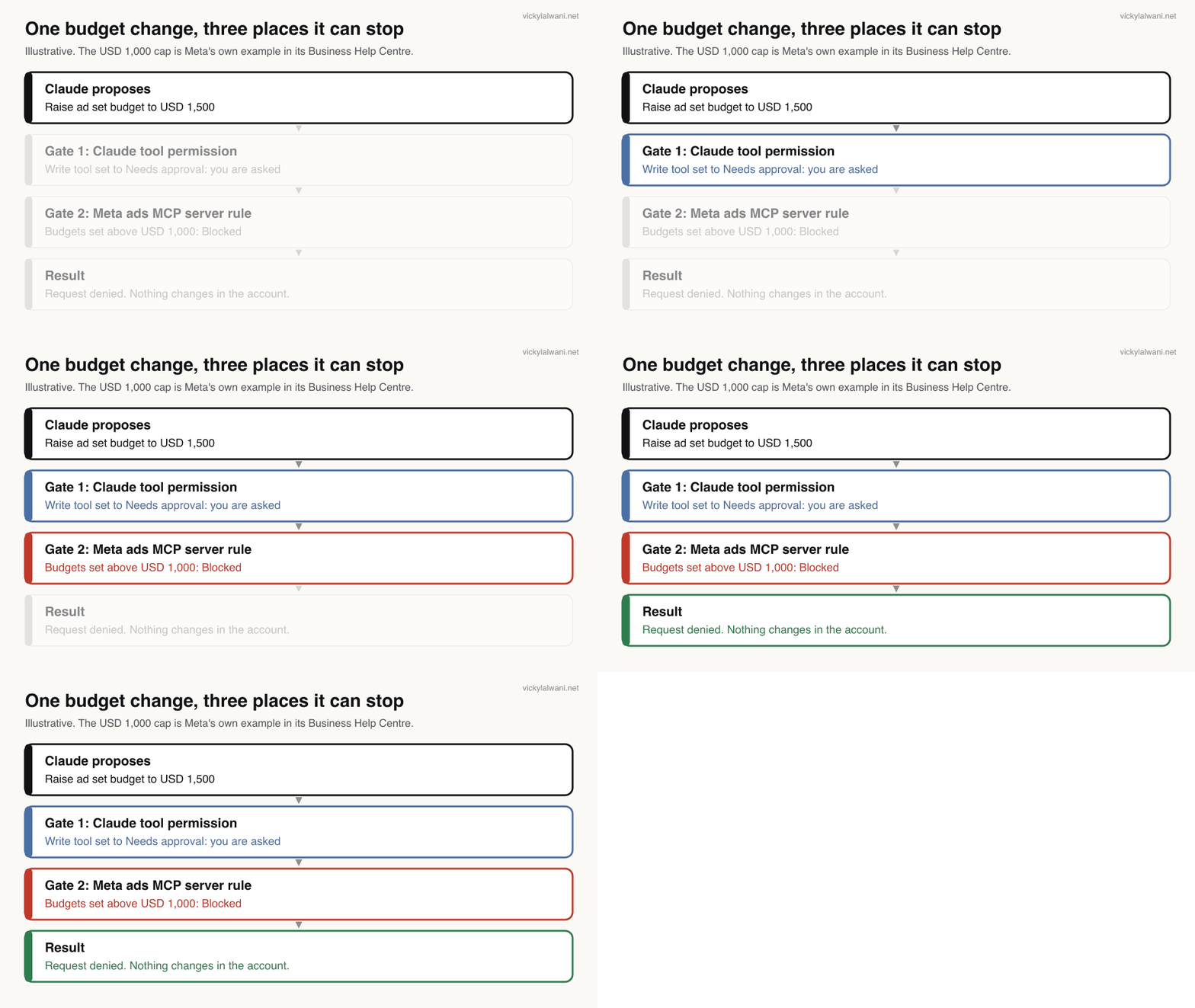
Short answer: keep dashboards read-only and add write access in a chat, one platform at a time. Set every write tool to Needs approval in Claude, block risky actions in the platform as well, and test on a small account first. A change should have to pass more than one gate.
A dashboard tells you what happened. An action layer lets Claude prepare the fix: pause an ad, move budget, add negatives. That is where the risk is, so stack the gates.
Gate 1: Claude's tool permissions
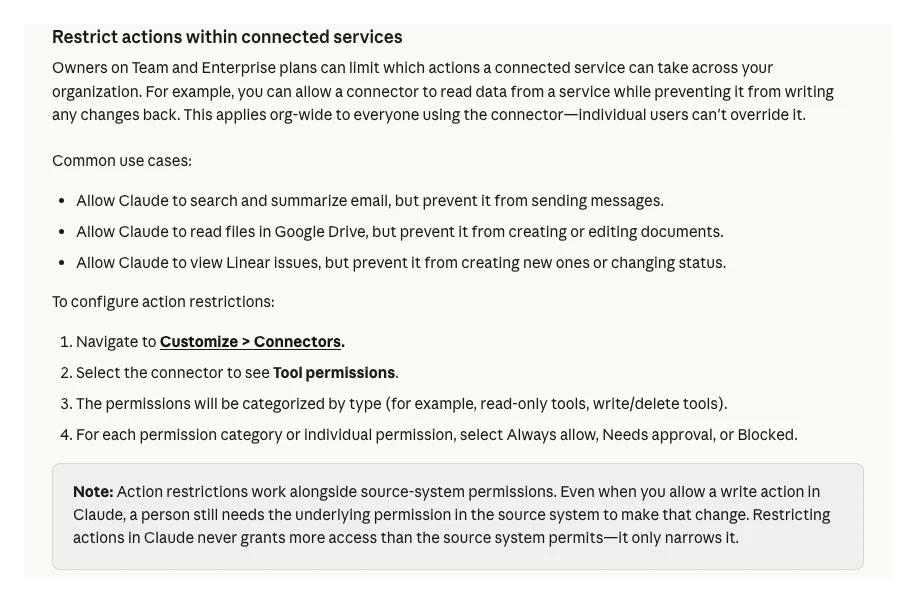
For each connector you can set a tool, or a whole category such as write and delete tools, to Always allow, Needs approval or Blocked. On Team and Enterprise plans, owners can set this for the whole organisation, and users can't override it (Claude Help).
Gate 2: what a saved dashboard can use
This is the rule that changed since the first version of this guide. The first time an artifact needs a connected app, Claude shows which apps and tools it will use and asks you to approve them, and your choice carries over. Connector tools that need approval for each action aren't available to artifacts at all (Claude Help).
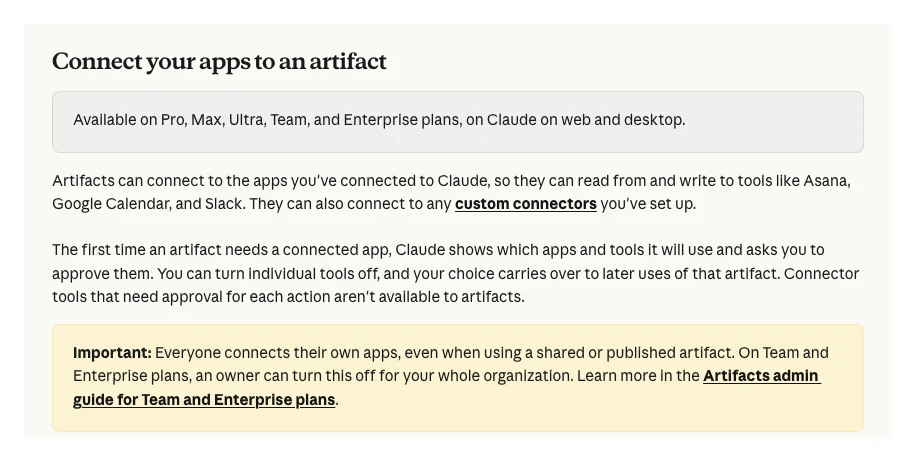
So if every write tool is set to Needs approval, a saved dashboard can't use it, and Claude has to ask you in a chat before any change. If a write tool is set to Always allow, an artifact that you approved could use it. That is the setting to avoid.
Gate 3: the platform's own rules
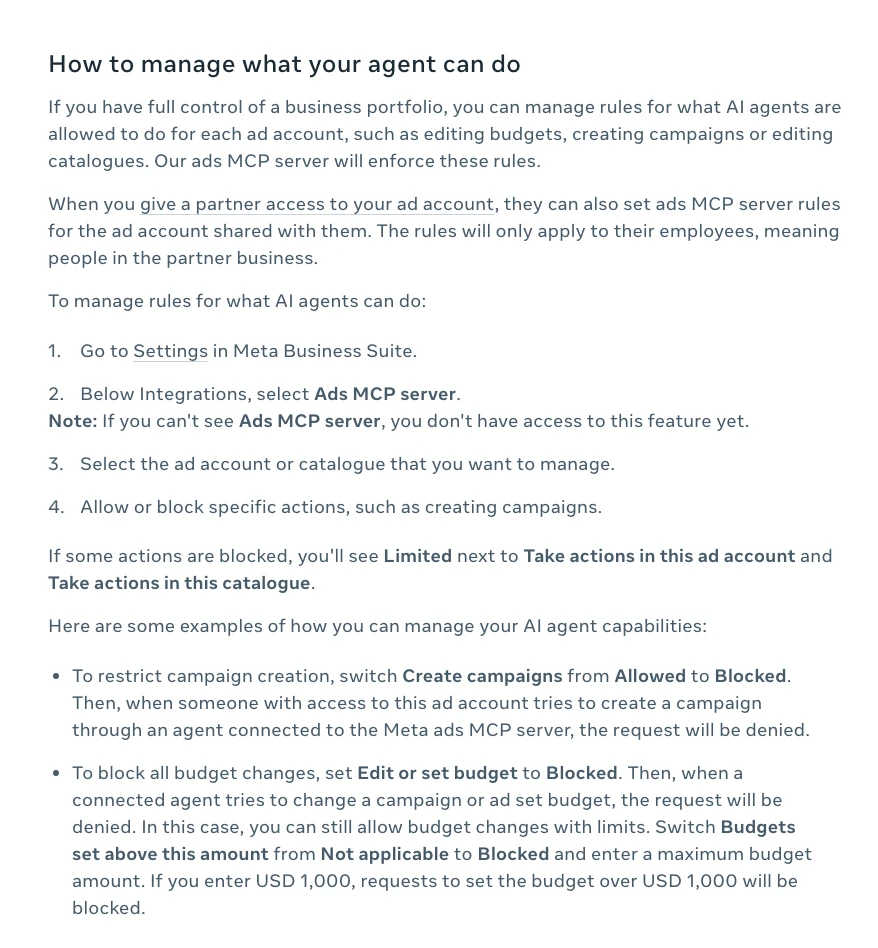
Meta added ads MCP server rules on 16 July 2026 (Meta). If you have full control of a business portfolio, go to Settings in Meta Business Suite, then Integrations, then Ads MCP server, and allow or block actions per ad account. Meta's own example blocks any budget over USD 1,000 (Meta).
| Gate | Where you set it | What it stops |
|---|---|---|
| Tool permission | Claude, Customize > Connectors | Unasked writes |
| Artifact rule | Built in | Dashboards using gated tools |
| Meta MCP rules | Meta Business Suite settings | Budgets, new campaigns |
| Propose and Confirm | Google Ads MCP server | Unconfirmed Google changes |
| GA4 write flag | Server start command | Any GA4 write |
Then test small. Give write access to one platform, on a low-budget account, and review every draft for two weeks before you widen it. On client accounts my habit is the same with or without AI: audit first, put proposed changes in a sheet, check them by hand, and change nothing before approval. For an overnight version of that loop, see human in the loop AI for Google Ads.
Who sees your numbers when you share a dashboard?
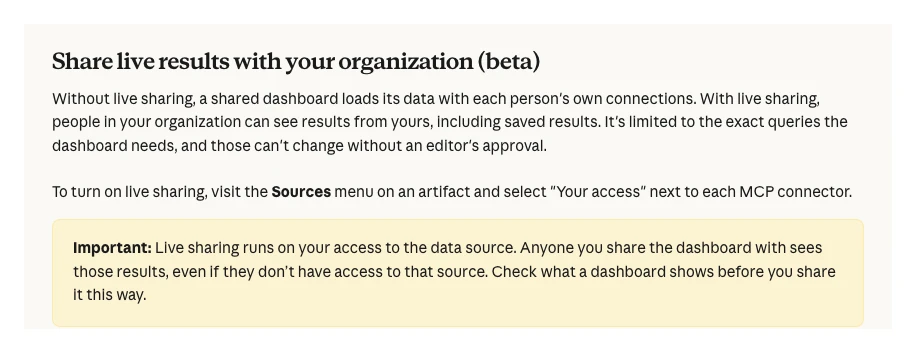
Short answer: by default each viewer sees data through their own connections, so a colleague without Meta access sees an error, not your numbers. With live sharing (beta), people in your organisation see results from your access, even if they have no access to the source.
Shared artifacts use the viewer's connections, not yours (Claude Help). Live sharing changes that for Claude Data dashboards: it runs on your access and is limited to the exact queries the dashboard needs, which can't change without an editor's approval (Claude Help).
| Who opens it | What they see |
|---|---|
| Colleague, normal share | Data through their own access |
| Colleague, live sharing on | Results from your access |
| Outside link, not signed in | Page, no connected data |
Before you live-share an ads dashboard, check that it shows only what everyone in the organisation may see. Client spend, margins and lead details are the usual problems. Owners control live sharing and external sharing in Organization settings (Claude Help).
What does a 90-day rollout look like?
Short answer: spend 30 days read-only and compare the dashboard with each platform every morning. From day 31, add write access on one platform and one test account. From day 61, extend to the second platform and make the weekly summary part of the team routine.
| Days | Do this | Move on when |
|---|---|---|
| 1 to 7 | Connect and check sources | Every ID matches |
| 8 to 30 | Read-only, daily compare | Gaps explained |
| 31 to 60 | Write on one test account | Two weeks of good drafts |
| 61 to 90 | Second platform, weekly note | Team uses the summary |
Add a short human note to the weekly summary: where we are, what we are doing, what is next. The dashboard shows the numbers; the note says what they mean.
What people say on X and Reddit
Short answer: people like asking their ad and analytics data questions in plain English, and they distrust the numbers until they have checked them. The official connectors work for reading; setup, access and write controls are where the complaints sit.
| Where | Who | Date | Type | What they say |
|---|---|---|---|---|
| X | Google Analytics | Jan 2026 | Official | MCP server lets LLMs query GA data |
| X | An analytics consultancy | Aug 2025 | Expert | MCP numbers can differ from GA4 screens |
| X | A paid social practitioner | Apr 2026 | First-hand | Meta MCP not on every account yet |
| X | An AI commentator | Nov 2026 | Opinion | Reports MCP connectors down in Claude |
| X | A paid ads educator | Apr 2026 | Vendor | Google Ads dashboard skill in Cowork |
| X | A security blogger | Jun 2025 | Expert | MCP prompt injection can leak data |
| r/ClaudeAI | Nov 2026 | First-hand | 50% rate was one visitor | |
| r/ClaudeAI | Nov 2026 | First-hand | Metric layer made numbers right | |
| r/ClaudeAI | Nov 2026 | Question | Moved many connectors to BigQuery | |
| r/PPC | Jun 2026 | First-hand | Meta MCP fine for reading only | |
| r/GoogleAnalytics | Jan 2026 | First-hand | Useful, but GA4 data is shaky |
Three themes stand out. First, reading works. Google's own account (Jan 2026) pitches the GA MCP server for asking questions beyond standard reports, and an r/GoogleAnalytics poster (Jan 2026) liked exactly that, after one to two hours of setup. The top reply warned that GA4 data is already shaky and AI adds its own errors.
Second, connectors fail, sometimes all at once. On 13 November 2026 an AI commentator on X (Nov 2026) reported Claude's MCP connectors down. That is why the prompt above asks for a red "no data" marker instead of a zero.
Third, write access worries people more than reporting does. A paid social practitioner (Apr 2026) found Meta's server not yet active on every account on launch day. A security blogger (Jun 2025) has collected cases where prompt injection through an MCP server leaked private data. Both are reasons to keep untrusted content and write tools apart.
One r/ClaudeAI user (Nov 2026) said they started with direct connectors, moved to BigQuery once they had many sources, and found the numbers they checked accurate. A promotional post by a paid ads educator (Apr 2026) shows how quickly a Google Ads dashboard can be generated; it does not show how it was checked.
Videos worth watching
Short answer: start with Anthropic's 58-second Claude Data launch clip and Google's introduction to its Google Ads MCP server. Both come from the companies that make the products.
Anthropic's official Claude channel, 10 November 2026. A short product clip; it sells Claude's own features.
Google's official ads developer channel, 29 October 2025. Free, open-source server; the video predates some later write tools.
| Video | Channel | Date | What it covers |
|---|---|---|---|
| Introducing Claude Whiteboards, Sheets, and Data | Claude (official) | 10 Nov 2026 | Claude Data launch |
| Introducing Claude Dashboards and Claude Motion | Claude (official) | 8 Oct 2026 | Dashboards beta launch |
| Introducing the Google Ads MCP Server | Google Advertising and Measurement Developers | 29 Oct 2025 | What the server does |
| Introducing the Google Analytics MCP Server | Google Analytics (official) | 22 Jul 2025 | GA4 data through MCP |
| How to Install the Official Meta Ads MCP in Claude | A reporting tool vendor | 30 Apr 2026 | Setup and early limits |
| How to Build Live Claude Dashboards For Content Data | An AI tutorial channel | 21 Oct 2026 | Connector to dashboard |
Where this advice is weak
Short answer: Claude Data's live sharing and certified queries are in beta, Meta's ads MCP server is in open beta, and none of the steps here were tested hands-on for this update. Treat the prompts as starting points and recheck the linked pages.
- Anthropic's pages describe refresh "when the data is due" without saying how often that is. I could not verify a fixed interval.
- Meta says you may not have every ads MCP tool or the rules screen yet. Rollout varies by account.
- The Google Ads MCP server's tool list changes often. The write tools named here are those in its README on 18 November 2026.
- Search Console has no official MCP server. Third-party connectors differ in how they authenticate and what they cache.
- The freshness chart shows typical times stated by each platform. Your account can be slower.
- The Reddit and X posts are individual reports, not studies.
Want a dashboard your team can trust?
Short answer: if you want the tracking, connectors and checks set up properly before anyone builds a dashboard on them, that is the work I do. Start with the measurement, then the view.
A dashboard is only as good as the conversions underneath it. I set up and audit tracking for Google Ads, Meta and GA4 as part of my analytics and tracking service, and manage Meta accounts through Meta Ads management and Google accounts through Google Ads management. If the Claude side is the gap, see Claude consulting. Rates are on the pricing page.
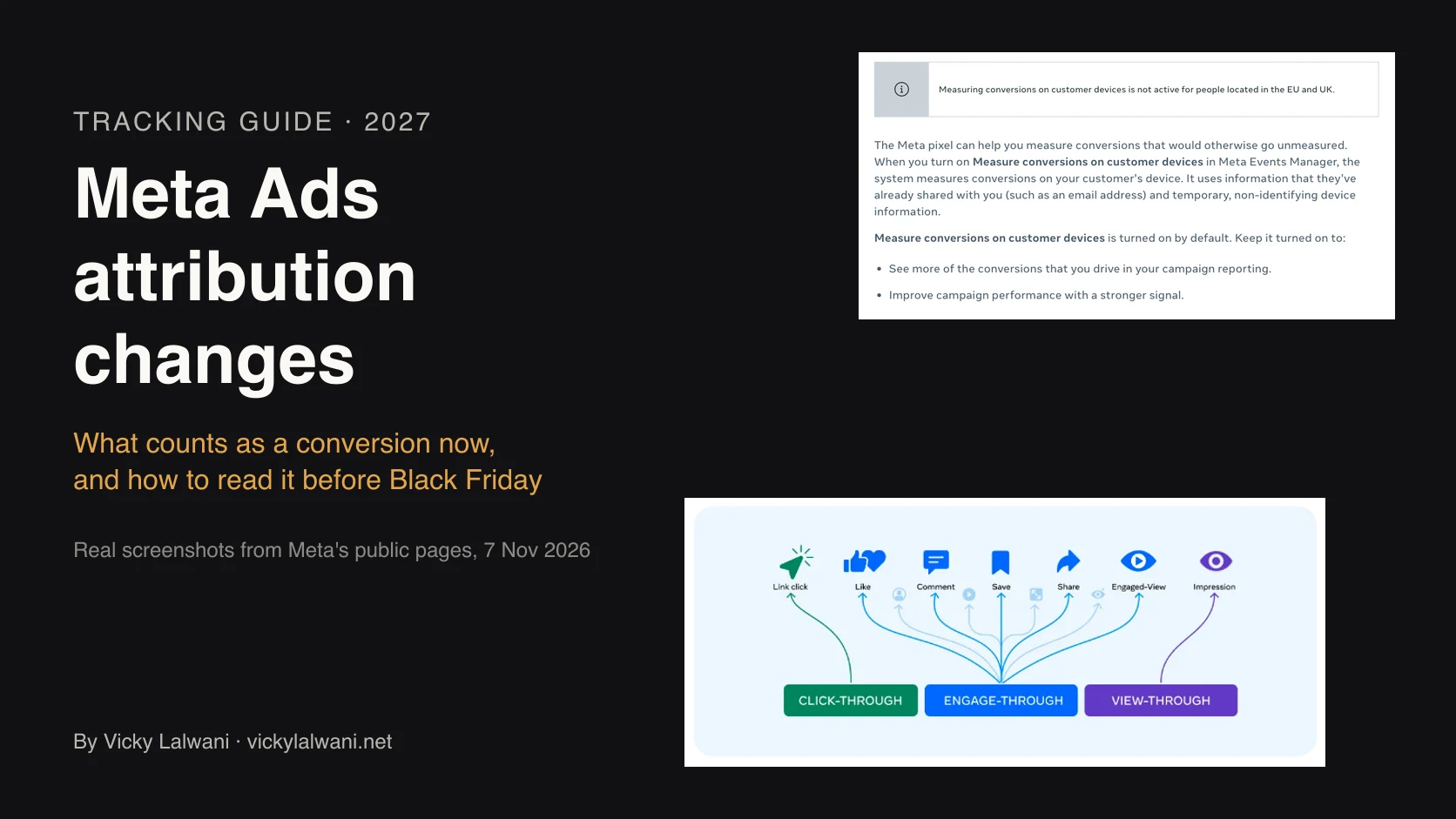
Before you trust Meta's numbers on any dashboard, read what Meta counts as a conversion now. The free playbook on this page has the full master prompt, its variants and fixes for common failures.
Sources
| Source | What it supports | Date |
|---|---|---|
| Claude Help: Get started with Claude Data | Refresh, plans, live sharing | Read 18 Nov 2026 |
| Anthropic: Sheets, Whiteboards, Data | Rename and GA, 10 Nov | 10 Nov 2026 |
| Anthropic: Dashboards and Motion | Beta launch, warehouses | 8 Oct 2026 |
| Claude Help: artifacts | Connector approval rule | Read 18 Nov 2026 |
| Claude Help: live artifacts | Pre 19 Aug Cowork artifacts | Read 18 Nov 2026 |
| Claude Help: share artifacts | Viewer's own access | Read 18 Nov 2026 |
| Claude Help: admin guide | Owner settings | Read 18 Nov 2026 |
| Claude Help: connectors | Tool permissions, inherited access | Read 18 Nov 2026 |
| Claude Help: tool access | Auto, Always available, On demand | Read 18 Nov 2026 |
| Claude: BigQuery connector | Google-built connector | Read 18 Nov 2026 |
| MCP docs: local servers | Restart Claude Desktop | Read 18 Nov 2026 |
| Google Ads MCP server | Tools, Propose and Confirm | Read 18 Nov 2026 |
| Google Analytics MCP server | Read tools, --allow-write | Read 18 Nov 2026 |
| Meta: ads AI connectors | Launch, 16 Jul rules update | 29 Apr 2026 |
| Meta Business Help | MCP features, rules, drafts | Read 18 Nov 2026 |
| Meta Marketing API limits | 15 min refresh, 28 days | Updated 5 May 2026 |
| Google Ads Help: data freshness | Hourly stats, conversions | Read 18 Nov 2026 |
| Analytics Help: data freshness | Intraday, daily, 12 days | Read 18 Nov 2026 |
| Search Console API: query | sc-domain, dataState | Read 18 Nov 2026 |
| Search Console API limits | 1,200 queries a minute | Read 18 Nov 2026 |
| Search Console Help: Performance | Preliminary data | Read 18 Nov 2026 |
| Search Console Help: users | Adding users | Read 18 Nov 2026 |
| Search Console Help: bulk export | Daily export to BigQuery | Read 18 Nov 2026 |
| BigQuery: Google Ads transfer | Daily, 7 to 30 day window | Read 18 Nov 2026 |
| BigQuery: Facebook Ads transfer | 24 hour minimum | Read 18 Nov 2026 |
| X and Reddit posts | Listed in the table above | Verified 18 Nov 2026 |
FAQ
Does a Claude live dashboard update in real time?
No. Claude Data refreshes a dashboard when someone opens it and the data is due for a refresh, not on a schedule or as a stream. Each platform adds its own delay too: Google Ads cost refreshes hourly, while GA4 daily data takes about 12 hours.
What happened to Claude Dashboards?
Anthropic renamed Claude Dashboards to Claude Data and made it generally available on 10 November 2026. Existing dashboards keep working. Certified queries and live sharing are still in beta.
Which Claude plans include Claude Data?
Claude Data is on Pro, Max, Ultra, Team and Enterprise plans, not Free. On Enterprise it turns on by default on 20 November 2026 unless an owner has already saved a setting. It counts toward your plan's usage limits.
Can a Claude dashboard change my ad campaigns?
Only if it has a write tool it is allowed to use. Artifacts can't use connector tools that need approval for each action, so set every write tool to Needs approval or Blocked in Claude. Then add platform rules, such as Meta's ads MCP server budget limits.
Is there an official Google Ads connector for Claude?
Google publishes an open-source Google Ads MCP server on GitHub that works with Claude and other MCP clients. It runs reporting queries, and its few write tools use a propose then confirm step. You need a Google Cloud project with the Google Ads API enabled.
How do I connect Meta Ads to Claude?
Meta's ads MCP server, part of Meta ads AI connectors, has been in open beta since 29 April 2026 and signs in with your Meta account. Meta says you may not have every tool yet. If you have full control of the business portfolio, set ads MCP server rules in Meta Business Suite before connecting.
Why does my Search Console connector return empty data?
Usually the property format or the user is wrong. A Domain property is written sc-domain:example.com, not as a full URL. If the connector uses a service account, its email must be added as a user on the Search Console property.
Why don't the numbers in my Claude dashboard match Google Ads or GA4?
Check the date range, time zone, currency and which conversion action each source counts. Platform data also arrives at different speeds: GA4 can take 24 to 48 hours to settle. Compare complete days, and give every rate its underlying counts.
Who can see my Claude dashboard when I share it?
By default each viewer loads data through their own connections, so people without access see an error. With live sharing (beta), people in your organisation see results from your access, even without access to the source. Check what the dashboard shows before sharing that way.