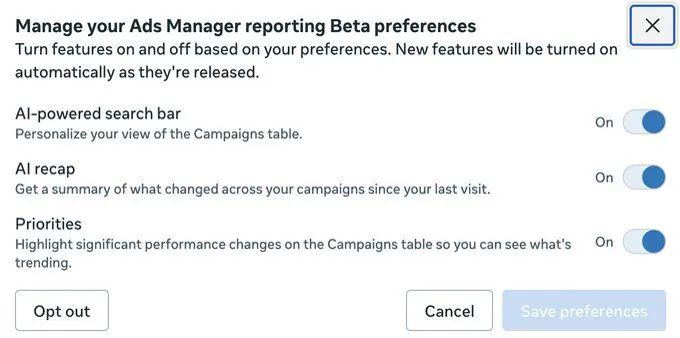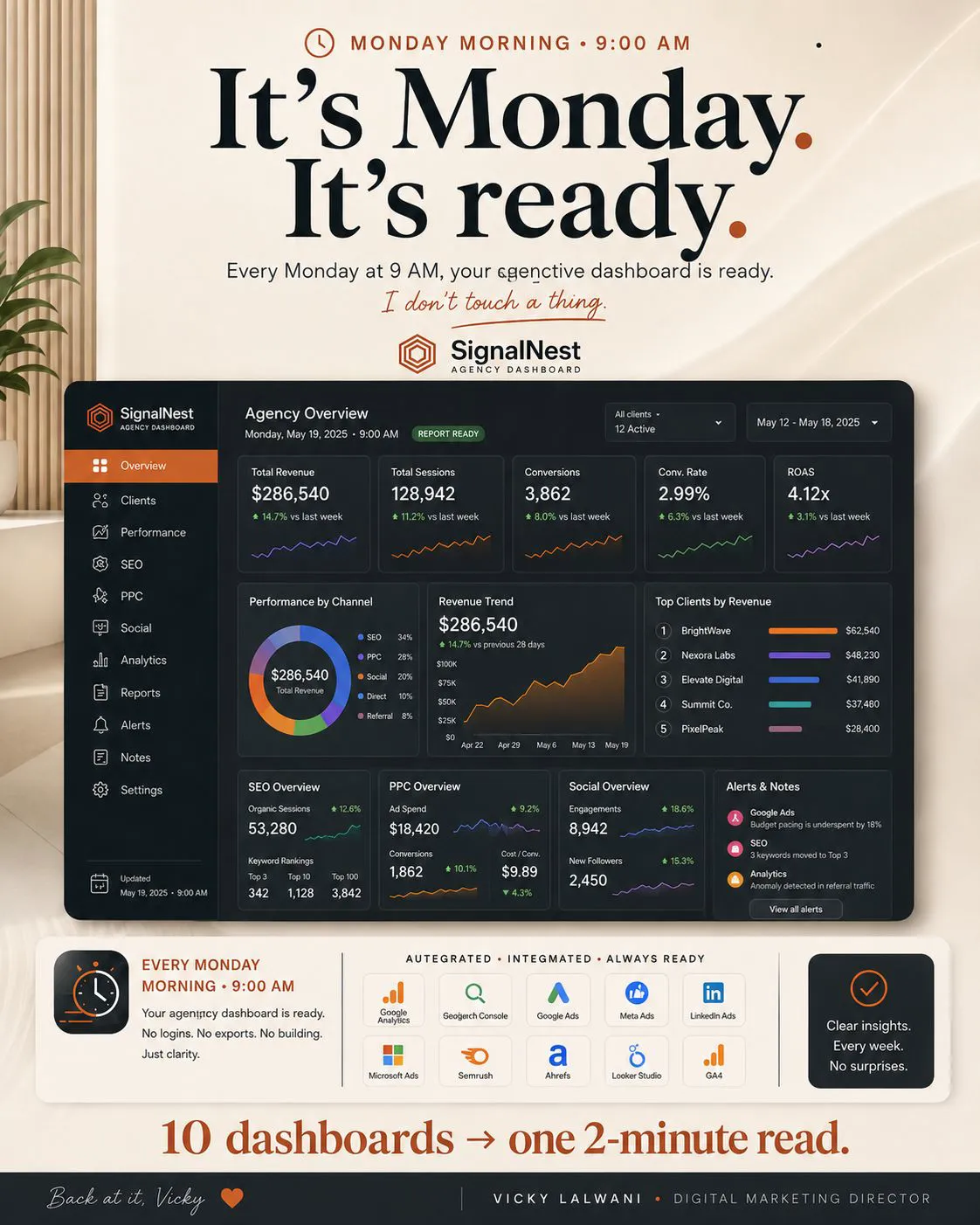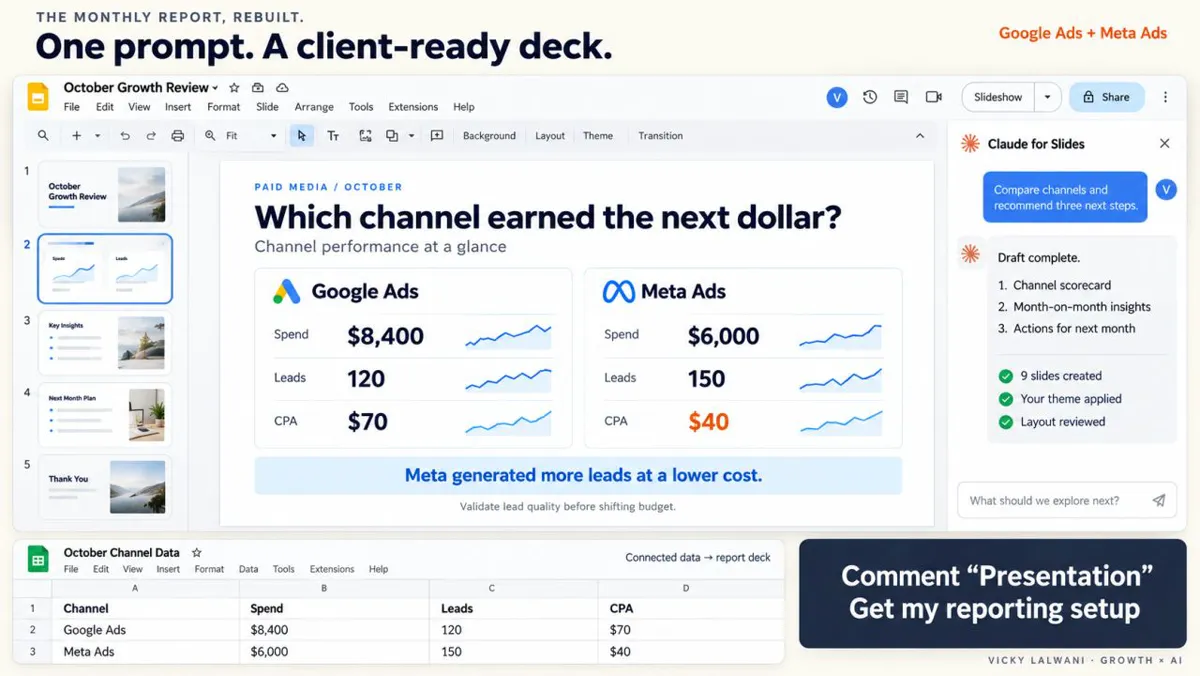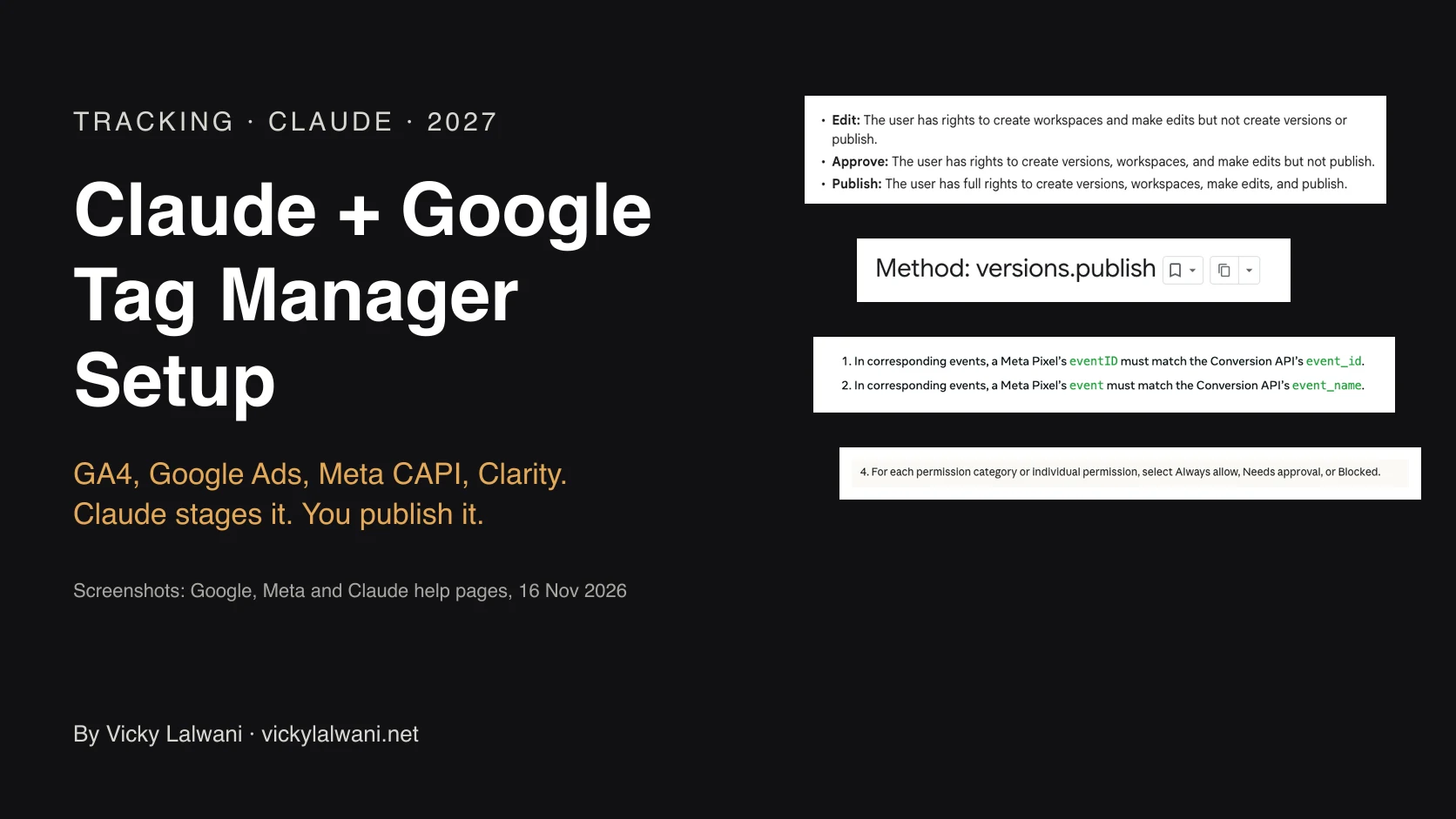
Looker Studio was renamed Data Studio in April 2026 and is still free. Looker Studio alternatives for PPC fall into three groups: a paid connector feeding Data Studio, an agency reporting tool, or an AI assistant connected read-only to Google Ads and Meta through MCP. Fix tracking first and keep a person approving what clients see.
It is Monday morning. The Meta connector in your client dashboard has stopped refreshing, the Google Ads numbers do not match the platform, and the client has not opened the report since spring. You are not really paying for a dashboard. You are paying for the plumbing between the platforms and the hours spent keeping it working. This guide compares the Looker Studio alternatives for PPC reporting that exist in November 2026, with prices from each vendor's page, and the newer option of asking an AI assistant connected to your ad accounts. If you want the reporting and the tracking underneath it set up for you, see Google Ads and PPC management and analytics and tracking setup.
TL;DR
Looker Studio is called Data Studio again since April 2026. Existing reports moved over, the free tier stayed free, and Pro costs $9 per user per project per month.
Most PPC reporting pain sits in the data layer, not the dashboard: Google's own connectors cover Google Ads but not Meta, so Meta data needs a paid partner connector.
Three kinds of alternative: keep Data Studio and change the connector, move to an agency reporting tool (from about $20 a client a month), or ask an AI assistant connected through MCP to Google Ads and Meta.
Google and Meta now both publish official MCP servers for AI access to ad accounts. Start read-only and keep a person approving what the client sees.
| Option | Best for | Main catch |
|---|---|---|
| Data Studio (free) | Google-only data | Meta needs a paid connector |
| Data Studio + connector | Custom dashboards | Connectors can break |
| Agency reporting tool | Many clients, white label | Fee per client or source |
| AI assistant + MCP | Summaries and questions | Needs checks and guardrails |
| Monthly deck | The client conversation | Not for daily checks |
How this was checked: product facts come from Google Cloud, Google Ads, Meta and Anthropic pages, and prices from each vendor's pricing page, read on 17 and 18 November 2026. Prices are in US dollars as shown and change often.
Is Looker Studio still free, and what changed in 2026?
Short answer: Yes, it is free, under its old name. Google renamed Looker Studio to Data Studio in April 2026 and moved existing reports, data sources and users over automatically. The paid tier is now Data Studio Pro at $9 per user per project per month.
Google's announcement says all existing reports, data sources, assets and users move to the new experience with no action needed. Data Studio stays the no-cost tool for individual analysis and reports, while Looker remains Google's enterprise business intelligence platform. So if your question is "do I have to migrate?", the answer is no.
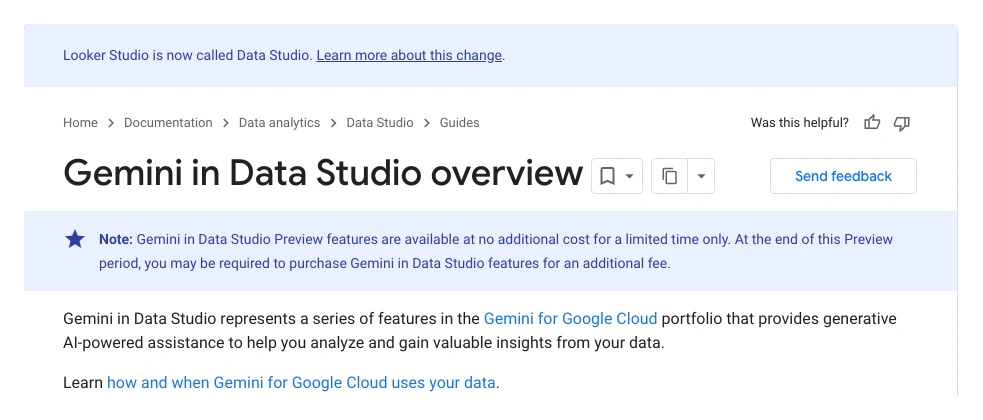
The AI features are mostly in Pro. Gemini in Data Studio can write calculated fields from a description and turn report charts into a Google Slides deck with written summaries, but it needs a Pro subscription and is a preview that "may require an additional fee" later. The conversational analytics feature lets people chat with data agents built in BigQuery, which most PPC teams do not have.
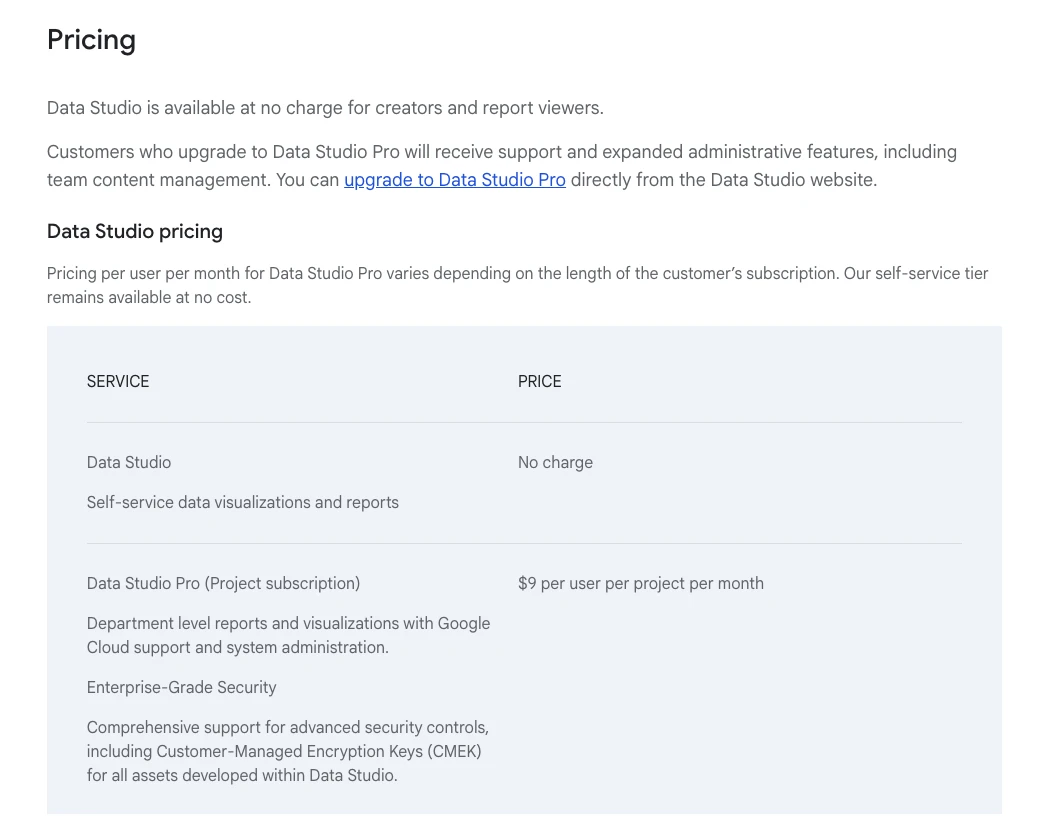
| Item | Free Data Studio | Data Studio Pro |
|---|---|---|
| Price | No charge | $9/user/project/month |
| Google Ads, GA4, Sheets | Google connectors | Same |
| Meta Ads | Partner connector | Partner connector |
| Gemini features | No | Preview |
| Scheduled PDF email | Yes | Yes |
Why do PPC teams look for a Looker Studio alternative?
Short answer: Three reasons: Meta data needs a paid partner connector, connectors break and need repairs, and clients rarely open dashboards. Only the first two are fixed by a new tool. The third is fixed by a short written summary.
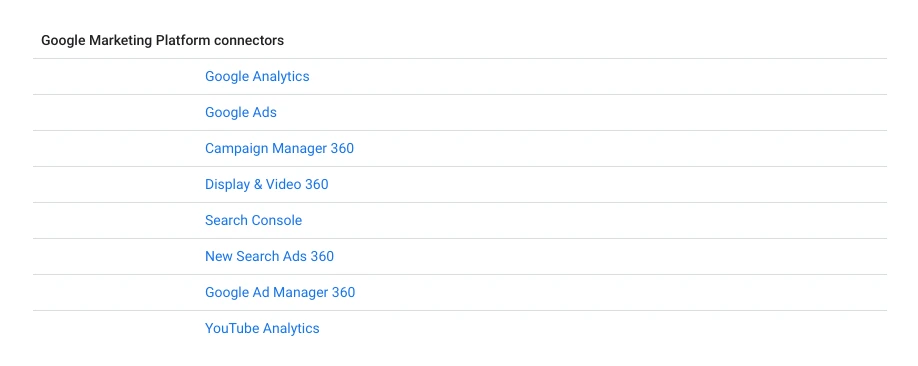
Google's list of its own connectors covers Google Analytics, Google Ads, Search Console, YouTube Analytics and other Google products. Meta is not on it. To show Facebook and Instagram ads next to Google Ads, you pay a partner connector such as Supermetrics, Windsor.ai or Porter Metrics, and when that connector breaks, your dashboard breaks with it.
The cost is not only the subscription. Someone builds each dashboard, fixes it when a naming convention changes, and rebuilds it when a connector changes its fields. Practitioners on Reddit describe exactly this: reporting tools that brought connector debugging and dashboard seats nobody logs into.
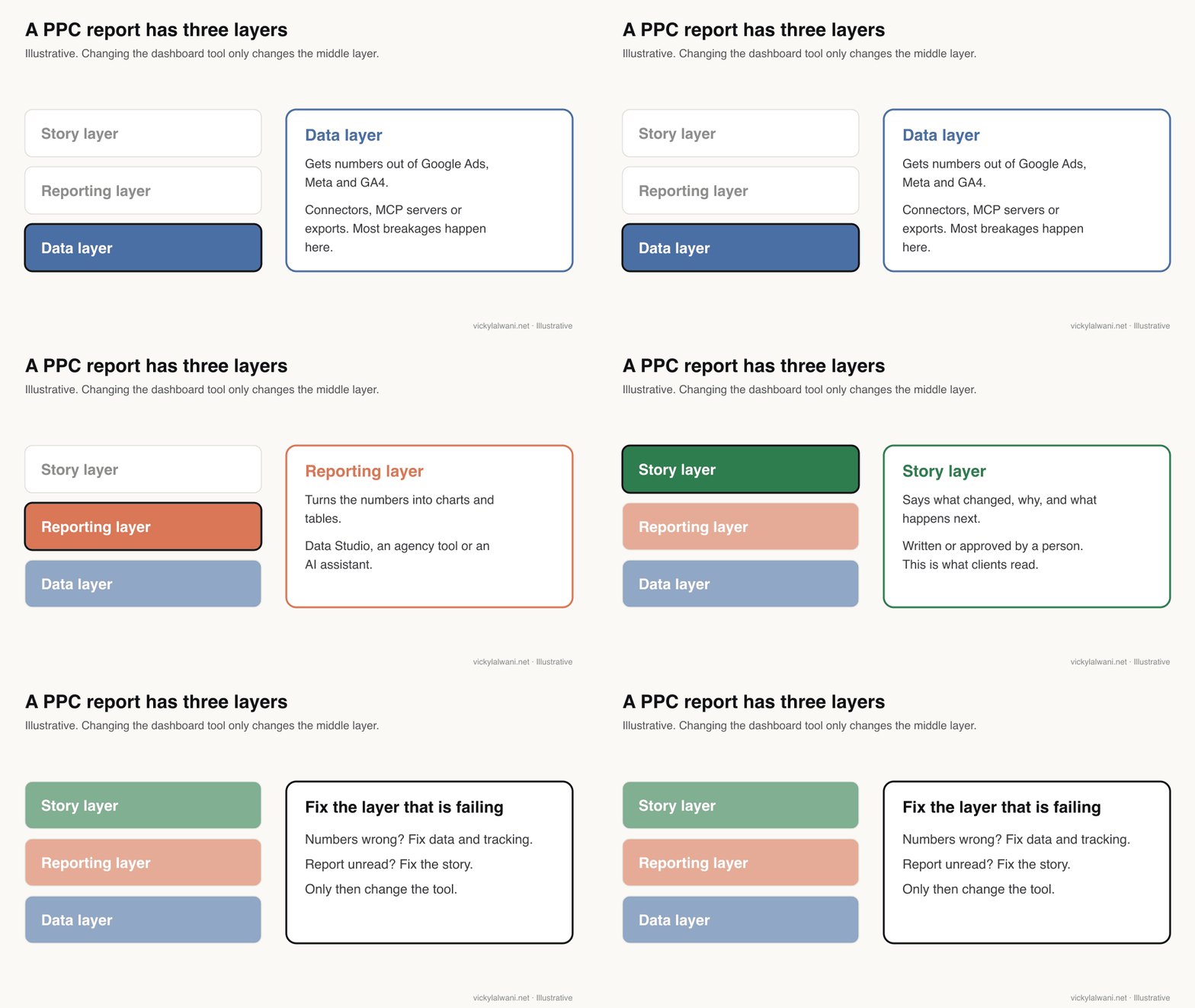
Before you change tools, find which layer is failing. In client work, a question I hear often is some version of "why does analytics say one number and the CRM another?" That is a tracking problem, and no dashboard fixes it. The conversion tracking audit checklist is the place to start.
What are the main Looker Studio alternatives for PPC in 2027?
Short answer: Connectors that feed Data Studio or Sheets (Supermetrics, Windsor.ai, Porter Metrics), agency reporting tools (AgencyAnalytics, DashThis, Swydo, Two Minute Reports, Databox, Whatagraph), and AI assistants such as Claude connected through MCP. Listed starting prices run from free to over $800 a month.
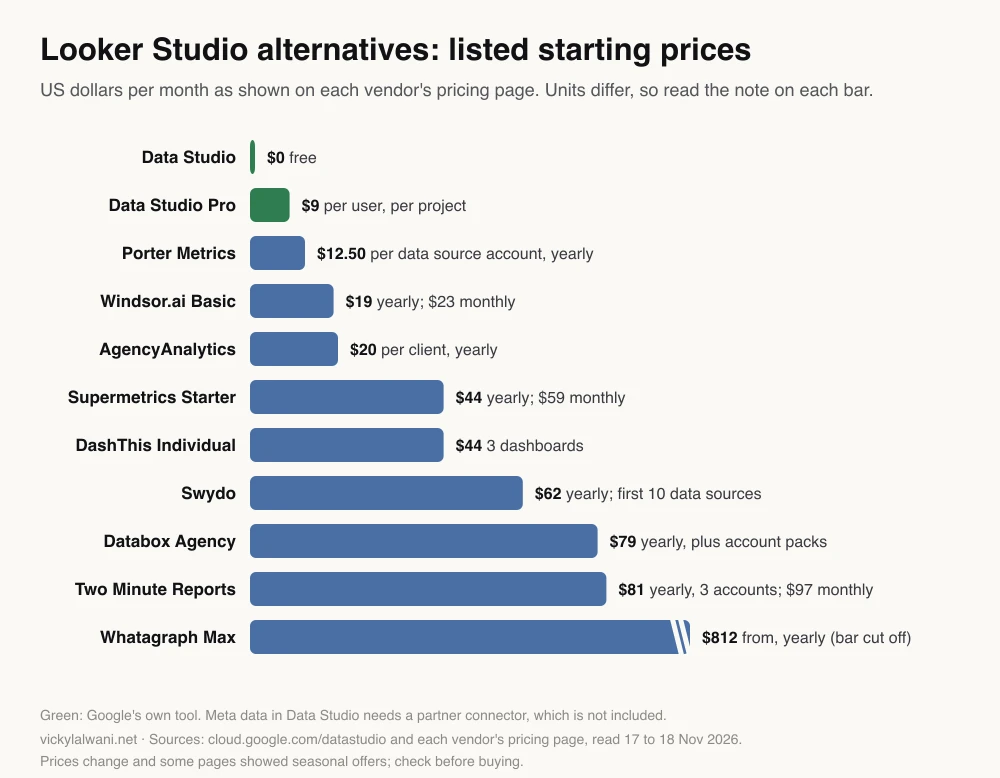
| Tool | Starts at (Nov 2026) | Unit | Source |
|---|---|---|---|
| Data Studio Pro | $9/month | Per user, per project | Google Cloud |
| Porter Metrics | $12.50/month | Per account, yearly | Pricing |
| Windsor.ai Basic | $19 yearly; $23 monthly | 3 sources, 75 accounts | Pricing |
| AgencyAnalytics | $20/month | Per client, yearly | Pricing |
| Supermetrics Starter | $44 yearly; $59 monthly | 2 sources, 1 destination | Pricing |
| DashThis Individual | $44/month | 3 dashboards | Pricing |
| Swydo | $62/month, yearly | First 10 data sources | Pricing |
| Databox Agency | $79/month, yearly | Plus $20 account packs | Pricing |
| Two Minute Reports | $81 yearly; $97 monthly | 3 accounts per connector | Pricing |
| Whatagraph Max | From $812/month, yearly | Whole plan | Pricing |
Read the unit before comparing. A per-client price looks cheap for three clients and expensive for forty. A per-data-source price depends on how many ad accounts each client has. Several pages also showed seasonal offers on 18 November 2026, which these figures ignore.
| Type | What you get | What you still do |
|---|---|---|
| Connector to Data Studio | Your own dashboard design | Build and maintain it |
| Agency reporting tool | Templates, white label, scheduling | Write the commentary |
| AI assistant + MCP | Answers and drafts on request | Check every number |
One thing changed across the whole market in 2026: almost every reporting tool now sells a way to plug its data into Claude or ChatGPT. On their pricing pages, AgencyAnalytics lists "MCP access (ChatGPT & Claude)", DashThis says its MCP connector is available on all plans, and Swydo, Databox, Whatagraph and Porter Metrics all list an MCP option. MCP (Model Context Protocol) is the standard way an AI assistant connects to an outside tool. So the choice is less often "dashboard or AI" and more often "which data layer feeds both".
Can an AI assistant replace the PPC dashboard?
Short answer: For the weekly summary, ad-hoc questions and spotting what changed, often yes. For an always-on view that several people check daily, not yet. Google and Meta now both publish official MCP servers, which makes read-only AI reporting much easier to set up safely.
On the Google side, the official Google Ads MCP server is open source and maintained under Google's googleads account on GitHub. Its documentation describes read and reporting workflows through GAQL queries (Google Ads Query Language), and "guarded account mutations" such as asset creation behind a two-step propose and confirm workflow. It also warns that connecting an AI client exposes your accessible Google Ads data to that client.
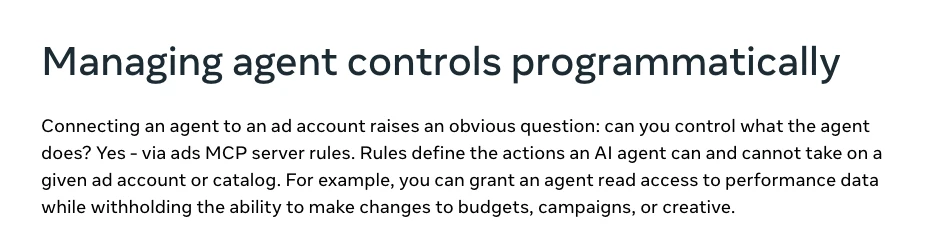
On the Meta side, Meta opened its ads MCP server to developers on 16 July 2026 (updated 22 September 2026). Its rules let you give an agent read access to performance data while withholding changes to budgets, campaigns or creative. That is the setting to start with.
Claude itself costs from $20 a month on Pro billed monthly. A typical set-up is Claude plus a read-only connector for each platform, then a saved prompt or skill for the weekly summary. How the pieces fit is in what a marketing MCP server is and how to build a Claude ads view safely. If you would like this built for you, it is part of my AI automation work.
You have read-only access to Google Ads account [ID] and Meta ad account [ID]. Do not change anything.
For [last week, Monday to Sunday, account time zone], compare with the week before:
1. Spend, conversions, CPA and ROAS per platform, in a table. Label each platform's attribution setting. Do not add the two platforms' conversions together.
2. The five biggest changes by campaign, with the numbers.
3. Search terms or ads with spend and no conversions this week.
4. A five-line summary a client can read: what happened, the likely reason (marked "to confirm"), what we will do next.
List the query or report you used for every number so I can check it.
| Job | AI assistant | Dashboard |
|---|---|---|
| Weekly summary in words | Strong | Weak |
| Ad-hoc questions | Strong | Only if pre-built |
| Same view every day | Weak | Strong |
| Shared client link | Weak | Strong |
| Audit trail of numbers | Ask for queries | Built in |
How do you keep a human in the approval seat?
Short answer: Give the AI read-only access first, define every metric once, label each platform's attribution setting, check headline numbers against the platforms and approve the client version yourself. Widen access only when you trust the set-up.
- Start read-only. Meta's MCP rules and Google's propose and confirm step both exist for this reason.
- Treat every output as a draft until a person approves it.
- Define spend, CPA and ROAS once, in writing, so they mean the same thing every week.
- Check the headline numbers against Google Ads and Ads Manager before sending.
- Say on the report that the platforms count conversions differently.
The last point matters for every option here, not just AI. Google Ads uses data-driven attribution for most conversion actions, according to Google's attribution page, while Meta credits website conversions by click-through, view-through and engage-through windows set per ad set, according to Meta's attribution settings page. The changes are covered in Meta Ads attribution changes.
My own rule on client ad accounts is the same with or without AI: review first, put the findings in a sheet, check them by hand, and change nothing before the client approves. A short human note goes on top of every report: where we are, what we are doing, what is next.
Which option fits which team?
Short answer: A freelancer with a few Google-heavy clients can stay on free Data Studio. An agency with many clients usually saves time with an agency reporting tool. A team that mainly needs weekly answers and summaries can try an AI assistant with read-only connectors.
| Situation | Start with | Why |
|---|---|---|
| Google Ads and GA4 only | Free Data Studio | No connector fee |
| Google plus Meta, few clients | One connector + Data Studio | Cheapest cross-channel |
| Many clients, white label | Agency reporting tool | Templates and scheduling |
| Need written weekly answers | Claude + read-only MCP | Words, not widgets |
| Monthly client meeting | A Slides deck | A story with next steps |
How do you switch without breaking client trust?
Short answer: Run the new report in parallel for a month on two accounts with stable tracking, compare every headline number, ask the client which version they actually read, and only then cancel the seats and connectors nobody uses.
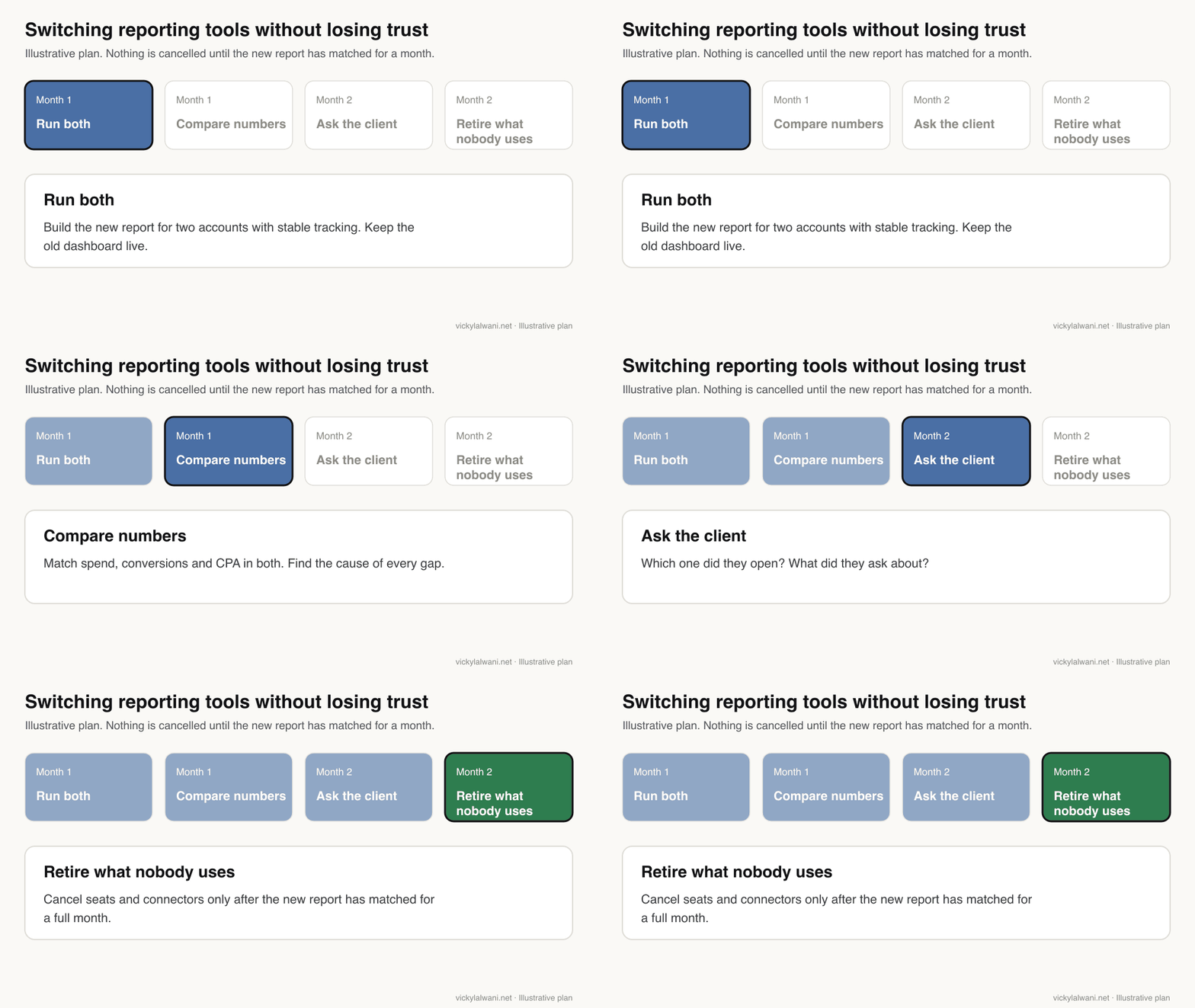
- Pick two accounts with clean tracking and a regular reporting rhythm.
- Produce the new report next to the old dashboard and explain every gap in the numbers.
- Keep live dashboards internal until the data is solid. In my experience, a live client dashboard that swings day to day starts daily questions.
- Write down how the report is produced: which accounts feed it, who checks it and who approves it. That way it survives staff changes.
When is a dashboard the wrong answer?
Short answer: When the client wants to know what happened, why and what you will do next. That is a monthly report, not a dashboard. Many teams keep a dashboard for themselves and send the client a short deck or written summary.
Clients rarely ask for more charts. They ask what happened, why, and what you are doing about it. If that is the job, read how to build a monthly PPC report in Google Slides, which covers the slide order, prompts and checks for a client deck. For the blocks a combined view needs, see one cross-channel report for Google Ads and Meta.
Videos worth watching
Short answer: Watch a three-minute tour of the renamed Data Studio first, then the strongest argument for replacing BI dashboards with AI. The table adds the rename explained, a Claude dashboard demo and a review of the paid tier.
Google Data Studio is Back!?!, from an analytics training company's channel, 27 April 2026. A short tour of the renamed product: the home screen, where templates moved, and the conversational analytics preview, which it explains is built around BigQuery data agents rather than all your sources. The channel sells analytics courses.
Looker Studio Is Dead in 2026. Here's What I Use Now, from an AI automation channel, 27 October 2026. An opinion piece arguing that AI assistants such as Claude now build reports faster than traditional BI tools. Useful as the strongest version of the AI case; it is not a neutral comparison. Summary from the video description.
| Video | From | What it covers |
|---|---|---|
| Google Data Studio is Back!?! | Analytics training channel, Apr 2026, 3 min | What changed when Looker Studio became Data Studio |
| Looker Studio Is Dead in 2026. Here's What I Use Now | AI automation channel, Oct 2026, 11 min | The case for AI-built reports over BI tools |
| Looker Studio Becomes...Data Studio (Again!) | BI trainer's channel, Apr 2026, 7 min | The rename and what stays the same |
| Connect Google Ads, Meta & TikTok to Claude (Full Dashboard) | MCP connector vendor, Jul 2026, 4 min | A cross-platform ads dashboard in Claude |
| Is Data Studio Pro Worth It? | Benefits of Data Studio Pro - Pricing, Features, AI & more | Analytics agency channel, Apr 2025, 18 min | What the paid tier adds |
Every video was checked on 17 November 2026. Google has no official video on the rename that I could find, and most of these channels sell training, services or the tool shown.
What people say on X and Reddit
Short answer: On X, the April rename was news but not a reason to leave: the free tier and reports carried over. The louder 2026 story is official AI access to ad accounts from Google and Meta. On Reddit, practitioners blame connectors and unread dashboards more than the dashboard tool itself.
| Where | Date | Type | What it says |
|---|---|---|---|
| An SEO consultant, X | 11 Apr 2026 | News | Google rebranded Looker Studio to Data Studio again |
| A data analyst, X | 11 Apr 2026 | Opinion | Same free tier, same reports; execution is what matters |
| Screaming Frog, X | 13 Apr 2026 | News | Looker Studio is being renamed back to Data Studio |
| A paid ads practitioner, X | 30 Apr 2026 | First-hand | Meta released an ads MCP and CLI for Claude and ChatGPT users |
| An AI tools account, X | 18 Oct 2026 | Opinion | Google and Meta both now give AI agents official account access |
| A DTC ads consultant, X | 1 Apr 2026 | Opinion and vendor | A Claude skill turns Google Ads data into a dashboard |
| r/PPC | 23 Mar 2026 | First-hand | Tools added connector debugging and seats nobody logs into |
| r/PPC | 27 Nov 2025 | First-hand | Past connectors broke; a reply says split the data and reporting layers |
| r/PPC | 27 Oct 2026 | Question | Product-level reporting usually means a custom build joined on product ID |
| r/PPC | 6 Jan 2026 | First-hand | Connector templates look basic; copies break across connectors |
| r/PPC | 11 Jul 2026 | First-hand | One template and a one-line summary beat more charts |
Two themes run through the Reddit threads. First, the data layer is where things break: connectors that disconnect, numbers that do not match the platform, and templates that break when copied to a different connector. One reply in the November 2025 thread suggests treating the reporting layer and the data layer as separate decisions, which is the framing used above. Second, reporting is about trust: the most upvoted replies in the March thread say a short summary clients believe beats more dashboard seats. Several replies in these threads come from vendors, some disclosed, so they are labelled as such where it matters. Threads were read through the Arctic Shift archive and are credited by community only.
Where this advice is weak
- Prices come from vendor pages on 17 and 18 November 2026. Some pages showed annual and monthly prices with toggles that were hard to read; where the billing period was unclear (DashThis), the table shows the price without a period.
- I have not tested every tool here. They are listed for their published features and prices, not as recommendations.
- Gemini in Data Studio and Meta's ads MCP server are still changing. The Google Ads MCP server is open source and updated often, so its tool list may differ from what is described here.
- Practitioners on X date Meta's first ads MCP release to late April 2026. Meta's own developer post I could find is dated 16 July 2026, so that is the date used.
- AI summaries are only as good as the tracking under them. If conversions are wrong, every option here reports the wrong number faster.
Want a second opinion on your reporting set-up?
If you are paying for dashboards nobody opens, or your numbers never match the platforms, I can look at the tracking and the reporting together on a free 30-minute call. See Google Ads and PPC management, analytics and tracking setup, AI automation or pricing.
Keep reading: PPC reporting in Google Slides, Claude live dashboards for ads and marketing MCP servers.
Sources
| Source | What it supports | Link |
|---|---|---|
| Google Cloud blog (11 Apr 2026) | Rename, migration, tiers | Looker Studio is Data Studio |
| Google Cloud | Free tier, Pro $9/user/project | Data Studio |
| Google Cloud docs | Gemini features, preview fee note | Gemini in Data Studio |
| Google Cloud docs | Report to Slides with Gemini | Add content to Slides |
| Google Cloud docs | Google's own connectors | Available connectors |
| Google Cloud docs | Scheduled PDF delivery | Schedule report delivery |
| Google Cloud docs | Conversational analytics | Overview |
| Google (GitHub) | Official Google Ads MCP server | googleads/google-ads-mcp |
| Meta for Developers (16 Jul 2026) | Ads MCP server, rules | Ads MCP server |
| Google Ads Help | Data-driven attribution | About attribution models |
| Meta Business Help | Attribution settings | About attribution settings |
| Anthropic | Claude Pro price | claude.com/pricing |
| AgencyAnalytics | Price, MCP access | Pricing |
| DashThis | Price, MCP connector | Pricing |
| Windsor.ai | Price | Pricing |
| Whatagraph | Price, managed MCP | Pricing |
| Porter Metrics | Price, MCP | Pricing |
| Databox | Price, MCP server | Pricing |
| Swydo | Price, MCP | Pricing |
| Supermetrics | Price, AI destinations | Pricing |
| Two Minute Reports | Price | Pricing |
| An SEO consultant | Google rebranded Looker Studio to Data Studio again | Post or thread |
| A data analyst | Same free tier, same reports; execution is what matters | Post or thread |
| Screaming Frog | Looker Studio is being renamed back to Data Studio | Post or thread |
| A paid ads practitioner | Meta released an ads MCP and CLI for Claude and ChatGPT users | Post or thread |
| An AI tools account | Google and Meta both now give AI agents official account access | Post or thread |
| A DTC ads consultant | A Claude skill turns Google Ads data into a dashboard | Post or thread |
| r/PPC | Tools added connector debugging and seats nobody logs into | Post or thread |
| r/PPC | Past connectors broke; a reply says split the data and reporting layers | Post or thread |
| r/PPC | Product-level reporting usually means a custom build joined on product ID | Post or thread |
| r/PPC | Connector templates look basic; copies break across connectors | Post or thread |
| r/PPC | One template and a one-line summary beat more charts | Post or thread |
Pages read on 17 and 18 November 2026. Videos, X posts and Reddit threads were checked on the same days.
This article expands on my post on LinkedIn ↗.
FAQ
Is Looker Studio still free in 2027?
Yes. Google renamed it Data Studio in April 2026 and kept the self-service tier free for creators and viewers. The paid Data Studio Pro tier is listed at $9 per user per project per month.
What happened to Looker Studio?
Google renamed Looker Studio back to Data Studio in April 2026 and moved existing reports, data sources and users over automatically. Looker, a separate product, stays Google's enterprise business intelligence platform.
What is the best Looker Studio alternative for PPC agencies?
For many clients and white-label reports, an agency reporting tool such as AgencyAnalytics, DashThis, Swydo or Two Minute Reports saves build time. For a few Google-heavy accounts, free Data Studio with one connector is usually enough.
Can I get Meta Ads data into Data Studio for free?
Not with Google's own connectors, which cover Google products such as Google Ads and GA4. Meta data needs a partner connector, usually paid, or a manual export from Meta Ads Reporting into Google Sheets.
Can Claude replace a PPC reporting dashboard?
For weekly summaries and questions about what changed, often yes, when Claude is connected read-only to Google Ads and Meta through MCP. For a view several people check every day, a dashboard is still better.
Is there an official Google Ads MCP server?
Yes. Google maintains an open-source Google Ads MCP server on GitHub that supports reporting through GAQL queries and guarded changes behind a propose and confirm step. Connecting it gives the AI client access to your account data.
Is it safe to connect AI to client ad accounts?
It can be, with read-only access first, a person approving every output, and each vendor's data terms checked. Meta's ads MCP server rules can allow reading performance data while blocking budget, campaign and creative changes.
How much do PPC reporting tools cost in 2026?
Listed starting prices on 18 November 2026 ranged from $12.50 a month per data source account (Porter Metrics, billed yearly) and $20 per client (AgencyAnalytics, billed yearly) to over $800 a month (Whatagraph Max). Units differ, so compare on your own client count.