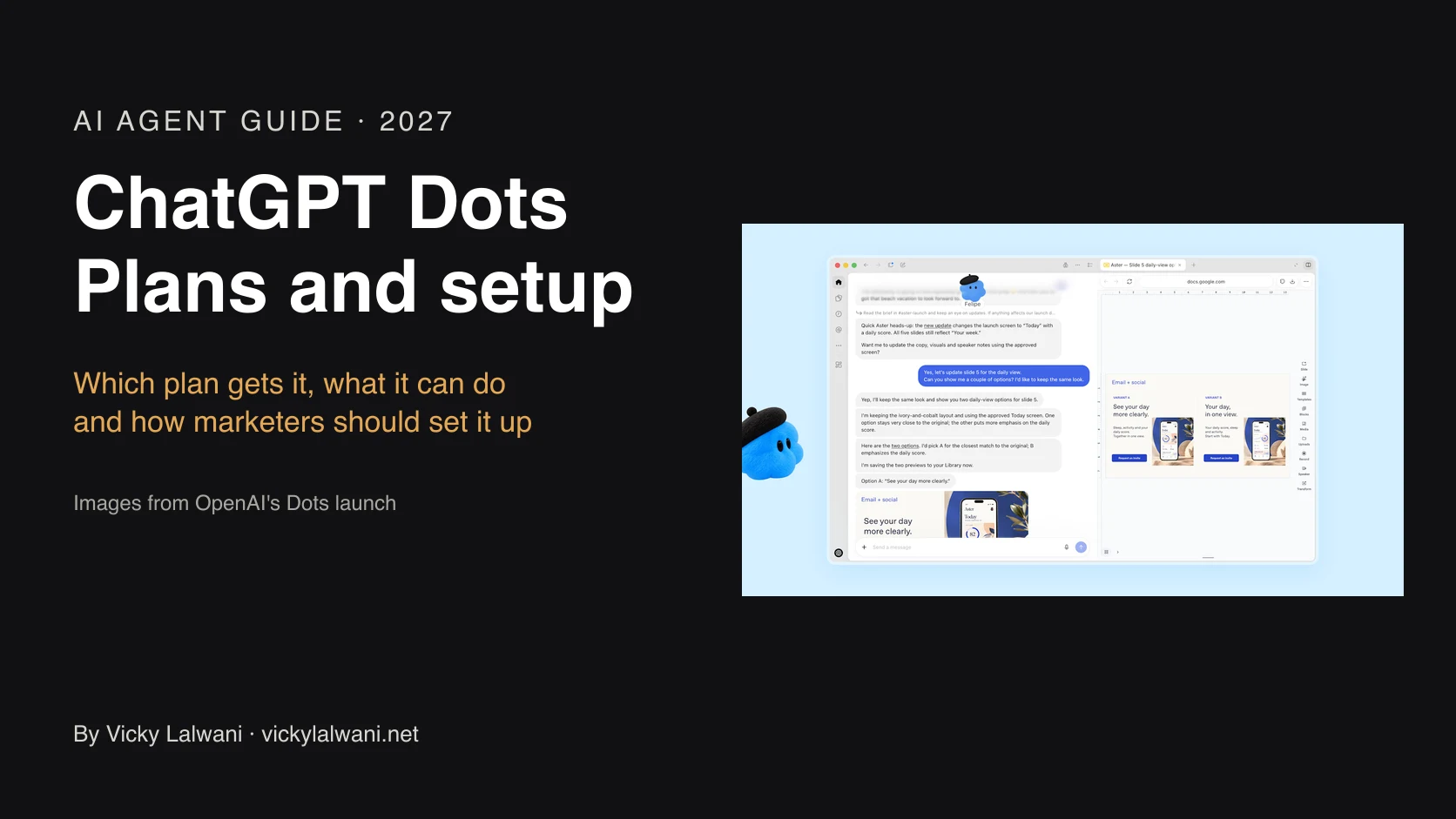
ChatGPT Dots are OpenAI's always-on agents, launched on 29 September 2026 and powered by GPT-6 Astra with their own cloud computer. Your first dot is included in Pro and Business Premium; Free, Go and Plus don't include it. Pro includes Dots in every ChatGPT market except the EEA, Switzerland and the UK. Dots work in ChatGPT, Slack and Microsoft Teams, and texting is limited to the US, Canada and Mexico.
Have Pro or Business Premium? Do three things before you hand your dot real work:
1. Check you have it. Rollout is gradual, so access can take several days to reach your account. Look for your dot at chatgpt.com/dots, in the ChatGPT desktop app or the iOS or Android app (not mobile web).
2. Connect only what it needs. Start with one or two apps in ChatGPT's Plugins (Customize, then Plugins on mobile) and read each app's permissions.
3. Set custom rules first. Decide what it may do without asking and what always needs your yes, before you give it a goal.
TL;DR
- What it is: an always-on agent in ChatGPT with its own cloud computer, launched 29 September 2026 and powered by GPT-6 Astra (OpenAI).
- Where: Pro includes Dots in every ChatGPT market except the European Economic Area, Switzerland and the UK; Business Premium in supported ChatGPT regions (OpenAI Help).
- Plans: your first dot is included in Pro and Business Premium at no extra cost. Free, Go and Plus don't include Dots (OpenAI pricing).
- Where it works: ChatGPT web, desktop and mobile apps, Slack and Microsoft Teams. Texting a dot is a US, Canada and Mexico beta for now.
- Usage: chatting with your dot doesn't count toward your ChatGPT limits; tasks it starts in Codex or ChatGPT Work do (OpenAI).
- The catch: it can make mistakes, and you can't view or edit its individual memories yet (OpenAI Help).
Jump to: What is ChatGPT Dots? · Where is ChatGPT Dots available? · Which plan includes Dots, and what does it cost? · How to set up your dot · Custom rules: what your dot can do without asking · Five ways marketers can use a dot · Privacy and safety: what to check first · Is ChatGPT Dots worth it? · Want help setting up an AI agent?
Picture a marketing manager who starts every day the same way: open GA4, open the ad accounts, scroll Slack, check the competitor's site, then start real work at 10am. A dot is OpenAI's answer to that first hour. It keeps working when the chat is closed, checks things on a schedule and messages you when something needs you. The manager is an illustration, not a client.
This guide covers what a dot is, who can get one and where, then how to set one up safely for marketing work.
A note on evidence: the facts come from OpenAI's announcement, help centre, pricing page and release notes, read on 11 November 2026. The prompts and workflows are my suggestions, not OpenAI's.
OpenAI's launch film, Introducing dots.
What is ChatGPT Dots?
A dot is an always-on agent that lives in ChatGPT. OpenAI describes dots as "always-on agents built to handle everything", powered by GPT-6 Astra and running on their own cloud computer, so they keep working between your conversations (OpenAI). On 3 November OpenAI added GPT-6.1 Terra to the models that power dots.
- Apps: it can connect to over 4,000 apps through plugins.
- A computer of its own: it has its own cloud computer and browser. You can also let it use your laptop, which is off by default.
- Schedules: reminders and recurring checks, plus read-only background research.
- Memory: it uses your ChatGPT memory and builds its own.
- A character: you name it and pick a look, so it has a handle like @yourname-agentname.
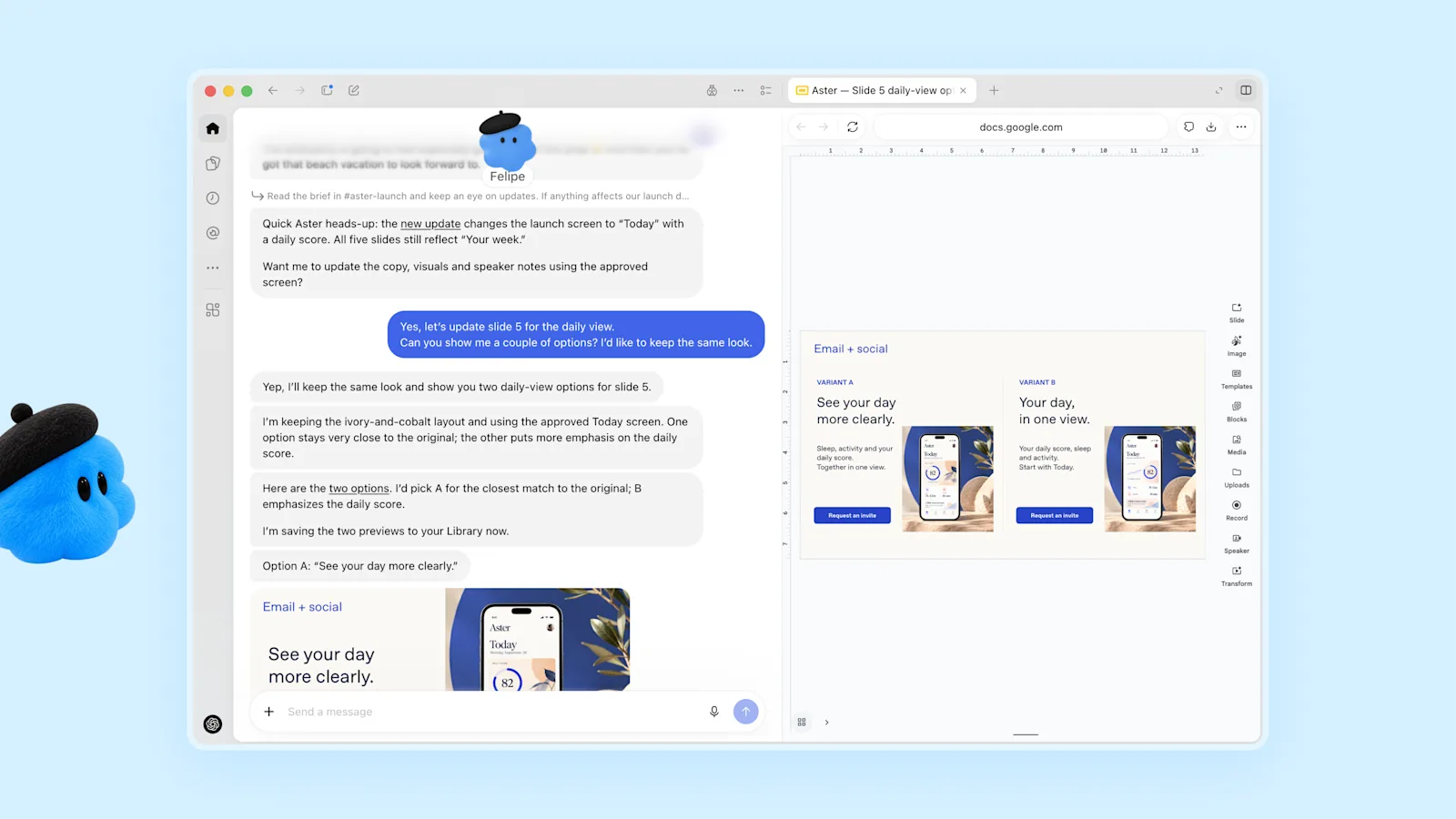
OpenAI has retired ChatGPT agent and points users to ChatGPT Work (OpenAI Help). A dot can start and manage tasks in ChatGPT Work and Codex.
Where is ChatGPT Dots available?
It depends on your plan and your country. Here's what OpenAI says:
- Pro: available in markets excluding the European Economic Area, Switzerland and the UK.
- Business Premium: available in supported ChatGPT regions, subject to workspace eligibility.
- Country list: Dots need a country where ChatGPT itself is offered, so check ChatGPT's supported countries list first (OpenAI Help).
- Texting your dot: by iMessage or RCS, a beta for a limited number of Pro users in the US, Canada and Mexico only.
- Also excluded: workspaces with UAE data or inference residency, and anyone under 18.
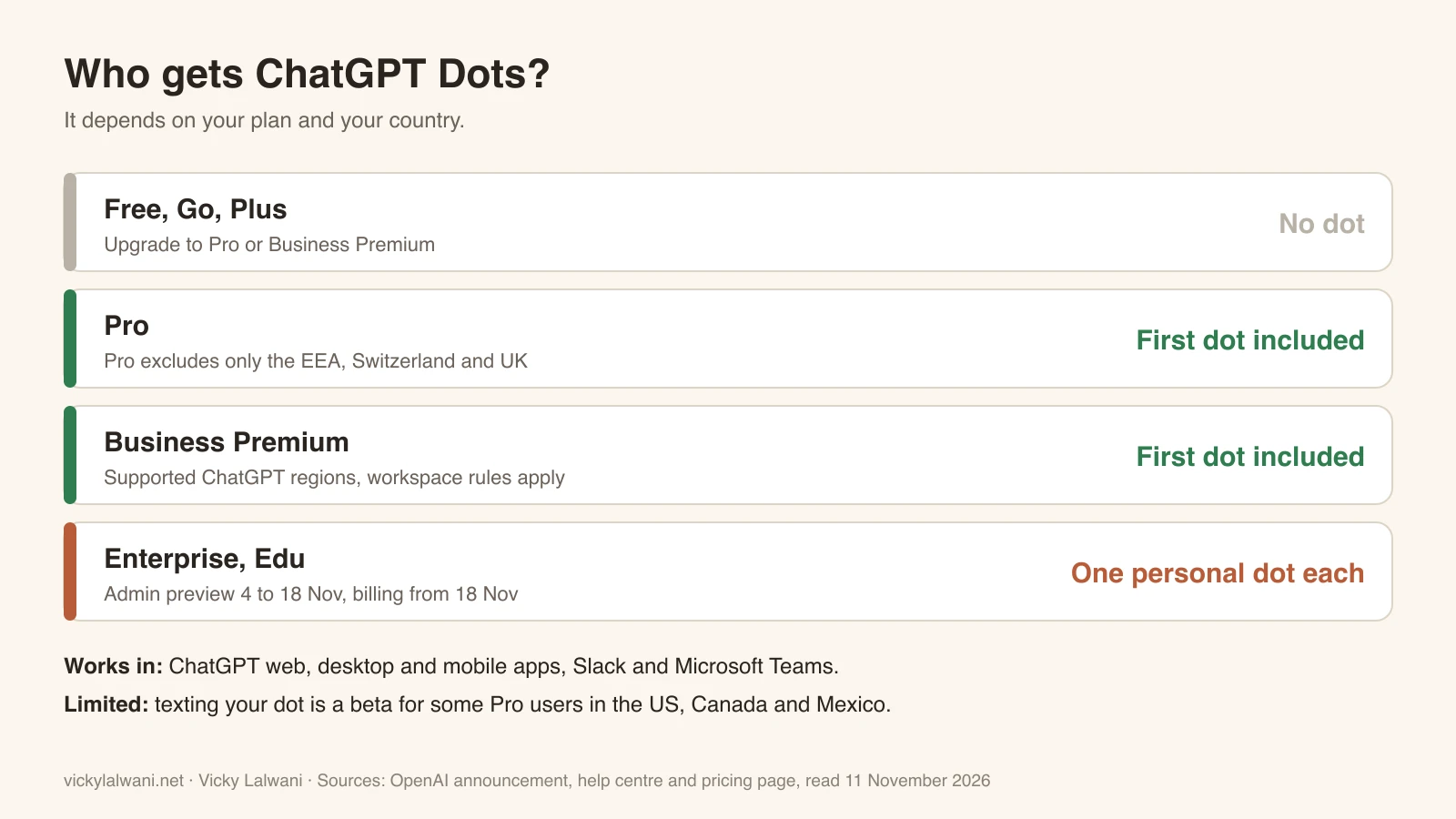
If you're on Pro or Business Premium and can't see it, wait a few days: OpenAI says access may take several days to reach your account.
Which plan includes Dots, and what does it cost?
- Pro and Business Premium: "Your first dot is included in your Pro or Business Premium plan at no extra cost" (OpenAI).
- Free, Go and Plus: no Dots, per OpenAI's pricing comparison.
- Enterprise, Edu and Healthcare workspaces: each member can create one personal dot. Admins have a free preview from 4 to 18 November. From 18 November dots are on by default unless the admin opts out, and billing for Enterprise workspaces starts that day (OpenAI Help).
- More than one dot: not yet. OpenAI says you'll be able to add more in the future.
- Standard Business plan: OpenAI only names Business Premium, so don't assume standard Business includes it.
Usage: conversations with your dot don't count toward your ChatGPT usage limits, but tasks it sends to Codex or ChatGPT Work do. For the first month after launch (from 29 September), dots usage didn't count toward plan allowances, and OpenAI said it would share usage terms after that (OpenAI release notes).
Price: OpenAI's pricing page shows current Pro tiers for your country. Check chatgpt.com/pricing while signed in, including which Pro tier you need and whether tax is included, and ask OpenAI sales about Business Premium.
How to set up your dot
- Open the ChatGPT desktop app, desktop web, or the latest iOS or Android app. Mobile web isn't supported.
- Follow the onboarding prompts.
- Name your dot. Its handle becomes @yourname-agentname.
- Pick a character.
- Connect apps in ChatGPT's Plugins tab (on mobile, Customize, then Plugins), and review each app's permissions.
- Optional: in the desktop app, open the dot's profile, then Computers, then Allow access to let it use your computer.
- Set your Custom rules.
- Give it a goal.
You'll see its work under In progress, Scheduled and Completed, and you can pause it from the ••• menu (OpenAI Help).
Custom rules: what your dot can do without asking
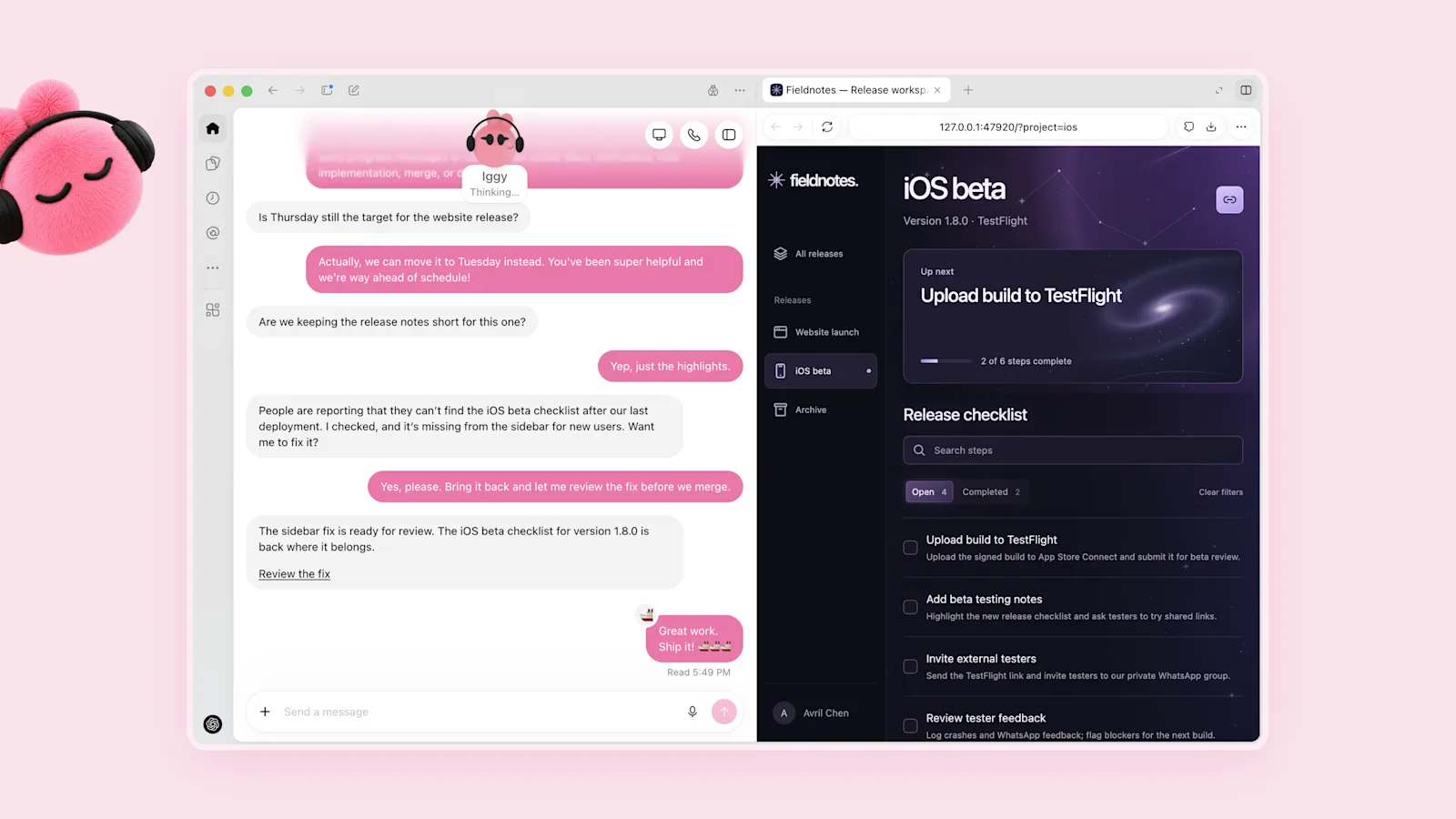
Custom rules are the most important setting. For some actions, OpenAI gives four choices: take action without asking, take action if pre-approved, ask before taking action and hand off to you. Some actions always come back to you: OpenAI says things like changing a password or transferring money require you to take over, and permanently deleting data or installing software may need approval each time (OpenAI Help).
Fine to run without asking
- Reading reports and dashboards
- Research and competitor checks
- Drafting copy, posts and reports
- Reminders and recurring checks
Always ask first
- Sending emails or messages to clients
- Posting anything public
- Changing ad budgets, bids or campaigns
- Anything that spends money or deletes data
That split is my recommendation for marketing teams, not an OpenAI default. It's the same rule I use with AI agents on ad accounts: they recommend, a human approves.
Five ways marketers can use a dot
These are starting prompts. Replace the brackets, connect only the apps each one needs, and keep the rules above.
1. A morning brief. A good fit for a dot's scheduled checks.
Every weekday at 8am (Sydney time), send me a morning brief:
1. Yesterday's key numbers from the reports in [connected app or shared folder]
2. Anything that changed by more than 20% from the 7-day average, with the likely reason
3. New emails or Slack messages that need my reply today, in priority order
4. One thing you suggest I look at first
Keep it under 200 words. Don't send, post or change anything. Ask me before any action.
2. Competitor watch. A weekly read-only check of what changed.
Every Monday, check these competitor websites and social pages: [list URLs]
Tell me what changed since last week: new offers, new pages, new products, price changes and new ad angles.
Put it in a short table: competitor, what changed, link, why it might matter to us.
Read-only. Don't contact anyone or sign up to anything.
3. Content repurposing. Drafts only, saved for review.
When I add a new article to [shared folder], draft:
- 3 LinkedIn posts in my voice (use my last 10 posts as the style guide)
- 1 email newsletter section of about 150 words
- 5 short social captions
Save the drafts to [folder] and message me in Slack when they're ready. Never publish anything.
4. Monthly reporting. Numbers from your sources, flagged where unverified.
On the first working day of each month, build a one-page report for [client or team]:
- Results versus last month and the same month last year
- The 3 biggest wins and the 3 biggest problems, with numbers
- What we'll change this month
Use only data from [connected sources]. Mark anything you couldn't verify. Save it as a draft for my review.
5. Launch QA. A pass or fail check before anything goes live.
Before any campaign goes live, check this launch list: [paste checklist]
Open each landing page, check the links, form, tracking tag and mobile layout, and compare the page offer with the ad copy.
Give me a pass or fail for each item with a screenshot of anything that failed. Don't change any settings.
A good result for any of these is short, specific and marks what it couldn't check. If it starts inventing numbers or doing things you didn't ask for, tighten the rules and the prompt before you trust it with more. I wrote about the same approach for Google Ads in building a Google Ads AI agent team.
Privacy and safety: what to check first
- Memories: you can't currently view, delete or edit individual dot memories. The only way to clear them is to delete the dot (OpenAI Help).
- Disconnected apps: disconnecting an app doesn't delete data the dot already pulled from it.
- Training: OpenAI says it doesn't train on Business, Enterprise or Edu content by default, personal plans can opt out, and it doesn't train directly on proactive research or the dot's own notes, though information from them can be used if it's brought into an eligible conversation or task, depending on your settings (OpenAI).
- Passwords: passwords saved through supported sign-ins are used without exposing them to the model. Passwords pasted into a chat or document aren't protected that way.
- Texting: where it's available, texts aren't end-to-end encrypted because they pass through a third-party provider.
- Safety stops: OpenAI can pause or stop a dot's work if its monitoring flags a safety concern.
Before you connect client data, check this against your local privacy law, your own privacy policy and your client agreements, especially where personal information leaves your country. That's a prompt to check, not legal advice. Start with internal data only.
Is ChatGPT Dots worth it?
If you're already on Pro or Business Premium, yes, it's worth setting up: the first dot costs nothing extra and chatting with it doesn't use your limits. If you're on Plus, the question is whether the upgrade pays for itself in saved hours, and that depends on how much of your day is checking, chasing and drafting.
Early reviews are mixed. TechCrunch noted that much of this was already possible through Codex (TechCrunch), and Every's review called a dot "by turns flashy and frustrating" (Every). OpenAI itself says dots can still make mistakes, so review consequential work.
My view: treat a dot like a new junior on the team. Give it read-only jobs for two weeks, check its work daily, then widen what it can do one rule at a time. Other AI labs are shipping similar always-on agents, and I'll compare them in a separate guide.
Want help setting up an AI agent?
I help marketing teams set up AI agents: which jobs to hand over, the rules and approvals, the connected apps, and the reports that tell you whether it's working.
Want the free playbook?
- My AI Team Playbook for running AI agents in marketing
- Fill in the form and download it straight away
Want to talk it through?
- Contact me directly for a free 30-minute call
- Or see AI agents for marketing
Sources
| Source | What it covers | Date | Link |
|---|---|---|---|
| OpenAI | Dots announcement | 29 Sep 2026, updated 3 Nov | openai.com |
| OpenAI Help | Getting started with your dot | Read 11 Nov 2026 | help.openai.com |
| OpenAI Help | Dots privacy, security and safety | Read 11 Nov 2026 | help.openai.com |
| OpenAI Help | ChatGPT release notes | Read 11 Nov 2026 | help.openai.com |
| OpenAI | ChatGPT pricing | Read 11 Nov 2026 | openai.com |
| OpenAI Help | Supported countries | Read 11 Nov 2026 | help.openai.com |
| OpenAI Help | ChatGPT agent retired | Read 11 Nov 2026 | help.openai.com |
| TechCrunch | Launch report | 29 Sep 2026 | techcrunch.com |
| Every | First-hand review | 29 Sep 2026 | every.to |
| OpenAI on YouTube | Launch film | 2026 | youtube.com |
Keep reading: how to get your business on ChatGPT, Claude Chat vs Code vs Cowork and how to use Grok for marketing.
FAQ
Where is ChatGPT Dots available?
OpenAI makes Dots available on Pro in every ChatGPT market except the European Economic Area, Switzerland and the UK, and on Business Premium in supported ChatGPT regions. Texting your dot is a beta in the US, Canada and Mexico only.
Is ChatGPT Dots available in the UK or Europe?
Not on Pro for now. OpenAI's help centre says Pro includes Dots in markets excluding the European Economic Area, Switzerland and the UK. Business Premium follows supported ChatGPT regions and workspace eligibility.
What is ChatGPT Dots?
ChatGPT Dots are OpenAI's always-on agents, launched on 29 September 2026. A dot runs on GPT-6 Astra, with GPT-6.1 Terra added in November, on its own cloud computer, connects to over 4,000 apps, runs schedules and keeps working when you close the chat.
How much does ChatGPT Dots cost?
Your first dot is included in ChatGPT Pro and Business Premium at no extra cost. Free, Go and Plus don't include Dots. Enterprise billing for dots starts on 18 November 2026. Check chatgpt.com/pricing for prices in your currency.
Is ChatGPT Dots available on the Plus plan?
No. OpenAI's pricing comparison shows Dots as not included on Free, Go or Plus. You need Pro or Business Premium for an included dot.
Which ChatGPT plan do I need for Dots?
Pro or Business Premium for an included first dot, or Enterprise and Edu, where each member can create one personal dot. OpenAI doesn't name the standard Business plan.
How do I set up ChatGPT Dots?
Open the ChatGPT desktop app, desktop web or the latest mobile app, follow the onboarding prompts, name your dot, pick a character, connect apps under Customize and Plugins, set custom rules, then give it a goal. Mobile web isn't supported.
What model does ChatGPT Dots use?
OpenAI launched dots powered by GPT-6 Astra, and on 3 November 2026 added GPT-6.1 Terra to the models that power them.
Can I use ChatGPT Dots in Slack or Microsoft Teams?
Yes. OpenAI says you can message your dot in Slack and Teams, as well as in ChatGPT on desktop, web and mobile.
Can I text or call my ChatGPT dot?
Texting is a beta for a limited number of Pro users in the US, Canada and Mexico, by iMessage or RCS only. Voice calls work in the ChatGPT app, but at launch your dot can't call you.
Does using a dot use up my ChatGPT limits?
Conversations with your dot don't count toward your ChatGPT usage limits, but tasks it sends to Codex or ChatGPT Work do. For the first month after launch, dots usage didn't count toward plan allowances, and OpenAI said it would share terms after that.
Does OpenAI train on my dot's data?
OpenAI says it doesn't train on Business, Enterprise or Edu content by default, personal plans can opt out, and it doesn't train directly on proactive research or the dot's own notes, though that information can be used if it's brought into an eligible conversation or task, depending on your settings.
Can I have more than one ChatGPT dot?
Not yet. OpenAI says your first dot is included and that you'll be able to add more dots in the future.
Is ChatGPT Dots worth it for marketers?
If you're already on Pro or Business Premium, yes: the first dot costs nothing extra and suits morning briefs, competitor checks, drafts and reports. Start with read-only jobs, keep approvals on anything that sends, posts or spends, and review its work, because OpenAI says dots can still make mistakes.