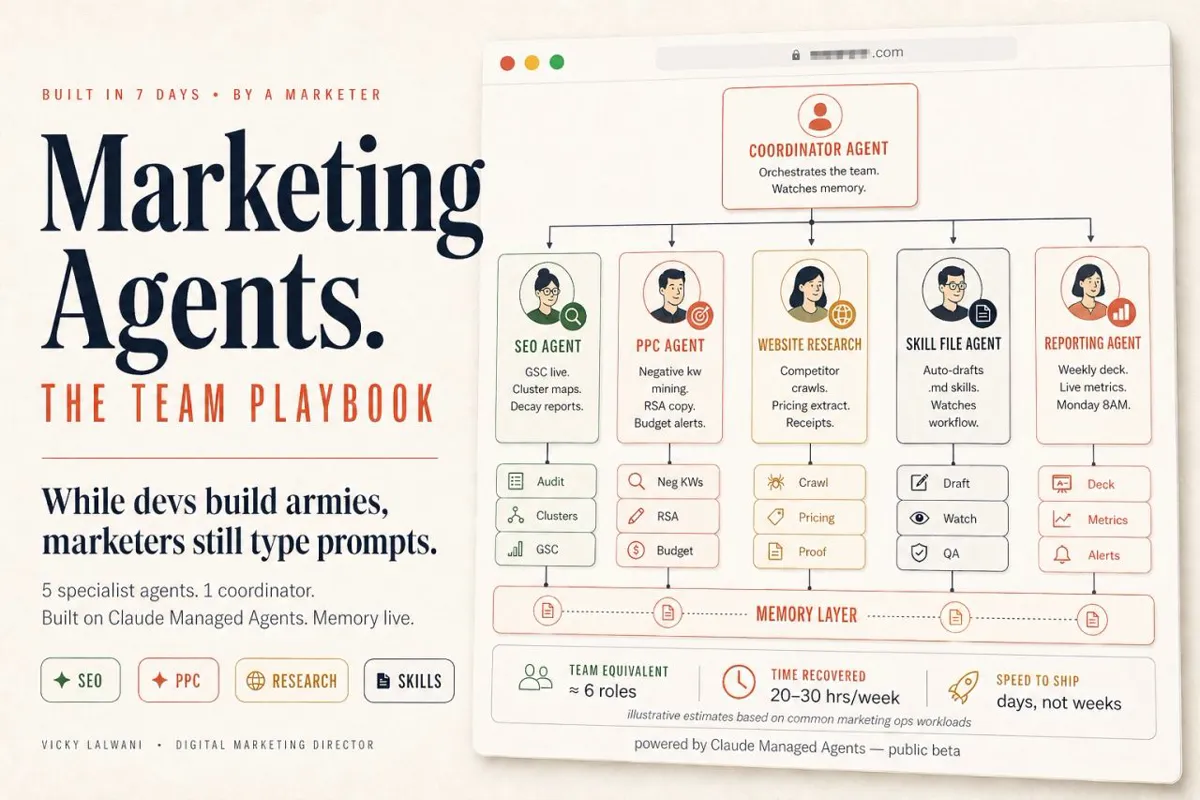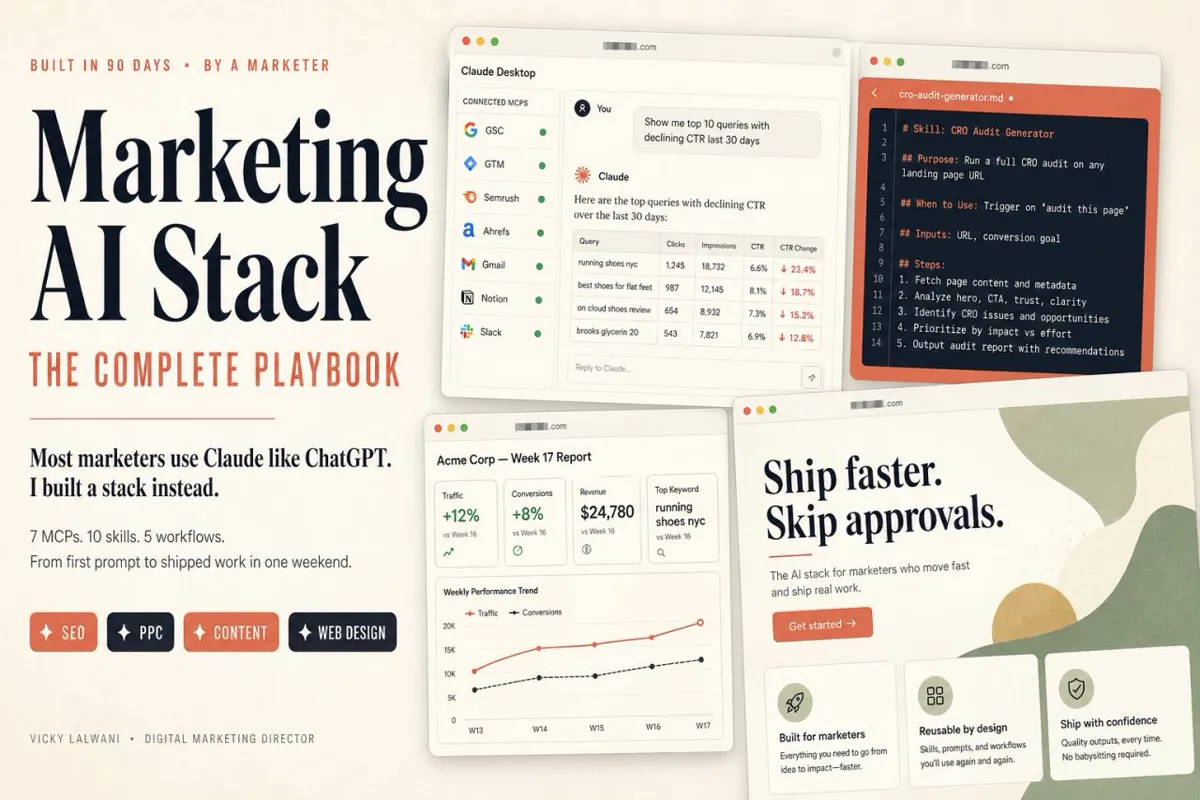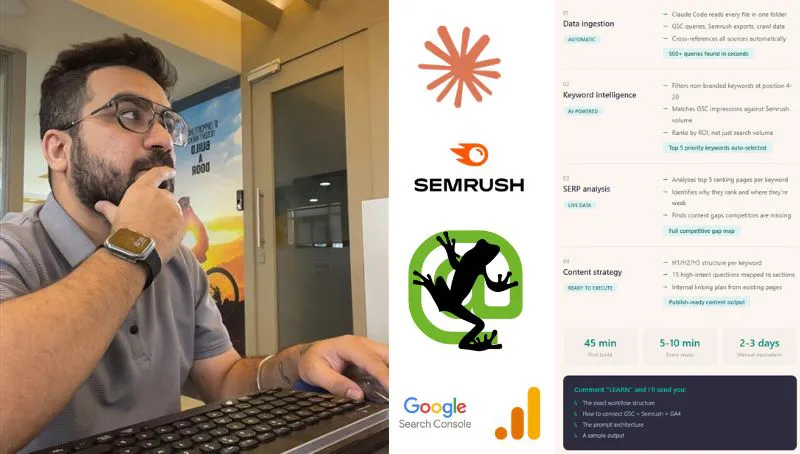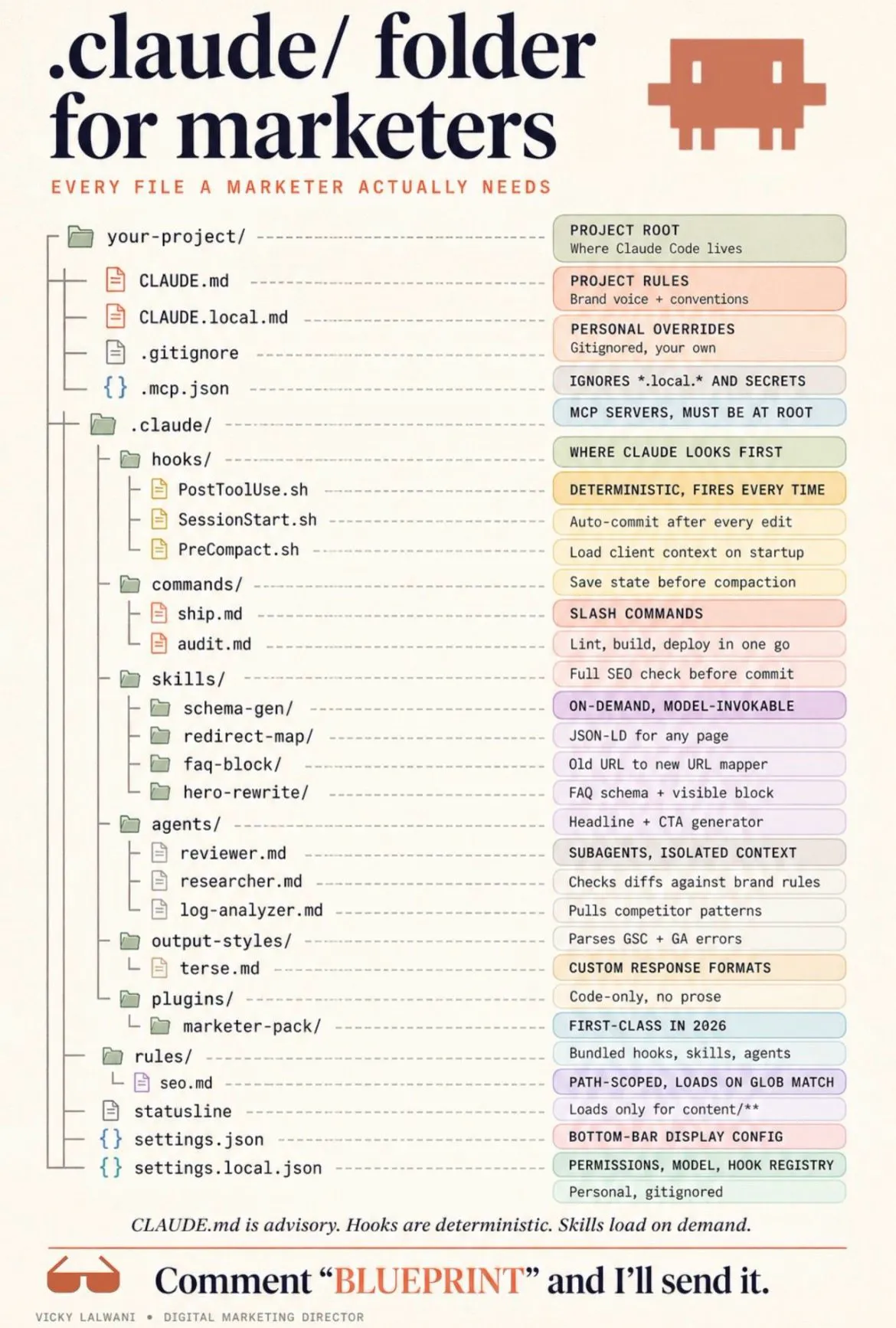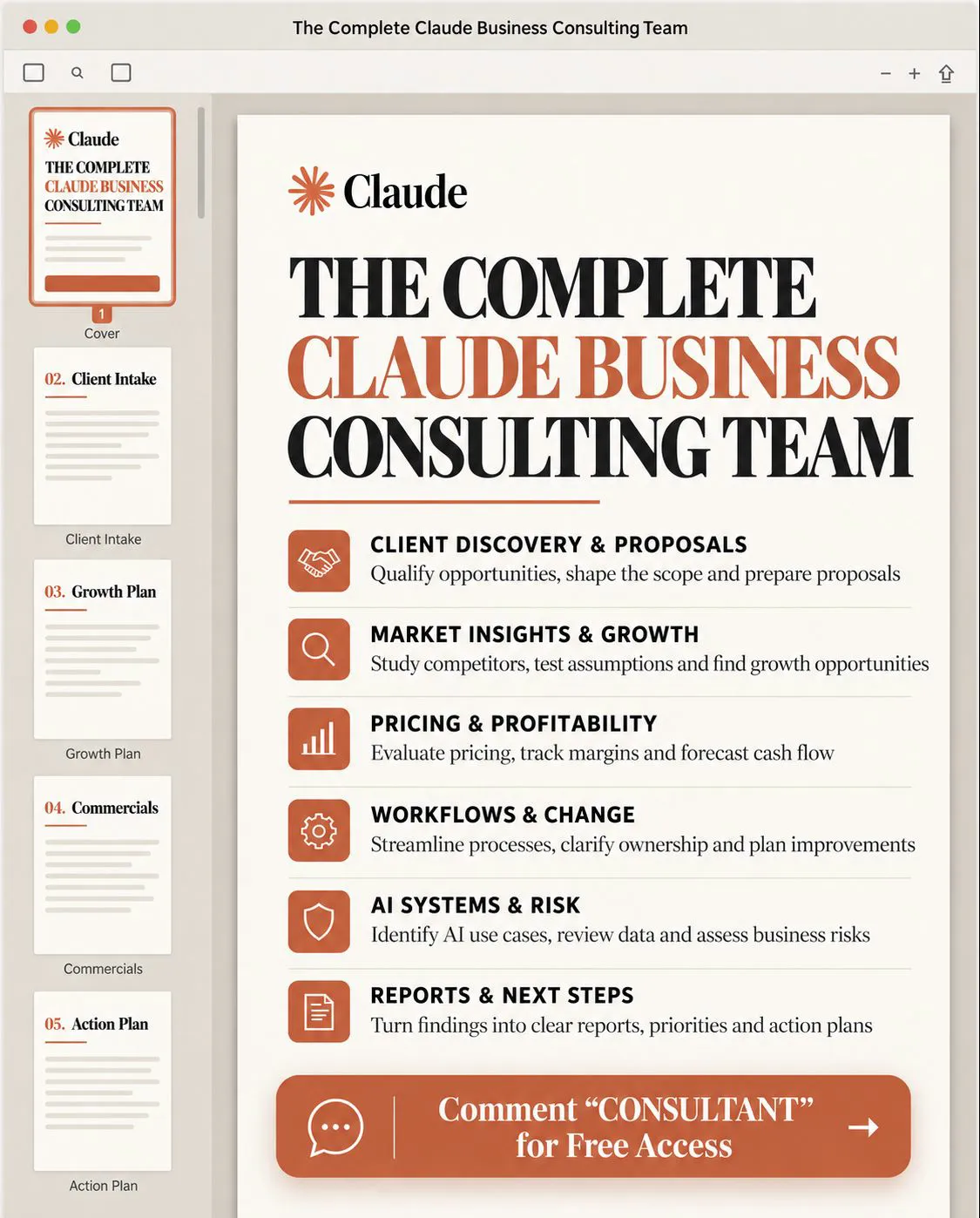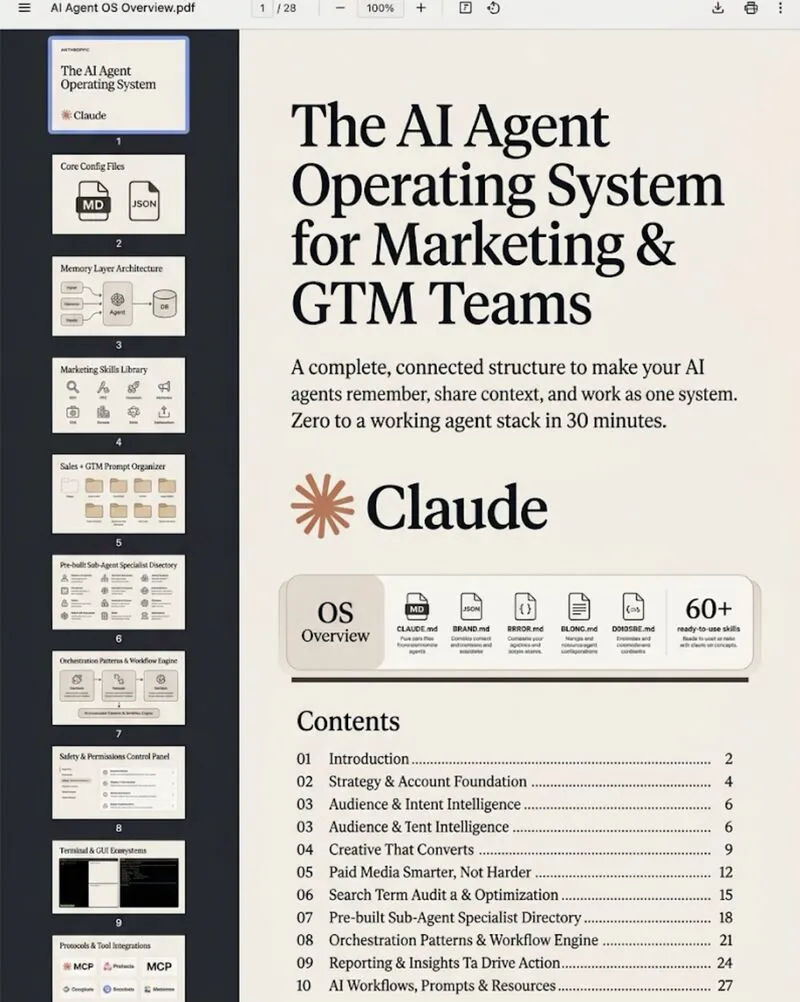
An AI agent operating system is the shared set of files every agent session starts from: an instructions file, skills, subagents, dated memory, MCP connections and guardrails. Instructions and memory are advice the model reads; permission rules and hooks are enforcement. Build the advice layers in open formats (AGENTS.md, Agent Skills, MCP) so they move between Claude Code, Codex and Gemini CLI, and block risky actions in code.
TL;DR
An AI agent operating system is the set of files and settings that every agent session starts from: an instructions file, a skills folder, specialist subagents, a memory layer, tool connections through MCP, and permission rules plus hooks. Without it, each tool starts from zero and nothing remembers last week.
The most useful thing to know in November 2026: instructions and memory are advice the model reads, while permission rules and hooks are enforcement it cannot argue with. Build the advice layers in open formats (AGENTS.md, Agent Skills, MCP) so they move between Claude Code, Codex and Gemini CLI, and put anything that must never happen into a deny rule or a hook.
Short answer: an AI agent operating system is one shared folder of instructions, skills, memory and tool connections that every agent reads, plus permission rules and hooks that block risky actions. It turns separate AI tools into one system that remembers decisions, reuses methods and stays inside limits you set.
Picture a normal week. Claude Code drafts your SEO briefs, a ChatGPT project writes ad copy, someone has connected Google Ads to an assistant, and a scheduled task sends a Monday report. Each tool asks the questions you answered last week. None of them knows that a keyword it wants to pause brings in leads, or that the brand never promises rankings. That is a drawer of subscriptions, not a system.
This page explains the structure that fixes it: what each layer does, which parts are now open standards, what loads when, and how one Google Ads review and one SEO check run through the same setup. If you would rather have it built around your accounts, my AI marketing agents service does the design and setup, and my Google Ads management and SEO consulting work runs on the same structure. Product facts were checked against vendor documentation on 18 November 2026.
Two related pages go deeper on single parts: the free Agent Operating System guide walks through the five core files and a 30-minute first setup, and tasks to delegate to AI agents covers which work to hand over and where approval points sit. This article does not repeat either.
What is an AI agent operating system?
Short answer: it is six layers that every agent session starts from: instructions, skills, subagents, memory, tool connections and guardrails. The first four shape what the agent thinks; the last two decide what it can reach and what it is blocked from doing.
The phrase sounds grand, but the parts are plain files. An instructions file says how to behave and what is true about the business. Skills are folders with a written method for a repeatable job. Subagents are specialists that work in their own context. Memory holds what was decided. MCP (Model Context Protocol, the open standard for connecting AI tools to data and apps) links agents to Google Ads, Search Console or a CRM. Guardrails are permission rules and hooks, which are small scripts that run before or after an action.
| Layer | Job | Open format | Enforced? |
|---|---|---|---|
| Instructions | Rules and business facts | AGENTS.md | No, advice |
| Skills | Repeatable methods | Agent Skills | No, advice |
| Subagents | Specialist work, own context | Tool-specific | Tools can be limited |
| Memory | Decisions and corrections | Plain Markdown | No, advice |
| Connections | Data and actions | MCP | Server sets limits |
| Guardrails | Block and approve | Tool-specific | Yes |
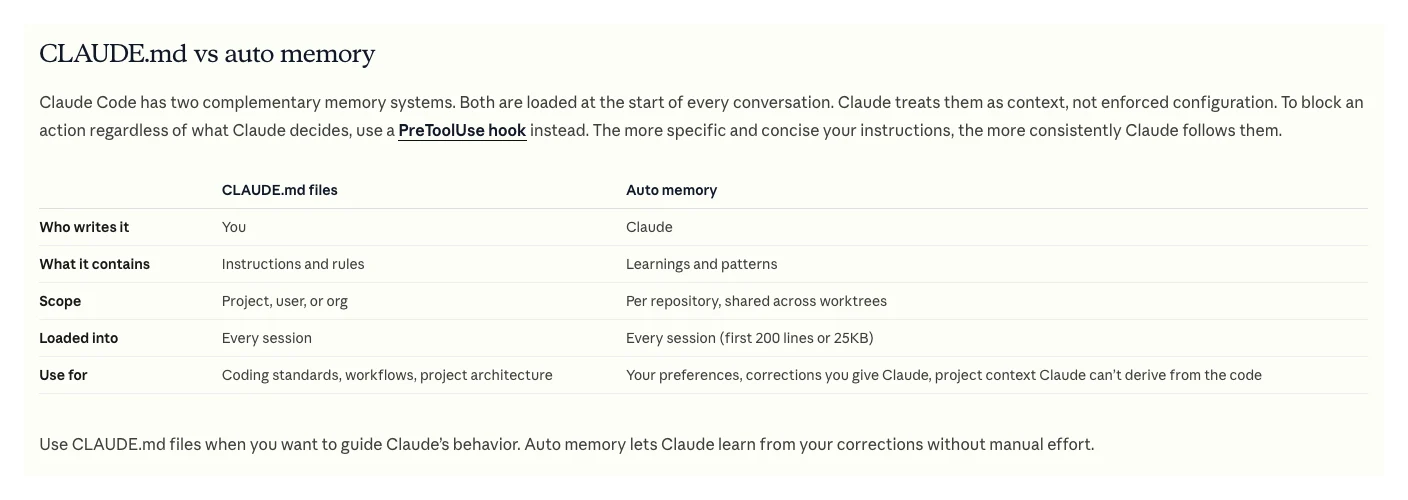
The last column is the part most setups get wrong. Anthropic's Claude Code memory documentation says plainly that Claude treats CLAUDE.md files and auto memory "as context, not enforced configuration", and that to block an action regardless of what Claude decides you should use a PreToolUse hook. A line in your instructions saying "never change budgets" is a request. A deny rule or a hook is a lock.
Which parts are open standards in November 2026?
Short answer: three: AGENTS.md for instructions, Agent Skills for skill folders, and MCP for tool connections. AGENTS.md and MCP are stewarded by the Agentic AI Foundation under the Linux Foundation, and Agent Skills was released as an open standard by Anthropic. Memory, subagents and hooks still differ by tool.
This matters because marketing teams rarely use one product. The AGENTS.md site describes it as a simple open format "used by over 60k open-source projects" and now stewarded by the Agentic AI Foundation, which also lists MCP among its projects. The Agent Skills site says the format was originally developed by Anthropic, released as an open standard and adopted by a growing number of agent products.
| Layer | Claude Code | Codex | Gemini CLI |
|---|---|---|---|
| Instructions | CLAUDE.md, or AGENTS.md if none | AGENTS.md, plus overrides | GEMINI.md; AGENTS.md by setting |
| Skills | .claude/skills | .agents/skills | .gemini/skills or .agents/skills |
| Memory | Auto memory, MEMORY.md | Local Codex memories | Context files, /memory |
| Pre-action hook | PreToolUse | PreToolUse | BeforeTool |
| Connections | MCP | MCP | MCP |
The details behind that table, all read on 18 November 2026:
- Claude Code reads AGENTS.md only when there is no CLAUDE.md in the working directory or above it, from version 2.1.277, and you can change that under Project instructions in /config (memory docs). Its skills follow the Agent Skills standard with extra Claude-only fields (skills docs).
- Codex builds an instruction chain from a global AGENTS.md down to the current folder, lets an AGENTS.override.md replace a level, and stops adding files at 32 KiB by default (Codex AGENTS.md guide). Its skills build on the open standard and live in .agents/skills (build skills).
- Gemini CLI loads GEMINI.md files from your home folder, the workspace and folders it touches, and a context.fileName setting can add AGENTS.md (GEMINI.md docs). Skills use the Agent Skills standard, with .agents/skills as a shared path (skills docs).
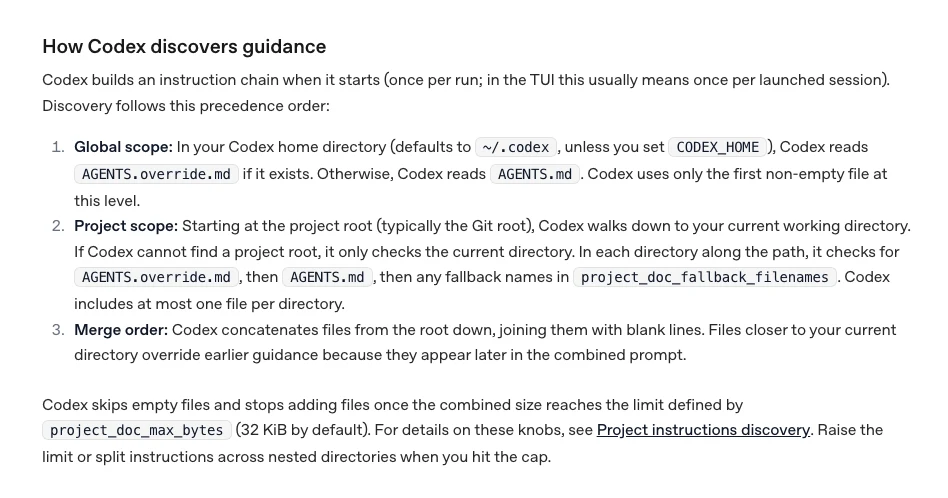
The practical rule: write the business facts once in AGENTS.md, and if you use Claude Code with its own CLAUDE.md, import the shared file with an @AGENTS.md line so both tools read the same truth. For skills, keep the frontmatter to the six fields in the open spec (name, description, license, compatibility, metadata, allowed-tools) when a skill must work outside Claude Code; the Claude Code skills page lists which fields are Claude-only. The install folder still differs by tool, so portable means "copy the folder", not "works everywhere untouched". For writing the files themselves, see the CLAUDE.md file for marketing and the marketing skill library.
What loads when an agent session starts?
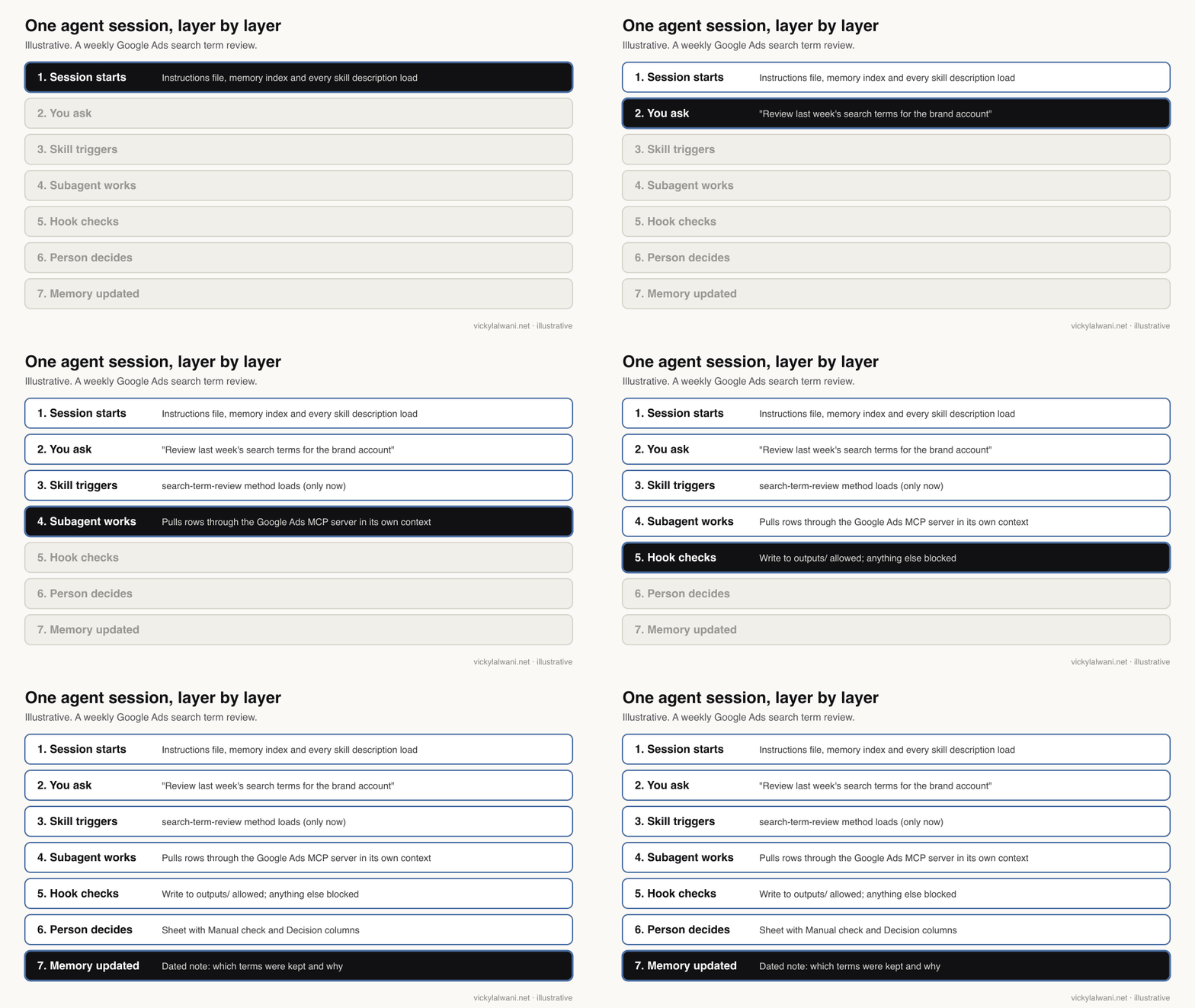
Short answer: instructions, the memory index and every skill's short description load at the start; a skill's full method loads only when the task matches; subagents start with a fresh context; and hooks run outside the model. Knowing this tells you where each piece of knowledge should live.
Most "the agent forgot" and "the agent got slower" problems come from putting knowledge in the wrong layer. A practitioner on Reddit who checked a fresh session found most of the starting context was memory files and tool schemas, not the prompt, and that an always-loaded memory index had grown quietly to several thousand tokens before they typed anything (r/ClaudeAI, October 2026).
| Part | When it loads | Published limit |
|---|---|---|
| CLAUDE.md | Every session | Aim under 200 lines |
| MEMORY.md index | Every session | First 200 lines or 25KB |
| Skill name and description | Every session | About 100 tokens each |
| Skill body | When triggered | Under 5k tokens |
| Skill reference files | When read | None until opened |
| Subagent | When called | Own context window |
| AGENTS.md in Codex | Start of each run | 32 KiB combined |
Those limits come from the Claude Code memory docs, Anthropic's Agent Skills overview and the Codex guide above. The skill numbers explain why a skills library scales and a giant instructions file does not:
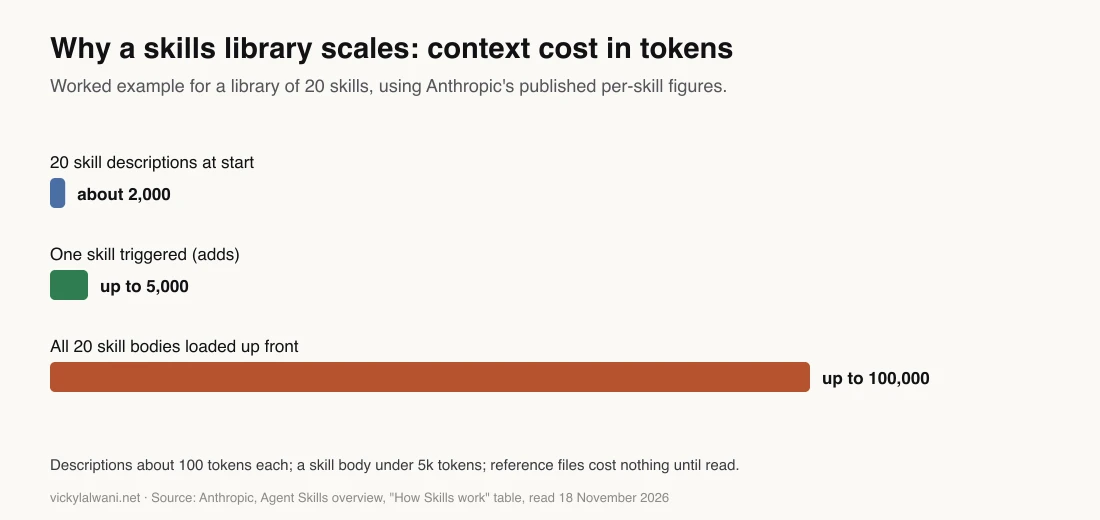
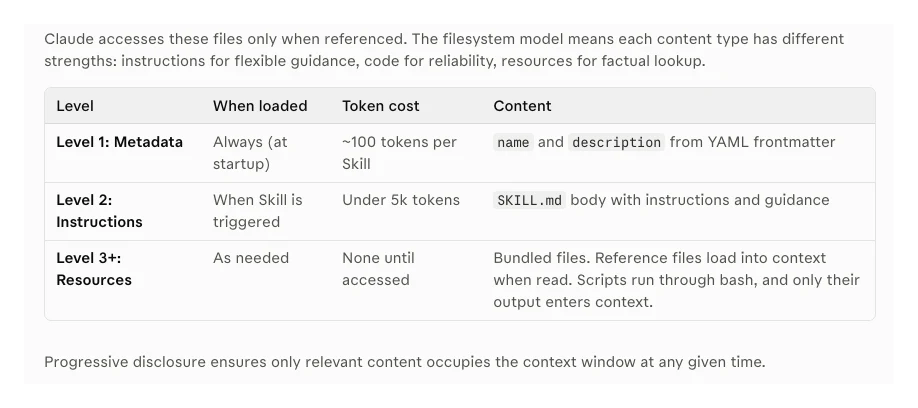
Two consequences for marketing setups. Put method detail (how to judge a search term, how to score a decaying page) inside skills, where it costs almost nothing until used. And keep the instructions file to facts every task needs: brand rules, account structure, what never to touch. Subagents are worth it when a job would flood the main conversation with raw data, because each one starts with a fresh, isolated context and does not see your conversation history, so its brief has to carry what it needs. The Claude subagents tutorial and context window management pages cover both in detail.
How does one Google Ads search term review run through the system?
Short answer: the instructions file supplies account facts, a skill supplies the review method, a subagent pulls and sorts search terms through the Google Ads MCP server in its own context, a hook stops anything outside the output folder, the result lands in a sheet for a person to approve, and memory records the decisions so next week starts where this one ended.
A search term review is a good test because it is weekly, data-heavy and easy to get wrong in an expensive way. Here is how the layers divide the work.
| Step | Layer | What happens |
|---|---|---|
| 1 | Instructions | Brand terms, converting themes, do-not-touch list |
| 2 | Skill | How to judge each term, output columns |
| 3 | Connection | Read search terms via Google Ads MCP |
| 4 | Subagent | Sorts thousands of rows away from main chat |
| 5 | Guardrail | Blocks writes outside the output folder |
| 6 | Person | Ticks Manual check and Decision columns |
| 7 | Memory | Records kept terms and why |
The connection layer has its own limits, which helps. Google's Google Ads MCP server reads reporting data and can create assets, upload videos and manage labels, but it cannot create, modify, pause or enable campaigns, ad groups, ads, budgets or bids. Its mutate tools run a propose step first and only commit after you confirm with a matching checksum. Other connectors and scripts can change campaigns, so do not assume every Google Ads connection is this cautious.
A practitioner who works in performance marketing at Anthropic described the same split on X: one skill pulls search terms with GAQL (the Google Ads query language) through MCP, and a separate methodology skill judges each term (post, March 2026). Keeping the data pull and the judgement in separate skills means you can improve the method without touching the plumbing.
From my own work: on client ad accounts I ask for the audit first, findings in a sheet, my own manual check, and no changes before approval. When I ran an AI audit on a client account, some recommendations did not match the account: it flagged a keyword for pausing that was bringing in conversions, and an ad group that was already switched off. That is exactly what the instructions and memory layers are for. Once the account facts and past decisions are written down, the next run stops repeating the same wrong calls.
marketing-os/
  AGENTS.md                  # business facts, rules, do-not-touch list
  CLAUDE.md                  # one line: @AGENTS.md, plus Claude-only notes
  .claude/
    skills/
      search-term-review/SKILL.md
      content-decay-check/SKILL.md
    agents/
      data-puller.md         # read-only tools, own context
    settings.json            # allow, ask and deny rules, hooks
    hooks/
      block-deploy.sh
  memory/
    decisions.md             # dated: kept, paused, why
  outputs/                   # the only folder agents write to
How does an SEO content decay check use the same system?
Short answer: it reuses everything except the skill and the data source. The same instructions file, guardrails, memory and output folder serve a Search Console check, so the second job costs a fraction of the first. That reuse is the point of an operating system.
Swap in a content-decay skill that compares clicks and positions for each page across two periods, and point the data puller at a Search Console export or connector. The instructions file already knows the brand never promises rankings, which pages are commercial, and which are being rewritten. The memory file already records which pages were refreshed last month, so they are not flagged again before the change has had time to show.
The output is a short list for a person: pages losing clicks, the likely cause, and a suggested action, with the numbers behind each line. A person decides what gets rewritten. The Claude skills for SEO and Claude skills for Google Ads pages give full weekly routines, and Claude for marketing operations shows how scheduled loops fit on top.
A marketing team at an AI services firm described the same three-layer start on Reddit: rules first (such as "take numbers only from named sources"), then connector access, then written playbooks and skills for anything done more than once. One reply added that fixing the instruction after a mistake pays off more than fixing the single output (r/AI_Agents, November 2026).
Where does safety actually live?
Short answer: in permission rules and hooks, not in the instructions file. Permission rules decide what an agent may do without asking, with deny checked first; a pre-action hook can block a specific action even when an allow rule would let it through. Platform limits, such as a read-only connector, add a third line.
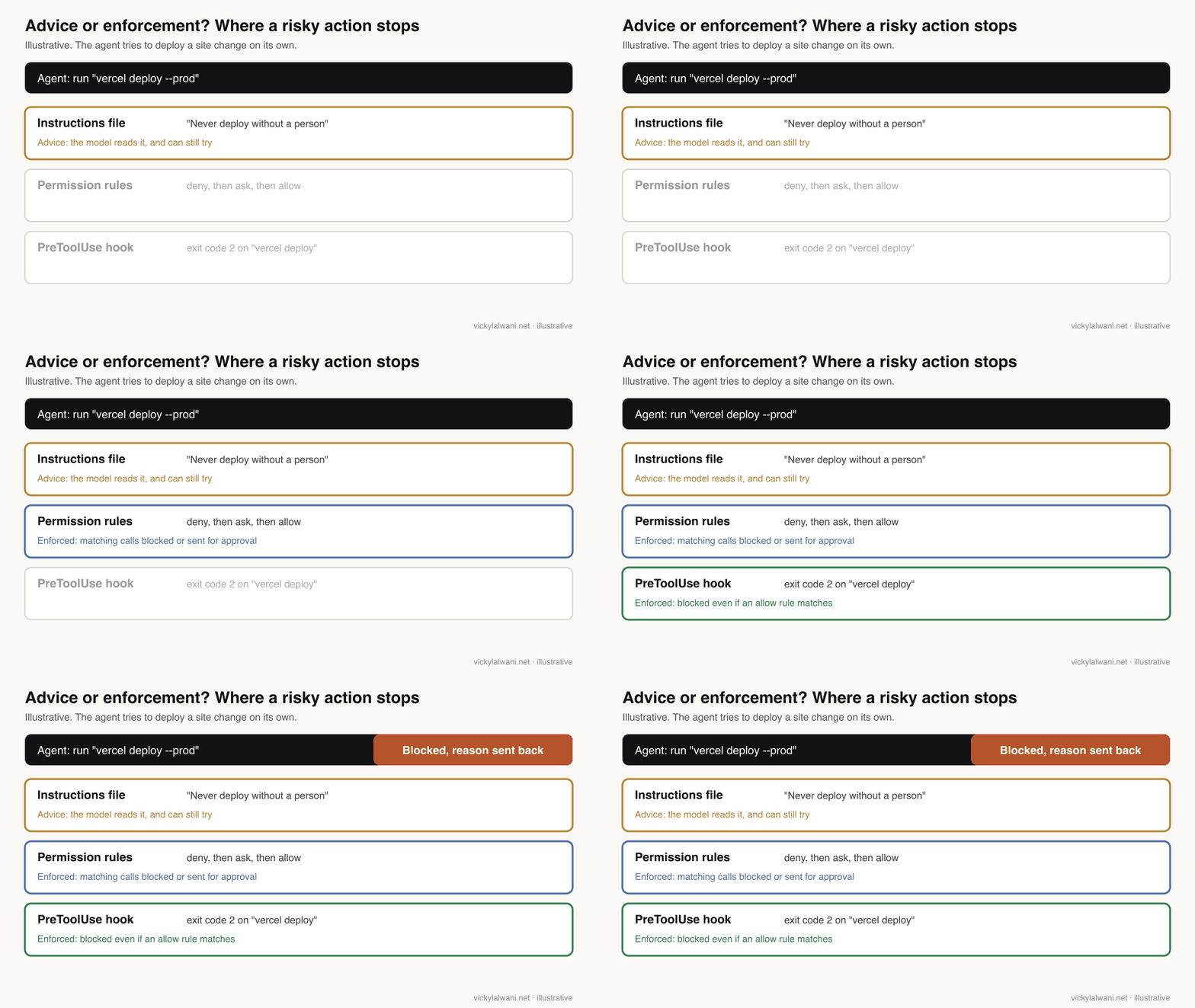
In Claude Code, the permissions docs say rules are evaluated deny, then ask, then allow, and the first match wins. A Read(./.env) deny rule keeps Claude's file tools away from a secrets file. A hook that exits with code 2 stops the tool call before permission rules are even checked, and its message goes back to Claude so it knows why (hooks reference). A Reddit thread on building a controlled content pipeline landed on the same advice: put the rule in code the agent cannot edit, with a PreToolUse hook plus deny rules for anything that publishes (r/ClaudeAI, October 2026).
.claude/settings.json (example)
{
  "permissions": {
    "deny": ["Read(./.env)", "Read(./secrets/**)"],
    "ask":  ["mcp__google_ads__*"]
  },
  "hooks": {
    "PreToolUse": [{
      "matcher": "Bash",
      "hooks": [{ "type": "command",
                  "if": "Bash(vercel deploy *)",
                  "command": "${CLAUDE_PROJECT_DIR}/.claude/hooks/block-deploy.sh" }]
    }]
  }
}

.claude/hooks/block-deploy.sh
#!/bin/bash
echo "Deploys need a person. Write the change list to outputs/ instead." >&2
exit 2
Adjust the server name in the MCP rule to whatever you called it in your own configuration. Two cautions from the vendors themselves. A Bash deny rule matches the command as Claude usually writes it, not every way of running the same program, so Anthropic points to its sandbox when a restriction must hold. And hooks can fail open: in Claude Code a hook that errors in some other way is a non-blocking error unless you set it to block on failure, while the Codex hooks page warns that a PreToolUse error, timeout or malformed response can let the tool run. Test every hook by trying the thing it should stop.
| Risk | Layer that stops it |
|---|---|
| Reading API keys | Read deny rule |
| Publishing or deploying | Hook, exit code 2 |
| Changing bids or budgets | Read-only connector, ask rule |
| Writing over live pages | Edit deny rule, output folder |
| Wrong brand claims | Instructions, then human review |
Two lessons from my own setup. My scheduled daily publishing runs kept stalling on permission prompts with nobody there to answer, so the permission layer has to be settled before anything runs unattended; my workaround was to run each day as its own session from a self-contained brief file, which is not a true fix. And when two of my sessions nearly deployed the same change to the same site, the rule that went into the instructions was simple: check what changed, and commit only your own files. On a client call I also walked a founder through Claude's connector settings, where each connected tool has its own permission setting. For people who never open a settings file, that screen is the guardrail layer. For approval tiers, see human in the loop for Google Ads.
What should memory hold, and what should it never hold?
Short answer: memory should hold dated decisions, corrections and where to find things. Rules that must always apply belong in the instructions file, and secrets, client personal data and raw exports belong in neither. Stale memory is worse than none, because the agent repeats an old fact with confidence.
Claude Code's auto memory saves four kinds of notes (your role and preferences, corrections, project decisions, and references to outside tools), keeps a MEMORY.md index plus topic files, stays on your machine, and stamps each write with a modified time so you can see how current a fact is (memory docs). OpenAI's Codex memories page gives the same warning from the other side: keep required team guidance in AGENTS.md and treat memories as a helpful recall layer, not the only source for rules.
| Belongs in | Example |
|---|---|
| Instructions | Never promise rankings |
| Memory | Kept a broad term on a date, why |
| Skill | How to score a search term |
| Output folder | This week's review sheet |
| Nowhere in AI files | Passwords, card details, customer lists |
The stale-fact risk is real. On one client call the owner spotted an old offer figure in a plan I had sent; it had come through from earlier context in a chat, while the new creative had the current offer. The fix was a launch rule (check the offer in the ad text against the creative before anything goes live), but the lesson for memory is to date every entry and let current source material win. When I hand work from one agent to another, I give it the Markdown files, the task list and the expected outcome rather than asking it to pick up the history.
How do you build an AI agent operating system without a big project?
Short answer: build it around one weekly job, then reuse it. Week one: an instructions file, one skill and read-only data. Week two: permission rules and one hook. Week three: a memory file and a subagent. Week four: a second job that reuses all of it.
| Week | Add | Done when |
|---|---|---|
| 1 | AGENTS.md, one skill, read-only data | Search term review runs |
| 2 | Deny rules, one blocking hook | Blocked action tested |
| 3 | Dated memory file, data subagent | No repeated wrong calls |
| 4 | Second skill on same base | SEO check runs unchanged |
Resist building six layers on day one. A Reddit discussion of one executive agent with skills against a team of separate bots made the useful point that every hand-off between agents passes a summary, and summaries drop detail, so split off a separate agent only when a job has its own schedule and its own memory (r/AI_Agents, October 2026). My own practice runs, as described on this site, 19 AI agents alongside three people, and the structure matters far more than the count. For the quick first setup, the free guide has the 30-minute version.
What people say on X and Reddit
Short answer: practitioners agree that the files load whether you use them or not, that rules need enforcing in code, and that more agents is not automatically better. Vendor staff posts confirm the cross-tool direction.
| Source | Date | Point | Type |
|---|---|---|---|
| A Claude Code team member on X | 18 Sep 2026 | Claude Code reads AGENTS.md when a folder has no CLAUDE.md, from 2.1.277; toggle in /config | Official (staff) |
| A Claude tips account on X | 8 Nov 2026 | Each part of a project folder decides when it loads; knowing that keeps context clean | Explainer |
| A performance marketer at Anthropic on X | 24 Mar 2026 | One skill pulls search terms through MCP, a second skill judges them | First-hand, vendor staff |
| A product newsletter writer on X | 11 Apr 2026 | CLAUDE.md loads with every message; most people skip it or fill it with generic lines | First-hand |
| A developer on X | 30 Oct 2026 | A longer CLAUDE.md will not give an agent business context it lacks | Opinion, promotes own write-up |
| Trail of Bits on X | 21 Apr 2025 | MCP tool descriptions can carry prompt injection before any tool is called | Expert (security firm) |
| r/AI_Agents | 13 Nov 2026 | A marketing team onboarded Claude in layers: rules, connector access, playbooks and skills | First-hand, AI services firm |
| r/ClaudeAI | 22 Oct 2026 | Replies: enforce rules with PreToolUse hooks and deny rules, keep the reviewer separate | First-hand replies |
| r/ClaudeAI | 10 Oct 2026 | Starting context is mostly memory files and tool schemas; run /context and trim | First-hand |
| r/AI_Agents | 30 Oct 2026 | One agent with skills or a team of bots; replies say hand-offs drop detail | Opinion |
| r/ClaudeAI | 4 Nov 2026 | Chat for thinking; Claude Code once you want rules that load every session and hooks | Mixed |
Videos worth watching
Short answer: start with Anthropic's talk on skills, then Claude's short video on context, then the MCP explainer. Each covers one layer.
Made by the AI Engineer conference channel, 8 December 2025: a talk by two Anthropic engineers on why one general agent with a library of skills beats a pile of single-purpose agents. It sells nothing directly.
Made by Claude (Anthropic), 18 May 2026, a few minutes long. Official walkthrough of what fills the context window and how to keep it lean; promotes Claude Code.
Made by Anthropic, 16 June 2025. The team that created MCP explains clients, servers and tools; useful background for the connection layer.
| Video | Channel | Date | What it covers |
|---|---|---|---|
| Don't Build Agents, Build Skills Instead | AI Engineer | 8 Dec 2025 | Skills over many agents |
| Context Management in Claude Code | Claude | 18 May 2026 | What loads, how to trim |
| The Model Context Protocol (MCP) | Anthropic | 16 Jun 2025 | How MCP works |
| Rethinking Claude Code Best Practices | AI Engineer | 12 Nov 2026 | Talk by Anthropic staff |
| CLAUDE.md and Agents.md Explained | An AI tutorials channel | 18 Dec 2025 | Instruction files |
| Permissions & Tool Allowlists in Claude Code | A Claude tutorial channel | 1 Aug 2026 | Permission rules |
| Plugins & Skills | OpenAI | 28 Aug 2026 | Skills in ChatGPT and Codex |
Where this advice is weak
Short answer: the formats are young and the products change monthly, most evidence comes from coding work, and the worked examples are a framework, not a measured result.
- Product details move fast. Claude Code only began reading AGENTS.md in September 2026, Codex rules are marked experimental, and paths and limits may change after 18 November 2026. Check the linked docs before you copy a setting.
- Portability is partial. The file formats travel; hooks, memory and subagent settings do not, and skill folders sit in different places per tool.
- Hooks and deny rules reduce risk but are not a security boundary on their own. Anthropic and OpenAI both describe ways they can be bypassed or fail open.
- The vendor and Reddit material is mostly from developers. Marketing use is less studied, and nobody has published controlled numbers on agent operating systems for SEO or Google Ads.
- The search term and content decay walk-throughs describe how the layers divide work. They are not a case study and make no claim about results.
Want help building your agent operating system?
Short answer: if you want the layers set up around your own SEO and Google Ads work, with guardrails tested before anything runs unattended, that is what my AI marketing agents service does.
The work starts with one weekly job, such as a Google Ads search term review or an SEO decay check. The instructions, skill, connection and guardrails are built around it, and your team gets a setup it can extend. Prices are on the pricing page. If the bigger need is the accounts themselves, see Google Ads management or SEO consulting. Related reading: tasks to delegate to AI agents, the CLAUDE.md file for marketing and the marketing skill library.
Sources
| Source | What it supports | Date |
|---|---|---|
| Claude Code: Memory | Context not enforced; limits; AGENTS.md; auto memory | Read 18 Nov 2026 |
| Claude Code: Skills | Open standard; spec fields | Read 18 Nov 2026 |
| Claude Code: Subagents | Fresh, isolated context | Read 18 Nov 2026 |
| Claude Code: Permissions | Deny, ask, allow order; limits | Read 18 Nov 2026 |
| Claude Code: Hooks | Exit code 2; non-blocking errors | Read 18 Nov 2026 |
| Anthropic: Agent Skills overview | Token cost by level | Read 18 Nov 2026 |
| Codex: AGENTS.md | Discovery order; 32 KiB | Read 18 Nov 2026 |
| Codex: Build skills | Open standard; .agents/skills | Read 18 Nov 2026 |
| Codex: Hooks | Hooks can fail open | Read 18 Nov 2026 |
| Codex: Memories | Recall layer, not rules | Read 18 Nov 2026 |
| Gemini CLI: GEMINI.md | Context files; AGENTS.md setting | Read 18 Nov 2026 |
| Gemini CLI: Skills | Standard; .agents/skills | Read 18 Nov 2026 |
| Gemini CLI: Hooks | BeforeTool can block | Read 18 Nov 2026 |
| AGENTS.md | 60k+ projects; stewardship | Read 18 Nov 2026 |
| Agent Skills | Origin and adoption | Read 18 Nov 2026 |
| Agentic AI Foundation | MCP and AGENTS.md projects | Read 18 Nov 2026 |
| Google Ads MCP server | What it can and cannot change | Read 18 Nov 2026 |
| X, Reddit and YouTube | Practitioner views, linked above | Apr 2025 to Nov 2026 |
This article expands on my post on LinkedIn ↗.
FAQ
What is an AI agent operating system?
An AI agent operating system is the shared set of files and settings every agent session starts from: an instructions file, a skills folder, subagents, a memory layer, MCP tool connections, and permission rules plus hooks. It lets separate AI tools remember decisions, reuse methods and stay inside limits you set.
What goes in an AI agent operating system?
Six layers: instructions (AGENTS.md or CLAUDE.md), skills for repeatable methods, subagents for specialist work, dated memory, MCP connections to tools like Google Ads and Search Console, and guardrails made of permission rules and hooks. Start with one weekly job and add layers as gaps appear.
Does an instructions file stop an AI agent doing something risky?
No. Anthropic's Claude Code documentation says CLAUDE.md and auto memory are treated as context, not enforced configuration. To block an action, use a permission deny rule or a PreToolUse hook that exits with code 2.
Does Claude Code read AGENTS.md?
Yes, from version 2.1.277 (September 2026) Claude Code reads AGENTS.md when there is no CLAUDE.md in the working directory or above it. You can change that under Project instructions in /config, or import AGENTS.md from a CLAUDE.md file.
Can the same skills work in Claude Code, Codex and Gemini CLI?
Mostly. All three follow the open Agent Skills standard, so a SKILL.md folder can move between them, but the install folder differs (.claude/skills, .agents/skills or .gemini/skills) and some frontmatter fields are tool-specific. Keep to the six fields in the open spec for portable skills.
How many skills can an agent load before it slows down?
Skills are cheap until used: Anthropic puts each skill description at about 100 tokens at start-up and a skill body under 5k tokens when it triggers. Twenty skills cost about 2,000 tokens up front, so a library scales far better than one long instructions file.
Is it safe to connect an AI agent to Google Ads?
It can be, with limits. Google's official Google Ads MCP server cannot create, modify, pause or enable campaigns, ads, budgets or bids, and its asset and label changes need a confirm step. Other connectors can change campaigns, so add ask rules and keep a person approving spend.
What should AI agent memory never contain?
Passwords, API keys, card details, client personal data and raw customer lists. Memory should hold dated decisions and corrections; rules that must always apply belong in the instructions file, and secrets should be blocked with deny rules.