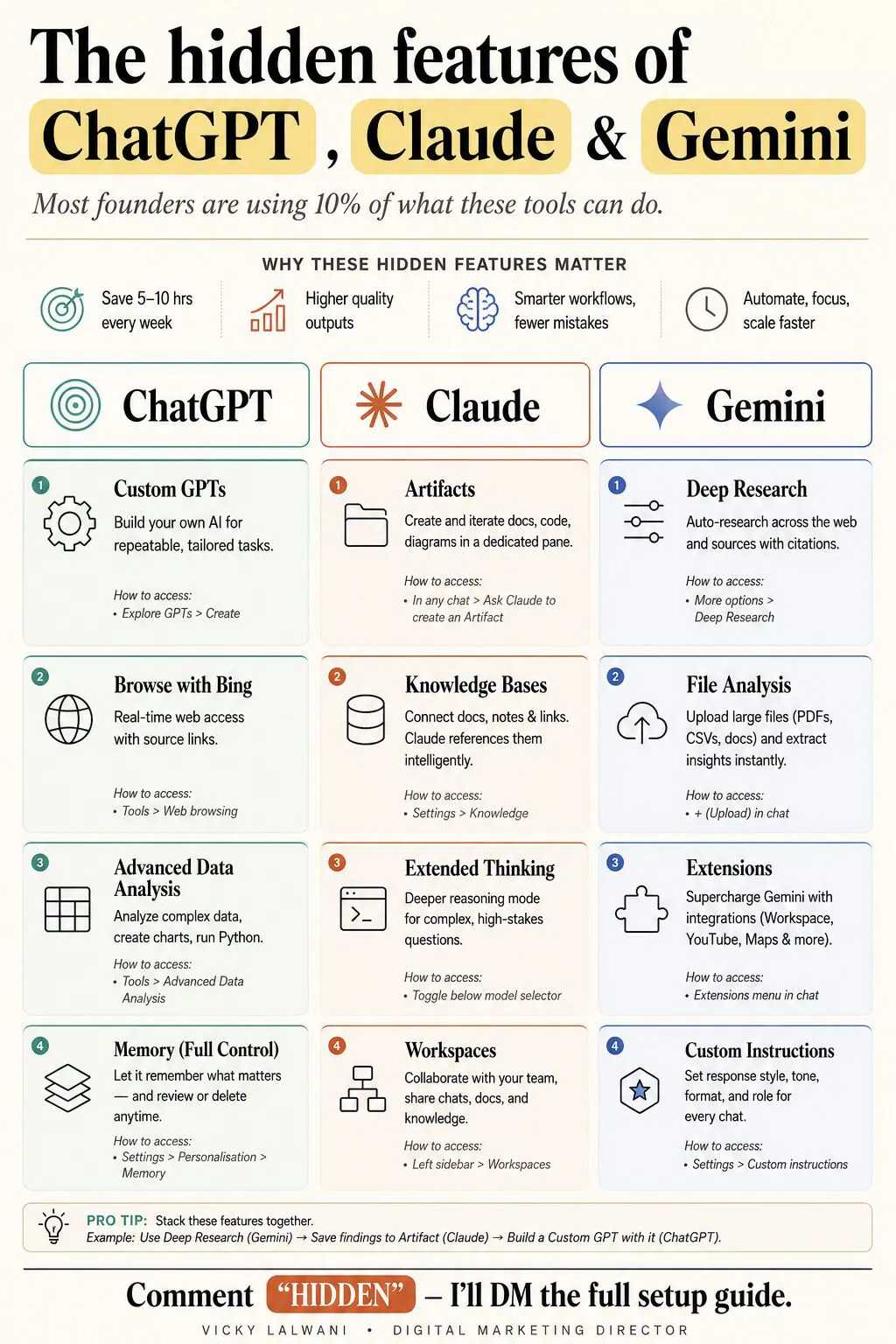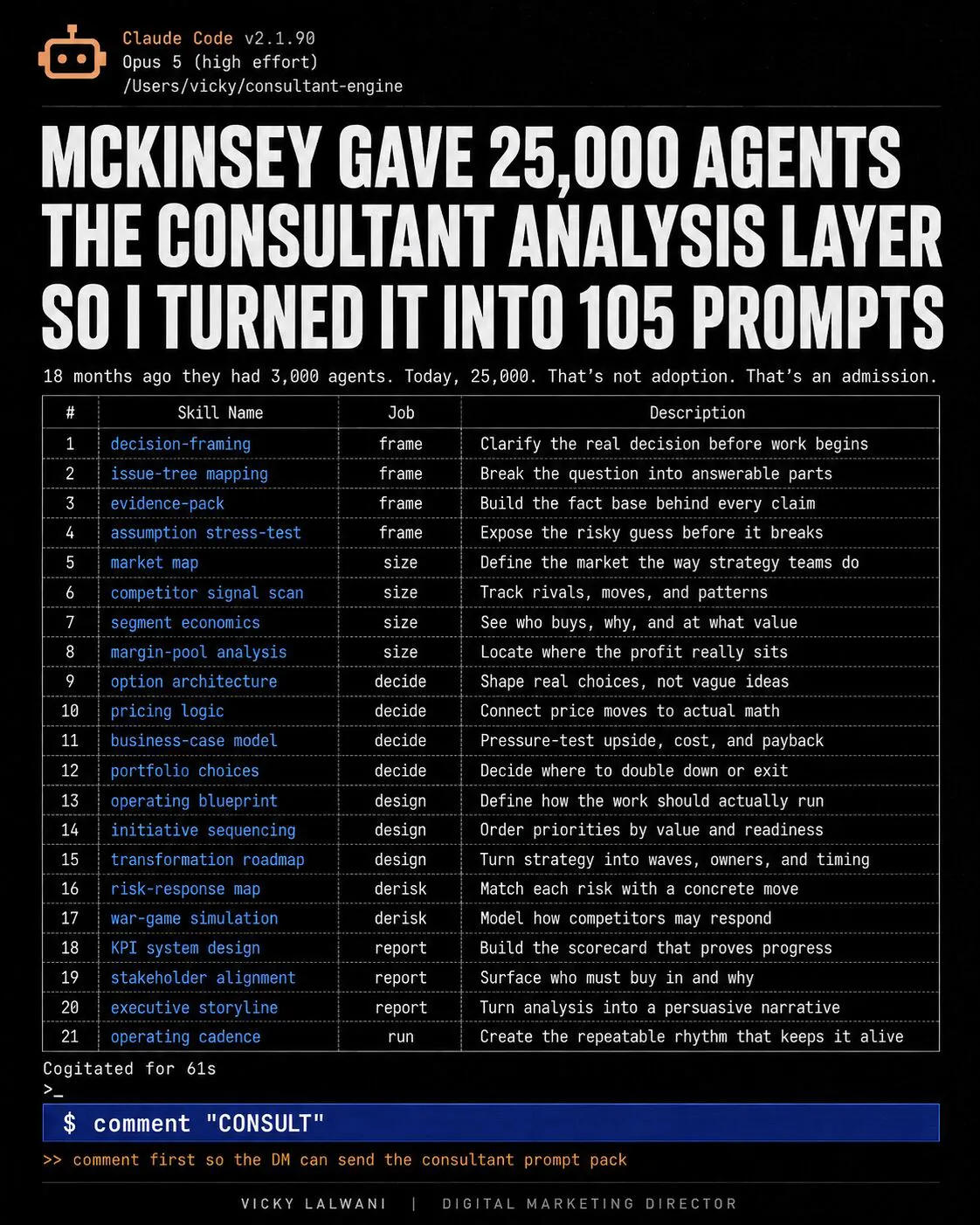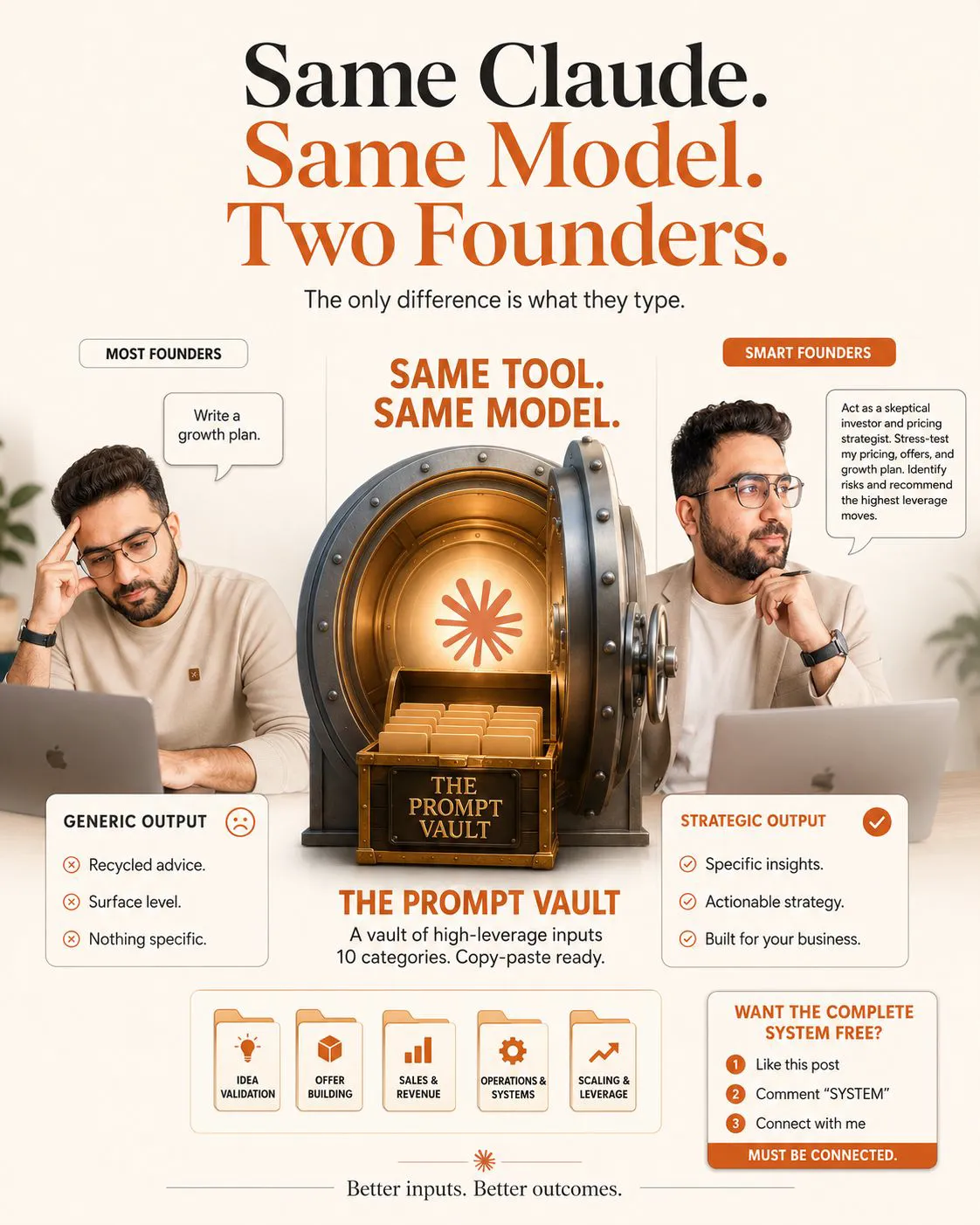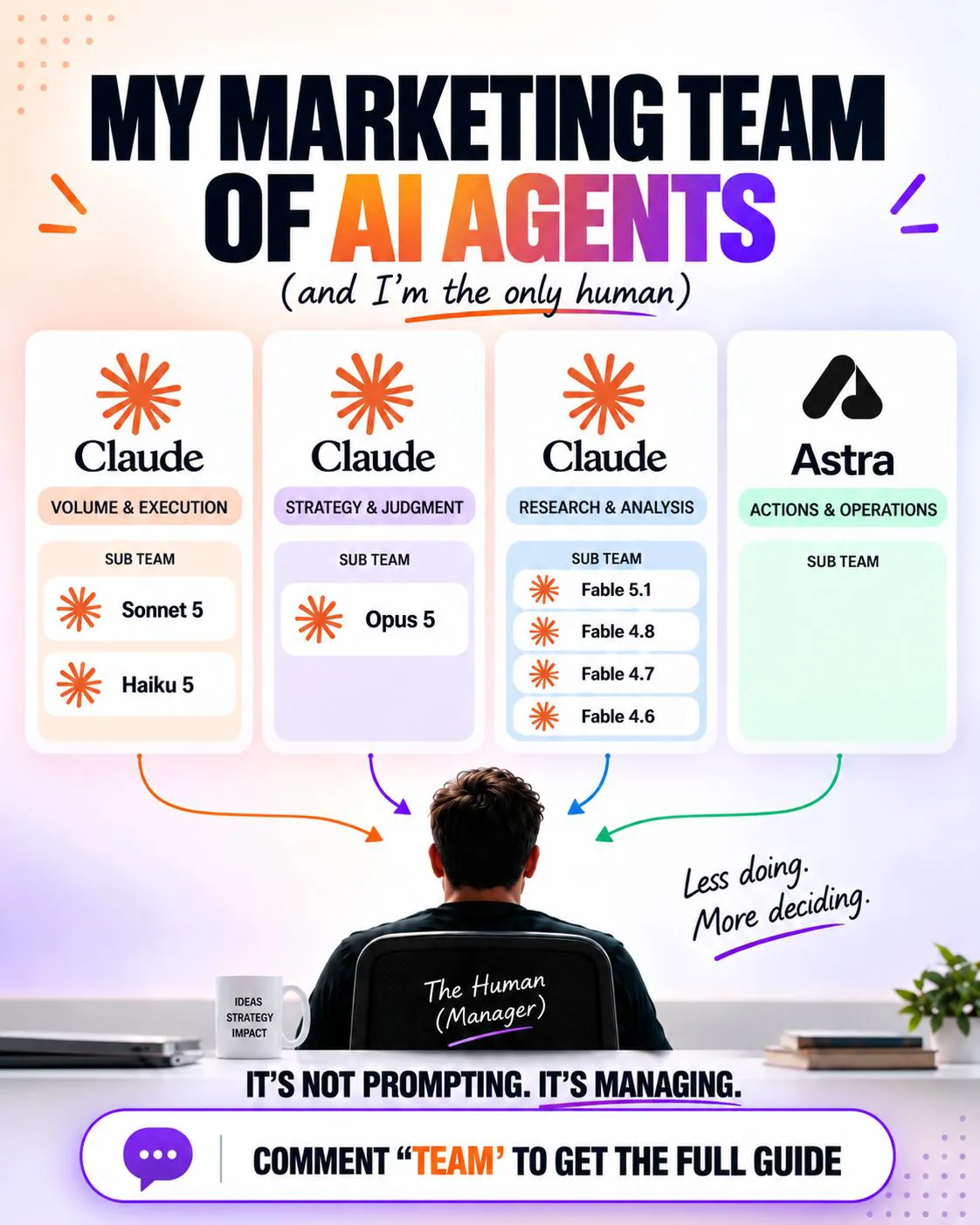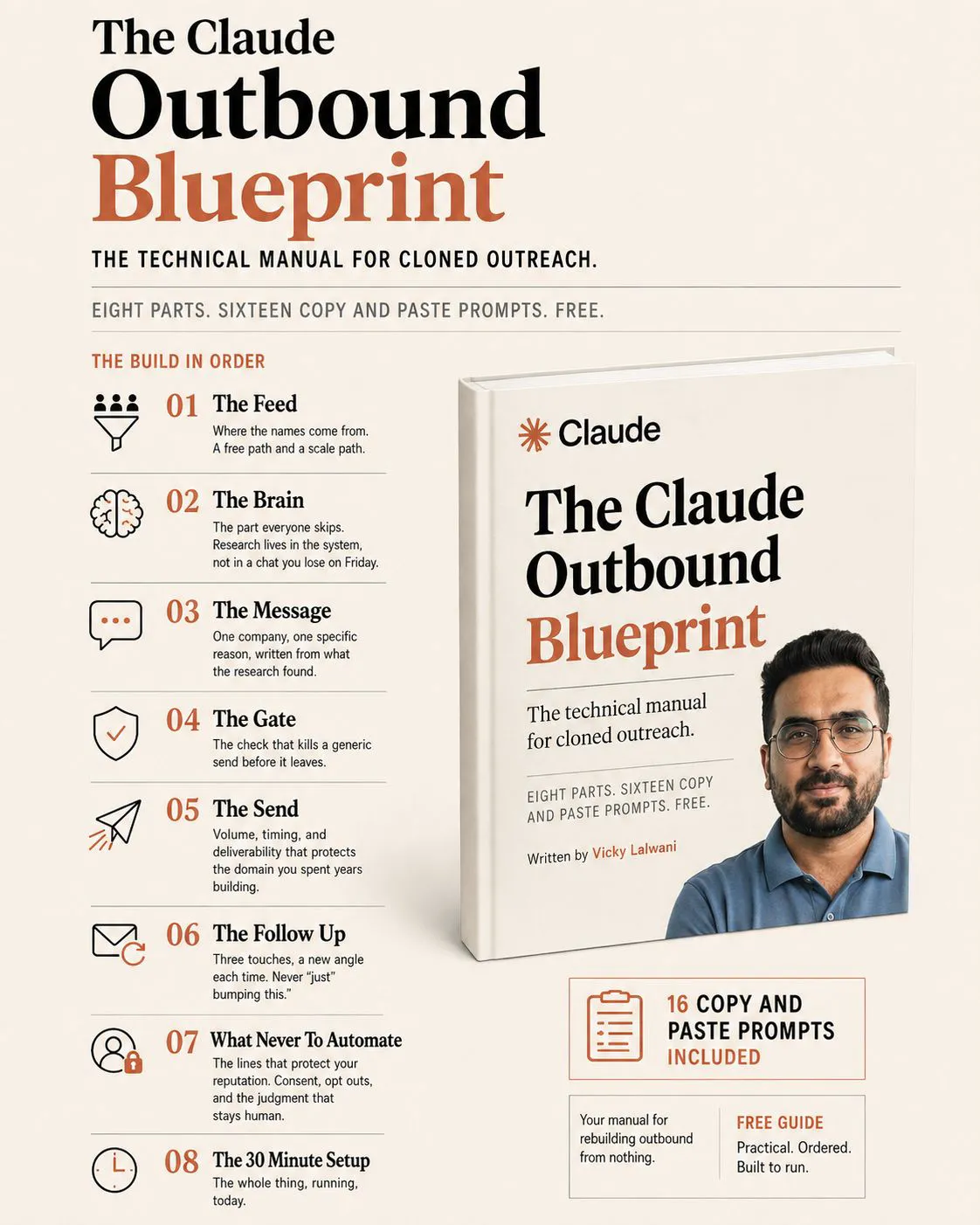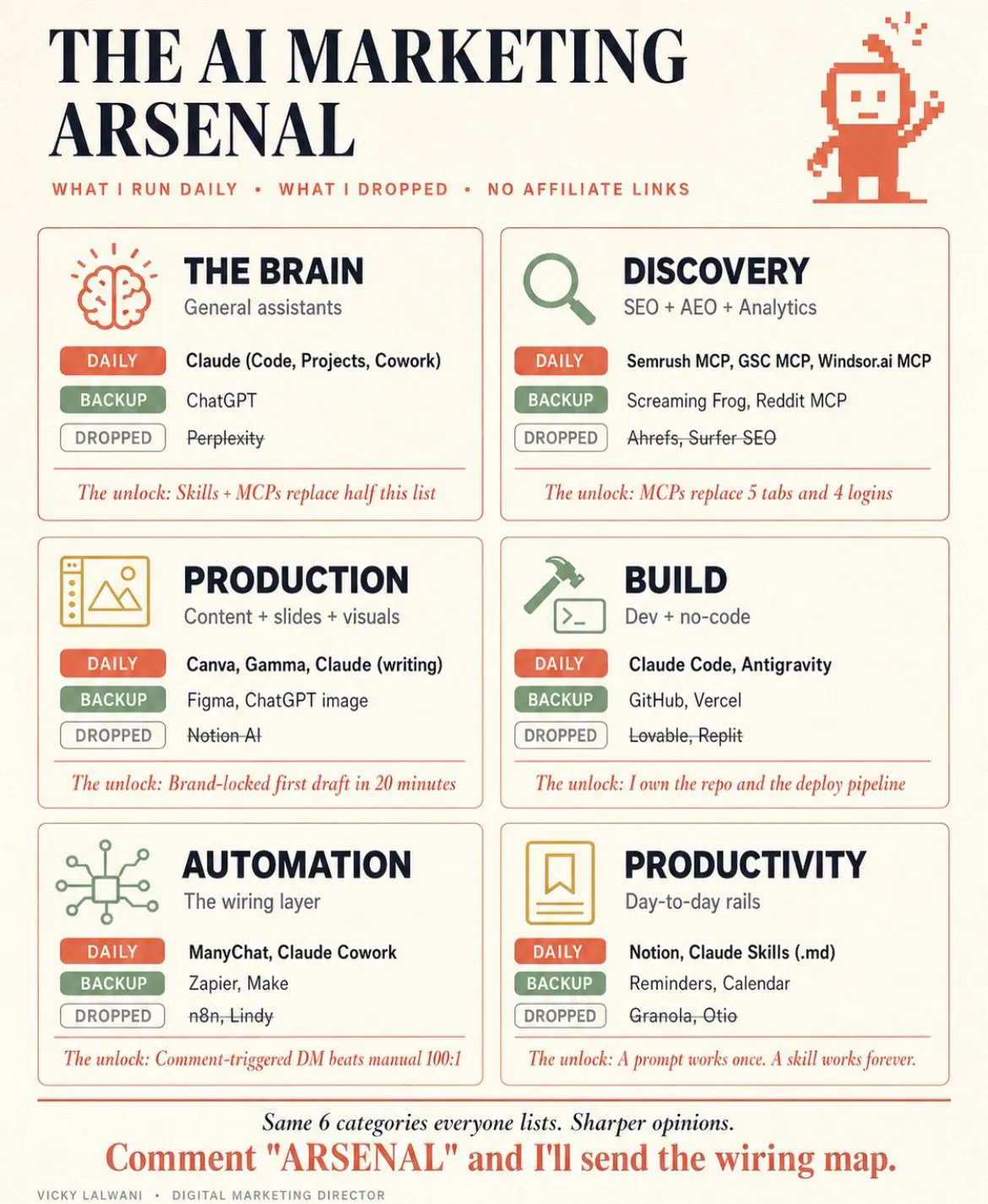
Claude for marketing operations means turning repeated SEO and PPC work into a shared system: house rules Claude reads every time, a skill for each weekly job, scheduled tasks that deliver drafts, and a person who approves every live change. Build it in four stages: prompt, skill, loop, team system.
TL;DR
Using Claude for marketing operations means building a shared system, not collecting prompts: written house rules, a skill for each repeated job, scheduled runs, approval steps, a change log and an archive. SEO and paid search suit it best because the jobs repeat weekly, the data exports cleanly and every change can be checked.
In November 2026 the parts exist in Claude itself: Projects and instructions files for rules, Skills for methods, scheduled tasks on all paid plans for weekly runs, and Docs for runbooks. Google's tools still hold the record: Google Ads keeps change history for two years and lets you undo most changes for 30 days.
Build it in stages: prompt, skill, loop, team system. Find the stage you are stuck on and do only the next job. A person approves anything that touches a live account or page.
Short answer: Claude for marketing operations works when you turn your SEO and PPC routines into a system: rules Claude reads every time, skills for each weekly job, scheduled runs that deliver drafts, and a person who approves every live change. Start with one job, such as the weekly search terms review, and take it through all four stages before adding the next.
Many marketing leaders have collected Claude tips. Few have turned them into something the team runs the same way every week. The tips live in someone's notes, each person invents their own prompts, and quality depends on who is typing. When that person is on holiday, the work either stops or changes.
This November 2026 update ties the system to the work it should carry first: SEO and paid search operations. It checks every Claude feature against Anthropic's current help pages, and adds the parts the first version missed: approval steps, a change log and an archive. If you want the system designed and built around your accounts, that is what my Claude consultant service does, alongside my Google Ads and SEO work.
What is a Claude marketing operating system?
Short answer: it is the shared layer that makes marketing work repeatable: written rules, a library of skills, scheduled runs, runbooks, a metrics view, approval steps and a record of what changed. Claude does the gathering and drafting; people set the rules and approve the changes.
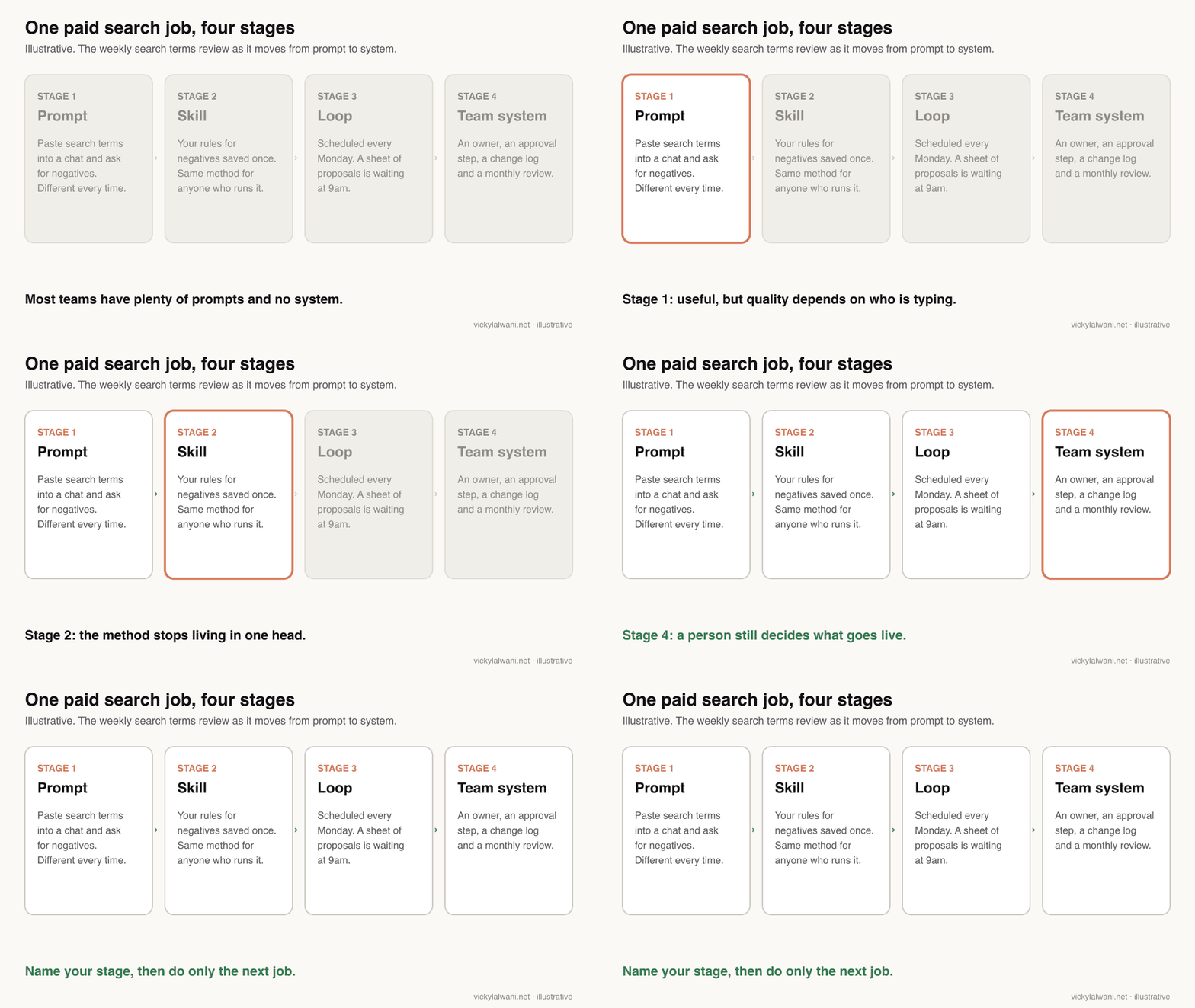
Think of it as one path with four stages. A prompt is something one person types. A skill is that method saved so anyone gets the same result. A loop is the skill running on a schedule. A team system adds owners, approvals and a review rhythm so the whole function runs on the same rails.
This page is the operations view: how the parts fit together and who signs off. If you are still choosing which Claude features to switch on, Claude features for marketing leaders covers plans and adoption order. If you want the individual weekly routines, the Google Ads skills routine and the SEO skills routine go job by job.
Why do SEO and paid search fit this best?
Short answer: because the jobs repeat on a fixed rhythm, the data comes out as exports or through an API, and the results can be checked against the platform. Brand strategy and creative ideas vary too much to run on a schedule; search term reviews and Search Console checks do not.
A search terms review happens every week. So do budget pacing checks, Search Console quick wins and the weekly report. Each one starts from the same data, applies the same rules and ends in the same output. That is exactly the shape a skill and a schedule handle well.
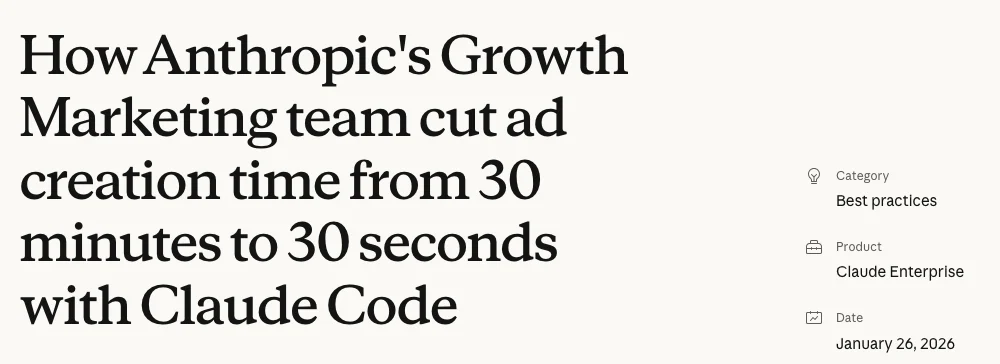
Anthropic's own growth marketing team is a public example. In a January 2026 case study, Anthropic describes a Google Ads copy workflow started with a custom /rsa command, which checks drafts against skills for brand voice, product accuracy and responsive search ad best practice. Anthropic reports ad creation dropping from 30 minutes to 30 seconds; that is their figure, not one I have measured.
The useful lesson is the structure, not the speed. Google lets you add up to 15 headlines and 4 descriptions to one responsive search ad, each with strict character limits. Rules like that belong in a skill, checked every time, instead of in someone's memory. The case study also says the output is a starting point that still needs a person's judgement.
| Work | Repeats weekly? | Clean data? | Fit for the system |
|---|---|---|---|
| Search terms review | Yes | Export or API | Strong |
| Search Console quick wins | Yes | Export or API | Strong |
| Weekly report | Yes | Several sources | Strong |
| Ad copy refresh | Monthly | Ad and query data | Good |
| Positioning and strategy | Rarely | Mostly judgement | Support only |
What are the layers, and which Claude feature holds each?
Short answer: rules sit in Project instructions or a CLAUDE.md file, methods in Skills, data access in connectors or exports, timing in scheduled tasks, runbooks in Docs, and the approval record in a sheet or log your team already uses. Each layer has one home so nobody has to guess.
| Layer | Claude feature | SEO example | PPC example |
|---|---|---|---|
| House rules | Project or CLAUDE.md | Markets, claims rules | Brand terms, budgets |
| Methods | Skills | Quick-wins check | Search terms review |
| Data | Connectors, exports | Search Console export | Google Ads report |
| Timing | Scheduled tasks | Monday crawl summary | Monday pacing check |
| Runbooks | Docs | Site launch checklist | Campaign launch steps |
| Approvals | Your sheet or log | Page changes approved | Negatives approved |
| Model choice | Per task setting | Light model for pulls | Strong model for audits |
House rules. Claude should read the same facts every time: what you sell, which markets you serve, which claims you may not make, who approves what. In Claude chat that lives in Project instructions; in Claude Code it lives in a CLAUDE.md file. The CLAUDE.md guide for marketing has a template.
Methods. Each repeated job becomes a skill. Anthropic's guide to using skills says skills work on every plan with code execution switched on, and that on Team and Enterprise plans you can share a skill view-only or publish it to your organisation's library. The fastest way to create one in 2026 is often to record a skill in Claude while you do the job.
Data. This is where most systems break. For Google Ads, Google's own Google Ads MCP server (a connector that lets an AI tool read the account) is read and partial mutate: it can create assets, upload videos and manage labels with a propose-and-confirm step, or run read-only. For Search Console, the data routes and their row limits are covered in the SEO skills guide.
Model choice. A scheduled data pull does not need the most capable model; a strategy review might. Which model fits which job, and what it costs, is covered in which Claude model to use.
Which SEO and PPC jobs belong in the system, and how often?
Short answer: start with the weekly jobs: search terms review, budget pacing, Search Console quick wins and the weekly report. Add monthly jobs next: technical crawl summary, ad copy refresh and a data archive. Keep quarterly strategy reviews human-led, with Claude preparing the evidence.
| Job | How often | Claude prepares | A person decides |
|---|---|---|---|
| Search terms review | Weekly | Proposed negatives | Which to add |
| Budget pacing | Weekly | Spend against plan | Any budget change |
| Search Console quick wins | Weekly | Pages near page one | Which pages to edit |
| Weekly report | Weekly | Draft and charts | The human note |
| Technical crawl summary | Monthly | Issues by impact | Developer tickets |
| Ad copy refresh | Monthly | Draft headlines | What goes live |
| Data archive | Monthly | Exports saved | Where they live |
| Strategy review | Quarterly | Evidence pack | The decisions |
The cadences above are a working example, not a rule from Google. For a fuller Google Ads list, Google Ads management as a system maps 15 recurring jobs and how often each needs checking.
The "person decides" column is the point of the table. On client ad accounts I audit first, put the findings in a sheet, check them by hand, and change nothing before approval. Every report also gets a short human note: where we are, what we are doing, what is next. Claude can draft the numbers; the note is where judgement shows.
How do you set up scheduled loops for SEO and PPC work?
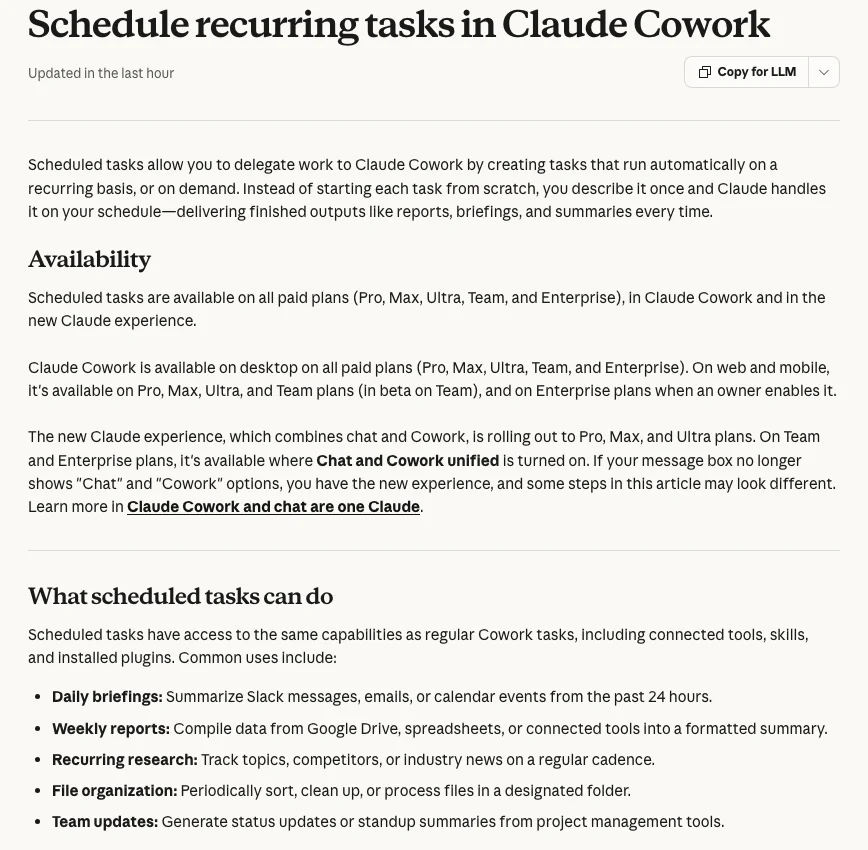
Short answer: use Claude's scheduled tasks, available on all paid plans in November 2026. Describe the job once, pick hourly, daily, weekly, weekdays or manual, and Claude runs it as its own Cowork session, even when your computer is asleep, unless you tie it to a local folder.
Claude announced scheduled tasks in February 2026. Anthropic's help page on scheduled tasks, read on 18 November 2026, adds the details that matter for operations.
| Setting | What the help page says | What it means for you |
|---|---|---|
| Plans | All paid plans | Not on Free |
| Frequency | Hourly, daily, weekly, weekdays, manual | Weekly suits most SEO and PPC jobs |
| Where it runs | Remotely, as its own session | Runs with your laptop shut |
| Local folder | Turns on Require this computer | Then the Mac must be awake |
| Model | Optional per task | Lighter model for data pulls |
| "Always ask" tools | May wait or skip the tool | Check runs did not stall |
The last row catches people out. If a connector is set to always ask before use, a scheduled run may sit waiting for an answer nobody gives, or finish without that data. Review the first few runs of every new loop rather than trusting that silence means success.
Here is a starting prompt for a weekly paid search loop. Replace the brackets with your own rules.
Every Monday at 8am, run my weekly paid search check for [account name].

Use the skill "[search-terms-weekly]" and the latest export in [folder or sheet].
1. List proposed negative keywords with the search term, cost, clicks and conversions,
   and the rule from the skill that flagged each one.
2. Show spend against the monthly plan of [figure from our plan] and flag any
   campaign more than [your threshold] ahead or behind.
3. List any term that converted but has no matching keyword.

Do not change anything in Google Ads. Write the results to [sheet name],
tab "Proposed [date]", and end with three lines: what needs a decision,
what can wait, and anything that looks wrong in the data.
For more loop ideas across SEO, PPC and reporting, 15 scheduled marketing loops lists them by job.
Where should a person sign off?
Short answer: before anything changes a live account, page, budget or tracking tag. Claude prepares and records; a person reviews the proposals, approves them, and the change is logged. Google Ads keeps a change history for two years and lets you undo most changes made in the last 30 days.
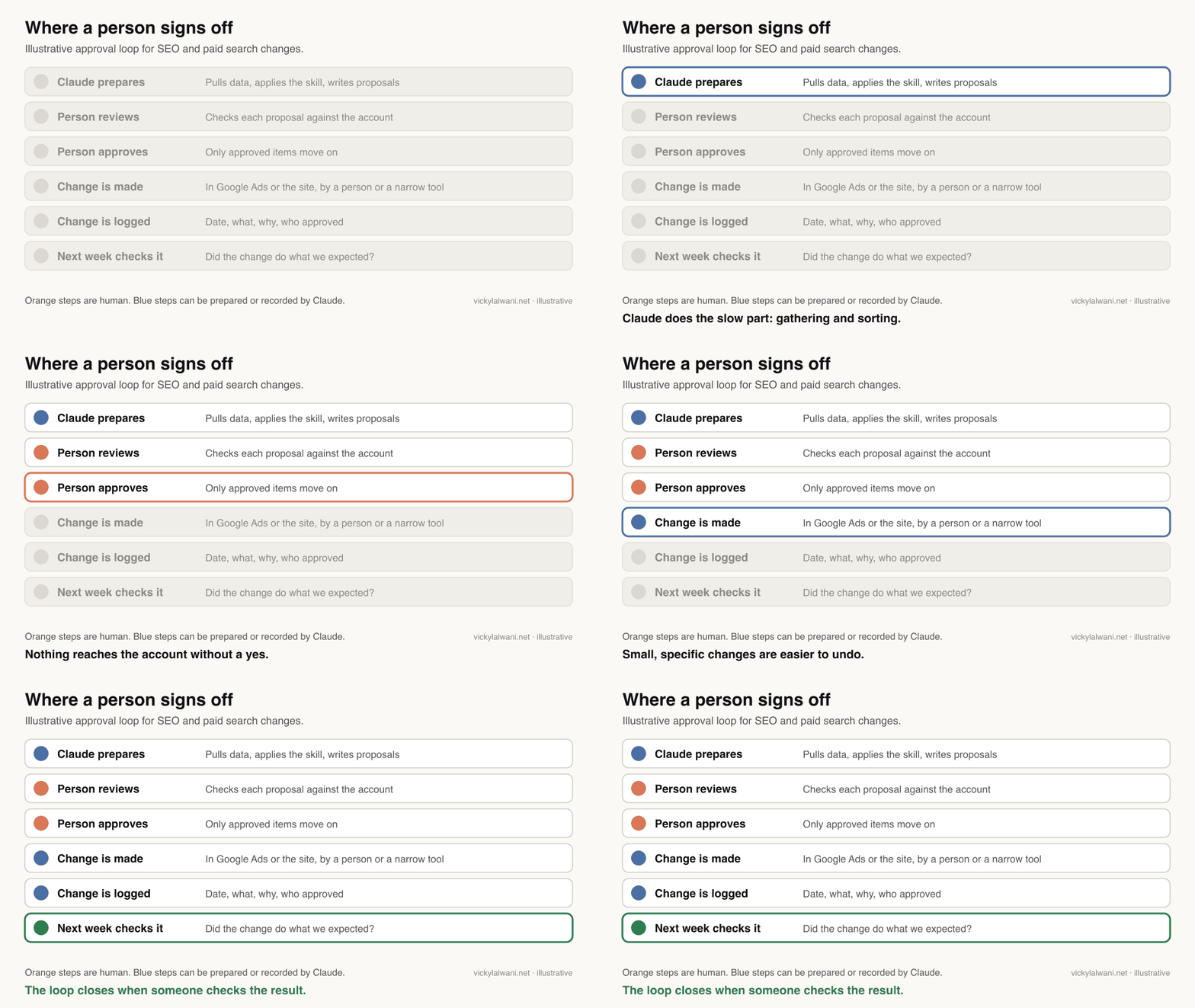
| Change | Claude may | Needs approval |
|---|---|---|
| Negative keywords | Propose a list | Yes |
| Budgets and bids | Flag and explain | Yes, always |
| Ad copy | Draft variations | Yes |
| Page titles and copy | Draft rewrites | Yes |
| Tracking tags | Write a test plan | Yes, test first |
| Labels and notes | Add them | Light review |
Tracking deserves its own line. I keep campaigns in draft until every form and call button is measured, and I have seen a tracking tag break a live form. A Claude skill can write the test plan; a person should run it.
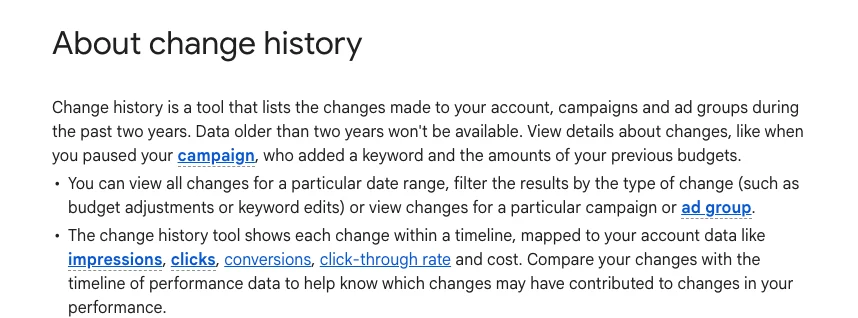
Google's own records back up the log. According to Google Ads Help, change history lists changes to your account, campaigns and ad groups for the past two years, and shows who made each change when it was done in the interface.
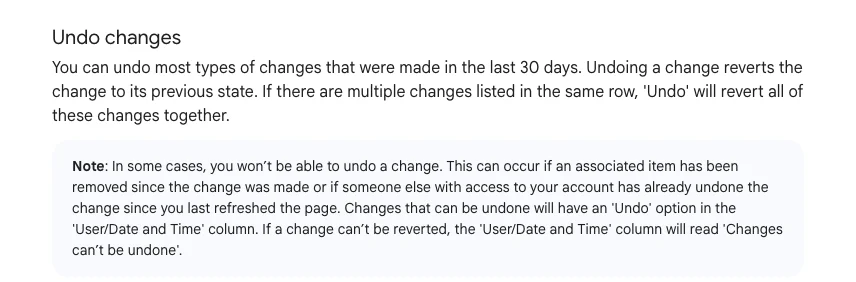
The undo window is much shorter: most changes can be undone within 30 days, and some cannot be undone at all. That is why the system records why a change was made, not only what changed.
For how much to let Claude do inside an ad account at all, what to delegate to Claude Cowork in Google Ads sets out access levels and a safe rollout.
Why does the system need its own archive?
Short answer: because your tools forget. Search Console keeps 16 months of performance data, Google Ads keeps change history for two years, and GA4's explorations can be limited to 2 or 14 months. A monthly export step lets your system compare years and explain old changes.
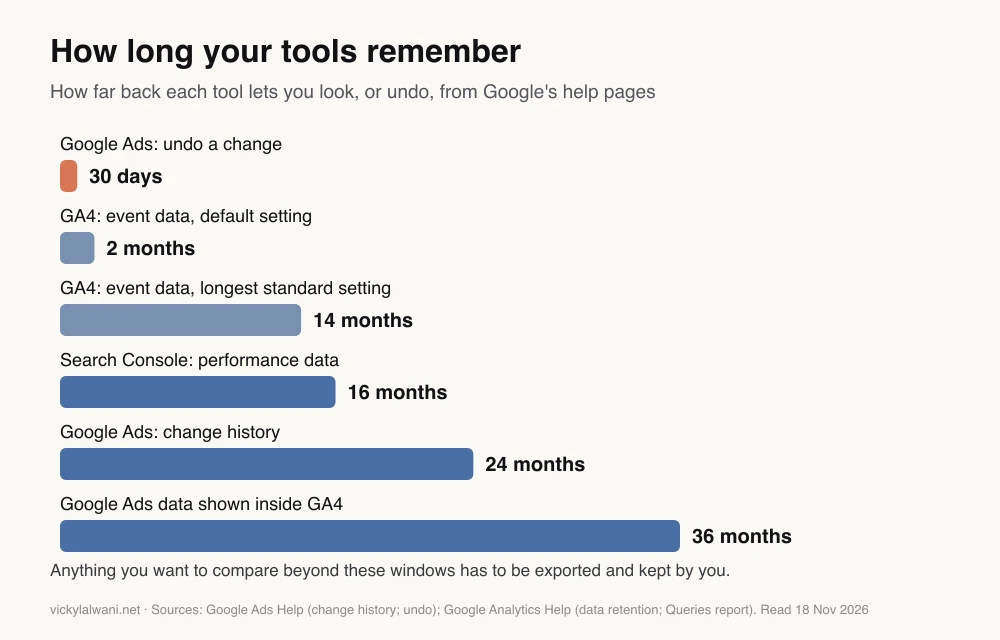
The numbers come from Google's help pages. Google Analytics Help says Search Console keeps data for the last 16 months. The GA4 data retention page lists 2 or 14 months for standard properties, adds that the setting affects explorations and funnel reports rather than standard reports, and says Google Ads data in GA4 is limited to a rolling 36 months.
Two practical routes keep history beyond those windows. Search Console offers a bulk data export to BigQuery, which practitioners on r/TechSEO recommend for longer seasonal comparisons. Or a monthly scheduled task saves the key exports to a folder or sheet you own. Either way, the archive is what lets a quarterly review compare this November with last November.
Which stage is your team stuck on?
Short answer: teams usually stall at one of three points: everyone has personal prompts and nothing is shared; skills exist but only one person uses them; or skills work but depend on someone remembering to start them. Name the stage, then do only the next job.
| Stage | What you see | Next job |
|---|---|---|
| Prompt | Personal tricks, nothing shared | One hour pooling what works |
| Skill | Methods written, one user | Name an owner for each |
| Loop | Skills work, nobody starts them | Schedule the first two |
| Team system | Loops run, nobody checks | Approval step and monthly review |
Skipping a stage is the common mistake. A team at the prompt stage that tries to schedule ten loops ends up with ten unreliable reports. Get one job working at each stage first, then repeat the pattern.
A fifth problem shows up in bigger teams: access. On r/ClaudeAI, a manager of eight marketers described half the team giving up on setting up connectors with API keys on day one. The replies agreed on the fix: one person sets up shared connectors at the organisation level, and the rest of the team uses them.
How do you build it in the first 30 days?
Short answer: one job per week. Week one: write the house rules. Week two: turn the search terms review into a skill. Week three: schedule it with an approval step. Week four: add the Search Console check and the weekly report, then review what the team actually used.
| Week | Build | Done when |
|---|---|---|
| 1 | House rules in a Project or CLAUDE.md | Claude repeats them back correctly |
| 2 | Search terms skill, recorded or written | Matches your call on last week |
| 3 | Weekly scheduled run and approval sheet | Two clean runs, all approved by hand |
| 4 | Search Console check and weekly report | Report goes out with a human note |
I keep one Claude project per client, with chats named by service and skills kept in one known place. It sounds minor. It is what stops a second person from rebuilding a skill that already exists.
If you are training a team to use the system rather than build it, Claude training for marketing teams covers the rollout session.
How do you know the system is working?
Short answer: look at behaviour, not big productivity claims. Count how many weekly jobs start from a skill, whether reports arrive on time without chasing, how much the approval step catches, and whether people use the system when nobody makes them.
| Signal | How to check | Healthy sign |
|---|---|---|
| Jobs on skills | Count weekly jobs | Rising month on month |
| Reports on time | Delivery dates | No chasing needed |
| Approval catches | Rejected proposals | Falling, not zero |
| New starter output | First weeks of work | Matches the standard sooner |
| Voluntary use | Ask the team monthly | Used without reminders |
A rejection rate of zero is a warning, not a win. It usually means nobody is reading the proposals properly. Some r/PPC users report that AI still misses a lot of negatives in niche industries, which is exactly what the review step is for.
Enterprise plans have a further tool. Anthropic's release notes for 10 September 2026 introduced smart reports in beta, which analyse how a team uses Claude and flag repeated patterns worth packaging as shared skills.
How do you keep the system alive?
Short answer: give every skill and loop an owner and a monthly review. Retire what nobody uses, update what the team keeps correcting, and retest skills after a model update or a platform change. A system without an owner decays within months.
- Monthly review. Ask which skill saved the most time and which one people ignore. Improve the first, remove the second.
- Twice is a signal. Any job someone does by hand twice becomes a candidate for a skill.
- Retest after changes. When Google changes a report or Anthropic ships a new model, rerun each skill on a known week. Anthropic's skill-creator can run with-and-without comparisons for this.
- One version only. When someone finds a better way, update the existing skill instead of creating a competing one.
- Watch the maintenance cost. On r/PPC, one practitioner who built a large custom setup described the upkeep as like a second job. Keep the system as small as the work needs.
What people say on X and Reddit
Short answer: practitioners agree the search terms review is the most common job to hand to AI, and that output still needs proofreading. The sharper warnings are about maintenance and access: big custom setups take real upkeep, and per-person API keys stop non-technical teams.
| Who | What they said | Take it as | Link |
|---|---|---|---|
| Claude (official) | Scheduled tasks in Cowork: a morning brief, weekly spreadsheet updates, Friday presentations (25 Feb 2026) | Official | X post |
| A growth marketer at Anthropic | A search terms skill queries campaigns through MCP and evaluates each term against a second methodology skill (24 Mar 2026) | First-hand | X post |
| A PPC practitioner | Shares a prompt for negative keyword lists and says it saves hours (10 Feb 2026) | Opinion, their claim | X post |
| An ads creator | Built a Google Ads audit skill in Cowork and offers it for download (30 Mar 2026) | Vendor | X post |
| r/PPC | Search query review is the most common AI workflow; some say it misses many negatives without industry context; proofread before it reaches a client (20 Jul 2026) | Mixed | Thread |
| r/PPC | A per-client context folder with Claude Code on top; a reply warns about maintenance overhead (24 Mar 2026) | First-hand | Thread |
| r/PPC | AI report decks: set up a recurring export so you only review; one builder calls the upkeep a second job (29 Sep 2026) | Mixed | Thread |
| r/ClaudeAI | Half a team of eight marketers gave up on connector setup; replies: set up shared connectors once for the organisation (20 Oct 2026) | First-hand | Thread |
| r/TechSEO | Connecting Search Console to Claude Code; several use the BigQuery export for a longer history (24 Jul 2026) | First-hand | Thread |
Time-saving claims on X belong to the people making them. The Reddit threads are more useful for operations because they describe what broke: data access, upkeep and unchecked output.
Videos worth watching
Short answer: start with Anthropic's own video on how its marketing team uses Claude, then a vendor walkthrough of a five-skill marketing setup, then Google's introduction to the Search Console APIs that feed SEO loops.
Made by Claude's official channel, 26 January 2026. It promotes Claude. A growth marketer explains the ad copy workflow behind the case study above.
Made by HubSpot Marketing, 14 September 2026. It links a HubSpot guide. Five skills, including a reporting analyst, built and run on camera.
Made by Google Search Central, 26 April 2023. It does not sell anything. How the APIs work that let an SEO loop pull more than a report table shows.
| Video | Channel | Date | What it covers |
|---|---|---|---|
| How Anthropic uses Claude in Marketing | Claude | 26 Jan 2026 | Ad copy workflow |
| I Built an AI Marketing Team With 5 Claude Skills | HubSpot Marketing | 14 Sep 2026 | Five marketing skills |
| Intro to Search Console APIs | Google Search Central | 26 Apr 2023 | Search Console data access |
| Google Search Gen AI Reports, Search Profiles and more | Google Search Central | 18 Jun 2026 | New Search Console reports |
| How I use Claude as a Google Ads specialist | A PPC agency channel | 18 Aug 2026 | Claude in PPC work |
| Claude Skills for Google Ads | An AI for PPC channel | 9 Jan 2026 | Skills for Google Ads |
Where this advice is weak
Short answer: the cadences and stage model are my working method, not measured results. Claude's features and plan limits change often, and the speed figures quoted here are Anthropic's and practitioners' own claims.
- No measured savings. I do not give a time-saving figure for this system, because I have not measured one. The 30 minutes to 30 seconds figure is Anthropic's, about its own team.
- Features move. Scheduled tasks, Cowork and plan limits changed several times in 2026. Check Anthropic's help pages before you plan around a detail.
- Data access varies. What Claude can read depends on your connectors, exports and permissions. A system is only as good as the data it gets.
- Small teams may not need it all. A one-person operation might stop at skills and two loops. That is fine.
- Not legal or compliance advice. Whether client data may be processed in Claude depends on your agreements. Ask whoever handles that for you.
Want help building your marketing operating system?
Short answer: pick the stage you are at and do the next job this week. If you want the system designed around your Google Ads and SEO work, with skills, loops and approval steps built and tested, that is what I do.
My Claude consultant service covers the design, the first skills and loops, and training the team, from the first workshop to the review routine. If the main need is the accounts themselves, see my Google Ads management and SEO consulting. Rates are on the pricing page, and the free CMO Guide 2027 has more on planning the year.
Sources
| Source | What it supports | Date |
|---|---|---|
| Claude Help Centre: scheduled tasks | Paid plans, frequencies, remote runs, folders, model, "Always ask" | Read 18 Nov 2026 |
| Claude Help Centre: Use skills in Claude | Skills on all plans, sharing and publishing | Read 18 Nov 2026 |
| Claude release notes | Smart reports beta, 10 Sep 2026 | Read 18 Nov 2026 |
| Claude on X: scheduled tasks | Launch of scheduled tasks | 25 Feb 2026 |
| Anthropic: growth marketing case study | /rsa command, skills, 30 minutes to 30 seconds (their claim) | 26 Jan 2026 |
| Google for Developers: Google Ads MCP server | Read and partial mutate, read-only mode | Read 18 Nov 2026 |
| Google Ads Help: responsive search ads | Up to 15 headlines, 4 descriptions | Read 18 Nov 2026 |
| Google Ads Help: change history | Two years of changes, who made them | Read 18 Nov 2026 |
| Google Ads Help: undo changes | Most changes undoable for 30 days | Read 18 Nov 2026 |
| Google Analytics Help: Queries report | Search Console keeps 16 months | Read 18 Nov 2026 |
| Google Analytics Help: data retention | 2 or 14 months; explorations only; Ads data 36 months | Read 18 Nov 2026 |
| Search Console Help: bulk data export | Export to BigQuery | Read 18 Nov 2026 |
| X and Reddit posts above | Practitioner reports and opinions | Feb to Oct 2026 |
| YouTube videos above | Walkthroughs, checked with YouTube oEmbed | Apr 2023 to Sep 2026 |
This article expands on my post on LinkedIn ↗.
FAQ
What does Claude for marketing operations mean?
It means using Claude as part of a shared system that runs your recurring marketing work: written house rules, a skill for each repeated job, scheduled runs and a person who approves every live change. It is the difference between individuals collecting prompts and a team working the same way every week.
What is a Claude marketing operating system?
It is the set of shared assets that moves a team from single prompts to reusable skills, scheduled loops and a team-wide process. In practice that means Project instructions or a CLAUDE.md file, a skill library, scheduled tasks, runbooks, an approval log and a data archive.
Which SEO and PPC jobs should I put into Claude first?
Start with weekly jobs that repeat on the same data: the Google Ads search terms review, budget pacing, the Search Console quick-wins check and the weekly report. Add monthly jobs such as a technical crawl summary and ad copy refresh once those run cleanly.
Can Claude run marketing reports on a schedule?
Yes. In November 2026 Claude's scheduled tasks are available on all paid plans and can run hourly, daily, weekly, on weekdays or manually. They run remotely as their own Cowork session, so they work with your computer asleep unless the task is tied to a local folder.
Should Claude make changes in Google Ads by itself?
Not without approval. Let Claude prepare proposals such as negative keywords or draft ad copy, and have a person approve them before anything changes. Google Ads keeps change history for two years and lets you undo most changes for 30 days, but some changes cannot be undone.
Why does a marketing system need a data archive?
Because the tools forget. Search Console keeps 16 months of performance data, Google Ads change history covers two years, and GA4 explorations can be limited to 2 or 14 months. A monthly export, or Search Console's bulk export to BigQuery, keeps the history you need for year-on-year reviews.
Why not just share a list of prompts?
Prompts depend on the person using them, so quality changes with whoever is typing. Skills, scheduled loops and runbooks make the work repeatable, and an approval step and change log make it safe to run on live SEO and paid search accounts.
How long does it take to set up?
A minimal version, with house rules, one skill, one scheduled loop and an approval sheet, can run within about four weeks if you build one piece a week. The system then grows as the team finds jobs worth adding.
How do I know if the system is working?
Look at behaviour rather than big productivity claims: how many weekly jobs start from a skill, whether reports arrive without chasing, what the approval step catches, and whether people use the system without reminders. A zero rejection rate usually means nobody is reading the proposals.