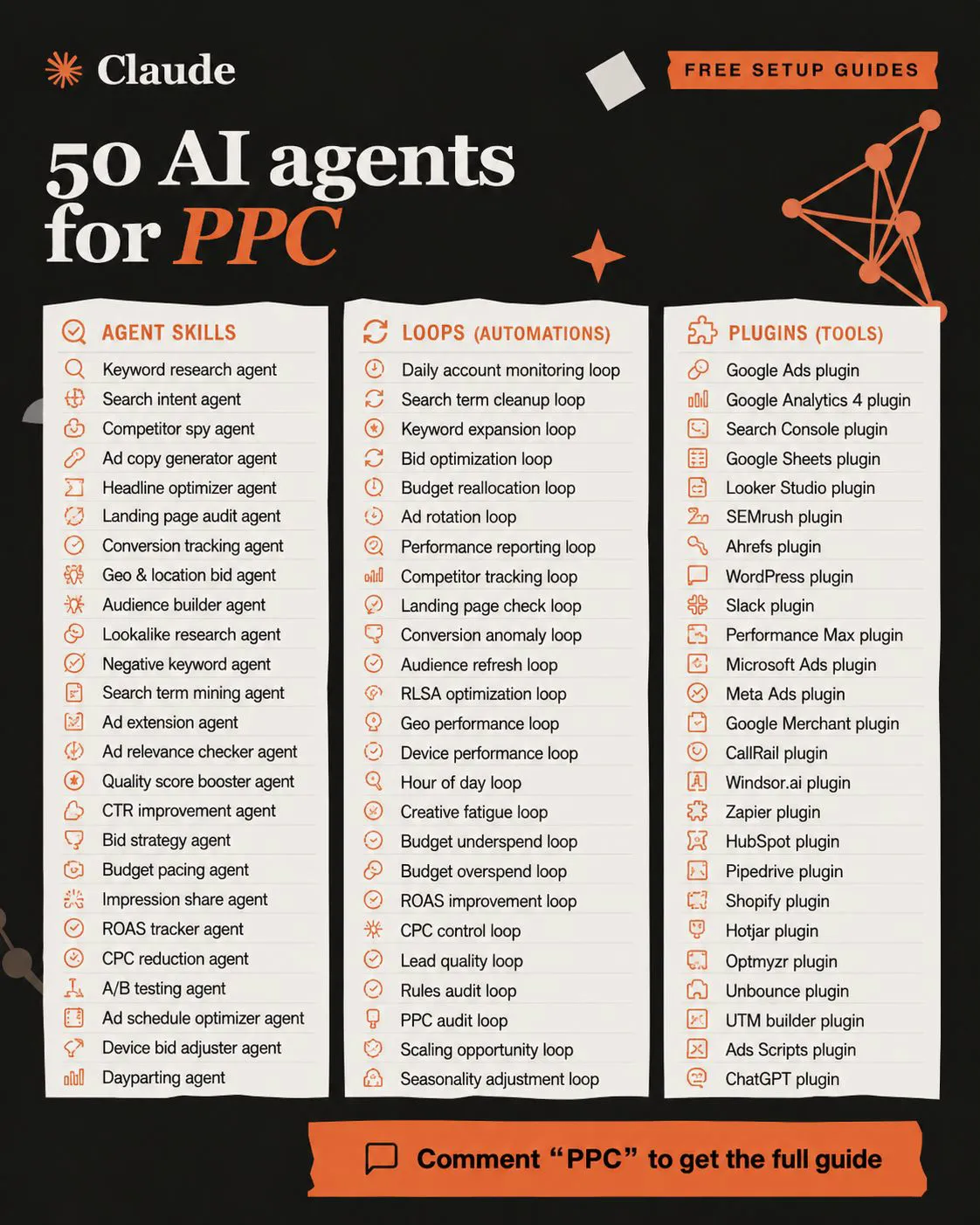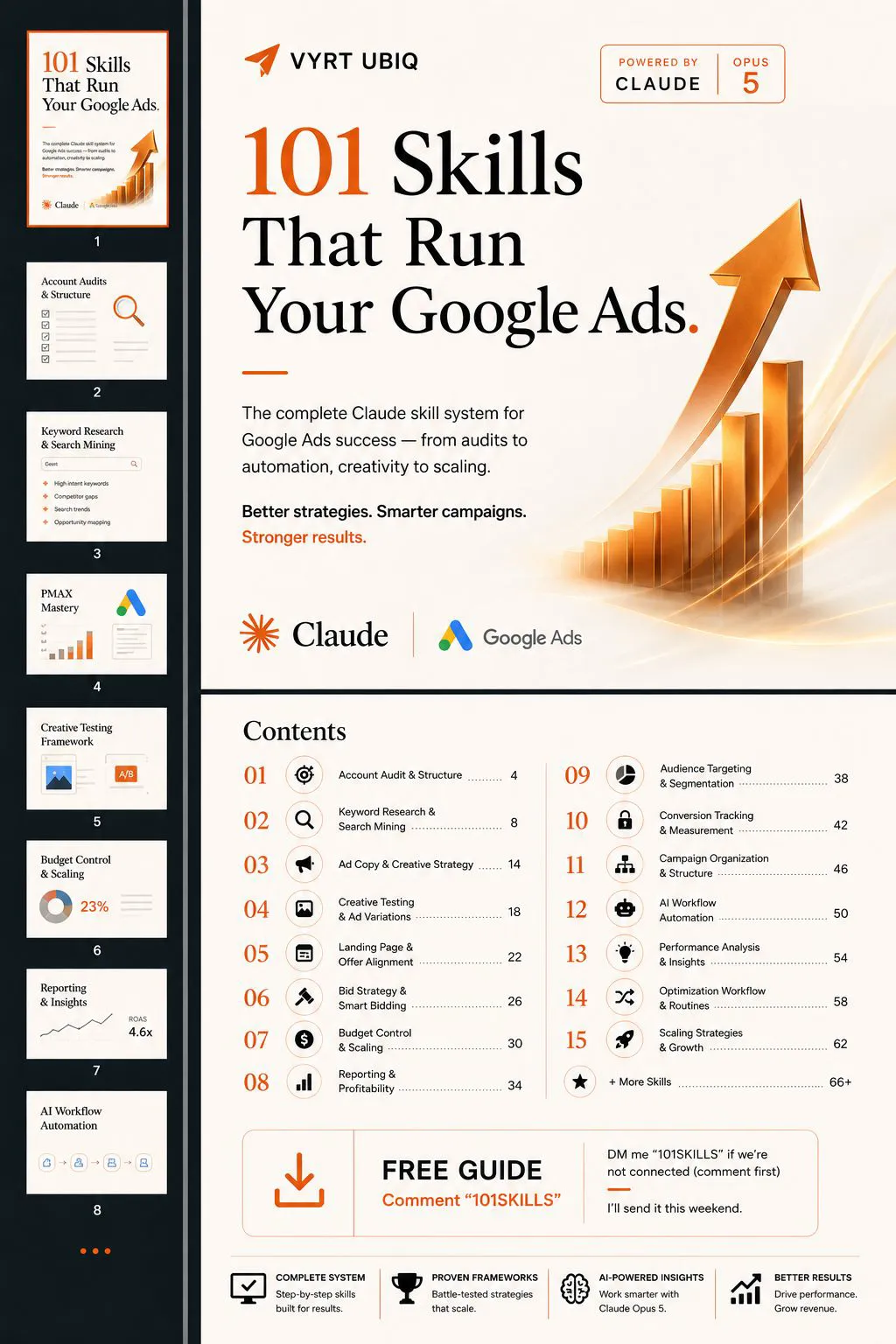
Google Ads management works best as a written system: 15 recurring jobs, from conversion tracking and search terms to bids, budgets, reporting and experiments, each with a schedule, an owner and a checklist. Check spend and tracking weekly and judge changes monthly, because Google says Learning lasts up to seven days, experiments need four to six weeks and Target CPA is best judged over 30 days. AI can read, sort and draft; a person approves budgets, bids and targeting.
Most people use AI for fragments of Google Ads. An ad copy prompt on Monday, a keyword idea on Thursday. Meanwhile the account has a long list of jobs that need doing every week and every month, and nobody has written them down. That gap is why Google Ads management works better as a system than as a set of clever prompts. If you would rather hand the whole system to someone, that is what my Google Ads management service does.
TL;DR
What it is: a Google Ads management system is a written list of every recurring job an account needs, with a schedule, an owner and a checklist for each. AI can prepare most of the work. A person approves anything that spends money.
The 15 jobs fall into five groups: measurement, search and keywords, ads and pages, bidding and budgets, and reporting and growth. The table below gives each one a cadence.
Pace it to Google's clock: the Learning status never lasts more than seven days, experiments should run at least four to six weeks and Target CPA is best judged over 30 days with at least 30 conversions. Check weekly, judge monthly.
What changed in 2026: a new budget pacing rule from 1 June, a change to target-based bidding from 17 August, and Google's own MCP server that lets AI agents read an account but cannot change budgets or bids.
Jump to: What it involves · The 15 jobs · Cadence · Workflows · AI and approval · Models · 2026 changes · X and Reddit
A note on evidence. Platform rules come from Google Ads Help and Google's developer pages, and model guidance from Anthropic's documentation, all read on 17 November 2026 and linked where I use them. Where I write "I", it describes how I work on accounts in general. I do not share client names or client results, so any number without a source link is an example.
What does Google Ads management actually involve?
Short answer: Google Ads management is the recurring work that keeps an account profitable: checking tracking, reviewing search terms, testing ads and landing pages, setting bids and budgets, and reporting on what changed and why. Writing ads is a small part of it. Most of the work is structure, measurement and routine.
A prompt is a single request. An account is an ongoing operation. When you only prompt for pieces, you get good ideas that never get tested, audits that happen when someone remembers, and reports rebuilt from scratch every month. Nothing compounds because nothing is connected.
The fix is a map before any automation. List every job the account needs, decide how often each one runs, and decide who or what owns it. Then automate the parts that are safe to automate.
What are the 15 jobs a Google Ads account needs?
Short answer: fifteen recurring jobs cover almost every account: from conversion tracking and account structure, through search terms, ads, landing pages, bidding and budgets, to reporting, experiments and scaling. Use the list as a checklist and cross out anything that does not apply to you.
| Job | How often | AI can prepare |
|---|---|---|
| 1. Conversion tracking check | Weekly | Flag gaps and sudden drops |
| 2. Account audit and structure | Quarterly | Draft the audit |
| 3. Campaign organisation and naming | When you build | Check names against a rule |
| 4. Keyword research | Monthly | Group and size ideas |
| 5. Search term mining and negatives | Weekly | Draft a negatives list |
| 6. Ad copy and creative strategy | Monthly | Draft angles and headlines |
| 7. Ad testing | Every 4 to 6 weeks | Summarise results |
| 8. Landing page and offer fit | Monthly | Compare ad and page messages |
| 9. Audience segments and customer lists | Monthly | Check list sizes and freshness |
| 10. Bid strategy and targets | Monthly | Compare targets with actuals |
| 11. Budget pacing | Daily to weekly | Project month-end spend |
| 12. Reporting and profitability | Monthly | Draft the report |
| 13. Performance analysis | Weekly | Spot anomalies |
| 14. Experiments | Every 4 to 6 weeks | Write the test plan |
| 15. Scaling decisions | Monthly to quarterly | Model scenarios |
Notice how few of these are about writing ads. Most are about measurement, structure and routine. That is where accounts quietly leak money. A tracking tag that broke three weeks ago, a search term that ate a fifth of the budget, a customer list nobody refreshed: none of these show up unless someone looks on a schedule.
Job 1 comes first for a reason. Every other job depends on the numbers being right. I keep new campaigns in draft until every form and call is measured, because bidding, reporting and testing all learn from those numbers. My conversion tracking audit covers that job in detail.
How often should you check a Google Ads account?
Short answer: check spend and tracking daily or weekly, but judge most changes monthly. Google says the Learning status after a major change never lasts more than seven days, recommends running experiments for at least four to six weeks, and suggests measuring Target CPA over the last 30 days with at least 30 conversions.
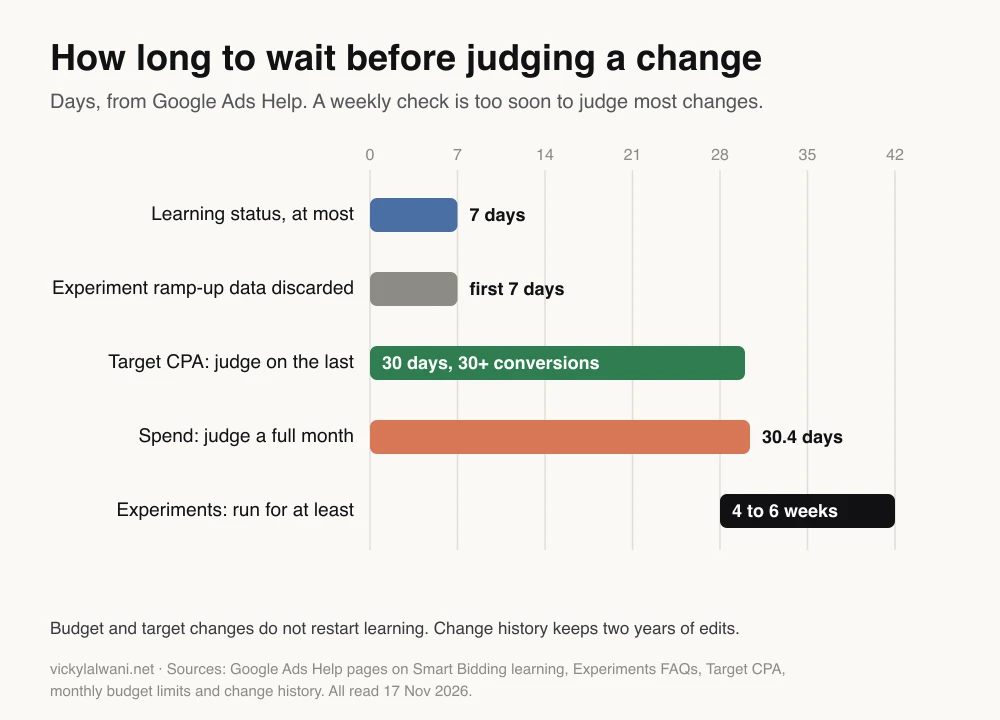
This is the most common mistake in a home-made system: checking weekly and changing weekly. A bid target changed on Monday and judged on Friday has not had time to settle. The chart shows why a weekly check should look for problems, while decisions wait for a month of data.
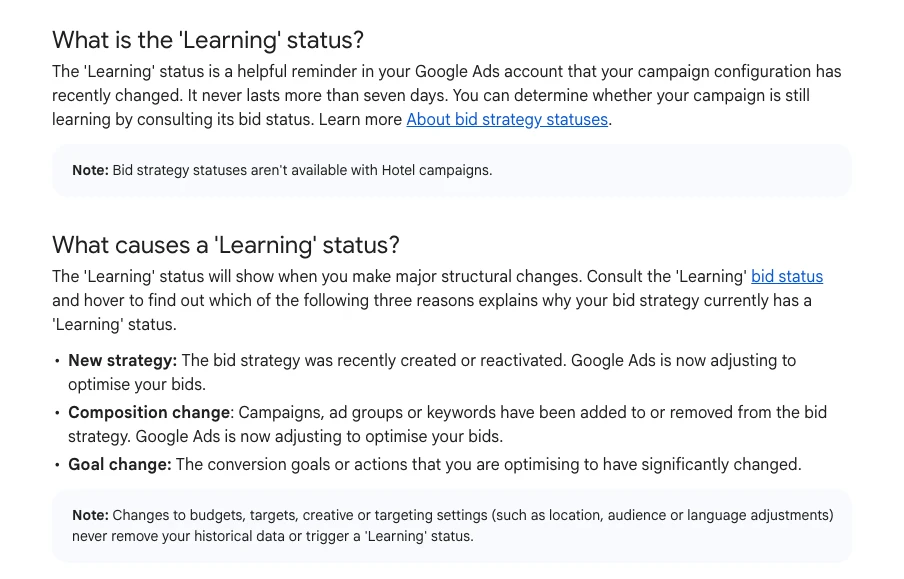
One line on that page changes how often you can safely adjust things. Changes to budgets, targets, creative or targeting settings never remove historical data or trigger a Learning status. Only a new bid strategy, adding or removing campaigns from a strategy, or a change of conversion goal does. So a budget change is not a reset, though results still take a conversion cycle to settle.

| Cadence | Jobs | Time box |
|---|---|---|
| Daily | Spend against plan, tracking alerts | About 10 minutes, as an example |
| Weekly | Search terms, negatives, anomalies | One session |
| Monthly | Bids, budgets, ads, pages, report | Spread across four weeks |
| Quarterly | Full audit, structure, scaling | One planned review |
What does a monthly Google Ads routine look like?
Short answer: give each week its own jobs. Week one: audit, tracking and budget pacing. Week two: search terms, negatives and ad performance. Week three: landing pages, bids against profit and experiments. Week four: the report, the change log and the decision to scale, hold or cut.
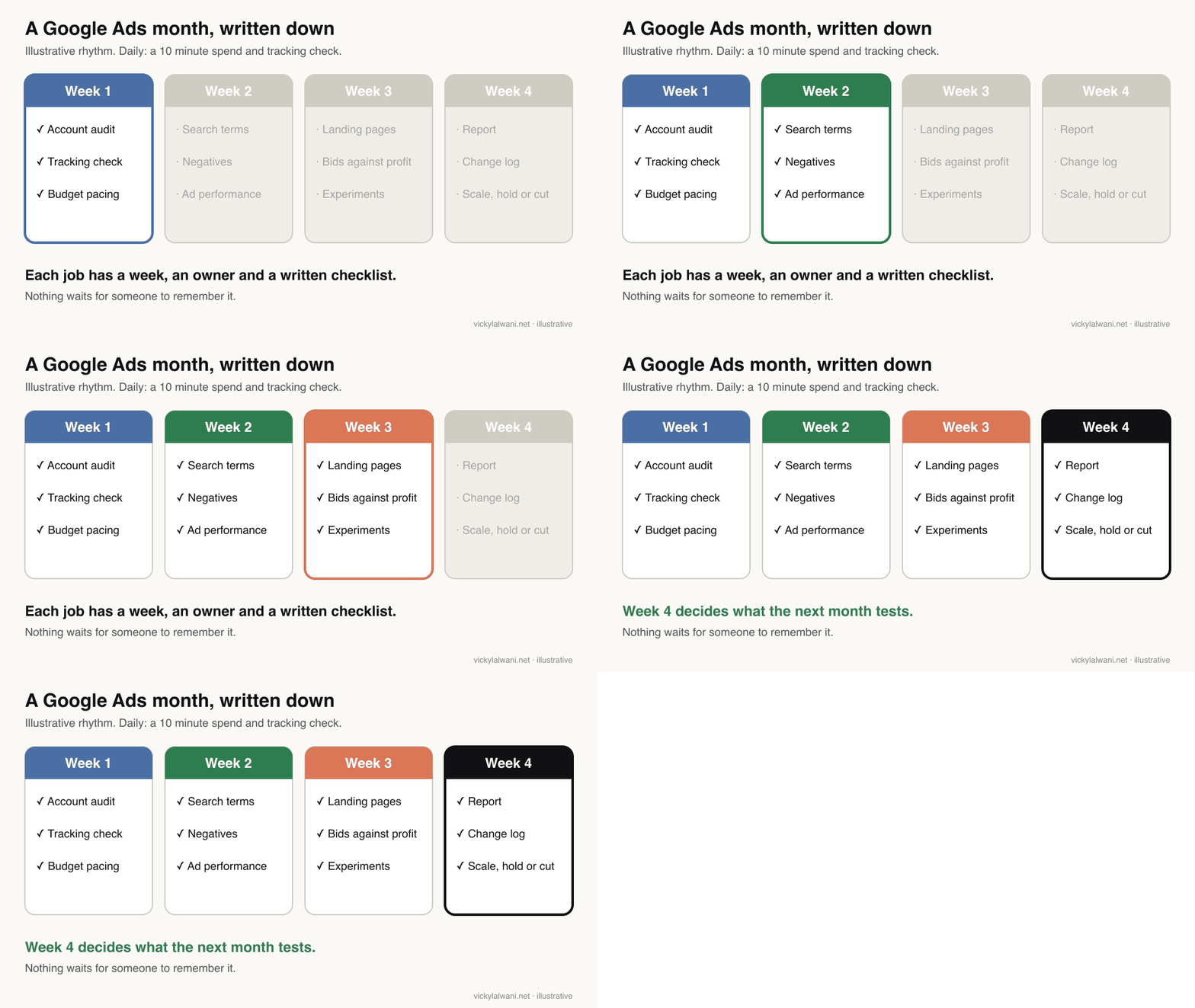
The point of the rhythm is that nothing waits for someone to remember it. Write it down, attach a checklist to every line, and give each line an owner, even if the owner is one person with a good set of automations.
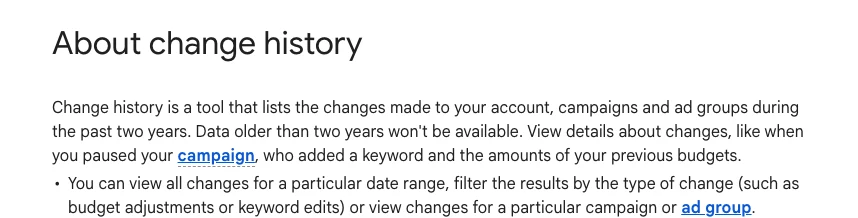
Keep a short change log as you go. Google Ads already records edits: change history lists changes made in the past two years, with who made them. What it does not record is why. A one-line reason next to each change is what lets you connect next month's results to this month's decisions.
Every report I send carries a short human note on top: where we are, what we are doing, and what comes next. The numbers sit underneath. Most owners read the note and skip the tables, so the note is where the decisions get made.
How do you turn each job into a repeatable workflow?
Short answer: write each job as a small instruction file that says what data it reads, what it checks, what thresholds it uses and what it hands back. A search term review, for example, reads the search terms report, flags spend with no conversions and returns a negatives list for you to approve.
- Inputs. Which report, which date range, which campaigns.
- Checks and thresholds. For example: spend above twice your target cost per conversion with no conversions. Your numbers, written down.
- Output format. A table you can paste, a list of proposed changes, a two-line summary.
- What it must not do. No changes to budgets, bids or targeting. No invented numbers.
The search term job is a good first one. The search terms report shows the actual searches that triggered your ads, and it is where most wasted spend shows up. My guide to reducing wasted spend in Google Ads covers what to look for.
I keep one AI project per account, with threads named by service and the instruction files in one known place. A planning model decides what to look at, and a separate agent does the reading and drafting. When something goes wrong, it is easy to see which file to fix.
A starter instruction file for the search term job. Paste it into Claude, ChatGPT or Gemini with an export of your search terms report.
Job: weekly search term review for my Google Ads account.

Inputs
- The search terms report I paste below, last 7 days, all Search campaigns.
- My target cost per conversion: [amount]. My main services: [list]. Things I never sell: [list].

Checks
1. Flag every search term that spent more than 2 x my target cost per conversion with zero conversions.
2. Flag terms that mention things I never sell, competitors, jobs, free or DIY.
3. Flag converting terms that are not yet keywords.

Output
- Table 1: proposed negatives, with match type, the campaign or list it belongs in, and the reason.
- Table 2: proposed new keywords, with the evidence.
- Two lines on anything unusual this week.

Rules
- Use only the numbers in my export. Do not estimate or invent any figure.
- Do not suggest budget, bid or targeting changes.
- If a column is missing, say so instead of guessing.
What should AI do, and what should a person approve?
Short answer: let AI read, sort, draft and flag. Keep every change to budgets, bids, targeting and anything that goes live behind a human approval. That matches how Google built its own tool: the official Google Ads MCP server cannot create, modify, pause or enable campaigns, ad groups, ads, budgets or bids.
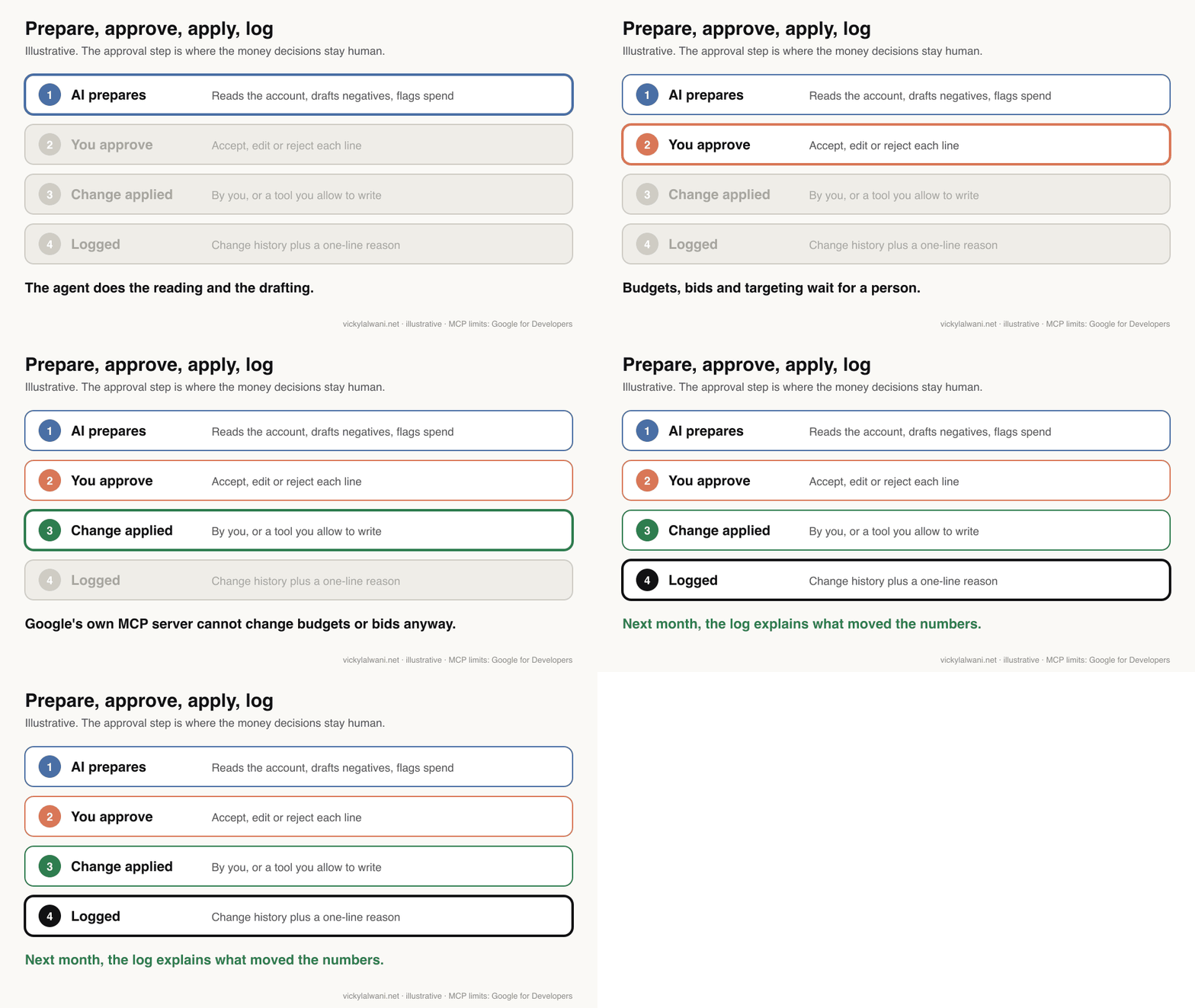
MCP, the Model Context Protocol, is a standard way to connect an AI assistant to another system's data. Google released an open source MCP server for the Google Ads API in October 2025. Its developer guide says it can read and analyse account data, create assets, upload videos and manage labels.

On client accounts I audit first, put the findings in a sheet, and change nothing until the owner has approved it. That is slower than letting a tool apply changes, and it is the step that catches the mistakes AI makes with confidence.
| Task | AI | Person |
|---|---|---|
| Read reports, spot anomalies | Yes | Reviews the summary |
| Draft negatives and keywords | Yes | Approves each line |
| Draft ads and reports | Yes | Edits and signs off |
| Change budgets, bids, targets | Proposes only | Decides and applies |
| Auto-apply recommendations | Off by default | Chooses which, if any |
Check the last row in your own account. Auto-applied recommendations can be switched on in bundles, so check whether any are switched on in your account. A management system should say which recommendation types, if any, are allowed to apply themselves. Also check who has access: Google Ads has five access levels, and only Standard and Admin can edit campaigns.
Which AI model fits which Google Ads job?
Short answer: use a fast, cheap model for high-volume sorting and a stronger one for judgment. Anthropic suggests Claude Haiku 5.5 for high-volume, cost-sensitive work and Claude Opus 5.5 as the starting point for most workloads, with Claude Fable 5.2 for long, demanding reasoning.
| Google Ads job | Model to start with | Why |
|---|---|---|
| Sorting thousands of search terms | Claude Haiku 5.5 | Fastest, lowest price |
| Drafting reports and ad copy | Claude Sonnet 5.5 | Speed and capability |
| Account audits, structure decisions | Claude Opus 5.5 | Anthropic's default |
| Multi-step research across accounts | Claude Fable 5.2 | Long, demanding reasoning |
Prices on Anthropic's models page run from $0.10 per million input tokens for Haiku 5.5, at the lowest, to $8 for Fable 5.2, so the split matters on high-volume jobs. Anthropic also says that tuning the effort setting is often a better lever than switching models. Model names change often, so check the page before you fix a model into a workflow. ChatGPT and Gemini have similar tiers.
What changed in 2026 that the system has to handle?
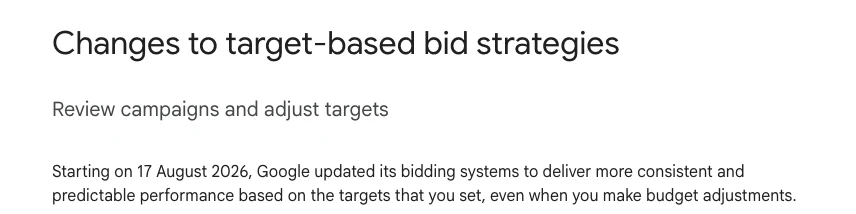
Short answer: three changes affect the budget and bidding jobs. From 1 June 2026, campaigns switched off on some days of the week still pace towards the full monthly budget. From 17 August 2026, budget-limited campaigns that beat their target move back towards it. And AI agents gained an official way to read accounts.
| Date | Change | Job it affects |
|---|---|---|
| Oct 2025 | Google Ads MCP server released | AI workflows |
| 1 Jun 2026 | Ad schedule budget pacing | Budget pacing |
| 17 Aug 2026 | Targets enforced when budget-limited | Bid strategy and targets |
For budgets, the safe sum has not changed: a month can cost up to 30.4 times the daily budget, and one day can cost up to twice it. What changed is that a weekday-only schedule no longer lowers that monthly total. For bids, Google's example is a campaign with a £10 Target CPA that has been getting £5. It will now drift towards £10 unless you lower the target. Your monthly bidding job should compare every target with the actual figure.
Videos worth watching
Two to watch first, both checked on 17 November 2026.
Google's developer channel introducing the Google Ads MCP server, published in October 2025. It shows what the server reads. It predates the later write tools for assets and labels.
Google Ads' own explainer of the target-based bidding update, published in June 2026, ahead of the 17 August change. It is Google describing its own system.
| Video | Channel | Date |
|---|---|---|
| Introducing the Google Ads MCP Server | Google developers | Oct 2025 |
| Bidding update: predictable performance | Google Ads | Jun 2026 |
| The truth about the target bidding update | Google Ads coach channel | Jul 2026 |
| Connect Claude to Google Ads with MCP | Conversion optimisation consultancy | Aug 2026 |
| Six weekly checks (2026) | Ads training course channel | Oct 2026 |
| How to optimise Google Ads in 2026 | Ads training academy | Jun 2026 |
The four non-Google channels sell training, coaching or consulting, so weigh their advice with that in mind.
What people say on X and Reddit
Short answer: practitioners use AI heavily for the reading and drafting, and keep it away from changing accounts directly. On X, the 2026 bidding change split opinion between Google, which said spend would not change, and trade press, which expected it to cost advertisers more.
Every post below was opened and checked on 17 November 2026. Reddit replies are single opinions, often from people selling services.
| Where | Date | What it says |
|---|---|---|
| Google Ads, X | 7 May 2026 | Announces demand-led pacing |
| Search Engine Roundtable, X | 7 Jul 2026 | Expects the August change to cost more |
| Google Ads liaison, X | 7 Jul 2026 | Says spend will not change |
| Google Ads liaison, X | 5 Aug 2026 | Results move towards your target |
| An ads tool analyst, X | 14 Sep 2026 | Click prices up when budget-limited |
| r/PPC | Jun 2026 | AI for grunt work, not decisions |
| r/PPC | Sep 2026 | Routines built with Claude Code |
| r/PPC | Jun 2026 | Prompts, CSVs or a live connection? |
| r/PPC | May 2026 | A checklist for falling performance |
On X: the bidding change, from both sides.
- The announcements. Google Ads announced three budget and bidding updates in May 2026, including demand-led pacing. The liaison account later explained that budget-limited campaigns beating their target would see results move towards that target.
- The disagreement. Search Engine Roundtable's account read the change as likely to cost advertisers more. The liaison replied that it would not change campaign spend.
- Early data. An analyst at an ads tool company posted charts in September 2026 suggesting click prices rose on budget-limited campaigns after the change. The sample is not stated, so treat it as a signal to watch in your own bidding job.
On Reddit: where people draw the line with AI.
- Grunt work, not decisions. In an r/PPC thread, the poster said AI tools describe Google Ads features that no longer exist, so they keep AI to drafting and summaries. A top reply said it does work they once gave junior staff, but they keep it "in a box" where it cannot change accounts.
- Routines with Claude Code. In another r/PPC thread, an advertiser who had built daily briefs and reports asked what to automate next. Replies stressed giving the AI the strategy and business context, and keeping changes behind approval. One reply mentioned second-hand stories of accounts suspended for hammering the API.
- Live data beats pasted data. In a prompts thread, several replies argued that connecting the AI to the account through MCP cuts mistakes compared with pasting CSV files. That is opinion, and some replies came from tool vendors.
- Not every drop is the account. In a thread on falling e-commerce performance, replies pointed to competitors' offers, checkout drop-off and broken tracking before targeting. A good system checks those too.
Where this advice is weak
- The cadences are a starting point. The 15 jobs and their timings are a working checklist, not a Google rule. A small account may merge several jobs; a large one may split them.
- No study shows a routine beats ad hoc work. I found no independent data comparing systematic and ad hoc account management. The case rests on Google's timing guidance and practitioner experience.
- AI tools change monthly. Model names, prices and the MCP server's tools all changed during 2026. Check the linked pages before building on them.
- The August bidding change is still settling. Google and some practitioners disagree about its effect on cost, and public data is thin.
Want help building the system for your account?
Short answer: start small. Pick three of the fifteen jobs this week, usually tracking, search terms and reporting, write them down as instruction files and run them for a month before judging. If you would rather have someone design and run the whole routine, that is the work I do.
My Google Ads management service covers audits, structure and AI-assisted workflows with a human approval step, and the pricing page shows the rates. If the AI side is what you need, see AI automation for marketing. Related reading:
- PPC audit checklist: 7 weekly checks
- Human in the loop AI for Google Ads
- Claude skills for Google Ads: a weekly routine
- Google Ads customer match: 3 ways to use it
Sources
| Source | What it supports | Date | Link |
|---|---|---|---|
| Google Ads Help | Learning status, 7 days, what triggers it | Read 17 Nov 2026 | Smart Bidding learning |
| Google Ads Help | Experiments 4 to 6 weeks, 7 days discarded | Read 17 Nov 2026 | Experiments FAQs |
| Google Ads Help | Target CPA 30 days, Target ROAS minimums | Read 17 Nov 2026 | Target CPA, Target ROAS |
| Google Ads Help | Budgets: 30.4 and 2x, June pacing change | Read 17 Nov 2026 | Daily budgets, pacing |
| Google Ads Help | 17 August 2026 target change | Read 17 Nov 2026 | Target-based bidding |
| Google Ads Help | Change history, access, auto-apply, search terms | Read 17 Nov 2026 | History, access, auto-apply, search terms |
| Google for Developers | MCP server tools and limits | Oct 2025; read 17 Nov 2026 | Launch, guide, GitHub |
| Anthropic | Model choice, prices, effort | Read 17 Nov 2026 | Choosing a model, models |
| X | Google Ads, liaison, trade press, analyst | May to Sep 2026 | Linked in the text |
| r/PPC | May to Sep 2026 | Linked in the text | |
| YouTube | Six videos, checked by oEmbed | Oct 2025 to Oct 2026 | Linked in the videos table |
This article expands on my post on LinkedIn ↗.
FAQ
What is Google Ads management?
Google Ads management is the recurring work that keeps an account profitable: tracking checks, search term reviews, ad and landing page tests, bids, budgets and reporting. Most of it is measurement and routine rather than writing ads.
What is a Google Ads management system?
A Google Ads management system is a written list of every recurring job an account needs, such as audits, search term mining, budget pacing and reporting, each with a schedule, an owner and a checklist. It makes the account run the same way every month instead of depending on memory.
How often should I check my Google Ads account?
Check spend and tracking daily or weekly, and judge most changes monthly. Google says the Learning status lasts at most seven days, experiments should run four to six weeks, and Target CPA is best judged over 30 days with at least 30 conversions.
Does changing the budget reset Google Ads learning?
No. Google Ads Help says changes to budgets, targets, creative or targeting settings never remove historical data or trigger a Learning status. A new bid strategy, adding or removing campaigns from a strategy, or a change of conversion goal does.
Can AI run Google Ads on its own?
AI can read reports, sort search terms and draft ads and reports, but a person should approve changes to budgets, bids and targeting. Google's own Google Ads MCP server cannot create, change, pause or enable campaigns, ads, budgets or bids.
What is the Google Ads MCP server?
The Google Ads MCP server is Google's open source connector, released in October 2025, that lets AI assistants read Google Ads data through the Model Context Protocol. It can also create assets, upload videos and manage labels, but it cannot change campaigns, budgets or bids.
Which Google Ads jobs should I automate first?
Start with the jobs that take the most time each month and carry the least risk: the search term review, the tracking check and the monthly report. Build one workflow at a time and run it for a month before adding the next.
How long should a Google Ads experiment run?
Google recommends running a Google Ads experiment for at least four to six weeks, or longer if customers take a long time to convert. Google discards the first seven days of experiment data to allow for ramp-up.
What changed in Google Ads bidding in August 2026?
From 17 August 2026, Google Ads campaigns that are limited by budget and beating their Target CPA or Target ROAS move back towards the target you set. Google suggests updating targets to match recent performance if you want to keep it.