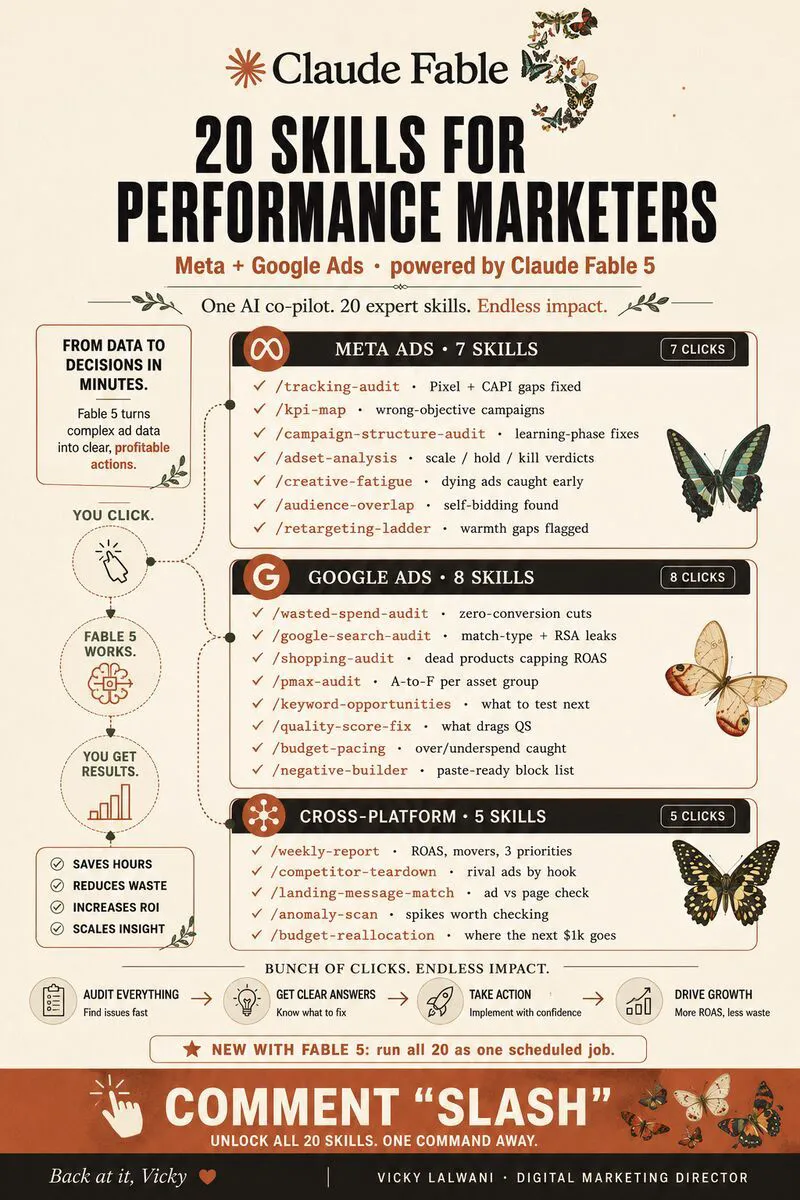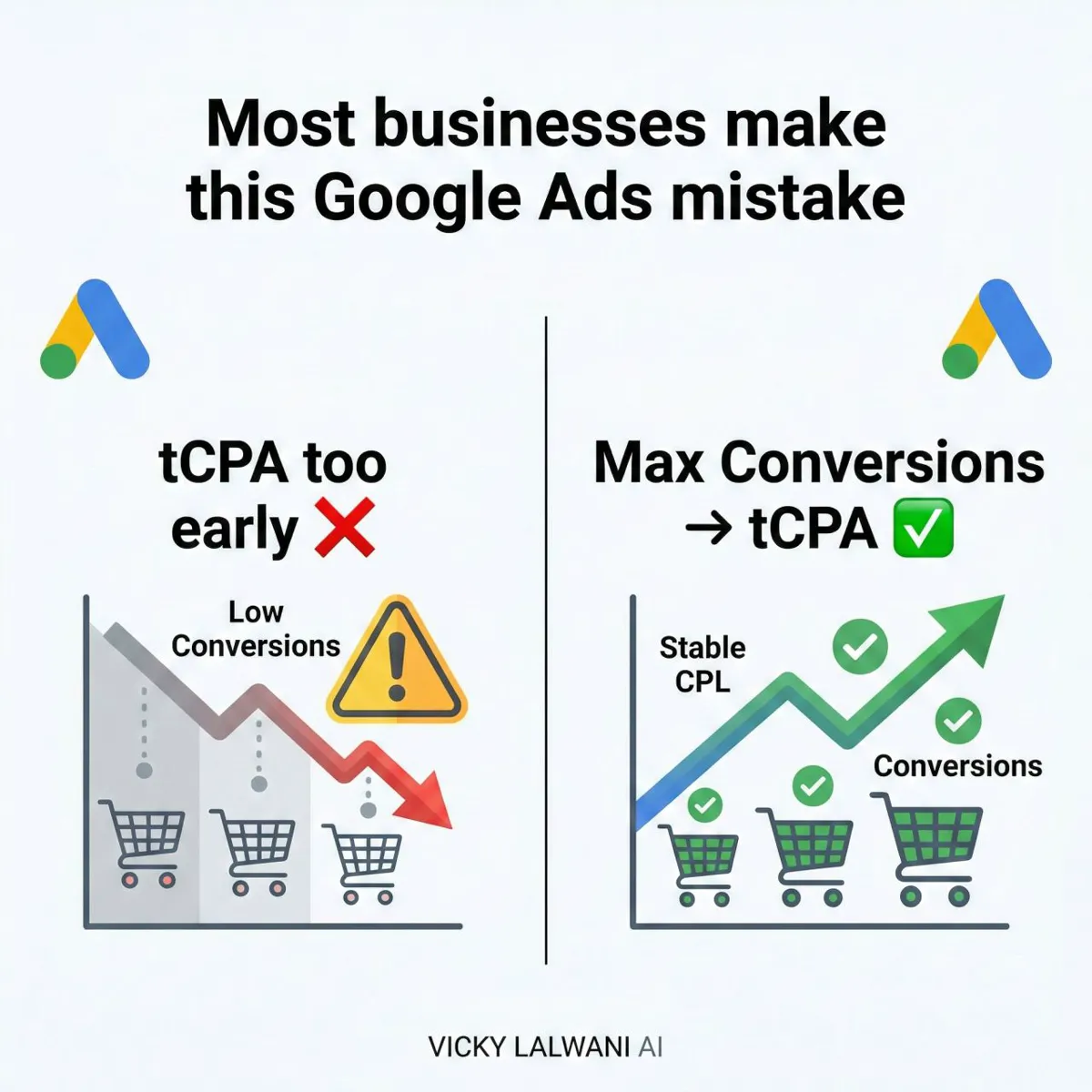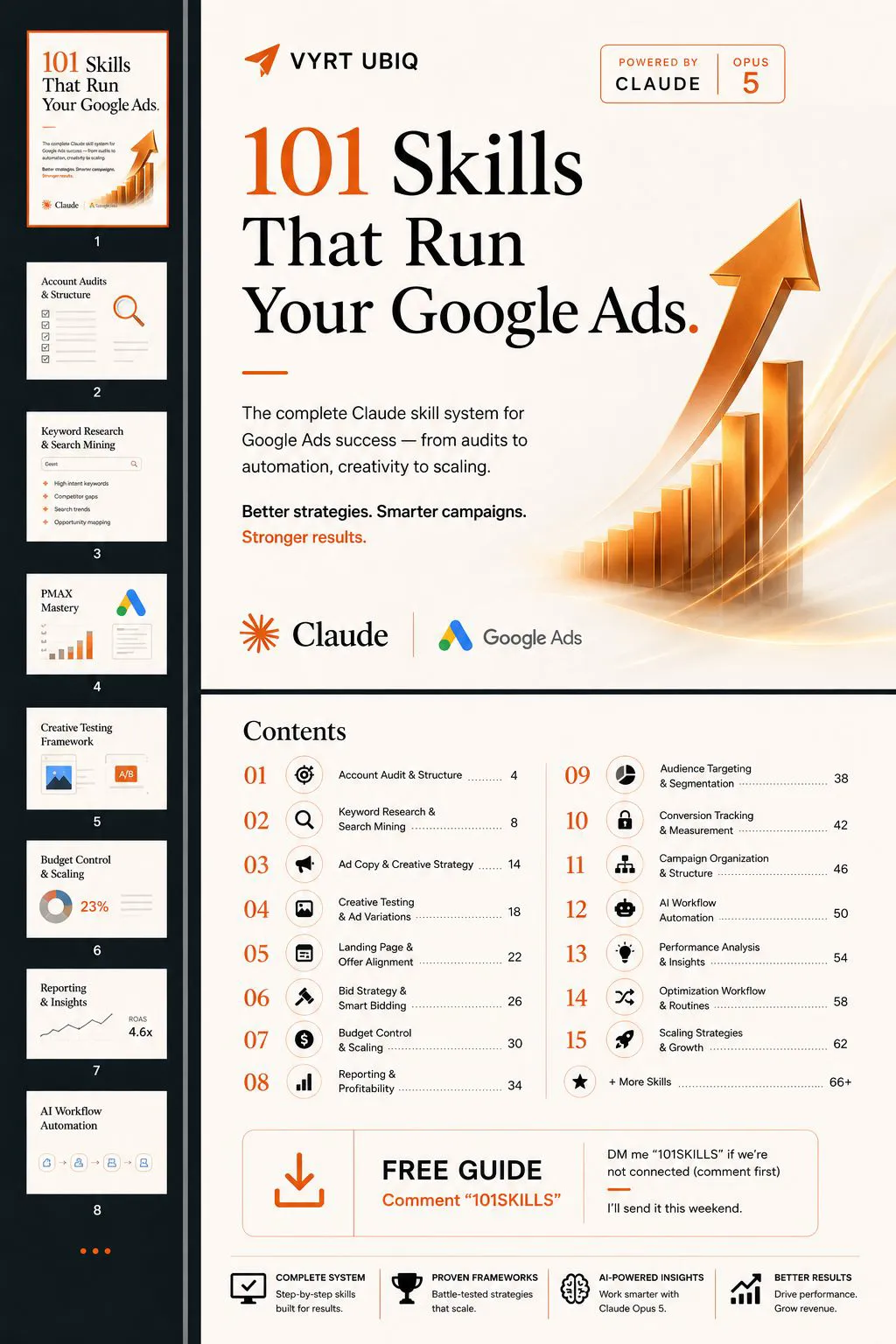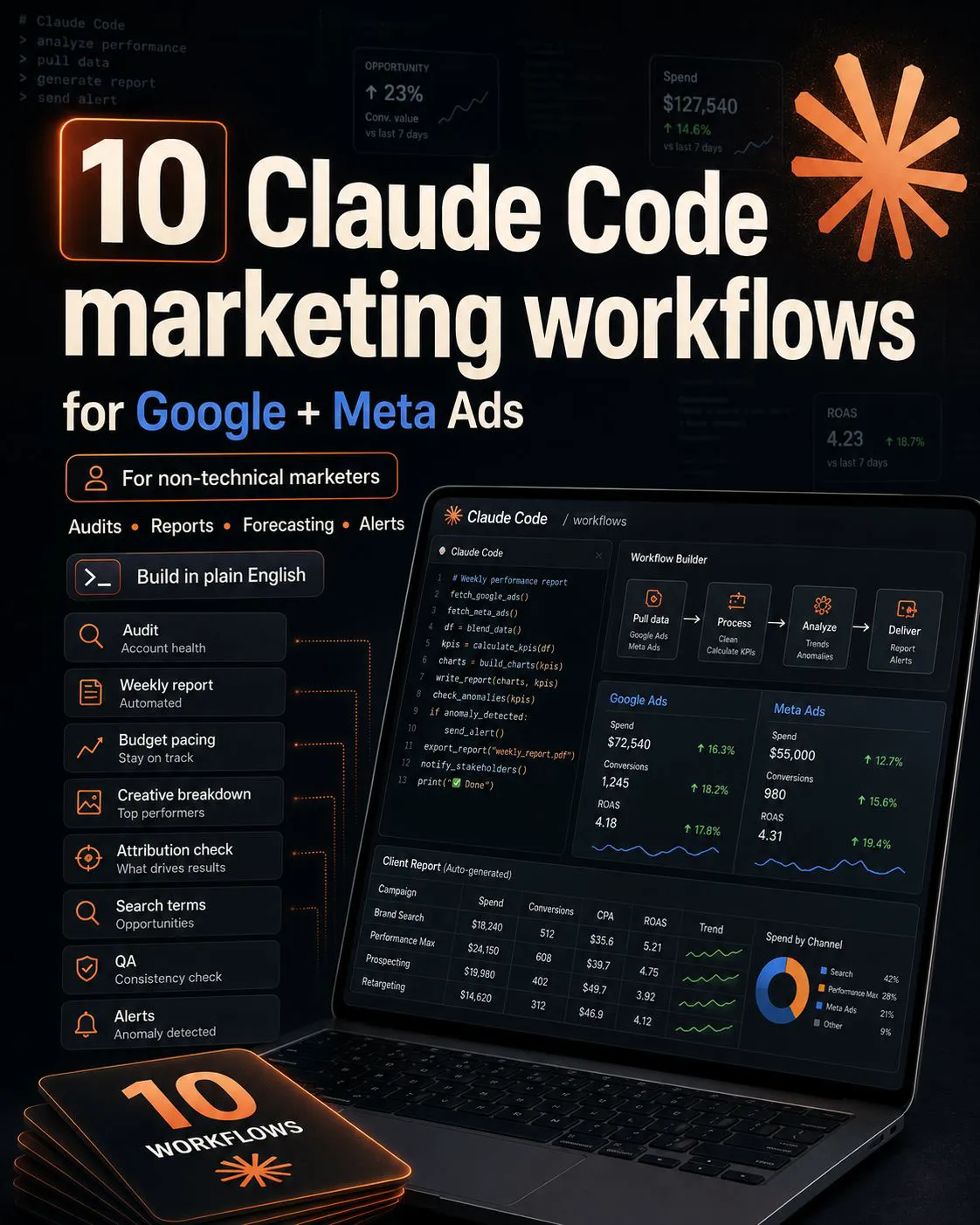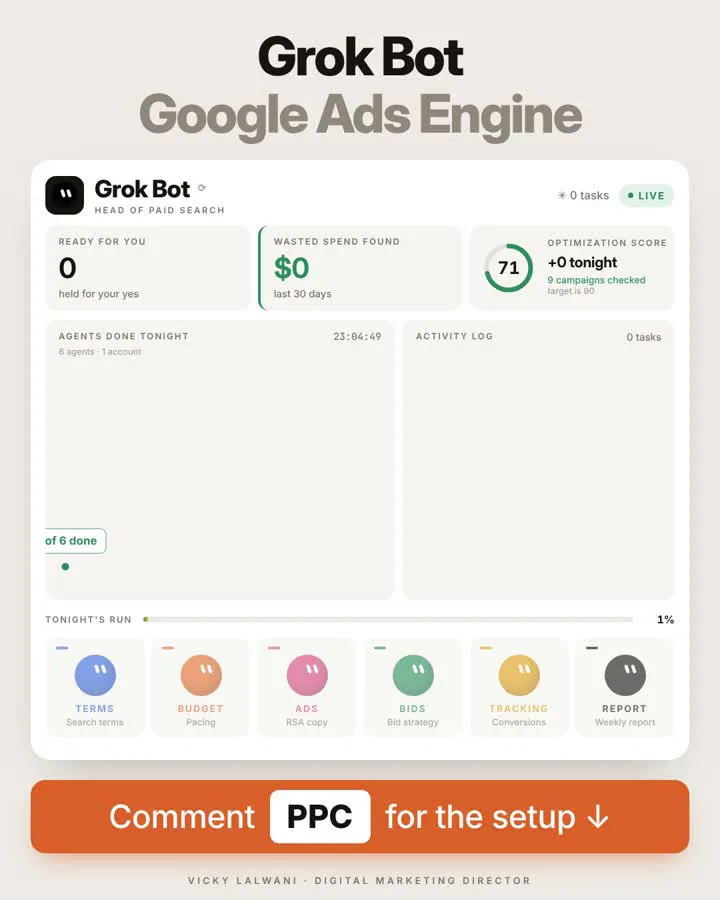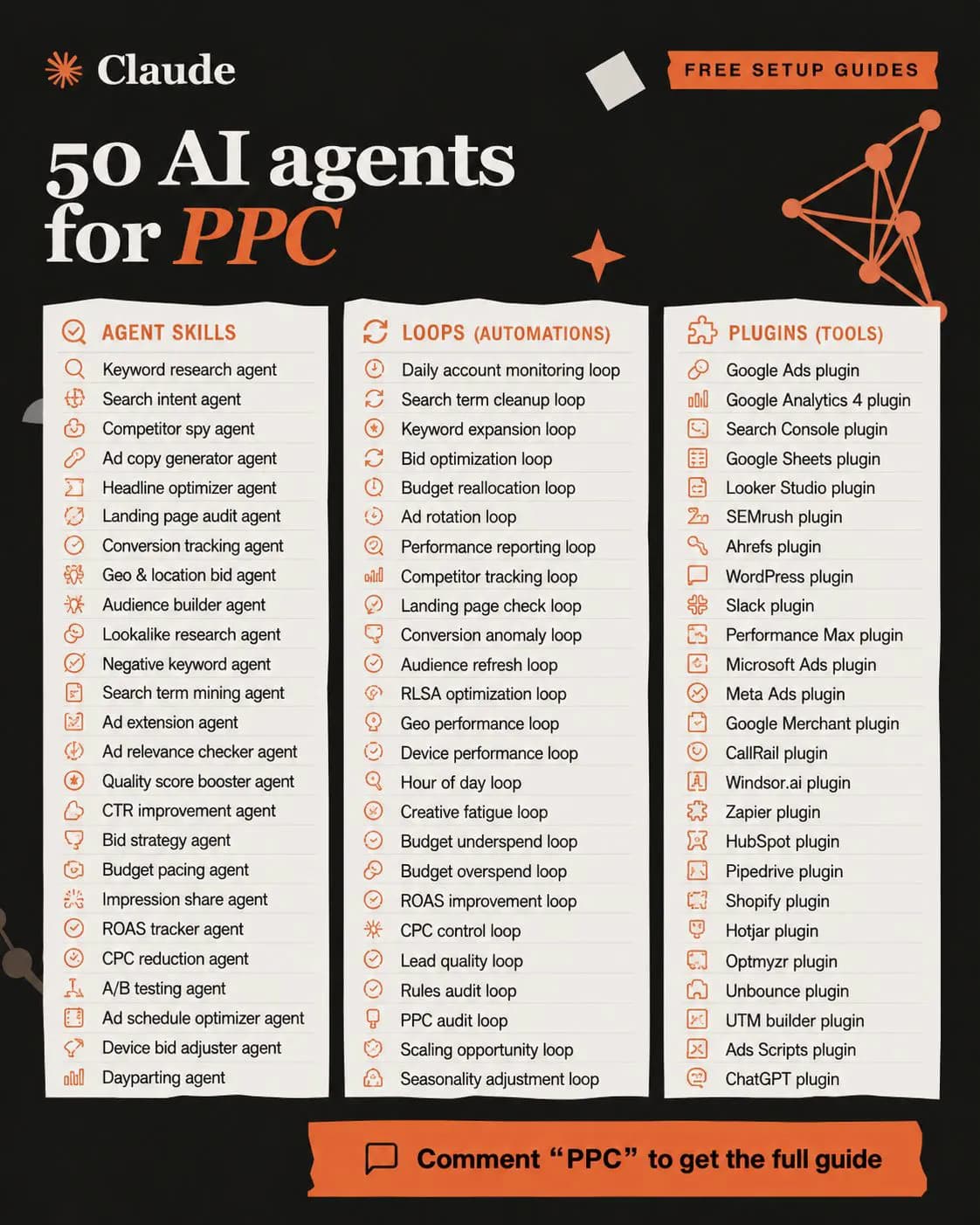
AI agents for PPC work best as three layers plus guardrails: skills that do one job such as search term triage, scheduled loops that run them daily, and connectors such as Google's Ads MCP server or the Google Ads API. Start read-only, approve every change, keep budgets and bids human, and log what was proposed and approved.
TL;DR
Build in three layers. Skills do one job each, loops put them on a schedule, and connectors give them data. A fourth layer, guardrails and a change log, is what makes it safe.
Know what the tools can touch. Google's Ask Advisor can change some settings with your approval. Google's Ads MCP server reads data and, since 2 November 2026, creates assets and labels only. Budgets, bids and campaigns need the full API.
Start read-only. Run every loop as a report for weeks before any agent writes to an account, and keep budgets, bids and offers with a person.
You manage six accounts. Every Monday you open six search terms reports, six pacing views and six conversion checks. By the time you have looked, half the day is gone and you have decided almost nothing.
That looking is what an AI agent does well. The deciding is not. This guide shows how to split the two in November 2026, with the tools that exist now, not the ones in launch videos. If you want it set up for you, my Google Ads management service covers the build and the review process, and prices are on the site.
Building a single new campaign with AI is a different job. That is covered in create a Google Ads campaign with AI. This article is about the system that runs after launch.
A note on evidence. Tool facts come from Google Ads Help, the Google Ads API docs, the Google Ads MCP server on GitHub and Anthropic's Claude docs, read on 17 November 2026. Where I write "I", it describes my own working habits. No client names or client figures appear here.
What is an AI agent for PPC, in plain terms?
Short answer: It is a language model that can follow a written method, call tools such as a Google Ads data connection, and run on a schedule without being asked. For paid search, that means it can look at accounts every day and propose actions, while a person approves them.
A chatbot answers when you ask. An agent takes steps: pull the data, apply the method, write the report, and stop where its permissions end. The useful mental model is a new junior analyst who never sleeps and needs everything written down.
| Layer | What it is | PPC example | Tool in Nov 2026 |
|---|---|---|---|
| Skills | A saved method for one job | Search terms triage | Claude Agent Skills |
| Loops | Skills on a schedule | Daily 7am account check | Claude Code scheduled tasks |
| Connectors | Access to data and tools | Google Ads, GA4 | Google Ads MCP server |
| Guardrails | Limits and a log | Approve every change | Permissions, change history |
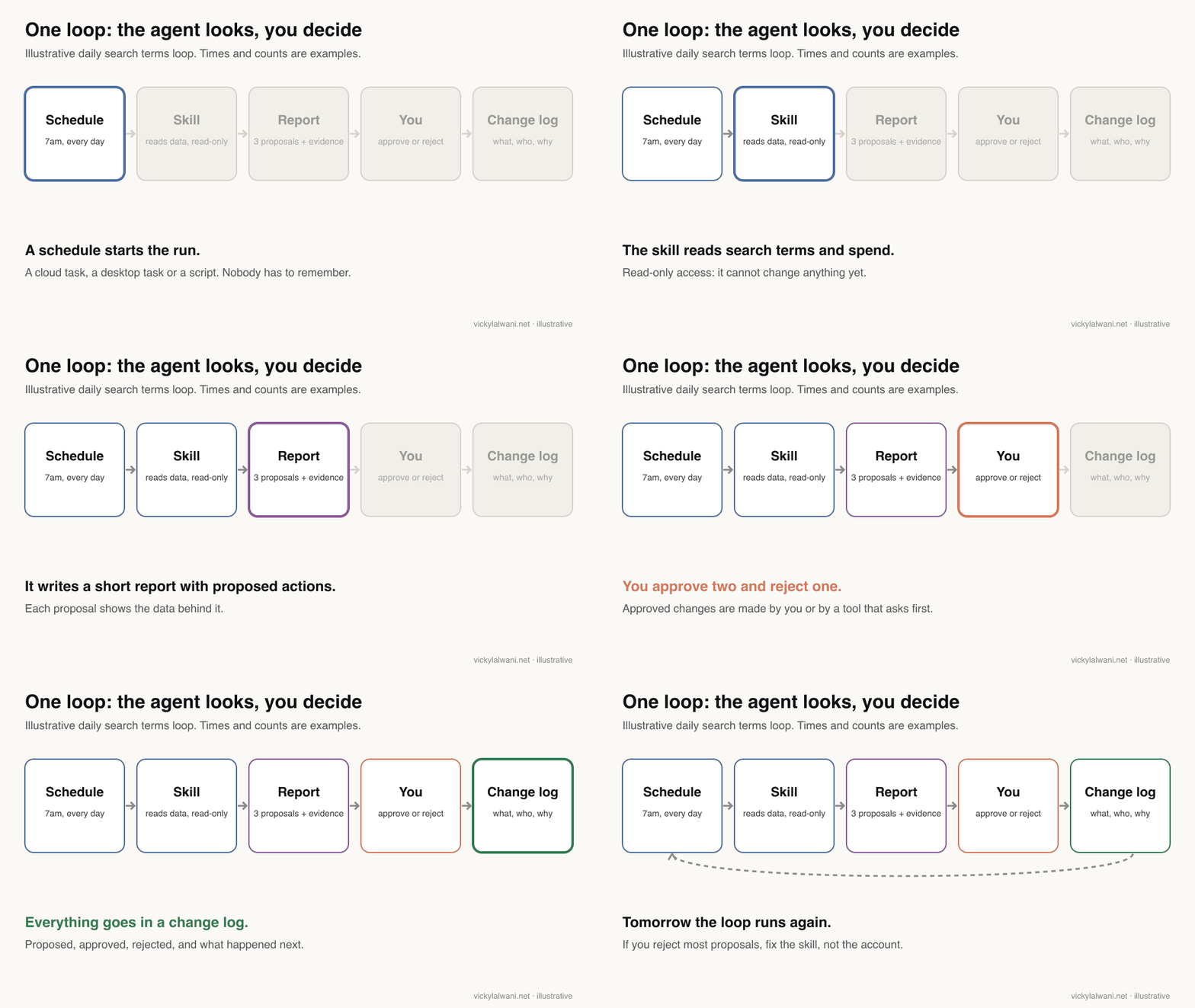
What can AI agents actually change in a Google Ads account today?
Short answer: Less than most demos suggest. Google's Ask Advisor can pause, rename or change the budget and location of a campaign with your approval. The official Google Ads MCP server cannot change budgets, bids, keywords or campaigns. Full control needs the Google Ads API and your own code or a third-party tool.
| Option | Can read | Can change | Catch |
|---|---|---|---|
| Ask Advisor (beta) | Your account | Some settings, with approval | Not in MCC accounts |
| Google Ads MCP server | Anything via GAQL | Assets and labels only | Propose, then confirm |
| Google Ads API | Everything | Everything | Access level, your code |
| Google Ads scripts | Account data | Rule-based edits | No language model |
| Automated rules | Simple metrics | Bids, budgets, status | Fixed if-then rules |
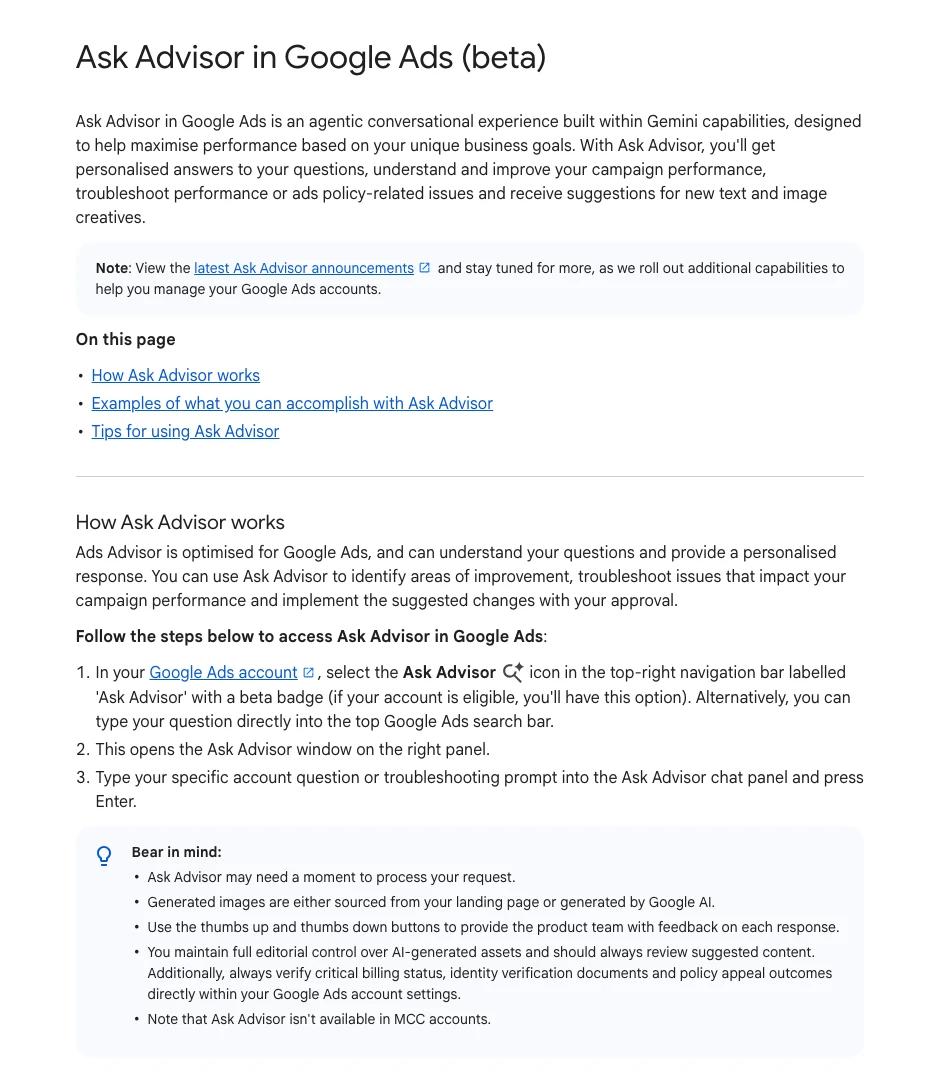
Ask Advisor is Google's in-product agent, built on Gemini. Its help page lists updating individual campaign settings, "such as pausing or renaming a campaign" and budgets, and says it implements suggested changes "with your approval". Google's April 2026 post repeats that it will "ask for approval before taking action in your account".
The MCP server is the piece most people connect to Claude. It launched read-only in October 2025. Version 0.0.6, released on 2 November 2026, added four write tools for assets, video uploads, labels and label links. Each write is proposed first and only runs when you confirm it with a matching checksum.
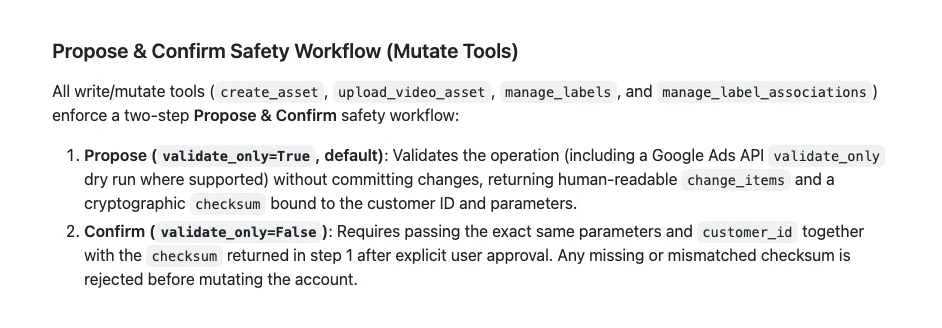
Google's own integration guide describes the server as "read and partial mutate" and says the checksum "does not replace access control". In other words, the safety step is a speed bump, not a lock.
Layer one: which skills should you build first?
Short answer: Build the skill for the job you dread most each week, usually search terms review, pacing or the weekly report. A skill is a folder with a SKILL.md file: a name, a description of when to use it, and the steps. Claude loads it only when a task matches.
Anthropic's Agent Skills docs say only the name and description sit in context until the skill is triggered, so you can keep many. In Claude Code they live in .claude/skills/ or ~/.claude/skills/.
| Skill | Input | Output | Risk if wrong |
|---|---|---|---|
| Search terms triage | 7 days of terms | Negatives to propose | Blocks good traffic |
| Tracking health | Conversions by day | Alert or all clear | Missed outage |
| Budget pacing | Spend vs plan | Over or under list | Late alarm |
| RSA asset review | Asset performance | Lines to replace | Bland copy |
| Weekly report | Week vs last week | Summary and 3 actions | Wrong story |
Here is the shape of a search terms skill. The bracketed thresholds are yours to set; the last line matters most.
---
name: search-terms-triage
description: Reviews a Google Ads search terms export and proposes negative keywords and new keywords, with evidence. Use when the user shares a search terms report or asks for the daily or weekly search terms review.
---

# Search terms triage

## Inputs (refuse to start without them)
- Search terms export for the last 7 days: term, campaign, ad group, match type, cost, clicks, conversions
- The account brief: what we sell, what we never sell, target cost per conversion
- The current negative keyword lists

## Steps
1. Drop terms with fewer than [N] clicks unless cost is above [amount].
2. Sort the rest into: clearly irrelevant, maybe irrelevant, good and converting, good but not yet a keyword.
3. For each clearly irrelevant term, propose a negative: the shortest word or phrase that blocks it, with match type and level (account, campaign or ad group).
4. Check every proposed negative against the converting terms. If it would block one, flag it and do not propose it.
5. For good terms that convert and are not keywords yet, propose them as phrase or exact keywords in the right ad group.

## Output
- A table: term, cost, conversions, proposal, match type, level, reason, what it might block.
- Three lines on top: where we are, what I propose, what I need from you.
- Never apply anything. Proposals only.
Anthropic's docs carry a clear warning: use skills only from trusted sources, because "a malicious Skill can direct Claude to call tools or run code". Read any downloaded PPC skill before it goes near an account connection.
Every report I send opens with a short human note: where we are, what we are doing, what is next. Ask the skill to write the same three lines on top. People read that part; the tables are for checking.
Layer two: how do you put skills on a schedule?
Short answer: In Claude Code, use a cloud scheduled task for daily checks that must run with your laptop closed, a desktop task when it needs local files, and /loop only for short polling in an open session. Cloud tasks run at most hourly and use auto mode for permissions by default, so give them read-only connectors.
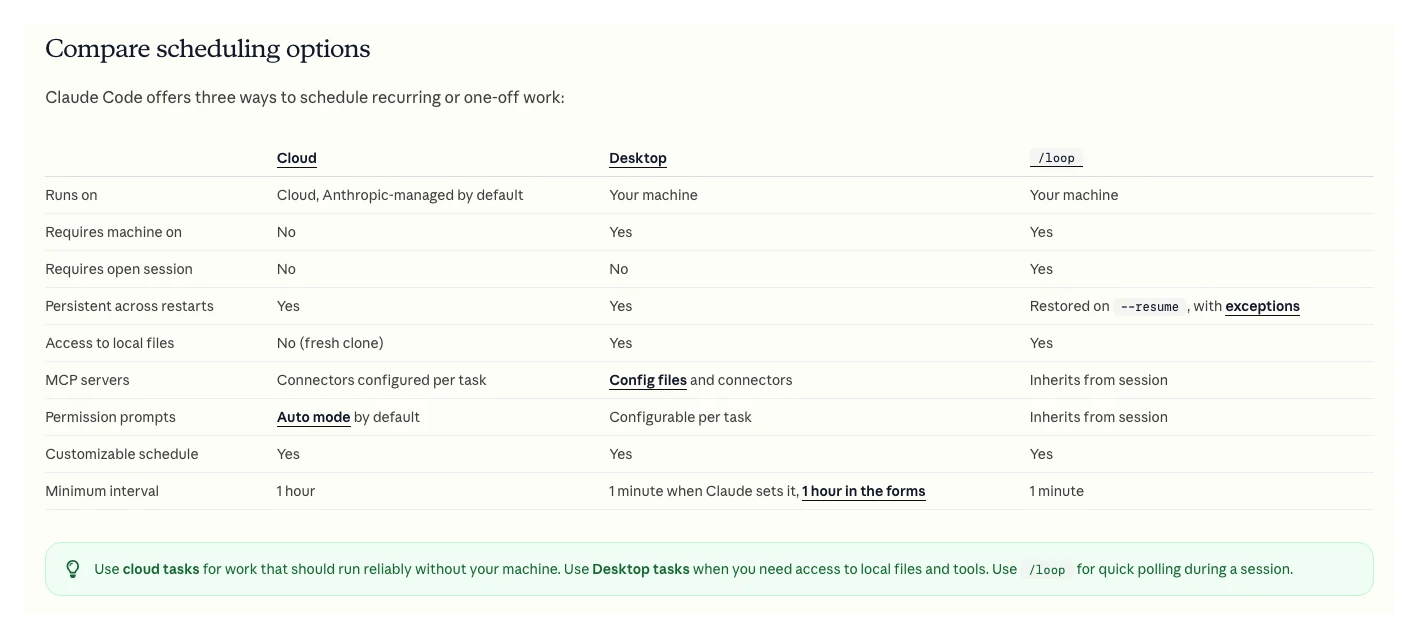
Three details from the Claude Code docs shape how you design PPC loops. Cloud tasks, formerly called routines, start from a fresh clone, so the account brief must live in the repository. Recurring /loop tasks expire after seven days. And a cloud task's permission prompts run in auto mode unless you change it.
| Loop | How often | Reports | Tool |
|---|---|---|---|
| Tracking health | Daily | Zero conversions, broken tags | Cloud task |
| Pacing | Daily | Over or under plan | Cloud task |
| Search terms | Two or three times a week | Proposed negatives | Cloud task |
| Weekly report | Monday | Summary for the client | Desktop task |
A loop is just a prompt that calls skills in order. This one stops early if tracking breaks, because every other number is wrong until it is fixed.
Every weekday at 7am, for each account in accounts.md:
1. Run the tracking-health skill. If conversions are zero for 24 hours on an account that normally has them, stop and put that at the top of the report.
2. Run the pacing skill: spend so far this month against plan, and any campaign spending more than [x]% above its daily average yesterday.
3. Run the search-terms-triage skill on the last 7 days.
Write one report per account to reports/[account]/[date].md. Propose actions only. Do not call any tool that changes an account.
Not using Claude? Google Ads scripts and automated rules still run inside Google Ads. They follow fixed rules, which makes them dull but predictable. Many good systems use both: rules for hard limits, an agent for judgement.
Layer three: how do connectors reach your ad data?
Short answer: Through MCP servers or the Google Ads API. MCP, the Model Context Protocol, is the standard Claude uses to call outside tools. Google publishes MCP servers for Google Ads and Google Analytics; for anything they cannot do, you need API access at the right level.
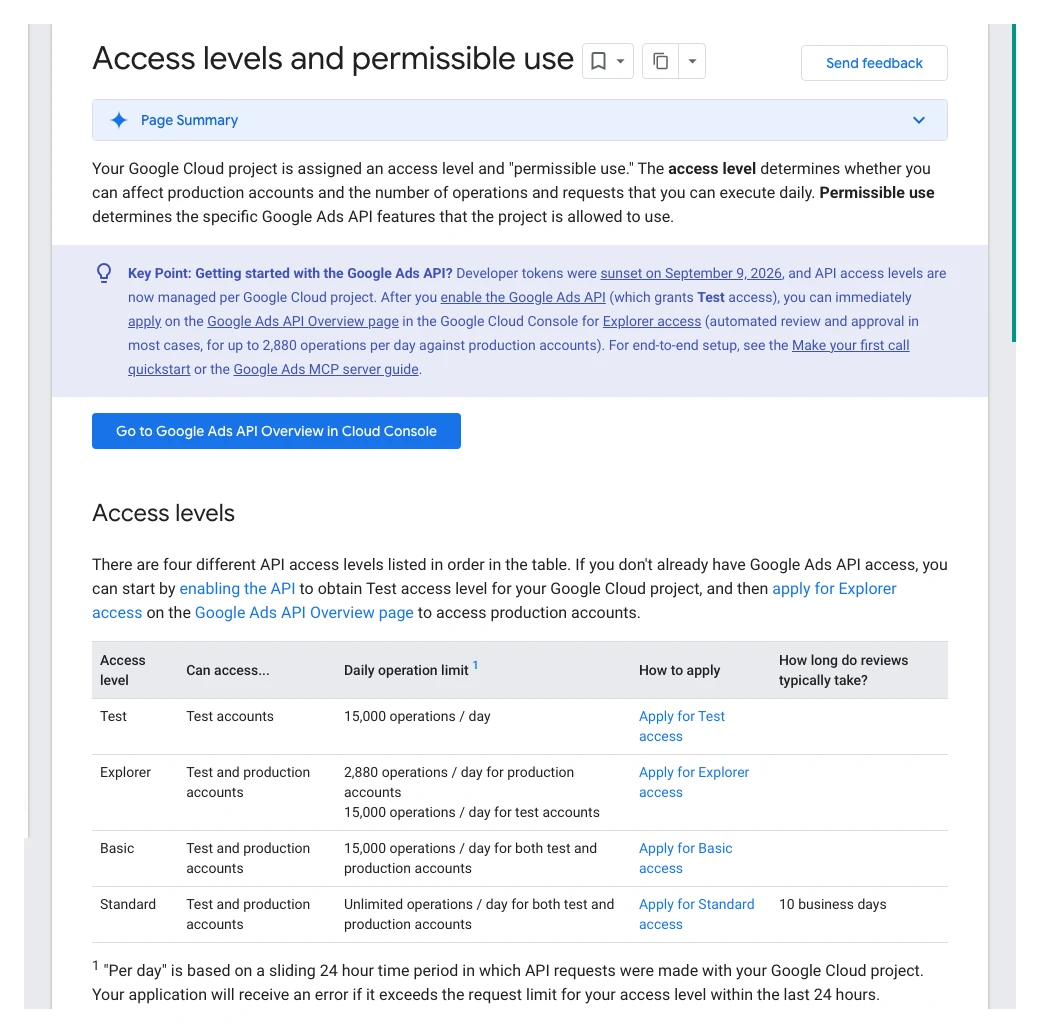
Since 9 September 2026, developer tokens are sunset. Your API access level now belongs to the Google Cloud project that issues your OAuth credentials, as Google's September 2026 developer post explains. A new project starts at Test level, which cannot touch live accounts.
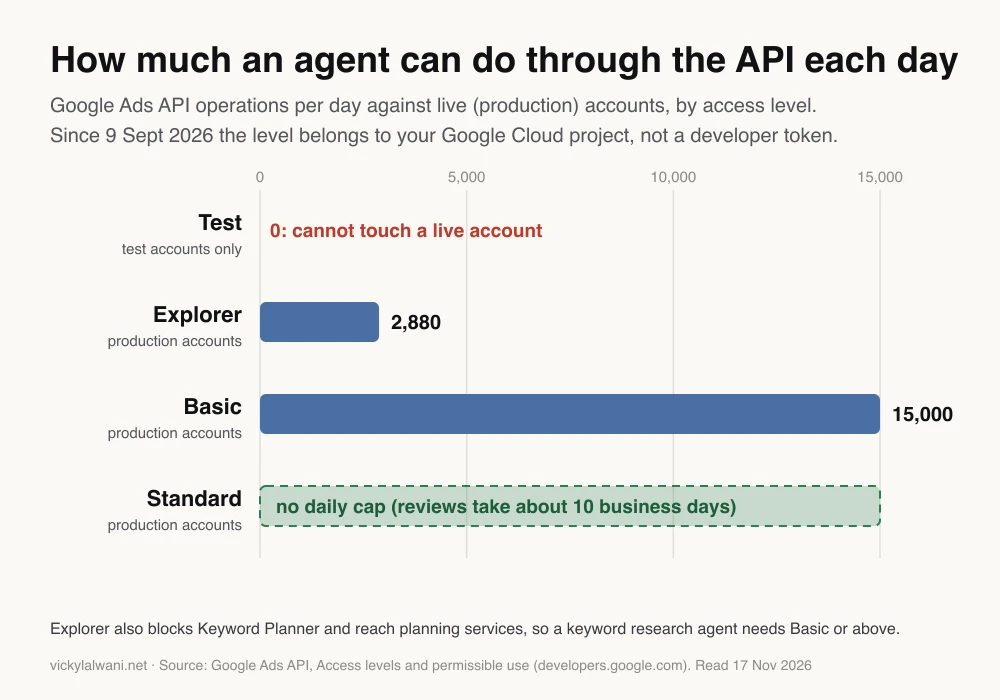
The limit that catches agent builders is not the number. Explorer access blocks the Keyword Planner and reach planning services, so a keyword research agent needs Basic access or a separate data source.
Connect the two or three sources you use every week first: Google Ads, Google Analytics and your CRM. A r/googleads thread on keyword research makes the same point: the data source matters more than which MCP server you pick.
Access is where most of these projects stall. In my work, "I gave you access" often turns out to be view-only, or an invite that never arrived. Check the access level on the Google Ads side before you debug the agent.
What guardrails stop an agent from wasting money?
Short answer: Read-only access first, approval for every live change, hard limits written as rules, a never-touch list, working tracking, separate credentials per client, and a change log. Move up one permission step at a time, and keep budgets and bids human.
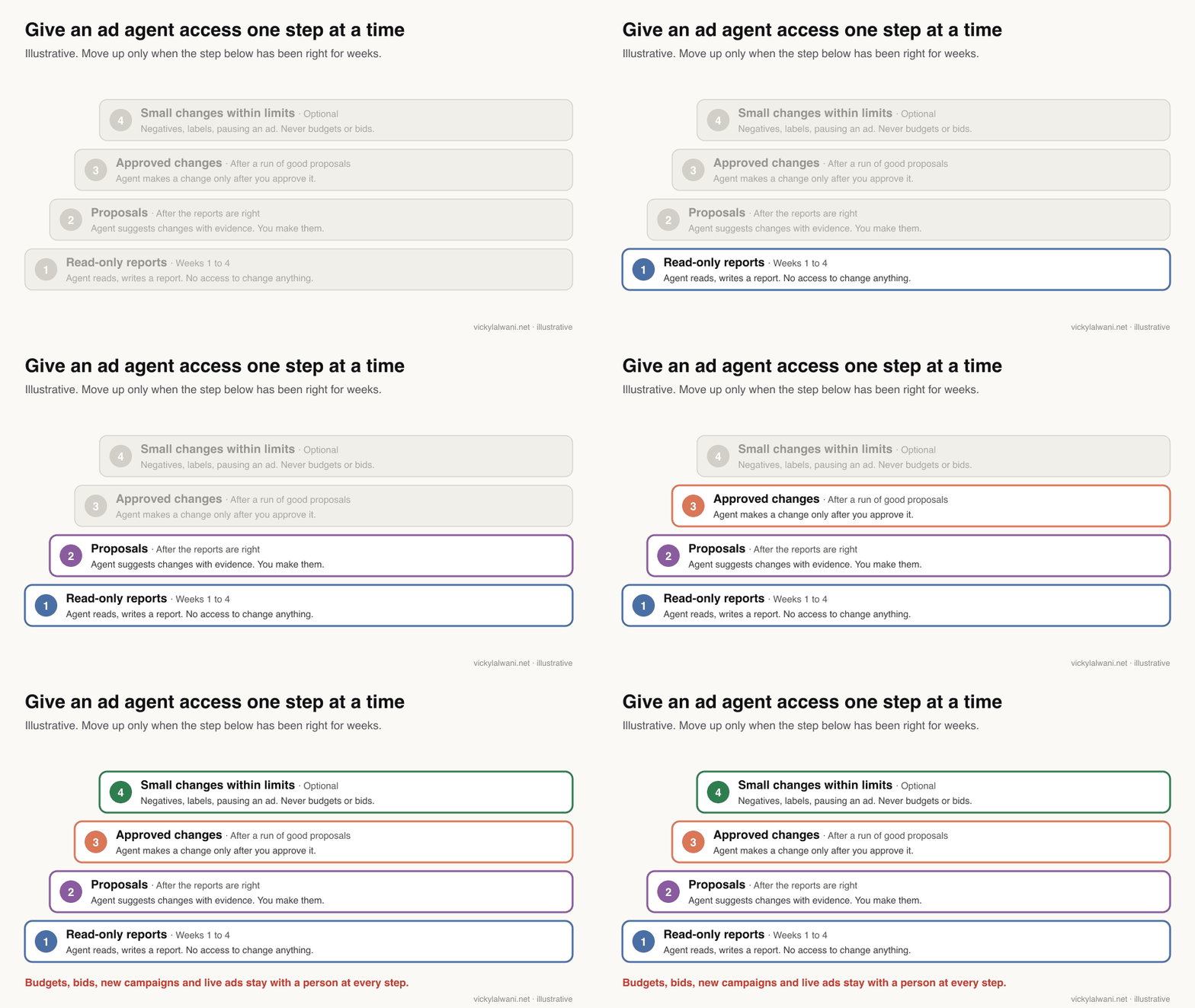
- Read before write. Run every loop in report-only mode for several weeks.
- Approve every live change. Budgets, bids, new ads and pauses wait for a person. On client accounts I audit first, put the findings in a sheet, check them by hand, and change nothing before approval.
- Write hard limits down. Maximum budget move, campaigns never to touch, words never to add as negatives.
- Fix tracking first. An agent optimising on broken conversion data will confidently make things worse.
- One connection per client. Separate credentials and folders, so one account's context never leaks into another.
- Keep a change log. Google's change history keeps two years of changes and shows who made each one; your own log adds what was proposed, rejected and why.
- Check auto-apply. Google can apply some recommendations automatically. If an agent and Google both make changes, nobody can tell what caused what.
Volume is a risk on its own. In an r/PPC thread on Claude Code, one reply mentions accounts and manager accounts getting suspended after people spammed requests and broke the terms of service. Keep schedules modest and stay within your API level.
I also split the work between two roles: a thinking model that plans and reviews, and a separate agent that executes one narrow task. A reviewer that did not write the proposal is more likely to question it.
What should stay human?
Short answer: The offer, positioning, budget split across channels, bid strategy changes, new campaigns and anything a client will read with your name on it. Agents remove the looking; they do not own the decision or the relationship.
| Give to the agent | Keep with a person |
|---|---|
| Daily data pulls | Budgets and bids |
| Search terms triage | Offers and landing pages |
| Pacing and tracking alerts | New campaigns and structure |
| First drafts of reports | What the client is told |
Agents are also confidently wrong about settings. A popular r/PPC thread on Claude and Gemini found analysis useful but setting advice weak until the model was told what is not in the export, such as the bid strategy and target. That is a job for whoever knows the account.
How do you know the agent system is worth it?
Short answer: Track four things for a month: time spent on routine review, the share of proposals you approve, how fast problems such as broken tracking are caught, and false alarms. Compare account results with your own baseline, allowing for season and budget changes.
| Measure | Good sign | Warning sign |
|---|---|---|
| Approval rate | Most approved, some rejected | Almost all rejected |
| Rubber-stamping | You read each proposal | You approve without reading |
| Time to catch issues | Same day | Found by the client |
| False alarms | Few, and falling | Ignored reports |
If you reject most proposals, the skill needs tightening, not the account. If you approve nearly everything without reading, the review has become a formality: sample more carefully. No setup guarantees better performance, but this habit shows quickly whether the system earns its place.
What do people say on X and Reddit?
Short answer: Practitioners say setup is the hard part, data quality matters more than the connector, and nobody serious lets agents change budgets unattended. Official accounts focus on MCP becoming easier to run.
Posts and threads checked on 17 November 2026. Reddit replies are opinions, and several come from people selling connectors.
| Where | Date | What it says | Type |
|---|---|---|---|
| Claude developers account, X | 28 Jul 2026 | MCP spec update: servers now stateless, easier to host | Official |
| Google Analytics, X | 8 Jan 2026 | Open-source MCP server connects GA data to LLMs | Official |
| Claude developers account, X | 14 Oct 2026 | Parallel tasks run as nested sessions that report back | Official |
| An automation builder, X | 11 Aug 2026 | Agents break on apps with no API and changing UIs | Opinion |
| r/PPC | 19 Sept 2026 | Setup is painful, then daily work is easy; strategy context is key | First-hand |
| r/googleads | 25 Apr 2026 | Official MCP was read-only; knowing what to change is the bottleneck | First-hand |
| r/googleads | 29 May 2026 | Keyword agents need a strong data source and API access | Opinion |
| r/googleads | 25 Dec 2025 | No reliable direct link then; structure data first | Opinion |
The r/PPC thread is the most useful read. The poster says getting APIs, guardrails and account context set up was a pain, but daily work became easy after. Replies split between people using it for spend anomaly checks and people who find it poor at account management without strategy context.
In the r/googleads automation thread, an IT-minded newcomer was surprised the official MCP server was read-only. One reply makes the point this article rests on: creating and editing is not the bottleneck; knowing what to change is.
Which videos show agents in Google Ads?
Short answer: Start with Google's own introductions to Ask Advisor and the Google Ads MCP server, then a practitioner's Claude skills walkthrough. All six below were checked on YouTube on 17 November 2026.
Introducing Ask Advisor, Google Ads channel, May 2026. Google's launch film for its in-product agent. Official, so no limitations covered.
Introducing the Google Ads MCP Server, Google Advertising and Measurement Developers, October 2025. Recorded when the server was read-only; it has since gained asset and label tools. Official.
Claude Skills for Google Ads, an AI-for-PPC channel, January 2026. Walks through a negative keyword skill and RSA skills. The channel offers a free skills library as a lead magnet.
| Video | Channel | Date | What it covers |
|---|---|---|---|
| Introducing Ask Advisor | Google Ads | May 2026 | Ask Advisor launch |
| Streamline your workflow with Ask Advisor | Google Ads | Jul 2026 | Ask Advisor tasks |
| Introducing the Google Ads MCP Server | Google developers | Oct 2025 | Official MCP server |
| Claude Skills for Google Ads | AI-for-PPC channel | Jan 2026 | Skills walkthrough |
| How I Use Claude Code to Automate Google Ads | AI-for-PPC channel | Jan 2026 | Claude Code audits |
| Google Ads Advisor: Awesome or Awful? | Google Ads coach | Nov 2025 | Critical early test |
Where this advice is weak
Short answer: These tools change monthly. Ask Advisor is in beta, the MCP server is at version 0.0.6, and Claude Code scheduled tasks are a research preview, so re-check the linked pages before you build.
- The loops and skills here are examples of a working pattern, not a tested product. Your thresholds and accounts will differ.
- Ask Advisor's capabilities differ by account eligibility and language; Google's posts describe English-language accounts.
- Third-party connectors that can change budgets and bids exist, but I have not reviewed them here and they carry their own risks.
- Agencies with hundreds of accounts need API Standard access and engineering, which this guide only touches on.
Want help setting up an agent system for your ads?
Short answer: Start with one skill and one loop for your weakest weekly task, run it read-only for a month, and then decide what to automate next.
I set up these systems and the review process around them through my Google Ads management service, with tracking fixed first through analytics and tracking setup. For the Claude side, see Claude consulting. Rates are on the pricing page.
Keep reading: create a Google Ads campaign with AI, PPC audit with Claude and the weekly PPC audit checklist.
Sources
| Source | What it supports | Date | Link |
|---|---|---|---|
| Google Ads Help | Ask Advisor: approval, settings, not MCC | Read 17 Nov 2026 | Ask Advisor |
| Google blog | Ads Advisor asks before acting | 21 Apr 2026 | Ads Advisor update |
| Google blog | Ask Advisor beta, English accounts | 10 Aug 2026 | New AI tools |
| GitHub | MCP v0.0.6: assets and labels | 2 Nov 2026 | google-ads-mcp releases |
| Google Ads API docs | MCP: read and partial mutate | Read 17 Nov 2026 | MCP server guide |
| Google Ads API docs | Access levels, limits, token sunset | Read 17 Nov 2026 | Access levels |
| Google Ads developer blog | Access set by Cloud project | 10 Sept 2026 | New onboarding |
| Anthropic docs | Skills structure and security | Read 17 Nov 2026 | Agent Skills |
| Claude Code docs | Cloud, desktop and /loop tasks | Read 17 Nov 2026 | Scheduled tasks |
| Google Ads Help | Change history, two years | Read 17 Nov 2026 | Change history |
| Google Ads Help | Automated rules, auto-apply | Read 17 Nov 2026 | Automated rules |
| X and Reddit | Practitioner views | Dec 2025 to Oct 2026 | Linked in the table above |
This article expands on my post on LinkedIn ↗.
FAQ
Can AI agents run a Google Ads account on their own?
They can monitor, analyse and draft changes every day, but they should not run an account unattended. Keep a person approving changes to budgets, bids and live ads, and owning strategy, offers and what the client is told.
What is Google Ads Ask Advisor?
Ask Advisor is Google's in-product AI agent for Google Ads, built on Gemini and in beta. It answers questions, troubleshoots and can update individual campaign settings such as pausing or changing a budget, but only with your approval, and it is not available in MCC accounts.
Can the Google Ads MCP server change campaigns?
No. Google's official Google Ads MCP server reads account data and, since version 0.0.6 on 2 November 2026, can create assets and manage labels through a propose and confirm step. It cannot change budgets, bids, keywords, ads or campaigns.
Do I still need a Google Ads developer token for the API?
No. Google sunset developer tokens on 9 September 2026, and API access levels now belong to the Google Cloud project that issues your OAuth credentials. New projects start at Test level, which cannot touch live accounts.
How many Google Ads API operations can an agent make per day?
It depends on the access level of your Google Cloud project. Explorer allows 2,880 operations a day on live accounts, Basic allows 15,000, and Standard has no daily cap; Test cannot reach live accounts at all.
What are the layers of an AI agent system for PPC?
Skills that each do one specialist job, loops that run those skills on a schedule, and connectors that give them account data. A fourth layer of guardrails, approvals and a change log keeps the system safe.
How do I schedule a Claude agent to check Google Ads every day?
Use a Claude Code cloud scheduled task, which runs on Anthropic's infrastructure with your laptop closed, at most once an hour. Give it read-only connectors, because cloud tasks use auto mode for permissions by default.
Will AI agents replace PPC managers?
They replace much of the routine looking, such as pulling data and reviewing search terms, not the judgement. Managers who build and supervise these systems spend more of their time on strategy, offers and clients.