A weekly PPC audit checklist should start with a quick check that conversion tracking works and nothing changed without you, then cover seven checks: wasted search terms, creative fatigue, Performance Max spend by channel, audience overlap, budget pacing, competitor ads and a Monday report. Each check answers one question of live account data. Sort every finding into stop, fix or test, and let a person approve anything that changes spend.
TL;DR
- The seven weekly checks: wasted search terms, creative fatigue, Performance Max breakdown, audience overlap, budget pacing, a competitor teardown and a Monday report.
- Do a check zero first. Confirm conversion tracking works and read the last seven days of change history. A broken tag makes every later check wrong.
- 2025 and 2026 made the checklist easier. Performance Max now has search terms, channel reporting and campaign-level negatives, and Meta labels ads Creative limited or Creative fatigue using cost per result.
- Sort every finding into stop, fix or test, and let a person approve anything that changes spend.
A guide from an ad platform can tell you what is possible. It cannot tell you where the money is hiding in your account this week. That part is on you.
This is the weekly PPC audit checklist I run on live accounts: seven checks, each answering one question, plus a short data check before them. It covers Google Ads and Meta ads, because most accounts I see run both. If you would rather hand it over, the routine is part of my Google Ads management, and the Meta checks sit in my Meta ads service.
The edge is not the tool. Everyone has the same AI. The edge is asking a precise question of your own data, every week, in the same order.
A note on evidence. Platform rules come from Google Ads Help and the Meta Business Help Centre, read on 17 November 2026 and linked where used. Benchmarks come from WordStream by LocaliQ. Anything written as "I" is a working habit from my own client work. I do not share client names or figures, so every example is illustrative.
Jump to: The checklist · Check zero · Search terms · Performance Max · Pacing · With AI · X and Reddit · FAQs
What should a weekly PPC audit checklist include?
Short answer: Seven checks, each with one question: wasted search terms, creative fatigue, Performance Max breakdown, audience overlap, budget pacing, a competitor teardown and the Monday report. Before them, a five-minute check that tracking works and nothing changed without you.
| Check | The question | Where to look | Platform |
|---|---|---|---|
| 0. Data | Is tracking true? | Conversions, change history | Both |
| 1. Search terms | What spent, earned nothing? | Search terms report | |
| 2. Creative fatigue | Which ads wear out? | Delivery status, CTR | Meta, Google |
| 3. Performance Max | Where did spend go? | Channel, search terms | |
| 4. Audience overlap | Do ad sets block each other? | Audiences, overlap tool | Meta |
| 5. Budget pacing | Will anything run dry? | Spend vs monthly cap | Both |
| 6. Competitors | What are rivals testing? | Ad libraries | Both |
| 7. Monday report | What are this week's 3 priorities? | All of the above | Both |
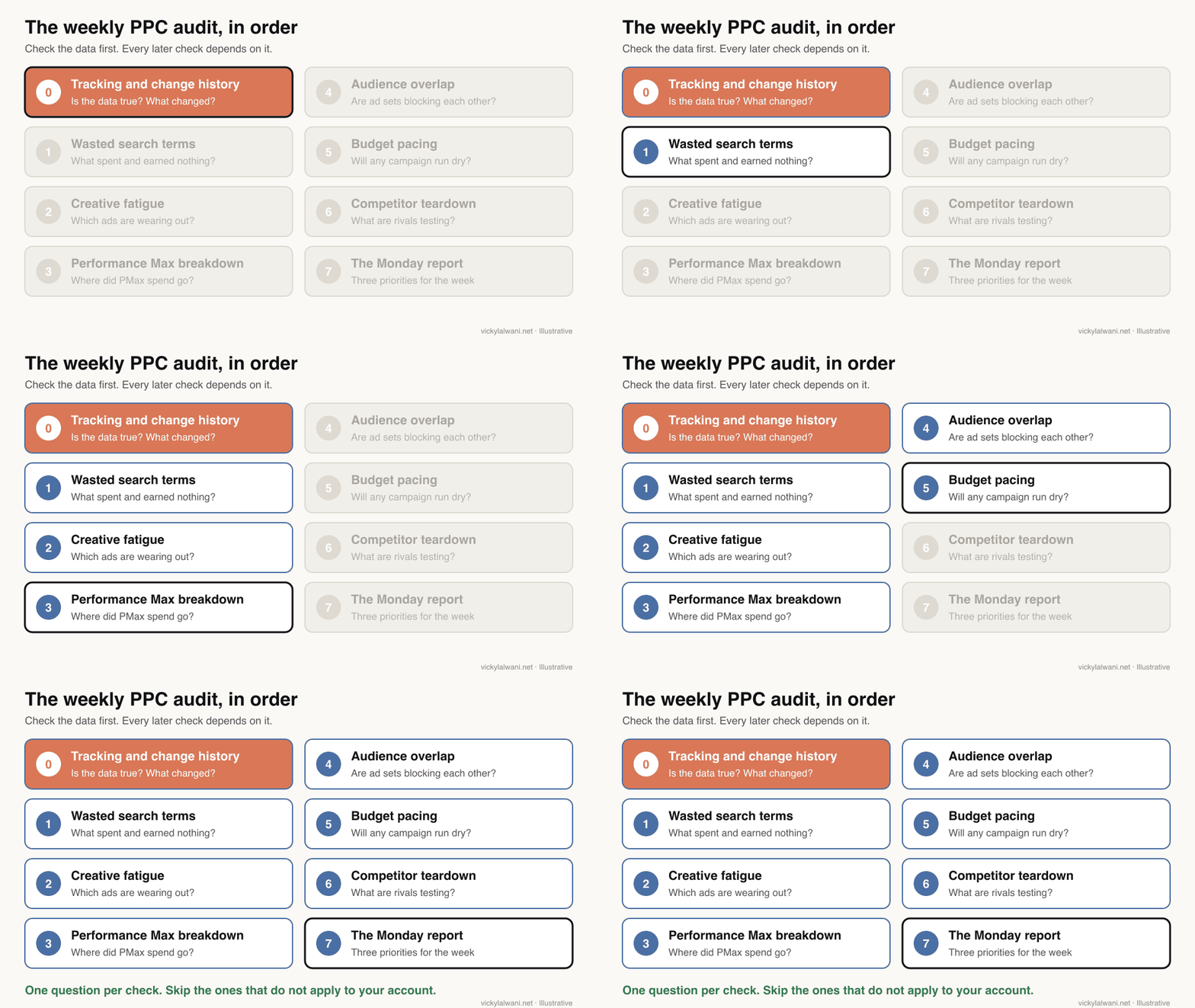
Not every check fits every account. A lead generation account running only Search can skip audience overlap. An ecommerce account with Performance Max and Meta should give fatigue and the channel breakdown more time. Pick the three that matter most, run those weekly, and rotate the rest monthly.
Check zero: is the data true?
Short answer: Before any other check, confirm every conversion action is recording, compare tracked leads or sales with what the business actually received, and read the last seven days of change history. If tracking is wrong, the other seven checks point at the wrong problems.
A conversion is the action you count as a result, such as a form, a call or a purchase. When it is broken or counted twice, the platform optimises towards noise.
- Conversion status. An action marked "Unverified" in Google Ads means its tag has not fired. Google suggests Tag Assistant to troubleshoot unverified or inactive actions.
- Reconcile with the business. Ask how many real enquiries or orders came in last week and compare. I check tracked conversions against the CRM, because the gap between the two is where most reporting arguments start.
- Change history. Google Ads change history shows who changed what. Filter to seven days and question anything you did not do.
- Auto-apply. Auto-apply recommendations applies the types you opted into without asking each time. Confirm the setting is what you chose.
That last point is not theory. Practitioners on Reddit describe auto-apply settings that seemed to switch back on and broaden match types. Five minutes in change history every Monday catches it.
For the full tracking routine, see my conversion tracking audit checklist. If the tracking itself needs rebuilding, that is my analytics and tracking service.
1. Which search terms spent money and earned nothing?
Short answer: Sort the search terms report by cost, filter to zero conversions, and flag any term that has spent about one typical cost per lead without converting. The output is a short cut list of negative keywords, checked by a person before it goes live.
A search term is what someone actually typed. A keyword is what you bid on. The search terms report sits under Campaigns, then Insights and reports. Google leaves out terms with too little search activity for privacy, so the report never shows everything.
A negative keyword stops your ad showing for a term. The risk is blocking good traffic, so review each one and choose the narrowest match type that does the job.
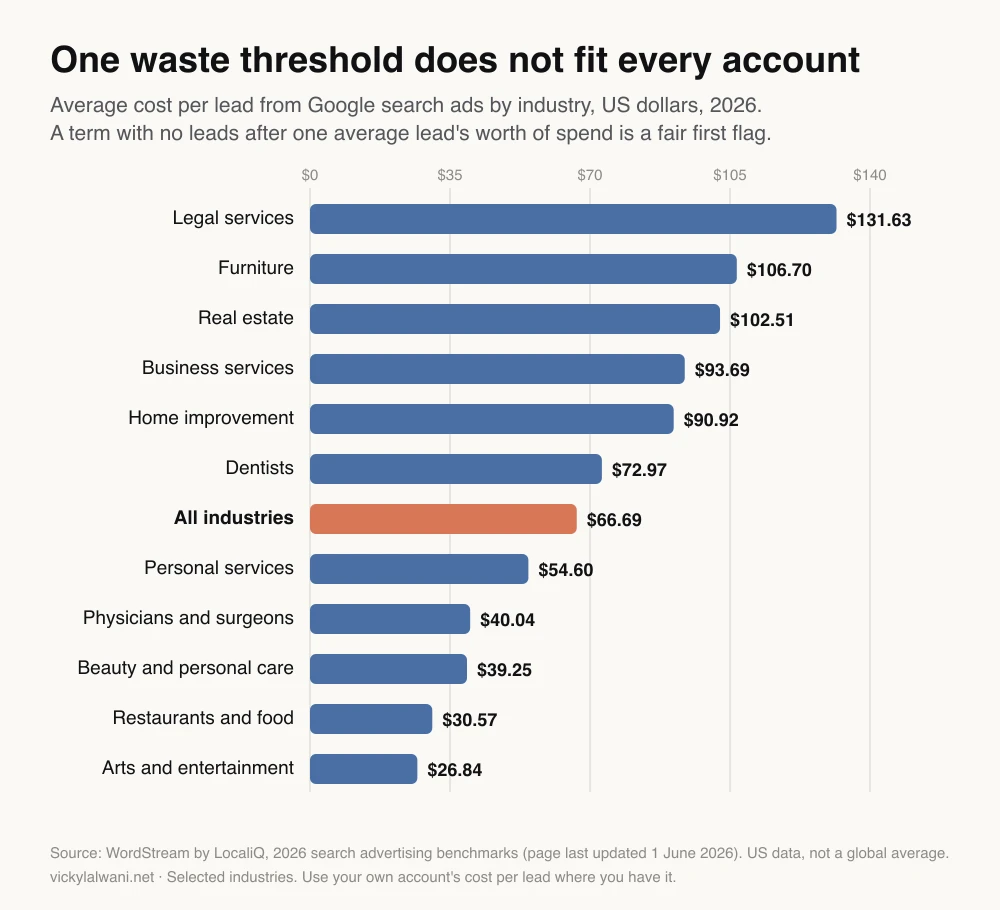
The threshold is where most checklists go wrong. A fixed sum suits nobody. In WordStream by LocaliQ's 2026 benchmarks, the average cost per lead from search ads was $66.69 across industries, but $131.63 for legal services and $30.57 for restaurants. Those are US figures. Use your own account's cost per lead where you have one.
| Term type | Example | Usual action |
|---|---|---|
| Job seekers | "jobs", "salary" | Negative, phrase |
| Free or DIY | "free", "how to" | Negative, check first |
| Wrong service | A service you do not sell | Negative, exact |
| Converting term | Not yet a keyword | Add as exact match |
| Brand terms | Your own name | Keep, watch the cost |
The fourth row matters as much as the cuts. When a search term converts and is not yet a keyword, add it as exact match so you control its bid and ad.
Here is my Google Ads search terms report for the last 14 days (campaign, ad group, search term, match type, clicks, cost, conversions). My average cost per lead is [amount].

1. List every search term with cost above my average cost per lead and zero conversions.
2. Group them by theme (jobs, free, competitor, wrong service, wrong area, other).
3. For each theme, suggest one negative keyword and a match type, and name any good queries it could also block.
4. Separately, list search terms with 2 or more conversions that are not already keywords.
5. Output two tables, highest cost first. Do not apply anything. Do not invent numbers.
2. Which ads are wearing out?
Short answer: On Meta, look for the Creative limited and Creative fatigue labels in the Delivery column. On Google, compare each ad's click-through and conversion rate with the previous period. Replace a tired ad with something materially different, and have the replacement ready before results fall.
Creative fatigue is when the same people have seen an ad so often that they stop responding. Meta's help page sets clear rules for its labels: Creative limited when cost per result is above your past ads but under twice as much, and Creative fatigue at twice or more. Cost per result is what you pay for each outcome you chose, such as a lead or a purchase.
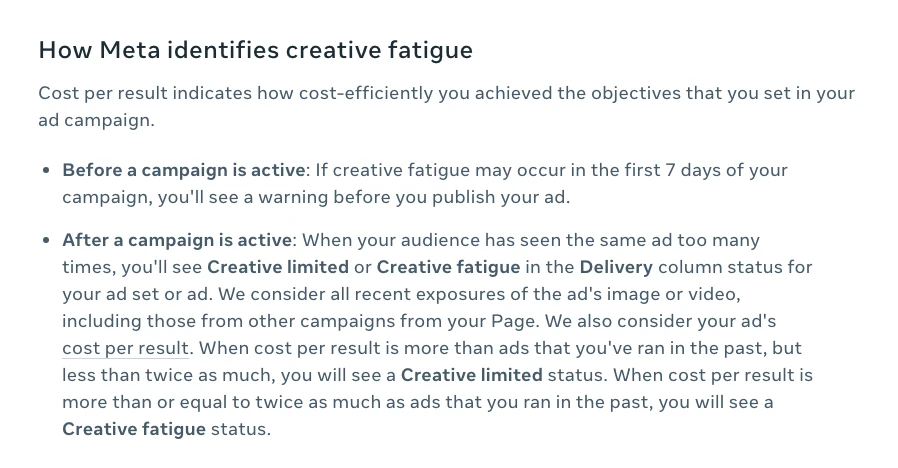
Two limits are worth knowing. The labels apply only to ad sets with one creative, and not to dynamic creative or Advantage+ catalogue ads. And Meta suggests keeping the original ad running while a new one starts, rather than pausing it.
| Signal | Platform | What to do |
|---|---|---|
| Creative limited | Meta | Start a new concept |
| Creative fatigue | Meta | New concept now |
| Frequency rising, CTR falling | Meta | Watch, prepare a swap |
| CTR down vs last period | Test a new angle | |
| Thin spend per ad | Both | Judge at ad set level |
CTR is click-through rate, the share of people who click after seeing an ad. Frequency is how many times, on average, each person has seen it.
3. Where is Performance Max spending?
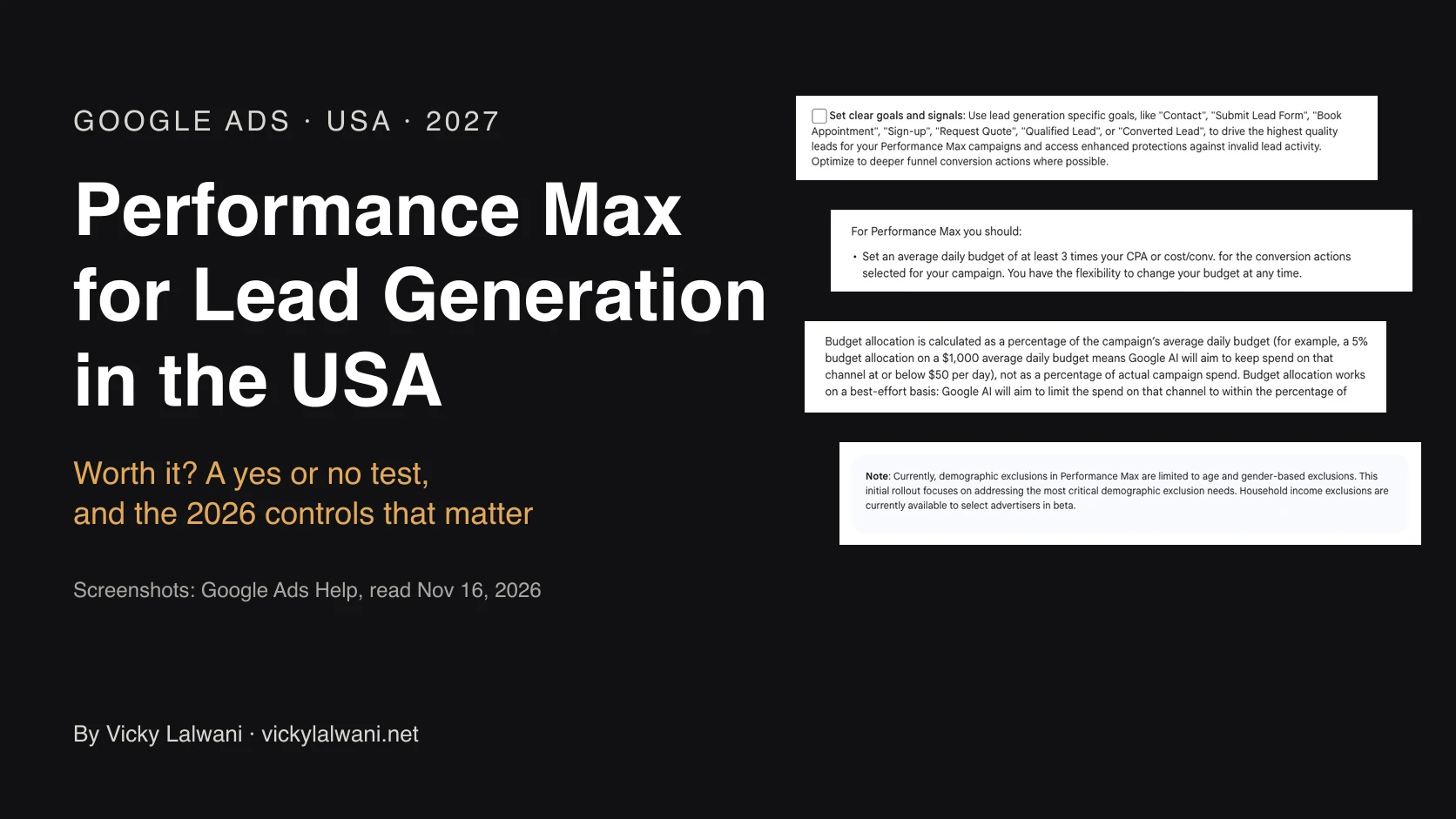
Short answer: Open three reports: channel performance, the Performance Max view of search terms, and asset group results. You are looking for spend that has drifted to channels or queries that do not convert, and for search terms that need a campaign-level negative.
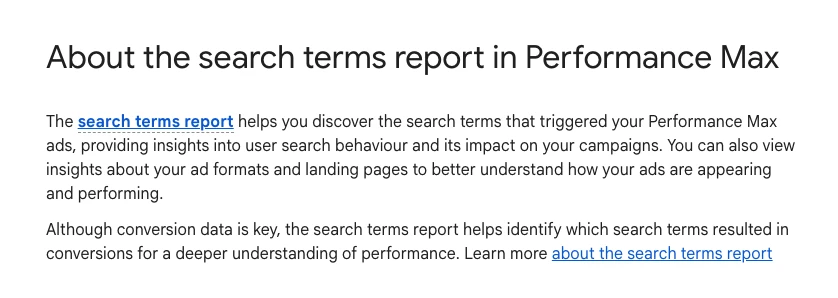
Performance Max (PMax) is Google's campaign type that runs across Search, Shopping, YouTube, Display, Gmail, Discover and Maps from one budget. For years it told you little. Since 2025, Google has added search terms reporting, full asset stats, a channel performance report and campaign-level negative keywords for all PMax campaigns.
| Report | Question it answers | Action if wrong |
|---|---|---|
| Channel performance | Which channel took the spend? | Fix signals, split Search |
| Search terms (PMax view) | Which queries did it buy? | Campaign negatives |
| Asset group | Which theme earns results? | Rebuild weak groups |
| Assets | Which images and lines work? | Replace weak assets |
Google raised the limit on PMax campaign-level negative keywords from 100 to 10,000 in March 2025. Use them for clear junk, not to force PMax into a Search campaign.
If you want certain queries handled by Search, there is a cleaner route. Search campaigns with an exact match keyword are prioritised over Performance Max for that query. Move your proven queries into exact match Search, and keep that campaign from running out of budget.
Here is my Performance Max channel performance export for the last 30 days (channel, cost, conversions, conversion value).

1. Work out the campaign's average cost per conversion.
2. List every channel with at least 5% of total cost, its cost per conversion, and how it compares with the average.
3. Flag channels that cost more than twice the average per conversion.
4. Say what data would be needed before acting, such as conversion lag or view-through conversions.
Do not recommend changes to bidding. Do not invent numbers.
4. Are your ad sets competing for the same people?
Short answer: On Meta, select up to five audiences and use Show audience overlap. Heavy overlap does not raise your bids against yourself: Meta enters only the ad set with the best performance history into the auction, so the others under-deliver.
This check needs one correction from the usual advice. Meta says that when ad sets from the same advertiser would enter the same auction, it enters the one with the best performance history and stops the others competing. The cost is quieter: ad sets that barely spend, not a bidding war.
| Setting | Meta rule | What it means |
|---|---|---|
| Audiences compared | Up to 5 at once | Check main ad sets together |
| Minimum size | 10,000 accounts | Small audiences show nothing |
| Overlap % | Depends on which is selected | Read it from the smaller one |
| Same auction | Best history enters | Others under-deliver |
The fix is usually fewer, broader ad sets, or exclusions between prospecting and retargeting. On Google, the nearest equivalent is Search and Performance Max chasing the same queries, which check three covers.
5. Will any campaign run out of budget?
Short answer: Compare month-to-date spend with the monthly cap, which on Google is 30.4 times the average daily budget. Flag campaigns heading past their plan, campaigns underspending, and target-based campaigns that are also limited by budget.
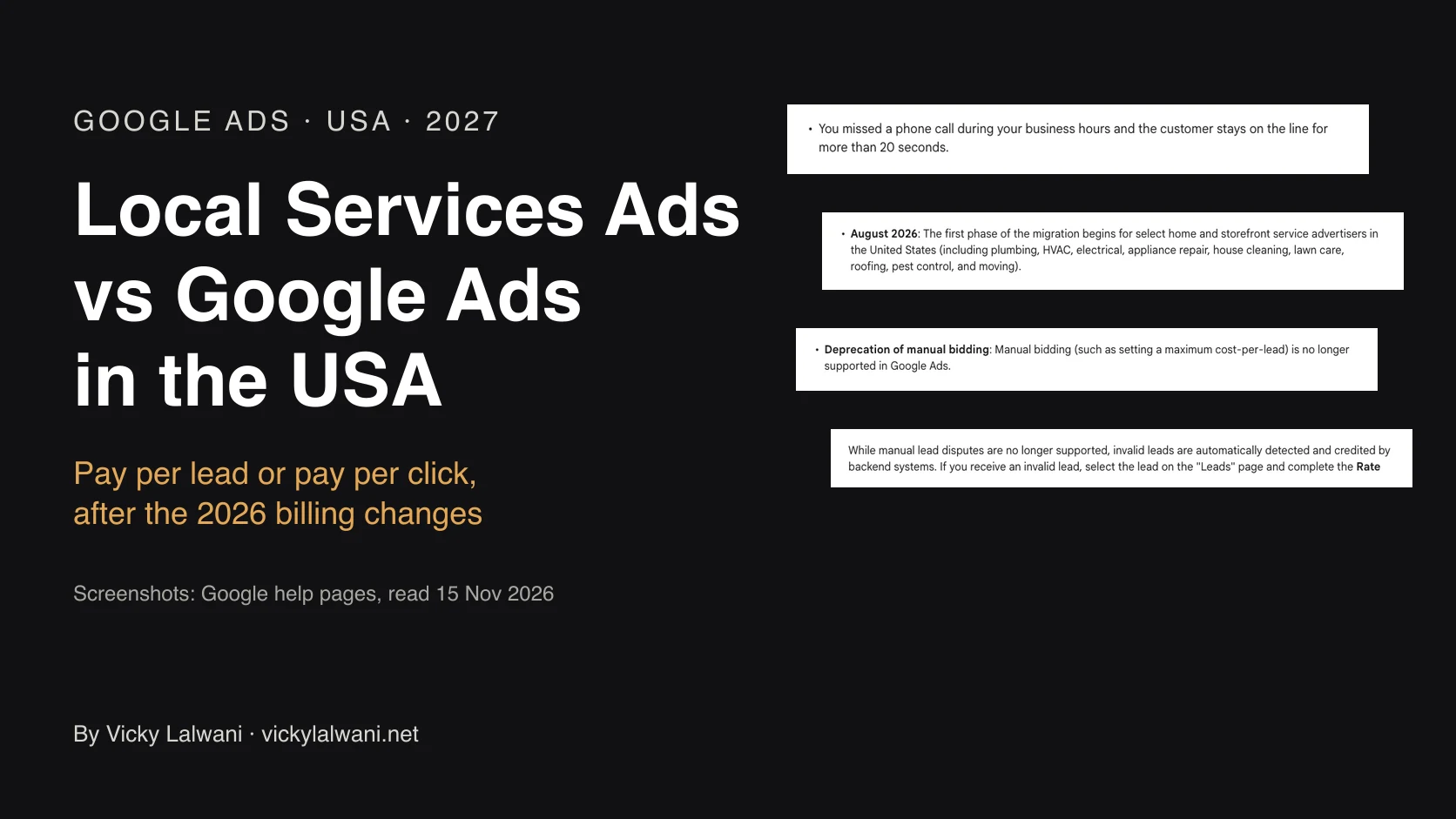
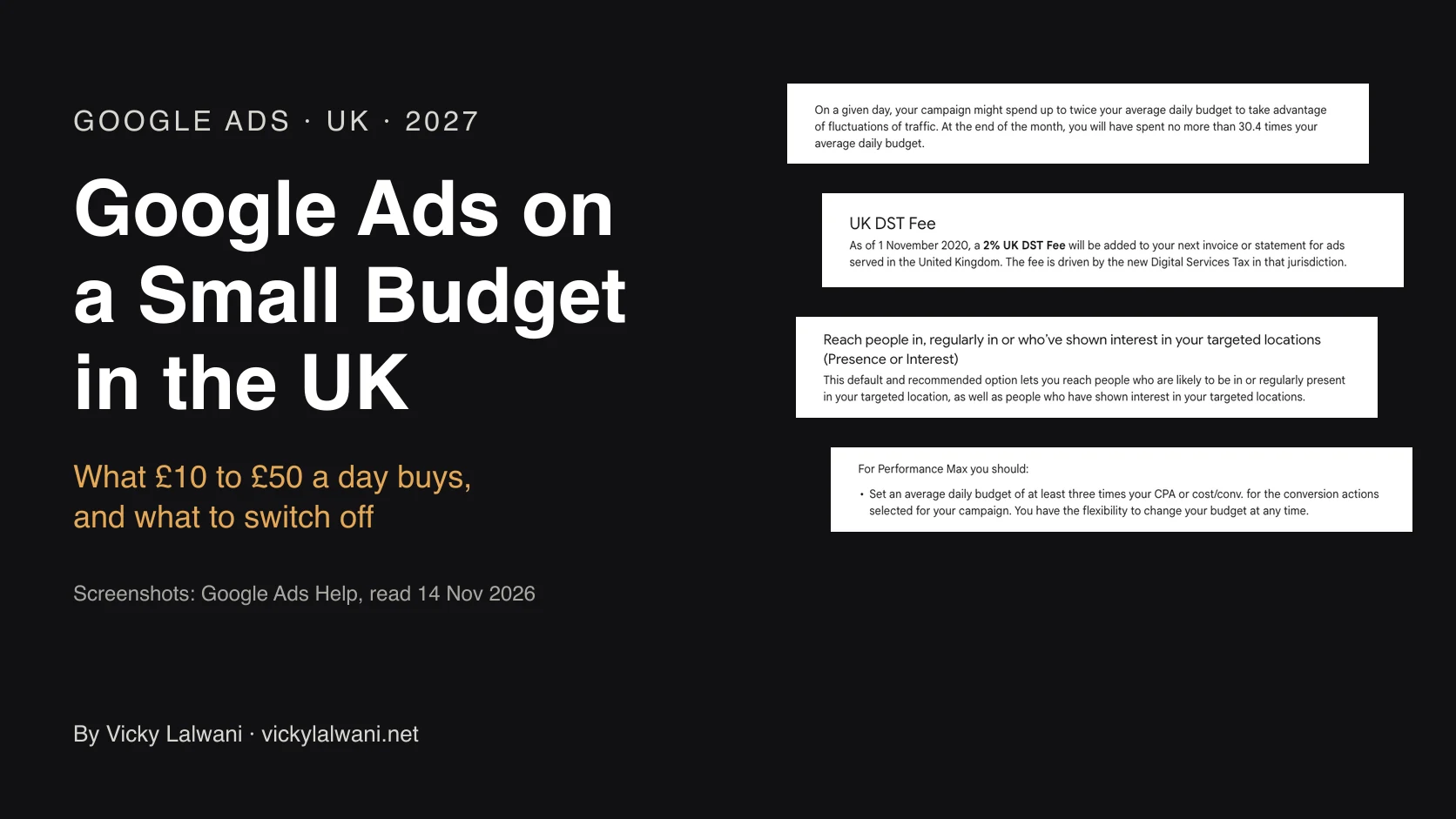
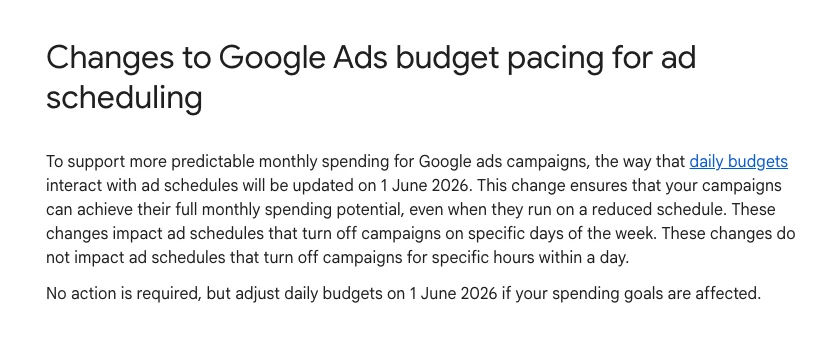
Google Ads can spend up to twice the average daily budget on a single day, but caps the month at 30.4 times it. Since 1 June 2026, that monthly figure also applies when an ad schedule switches campaigns off on certain days of the week, so weekday-only campaigns can spend more than they used to.
| Pacing status | Example signal | Action |
|---|---|---|
| Over pace | Past half the cap by day 12 | Lower daily budget |
| Under pace | Spending well below plan | Check bids, targets |
| Limited by budget | Target campaign capped | Raise budget or target |
| Schedule trap | Weekday-only campaign | Divide monthly by 30.4 |
Example: a planned monthly spend of 3,000 in any currency means a daily budget of about 98.7, which is 3,000 divided by 30.4. Divide by 22 working days instead and the account can now bill well over 3,000.
Meta has its own pacing rules for daily and lifetime budgets, so check Meta spend against plan the same way.
6. What are your competitors testing?
Short answer: Open the Meta Ad Library and the Google Ads Transparency Center, list a rival's active ads, and group them by hook and format. Pair it with Google's auction insights to see who you compete with. Ideas go into the test box, not straight into the account.
| Tool | Shows | Free | Login |
|---|---|---|---|
| Meta Ad Library | Active Meta ads | Yes | No |
| Ads Transparency Center | Google ads by advertiser | Yes | No |
| Auction insights | Who shares your auctions | Yes | Your account |
A long-running ad in a library is a hint, not proof, that it works. Look for patterns across several ads: the offer, the first line, the format, the landing page. Then test one idea at a time.
Use public libraries only. Do not paste customer data into prompts when you ask an AI to group the ads.
7. What goes in the Monday report?
Short answer: Spend, results and cost per result against last week and the monthly plan, the three biggest movers, and three priorities for the week. Write it before you open the dashboard, and add one plain line on where things stand.
Clients and managers ask for a summary, not a list. Every report I send ends with a short human note: where we are, what we are doing, what is next. The numbers support the note, not the other way round.
Write my Monday PPC report from these exports: [campaign performance this week and last week, month-to-date spend, monthly plan].

Format
- Three lines at the top: where we are, what we are doing this week, what is next.
- A table: spend, conversions, cost per conversion, conversion value, each with the change from last week.
- The three biggest movers, with one likely reason each, marked "check" if the reason is a guess.
- Three priorities for this week, each linked to a finding from the audit.
Plain English. No jargon without a short explanation.
How do you turn findings into actions?
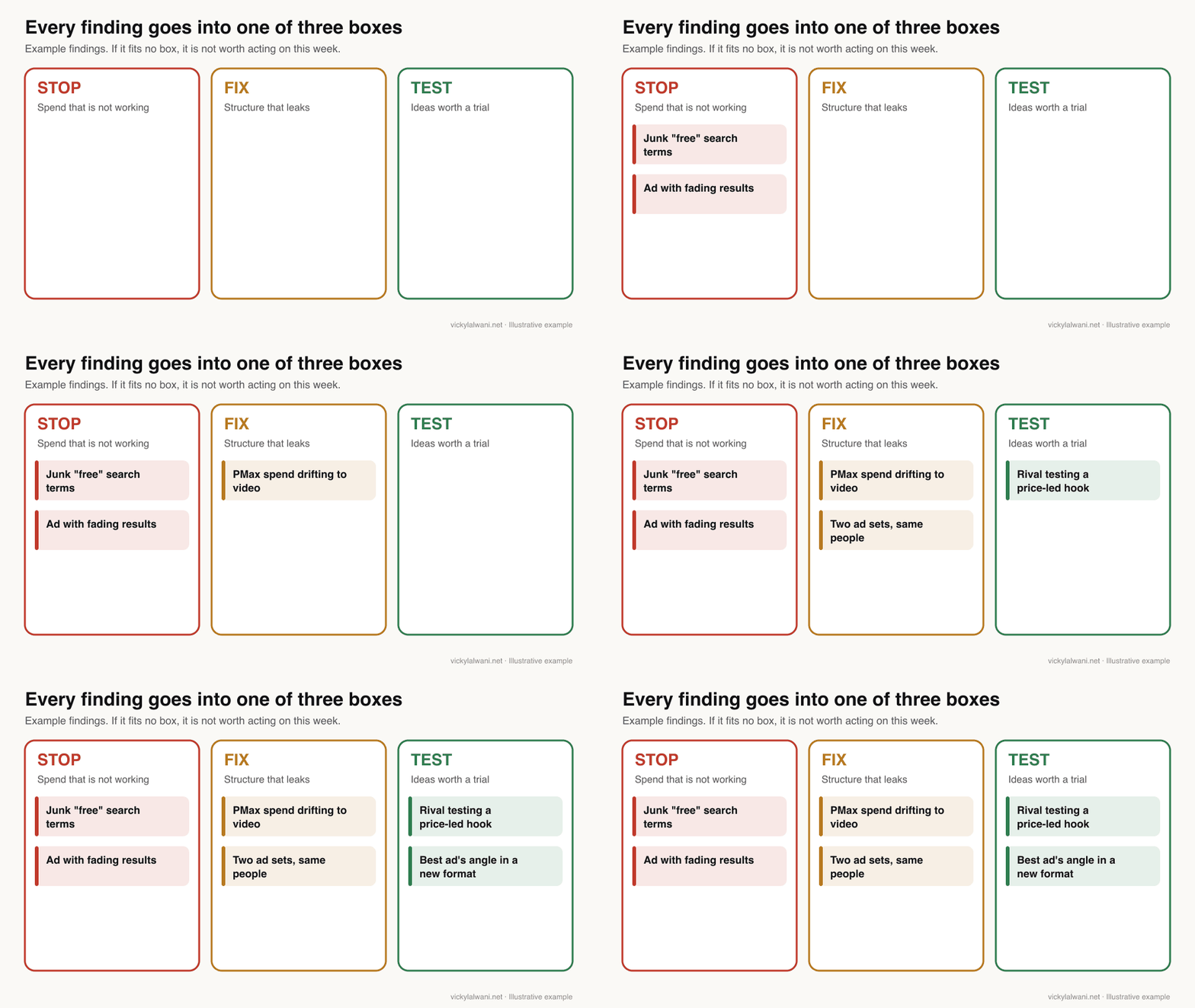
Short answer: Sort every finding into stop, fix or test. Stop is spend that is not working, fix is structure that leaks, and test is an idea worth a trial. Log what you found and what you changed, and review the log monthly.
| Box | Examples | Who decides |
|---|---|---|
| Stop | Junk queries, tired ads | You, after a quick check |
| Fix | Overlap, PMax drift, pacing | You, with the client if spend moves |
| Test | Rival hooks, new formats | You, one test at a time |
After a few weeks the log shows which checks find the most money. Those stay weekly. The rest can move to monthly.
How do you run the checklist with AI?
Short answer: Export the data for one check, give a model such as Claude a precise prompt with the question, threshold and output format, ask for the evidence behind every finding, and review the result before changing anything.
"Audit my account" produces a vague essay. "List every search term above my cost per lead with no conversions, grouped by theme, with a suggested negative and its risk" produces something you can act on today.
Give the model what the export leaves out: your margins, what you do not sell, your bid strategy and target, and any recent changes. Without that context it fills the gaps with guesses, and the guesses sound confident.
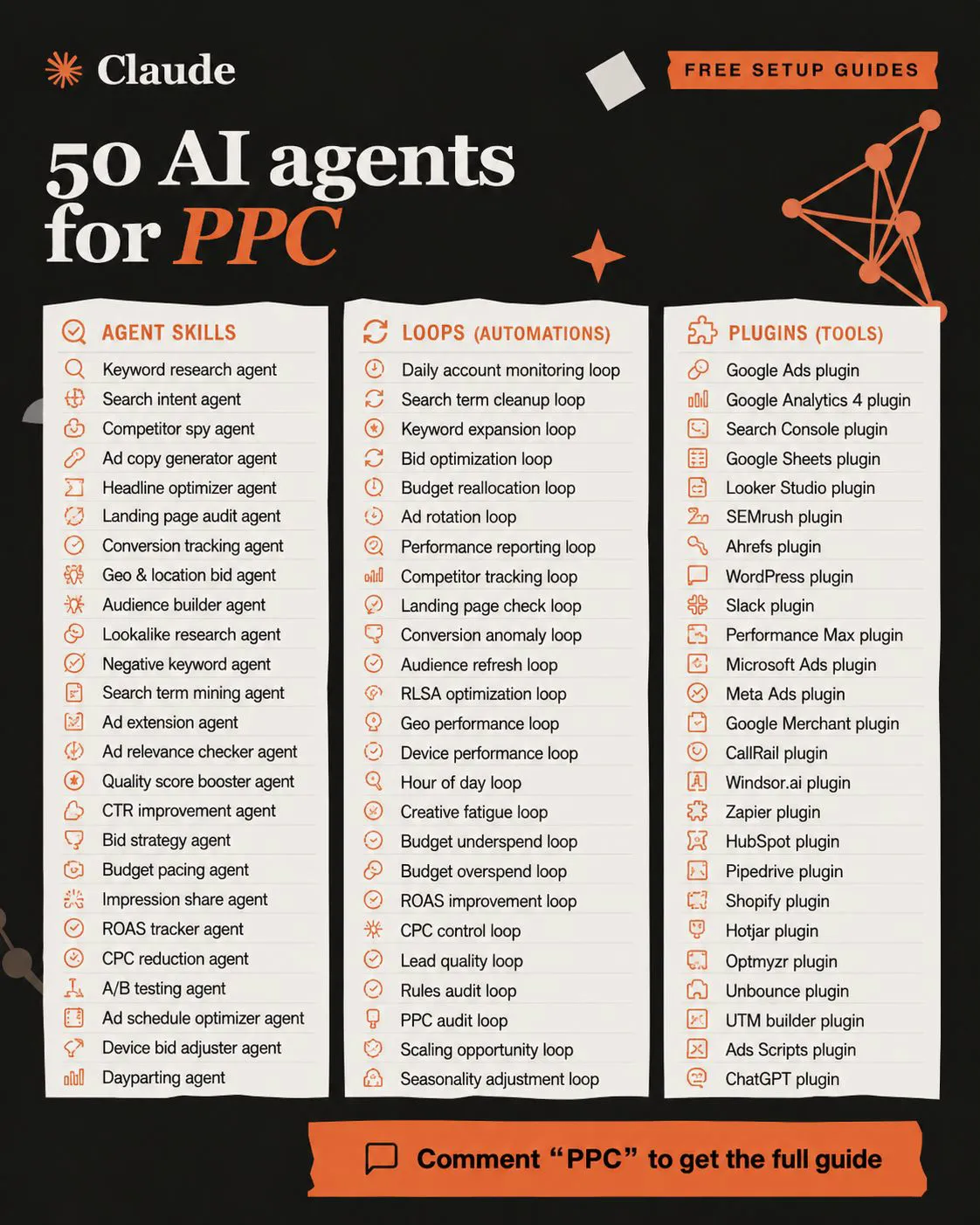
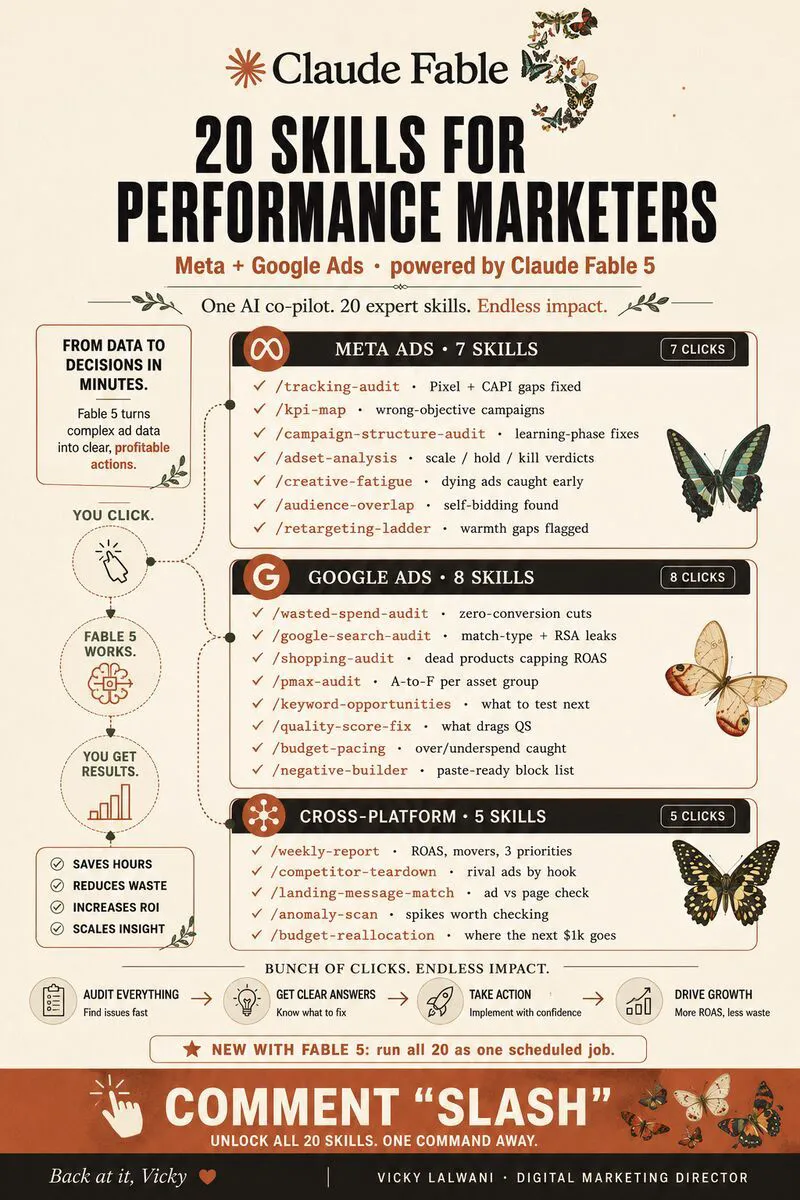
On client accounts I follow the same order every time: audit first, put the findings in a sheet, check them by hand, and change nothing before approval. If you want agents to run these checks overnight, my guide to human in the loop AI for Google Ads covers the approval step, and PPC audit with Claude covers the prompts in more depth.
Which check would I never hand to AI alone? The one that ends in a spending decision. The model finds and ranks. A person decides.
Videos worth watching
A six-minute tutorial on the PMax channel performance report from the official Google Ads channel, August 2025. It sells nothing. The report was in beta at the time.
A short Meta explainer on refreshing ads before they wear out, from Meta for Business, February 2026. It promotes Meta's own creative tools.
| Video | Channel | Date | What it covers |
|---|---|---|---|
| Channel performance in PMax | Google Ads | Aug 2025 | Official tutorial |
| Solving creative fatigue | Meta for Business | Feb 2026 | Refreshing ads |
| Finding negatives in 2026 | Grow My Ads (agency) | Apr 2026 | Search terms routine |
| Budget pacing update | Grow My Ads (agency) | Mar 2026 | June 2026 change |
| PMax channel report | Paid Media Pros (agency) | Aug 2025 | Reading the report |
| Automated audit checklist | Tool vendor | Jan 2026 | Automating checks |
What people say on X and Reddit
Posts and threads from 2025 and 2026, each opened and checked on 17 November 2026. Many replies come from people selling services, so treat single comments as opinion.
| Where | Date | What it says |
|---|---|---|
| Google Ads liaison, X | 23 Jan 2025 | PMax negatives roll out |
| Google Ads liaison, X | 11 Mar 2025 | Limit of 100 raised |
| Google Ads liaison, X | 30 Apr 2025 | PMax channel, terms, assets |
| A PPC practitioner, X | 14 Jan 2025 | Ignore spend-raising tips |
| A Meta ads creator, X | 29 Oct 2025 | Meta adds fatigue metrics |
| r/PPC | Nov 2026 | Weekly routines compared |
| r/googleads | Oct 2026 | Auto-apply came back on |
| r/googleads | Oct 2026 | PMax spend to YouTube |
| r/PPC | May 2025 | How often to check terms |
| r/FacebookAds | Oct 2026 | Pausing a fatigued ad |
On X: Google opened up Performance Max in 2025.
- Google's ads liaison account announced campaign-level negatives for PMax in January 2025 with a limit of 100. Two months later it said the cap felt too restrictive and raised it. In April 2025 it announced channel, search terms and asset reporting. Together these made check three possible.
- A PPC practitioner listed Google's suggestions to switch to broad match, launch PMax and enable search partners, and argued each one mainly raises spend. That is why check zero includes auto-apply.
- On Meta, a Meta ads creator flagged new fatigue and similarity metrics in October 2025. Meta's help page is the better source for how the labels work.
On Reddit: routines converge on the same order.
- Monday starts with change history. In an r/PPC thread on weekly routines, the top reply starts with change history, auto-apply and campaigns limited by budget. Another said to check conversion tracking before anything else, because a broken tag wastes more than any negative keyword saves.
- Auto-apply is a weekly risk. One advertiser found auto-apply back on and bids, audiences and match types changed. Their fix is a seven-day change history filter every Monday.
- PMax channel drift. A thread on PMax spend moving to YouTube used the channel report over 30 days. Replies said there is no clean way to force spend back, and exact match Search is the practical lever.
- Frequency of search term checks. Most replies said weekly, more often on large accounts, with alerts for high clicks and no conversions in between.
- Fatigue on thin spend. A Meta advertiser paused a fatigued ad after a week. Replies said to judge at ad set level when each ad has little spend, and to have the replacement ready when CTR drops.
Where this advice is weak
- Benchmarks are US-only. The cost per lead chart uses US search data. Your market and your account will differ.
- The waste threshold is a rule of thumb. One typical cost per lead with no conversion is a flag to look at, not proof a term is bad. Long sales cycles need longer windows.
- Meta's labels have limits. They do not apply to dynamic creative or catalogue ads, and Meta does not publish fatigue rules for every format.
- Reports keep changing. The PMax channel report launched as a beta in 2025 and pacing rules changed in June 2026. Recheck the sources twice a year.
- My routine is not a proven formula. It is how I work. I have not published outcomes, because client numbers stay private.
Want a second pair of eyes on your account?
I run this checklist every week as part of my Google Ads management, with the Meta checks covered by my Meta ads service. Rates are on the pricing page, or send me your account details through the contact page.
Keep reading: ten ways to find wasted Google Ads spend and Target CPA vs Maximize Conversions.
Sources
| Source | What it supports | Date | Link |
|---|---|---|---|
| Google Ads Help | Search terms report, privacy omissions | Read 17 Nov 2026 | Search terms |
| Google Ads Help | PMax search terms, controls, priority | 7 Aug 2025; read 17 Nov 2026 | PMax terms, visibility, about PMax |
| Google Ads liaison, X | PMax negatives limit raised | 11 Mar 2025 | Post |
| Google Ads Help | Daily budget, 30.4 rule, schedule pacing | Read 17 Nov 2026 | Overdelivery, pacing change |
| Google Ads Help | Change history, auto-apply, Tag Assistant | Read 17 Nov 2026 | Change history, auto-apply, Tag Assistant |
| Google Ads Help | Auction insights | Read 17 Nov 2026 | Auction insights |
| Meta Business Help Centre | Creative fatigue labels, audience overlap | Read 17 Nov 2026 | Creative fatigue, overlap |
| Google, Meta | Ad libraries | Read 17 Nov 2026 | Transparency Center, Ad Library |
| WordStream by LocaliQ | Cost per lead by industry, US | Updated 1 Jun 2026 | Benchmarks |
| X | Google Ads liaison, practitioners | Jan 2025 to Oct 2025 | Linked in the text |
| First-hand routines and reports | 2025 to 2026 | Linked in the text | |
| YouTube | Six videos, titles checked by oEmbed | Aug 2025 to Apr 2026 | Linked in the videos table |
This article expands on my post on LinkedIn ↗.
FAQ
What should a weekly PPC audit checklist include?
A weekly PPC audit checklist should cover wasted search terms, creative fatigue, Performance Max spend by channel, audience overlap, budget pacing, competitor ads and a short Monday report. Start with a quick check that conversion tracking works and nothing changed without you.
How often should I audit a PPC account?
Run the core checks weekly, with a quick daily look at pacing on busy accounts. Search terms on large accounts may need checking several times a week. Monthly reviews suit strategy, structure and slower checks such as competitor research.
How do I find wasted spend in Google Ads search terms?
Open the search terms report, sort by cost and filter to zero conversions. Flag terms that have spent about one typical cost per lead without converting, group them by theme and add reviewed negative keywords.
Can I see search terms in Performance Max?
Yes. Google added Performance Max search terms to the standard search terms report, with data from March 2023 onwards. You can also add campaign-level negative keywords to Performance Max, up to 10,000 per campaign.
How does Meta show creative fatigue?
Meta shows Creative limited or Creative fatigue in the Delivery column. Creative limited appears when cost per result is above your past ads but under twice as much, and Creative fatigue at twice or more.
Does audience overlap make my Meta ads compete against each other?
Not in the auction. Meta enters only the ad set with the best performance history when your ad sets would meet in the same auction, so the others under-deliver. Check overlap for up to five audiences at a time.
Why did my Google Ads campaign spend more than the daily budget?
Google Ads can spend up to twice the average daily budget on one day, and caps the month at 30.4 times it. Since 1 June 2026 that monthly cap also applies when ad schedules switch campaigns off on some days.
Can Claude run a weekly PPC audit?
Yes, given exports or a read-only connection and a precise prompt for each check. Ask for the evidence behind every finding and have a person review it before changing anything, especially budgets and bids.
What should I do if my conversion tracking is wrong?
Fix it before acting on any other check. Audits on wrong conversion data point at the wrong problems. Use Tag Assistant for unverified actions and compare tracked conversions with what the business received.