To reduce wasted ad spend in Google Ads, check in order: primary conversions are real leads; the search terms report sorted by cost, with no-lead terms flagged after two or three times your normal clicks per lead; negatives at the right level (they ignore close variants); Performance Max search terms and brand exclusions; AI Max, on by default in new Search campaigns; search partners and location defaults; invalid clicks and junk leads; bid targets after the August 2026 change; and final URLs. Save each check as an AI skill and run it weekly.
TL;DR
To reduce wasted ad spend in Google Ads, work in this order: make sure conversions are real leads, sort the search terms report by cost to find terms with no leads, add negative keywords at the right level, then check Performance Max, AI Max and the settings Google switches on by default. Finish with bid targets, landing pages and a weekly routine.
This page is Google Ads only. To compare Google with Meta and LinkedIn, use the cross-channel paid media audit.
A campaign is spending every day and the leads are thin. Nothing looks broken. Most waste in a Google Ads account is like that: a slow drip of searches that will never buy, settings that send budget beyond the search results page, and leads that never reach your sales team. Below are the ten checks I run, in order, with the official rule behind each one. If you would rather have it done for you, see my Google Ads management service.
Jump to: Where waste comes from · Conversions · Search terms · Negatives · Performance Max · AI Max · Settings · Invalid clicks · Bid targets · Landing pages · AI skills · X and Reddit · Videos · Weak spots · Sources
Where does wasted Google Ads spend come from?
Short answer: mostly from searches that do not match what you sell, from settings that extend ads beyond Google Search, from conversions that are not real leads and from bid targets set looser than you need. Each has its own report to check.
| Leak | How it shows | Step |
|---|---|---|
| Conversions that are not leads | Good cost per lead, few sales | 1 |
| Irrelevant searches | Spend with no leads in search terms | 2 and 3 |
| Performance Max searches | Search terms you would not bid on | 4 |
| AI Max expansion | Many new search terms and pages | 5 |
| Default settings | Partners, Display, wide locations | 6 |
| Invalid clicks and junk leads | Spikes, form spam | 7 |
| Loose bid targets | Cost per lead drifts up to target | 8 |
| Wrong landing pages | Clicks that bounce | 9 |
Step 1: Can you trust your conversions?
Short answer: only if the actions set as primary in Google Ads are real leads or sales. Smart Bidding (Google's automated bidding) chases whatever is primary, so a button click or page view counted as a lead teaches Google to buy more of the wrong clicks.
Google's page on primary and secondary conversion actions says primary actions are the ones used for bidding and reporting, and secondary ones are tracked without steering bids. Open your conversion goals and read the primary list line by line.
Then compare a month of Google Ads conversions with the leads in your CRM. Tracking comes before spend on every account I run, so this is always my first check. If the numbers disagree badly, fix that first: every waste finding below depends on it. My guide to Google Ads not tracking conversions covers the common faults.
To send lead quality back, Google recommends enhanced conversions for leads. Its help page says that from 15 June 2026, offline conversion import and enhanced conversions for leads uploads moved from the Google Ads API to the Data Manager API, so check any custom upload is still arriving.
Step 2: How do you read the search terms report for waste?
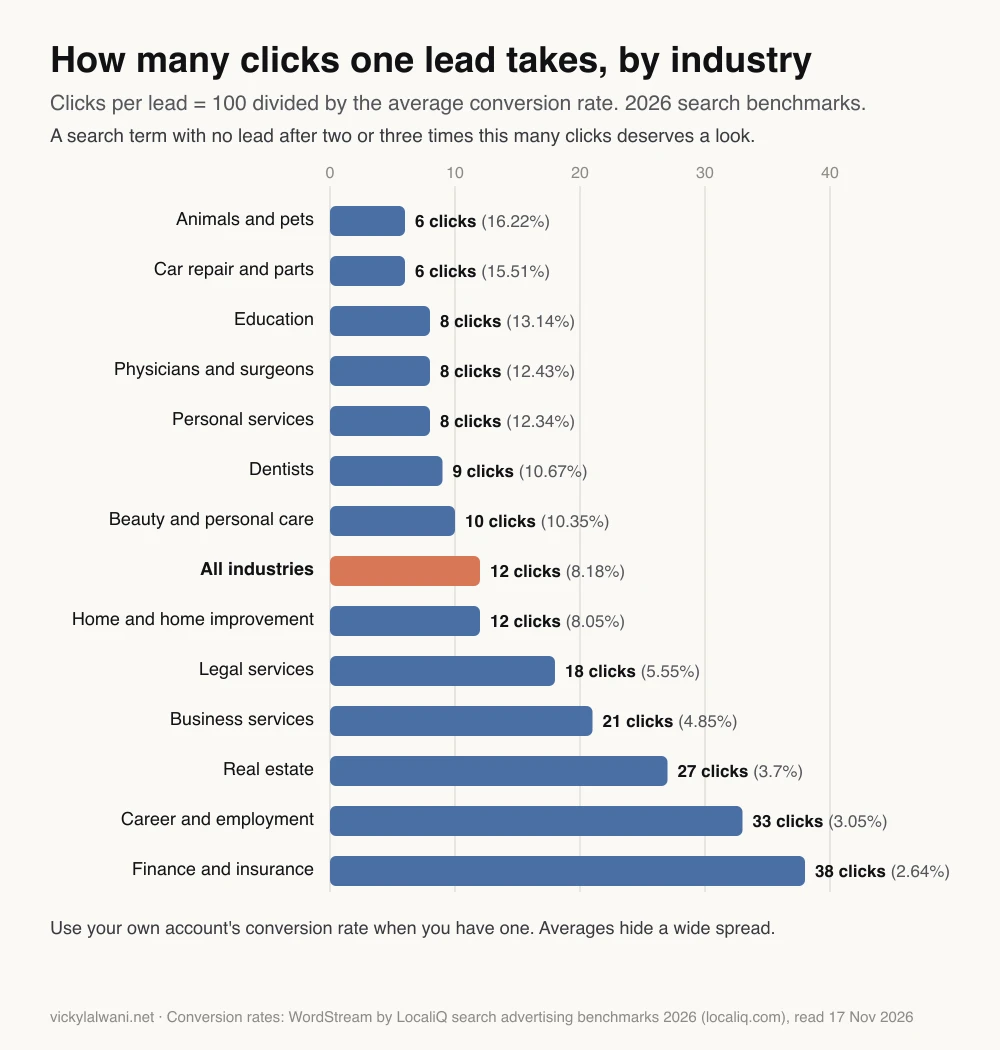
Short answer: open Campaigns, then Insights and reports, then Search terms. Set 30 days, sort by cost, and filter to terms with no conversions. A term with no lead after two or three times your normal clicks per lead deserves a look.
The search terms report shows the actual searches that triggered your ads, the keyword that matched and the match type. Add the Keyword column if it is hidden. Searches people type rarely match the words a business uses internally, which is why this report finds waste a keyword list never will.
How many clicks is enough to judge? Work it out from your conversion rate: clicks per lead is 100 divided by the rate. At the 2026 average of 8.18%, one lead takes about 12 clicks, so a term at 25 to 35 clicks with no lead is worth reviewing. In finance and insurance, at 2.64%, one lead takes about 38 clicks.
You will not see every search. Google omits terms without enough search activity to protect privacy, and its search terms insights group them into themes instead.
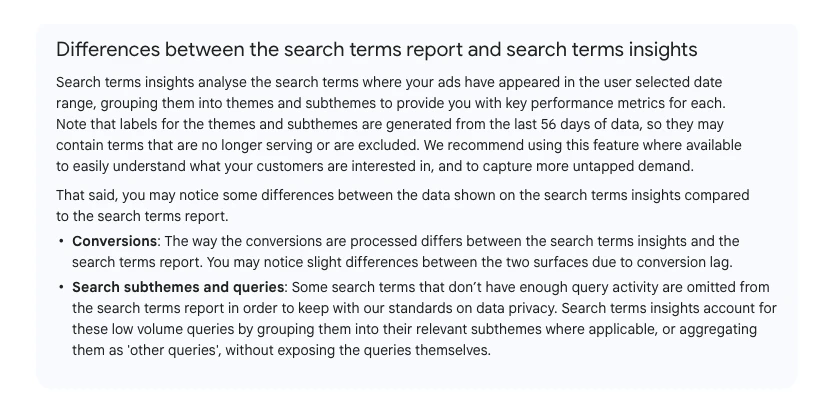
So check the share of cost under "Other search terms". If most of the spend is hidden, judge the visible part with care, because it may not represent the rest.
Step 3: Which negative keywords should you add, and where?
Short answer: add the shortest word or phrase that blocks a whole theme, at the lowest level that covers it, and remember that negatives do not match close variants. Google says you must add singular, plural and synonym versions yourself.
Google's negative keywords page spells out the match rules. Negative broad blocks a search containing all the words in any order. Negative phrase blocks the words in that order. Negative exact blocks only that exact search. None of them block "running shoe" when you negated "running shoes".
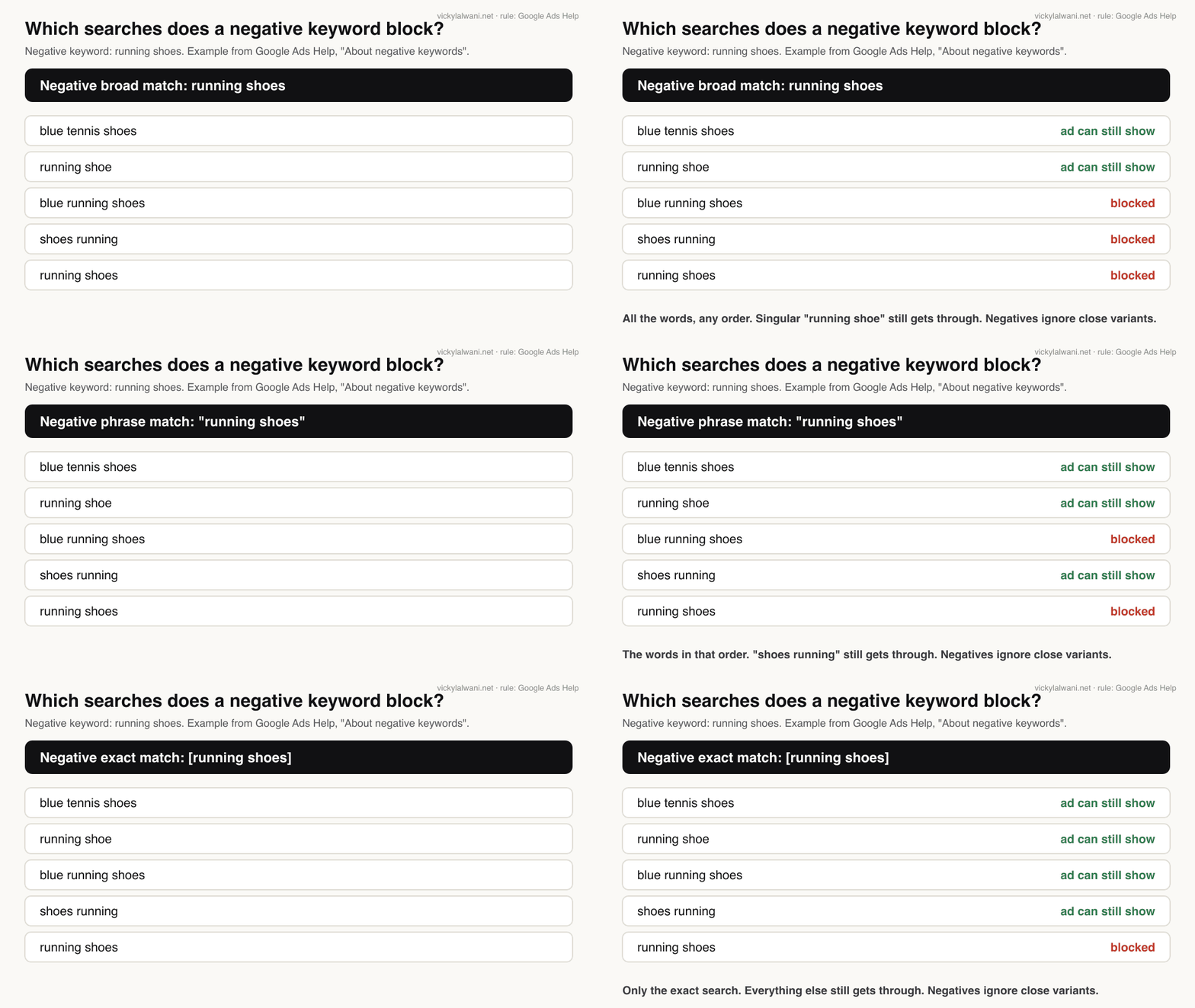
Where you add a negative matters as much as what you add.
| Level | Limit | Use it for |
|---|---|---|
| Ad group | 20,000 targeting items | Steering searches between ad groups |
| Campaign | 10,000 per campaign | Terms wrong for one campaign |
| Shared list | 5,000 per list | Themes wrong for several campaigns |
| Account level | 1,000 per account | Terms wrong everywhere: jobs, free |
| Performance Max | Search and Shopping only | Searches PMax should not buy |
Account-level negatives apply to Search, Performance Max, App, Shopping, Smart and Local campaigns, according to Google's account-level page.
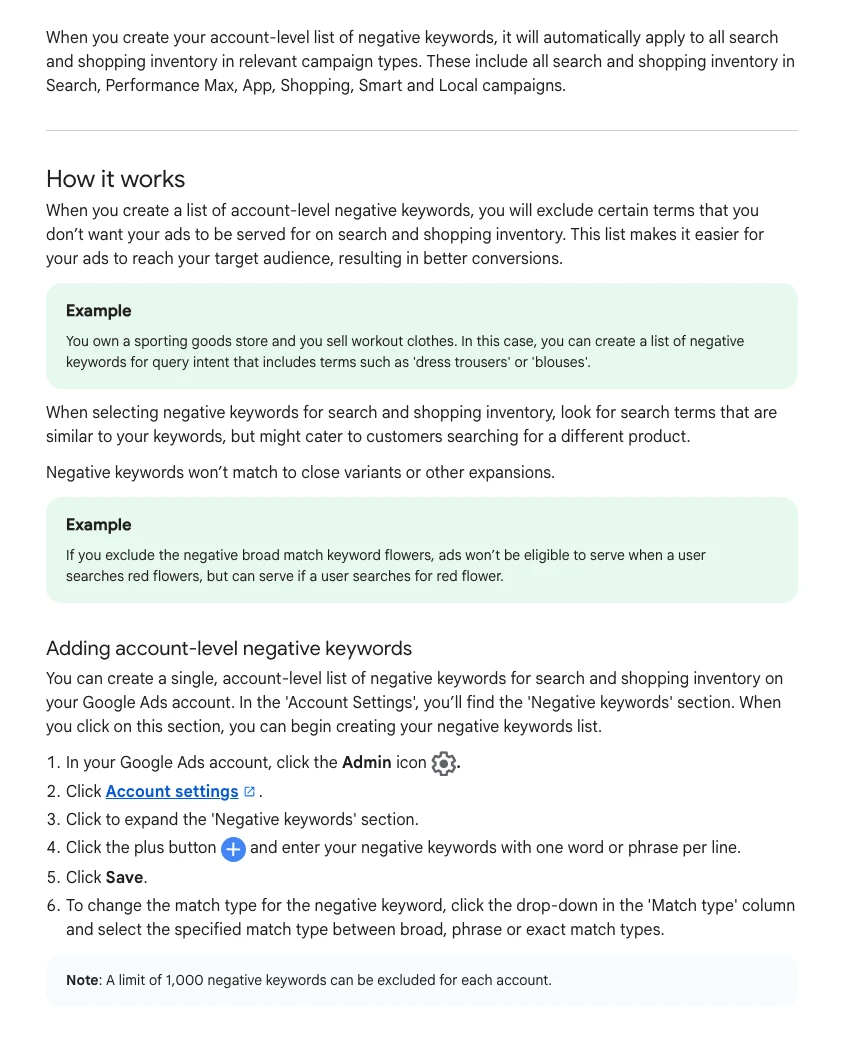
A safe routine is to let AI agents draft the candidate negatives from the last 30 days of search terms, then check every one by hand before it goes on a shared list. A wrong broad negative can block good traffic for months without anyone noticing. Google has also been testing a preview of a change's impact, including new negatives, which trade press reported in April 2026. For Performance Max, Google already offers an impact estimate for negatives.
Step 4: Is Performance Max buying searches you would never bid on?
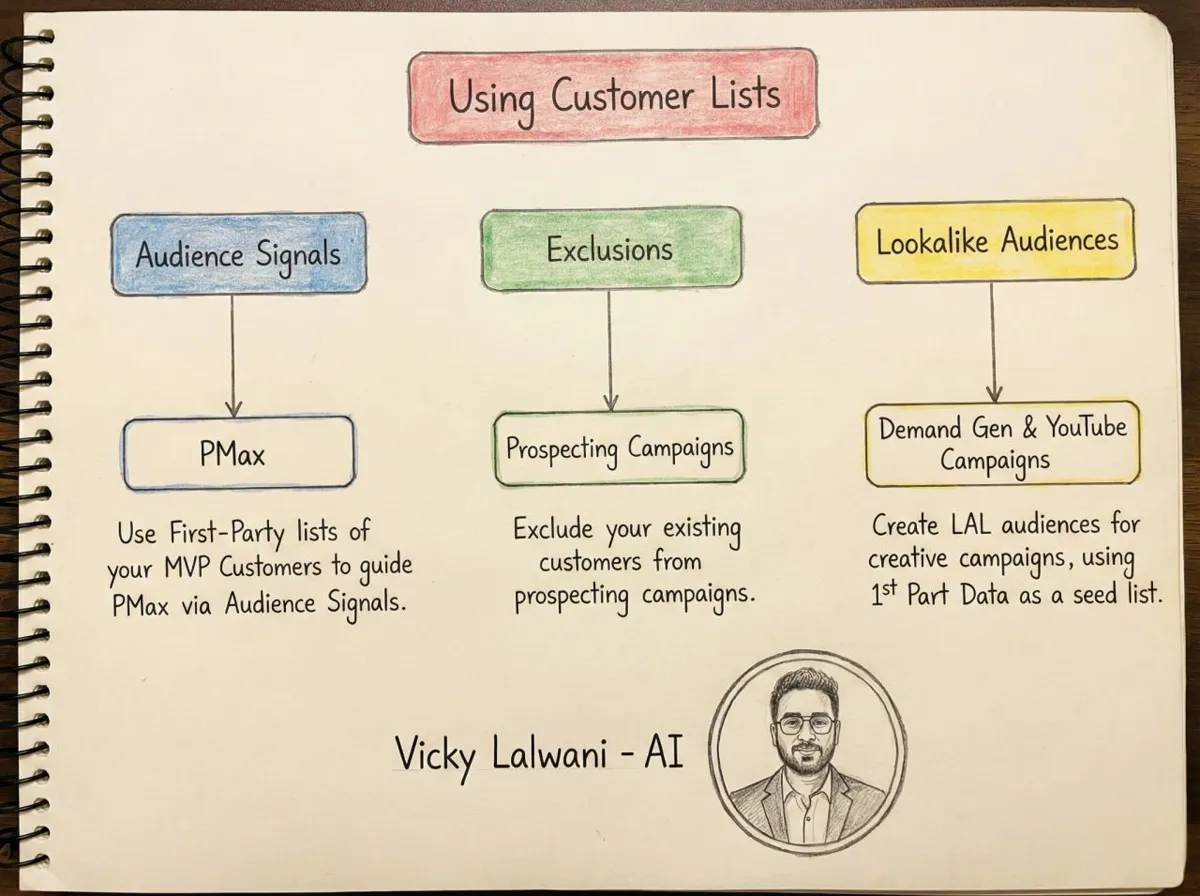
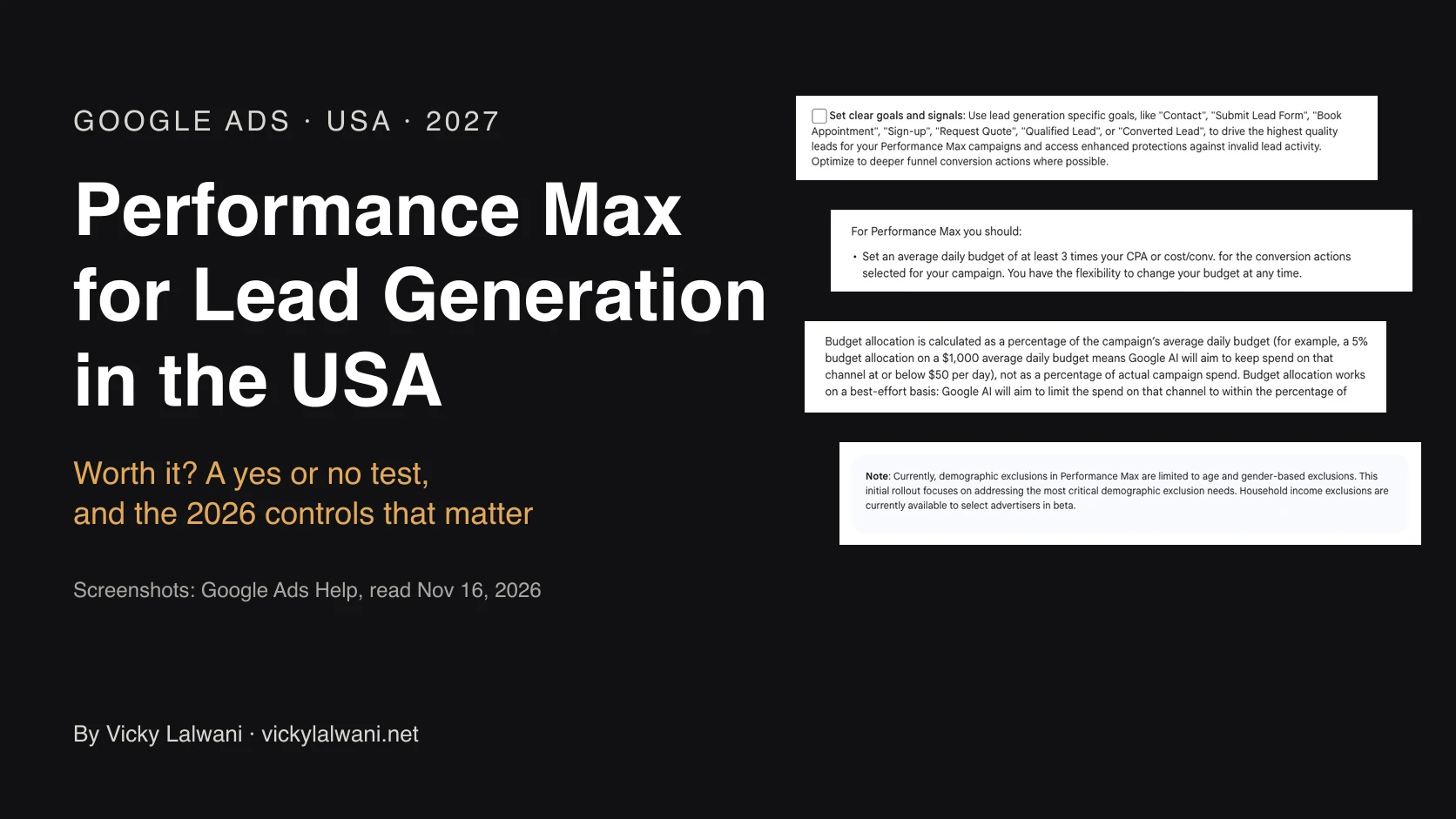
Short answer: often, unless you check. Performance Max now has a search terms report and campaign-level negatives, and brand exclusions keep it off your brand searches. Negatives work on Search and Shopping inventory only, not on YouTube or Display.
Google's page on the Performance Max search terms report lists finding irrelevant searches to add as negatives among its uses. Google's ads liaison account announced the move from 100 to 10,000 negatives per Performance Max campaign in March 2025.
Three more checks. Use the channel performance report to see whether spend went to Search, YouTube, Display or Maps. Use brand exclusions if you run brand in a separate Search campaign. And from October 2026, channel prioritisation lets you set some channels to low priority with an optional daily budget cap.
Step 5: Is AI Max widening your matching?
Short answer: yes, if it is on, and in new Search campaigns it is on by default. AI Max adds search term matching beyond your keywords, Final URL expansion and text customisation. Check the new search terms and landing pages it brings before judging it.
Google's AI Max setup page says new Search campaigns have AI Max turned on by default, and that Text customisation and Final URL expansion are enabled by default too. You can add URL exclusions, brand inclusions and brand exclusions.
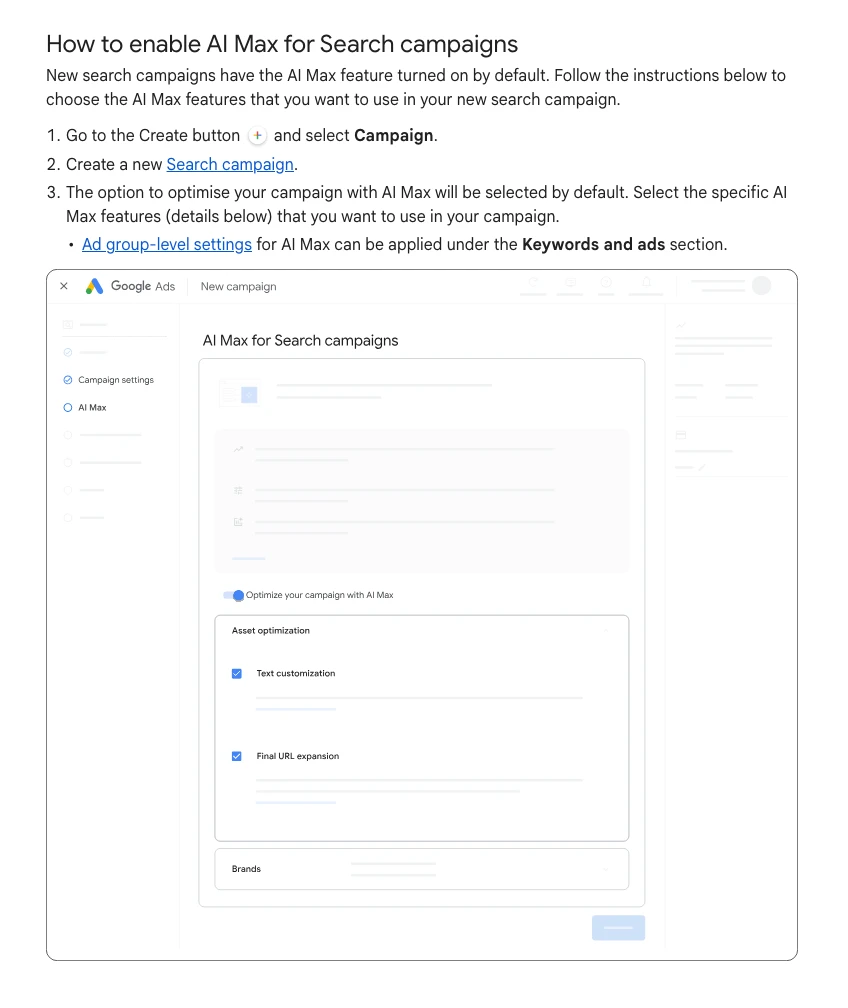
Advertisers report very different results. Some see a flood of new search terms; others use brand inclusions to keep it on target. Run it as a test with a set end date, and read its search terms by match type: Google says AI Max matches show as their own match type, with a {L(G_AIMAXHOW, "source column")} that says whether broad match expansion or keywordless matching found them.
"How to Use AI Max for Search Campaigns in Google Ads [Guide]", Google Ads official channel, April 2026. Google's own case for the feature, so pair it with the Reddit reports below.
Step 6: Which campaign settings spend money by default?
Short answer: search partners are included by default, location targeting defaults to people in or interested in your area, and Display Expansion on Search campaigns moves to channel prioritisation in February 2027. Check each one against leads, not clicks.
| Setting | Default | What to check |
|---|---|---|
| Search partners | Included | Leads by network segment |
| Location option | Presence or interest | Clicks from outside your area |
| Display Expansion | Channel priority from Feb 2027 | Display spend and leads |
| AI Max | On in new Search campaigns | New search terms and URLs |
| Auto-applied recommendations | Check if switched on | History tab, Change history |
Google says search partners are included by default when you create a Search campaign, and that it does not tell you which partner site showed your ad. Segment by network: if partners bring clicks and no leads, switch them off. For a small budget, my small budget guide lists what to switch off on day one.
Step 7: Are the clicks and leads real?
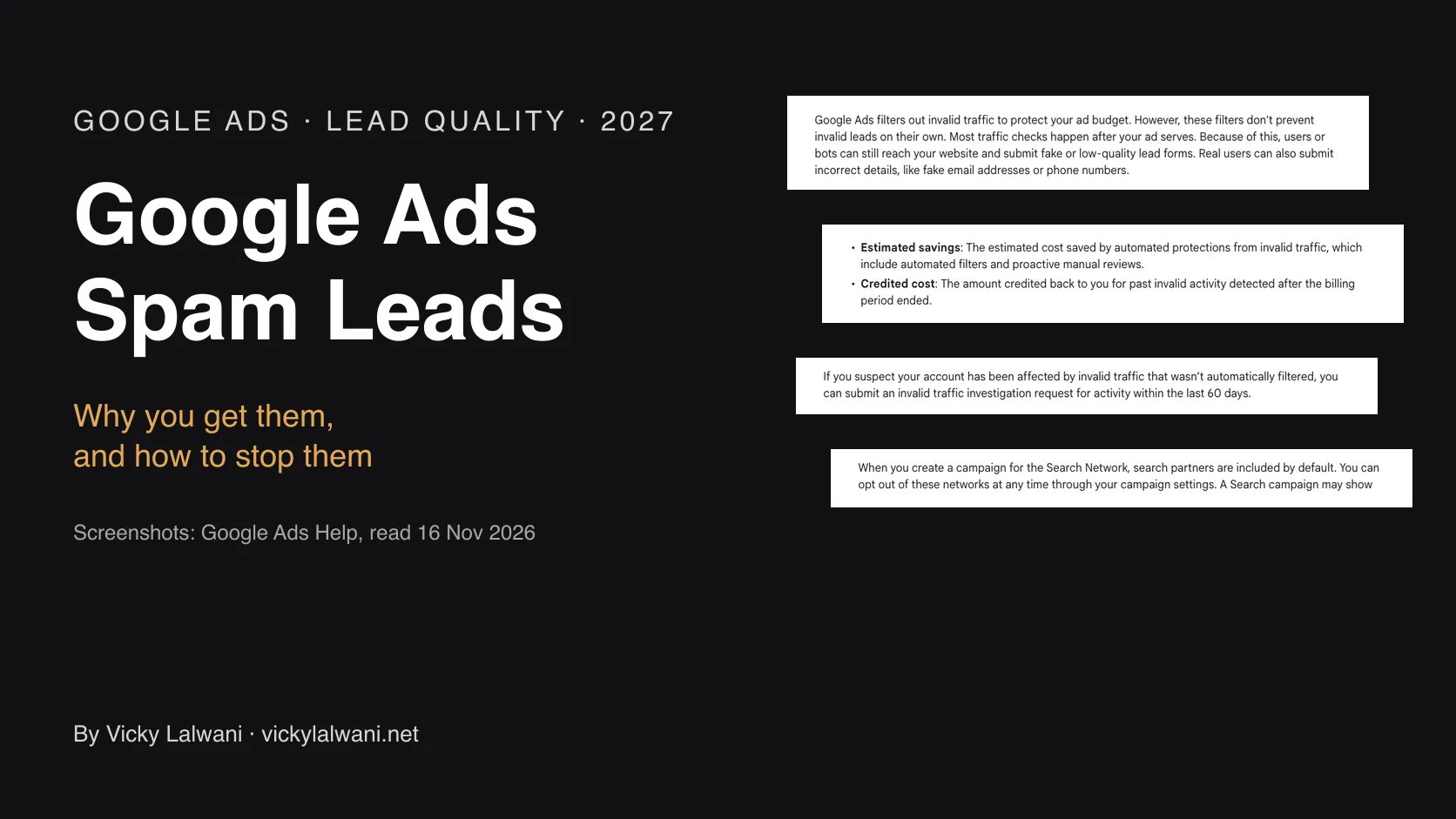
Short answer: mostly, but check. Google filters invalid clicks and credits them rather than refunding, and it now shows an Invalid traffic card. It does not filter fake form leads, so compare leads against the CRM and protect your forms.
Google's invalid traffic page says clicks found to be invalid lead to adjustments or credits, not refunds, and the Invalid Activity Credit Report breaks them down by campaign. In November 2026 Google added an Invalid traffic overview card to show the effect of its filters.
Spam leads are a different problem. A bot that fills in your form costs a click and pollutes your conversion data, and smart bidding then looks for more of it. Count a lead only after a basic check, such as a valid phone number or a real email reply.
Step 8: Is a loose bid target letting Google spend more?
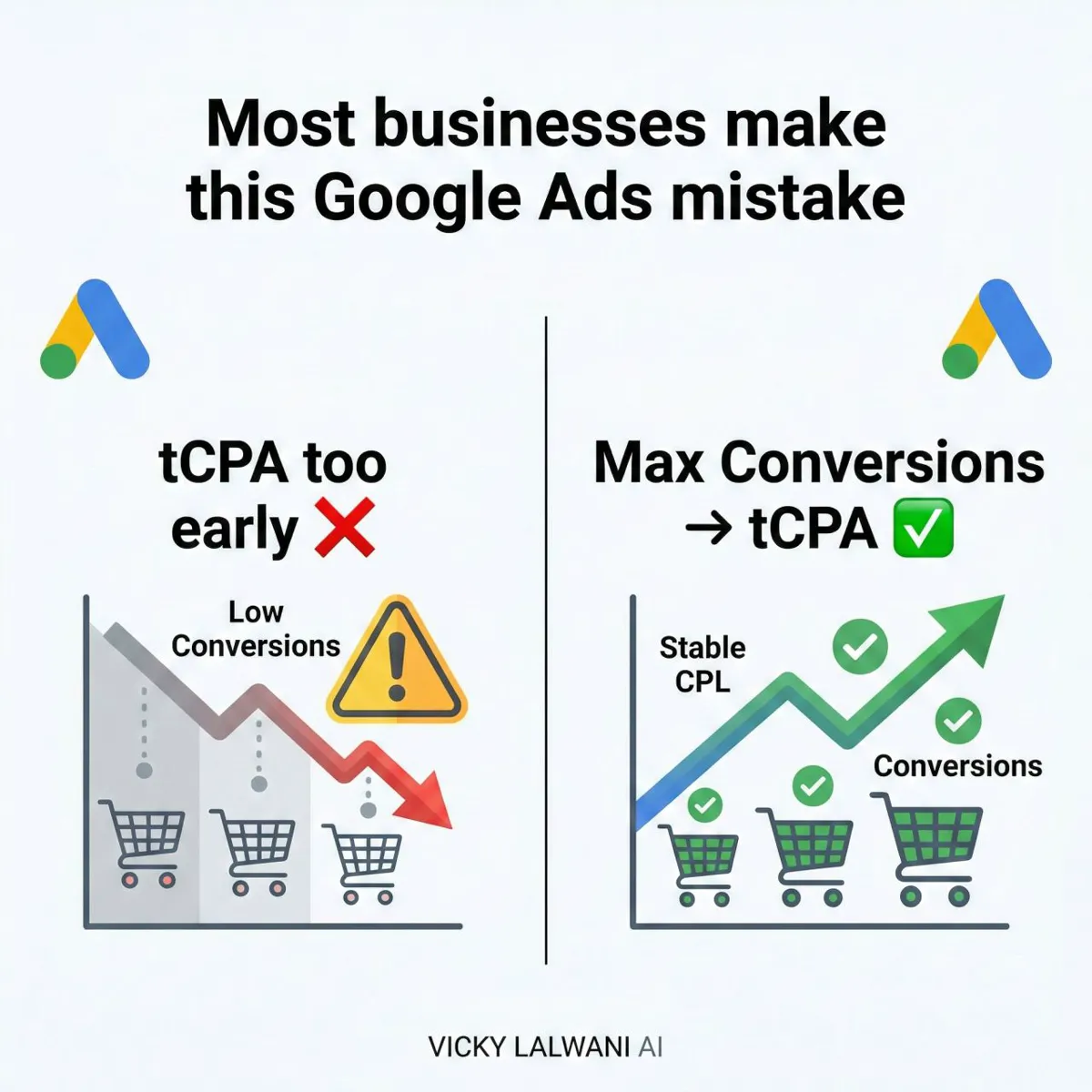
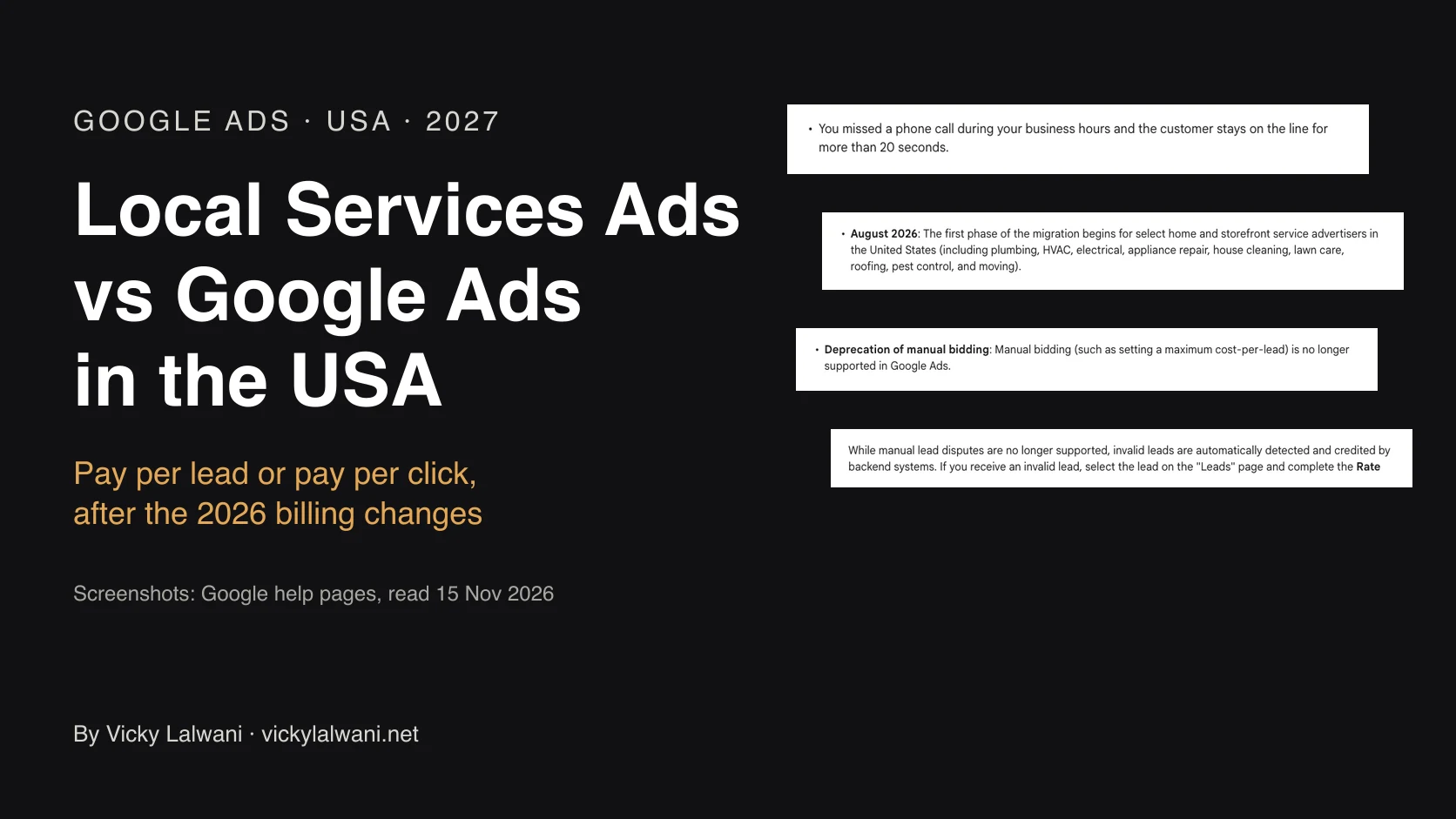
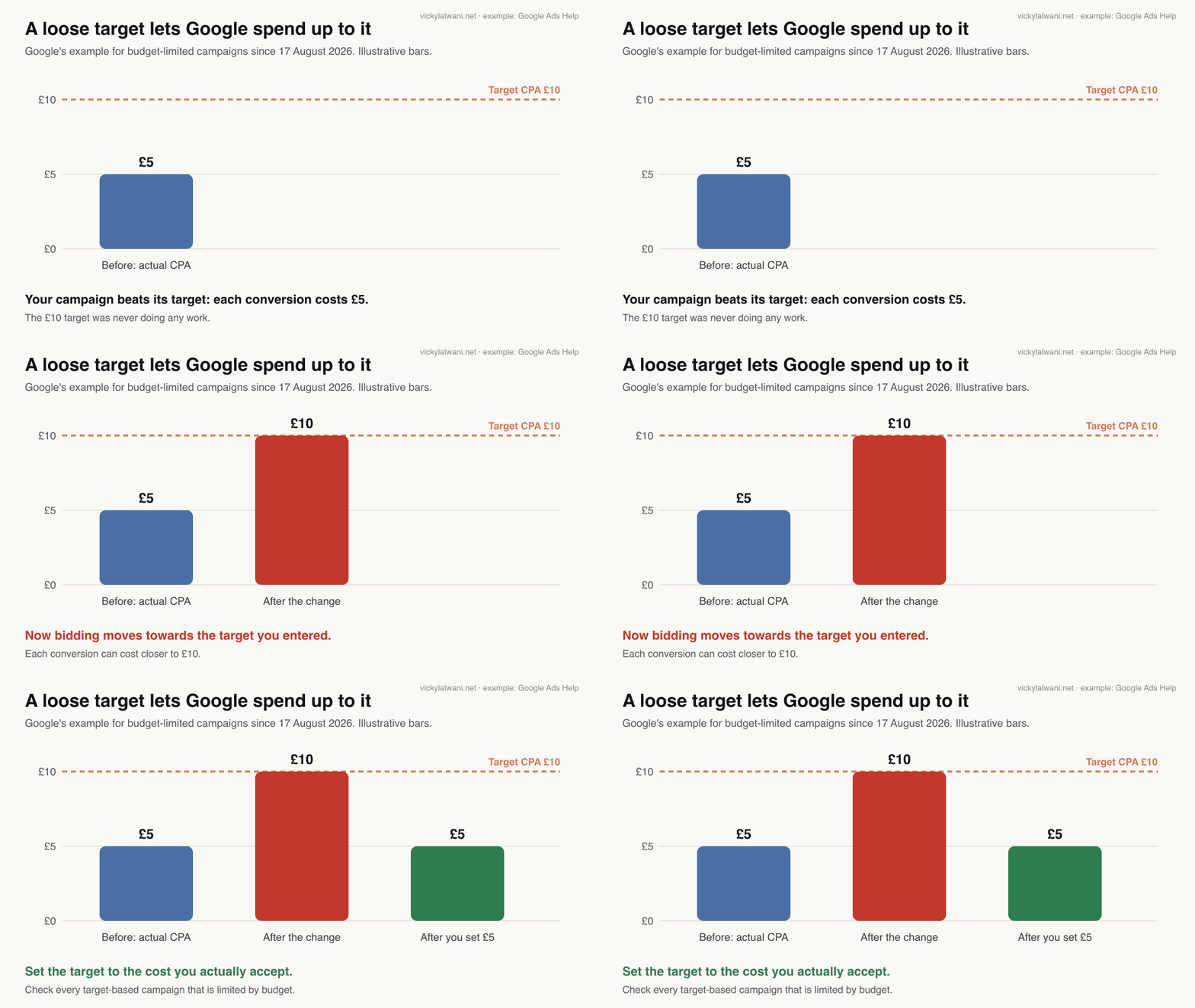
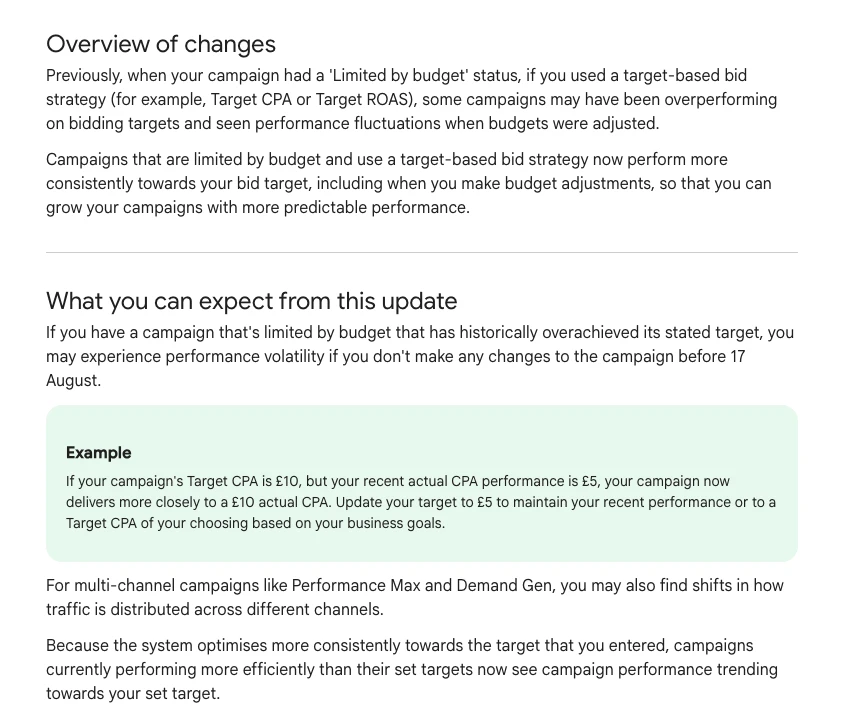
Short answer: yes, since 17 August 2026. Budget-limited campaigns with a target CPA or target ROAS now move towards the target you set, even if they used to beat it. If your target is looser than your real cost, set it to what you actually accept.
Google's own example on the target-based bid strategies page: a campaign with a Target CPA of £10 that was achieving £5 now delivers closer to £10. Google suggests updating the target to £5 to keep recent performance.
For when to use a target at all, see Target CPA vs Maximise conversions.
Step 9: Are ads sending clicks to the wrong page?
Short answer: check that every ad points to the page that matches its promise. Old ads created before a landing page existed often still point at the homepage, and Final URL expansion can send traffic to pages you did not choose.
A common cause is older ads created before the landing pages existed and never repointed. They keep sending paid clicks to the homepage. Download the ads report with final URLs and sort by cost; the fix takes minutes.
If AI Max or Performance Max is on, review the landing pages report and add URL exclusions for pages that should never receive ad traffic, such as careers, blog or login pages.
Step 10: How do you turn this into a weekly routine with AI skills?
Short answer: save each check as a skill, a reusable instruction file Claude loads when you ask for that job, and run the same checks on the same day each week. AI drafts the findings; you approve every change.
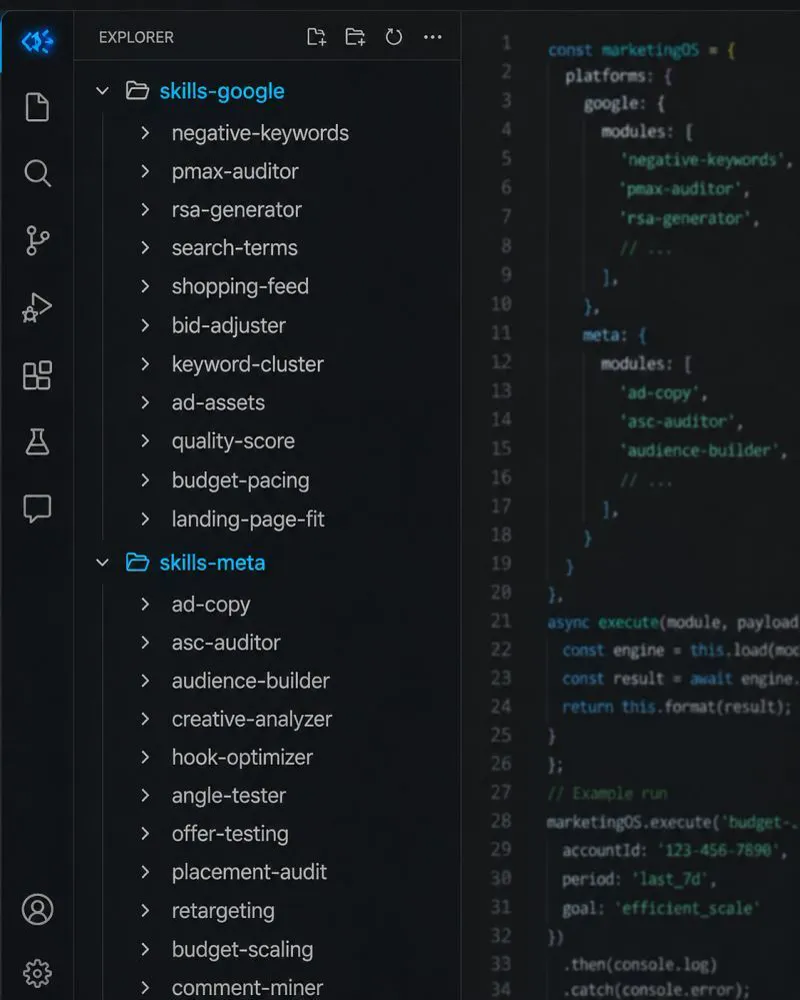
An Agent Skill is a folder with a SKILL.md file. Its name and description tell Claude when to use it; the body holds the steps. Because the steps never change, you can compare one week with the next. These are the ten Google Ads skills I would write, mapped to the steps above.
| Skill | What it does | Step |
|---|---|---|
| Conversion check | Lists primary actions; flags non-leads | 1 |
| Search terms waste pass | Terms over the click threshold, no leads | 2 |
| Negative keyword builder | Theme, match type and level | 3 |
| Protected terms guard | Stops negatives on brand and winners | 3 |
| Performance Max terms review | PMax search terms and channels | 4 |
| AI Max review | New terms and pages by source | 5 |
| Settings sweep | Partners, location, auto-apply | 6 |
| Lead quality check | Conversions against CRM leads | 7 |
| Target check | Budget-limited campaigns beating target | 8 |
| Final URL check | Ads pointing to the wrong page | 9 |
Here is the first one to write. Save it as SKILL.md in a folder named google-ads-search-terms-waste.
---
name: google-ads-search-terms-waste
description: Weekly wasted-spend pass on a Google Ads search terms export. Use when the user asks to find wasted Google Ads spend, review search terms or suggest negative keywords.
---

# Google Ads search terms waste pass

## Inputs (ask for anything missing, never guess)
- Search terms export, last 30 days: search term, campaign, ad group, keyword, match type, clicks, cost, conversions
- The account's conversion rate per campaign, or a target cost per lead
- protected-terms.txt: brand, product and high-intent terms that must never be negated

## Steps
1. Threshold: clicks needed for one lead = 100 / conversion rate. Flag terms with no conversions after two to three times that many clicks.
2. Group flagged terms by theme (jobs, free, DIY, wrong location, wrong product, competitor).
3. For each theme propose one negative: the shortest word or phrase that blocks the theme, its match type, and the level (ad group, campaign, shared list or account).
4. Check every proposal against protected-terms.txt and against terms that did convert. Drop any that would block them.
5. Note the share of cost under "Other search terms" so the reader knows how much is unseen.

## Output
Table: theme, example terms, clicks, cost, proposed negative, match type, level, risk if wrong.
Then three lines: total flagged cost, biggest theme, what to check next week. Change nothing in the account.
| When | Checks | Time |
|---|---|---|
| Weekly | Search terms, negatives, AI Max terms | About 30 minutes |
| Weekly | Leads against CRM | About 10 minutes |
| Monthly | Settings, PMax channels, targets | About an hour |
| Monthly | Final URLs, conversion actions | About 20 minutes |
For live data, Google's open-source Google Ads MCP server reads the account with GAQL, Google's query language for ads data; its README says how to run it strictly read-only. I connect read-only, put every proposed change in a sheet, and change nothing until it is approved. AI-generated search volumes can come back far too low, so check them in Keyword Planner before any plan goes out. My Claude skills for Google Ads guide has a fuller weekly routine, and the PPC audit checklist has the manual version.
What people say on X and Reddit
Short answer: practitioners agree that the search terms report still matters and that AI Max needs watching. Official posts and first-hand threads below were opened and checked on 17 November 2026; Reddit is credited by community only.
| Where | Date | What it says | Type |
|---|---|---|---|
| Google Ads liaison, X | 11 Mar 2025 | PMax negatives raised to 10,000 | Official |
| A PPC specialist, X | 21 Mar 2025 | PMax terms in the search terms report | First-hand |
| A Google Ads practitioner, X | 27 Apr 2026 | Preview the impact of negatives | First-hand |
| Google Ads liaison, X | 5 Aug 2026 | Budget-limited campaigns move to target | Official |
| Google Ads liaison, X | 12 Nov 2026 | Invalid traffic overview card | Official |
| r/PPC | Aug 2026 | AI Max: 955 queries in a week vs 30 | First-hand |
| r/PPC | Jul 2026 | AI Max: 50,000 new terms in a month | First-hand |
| r/PPC | Jun 2026 | Brand setting blocked generic terms | First-hand |
| r/googleads | Oct 2026 | 90% of spend in "Other search terms" | First-hand |
On X: Google keeps adding controls.
- Google's ads liaison account said the first cap of 100 Performance Max negatives felt too restrictive and raised it. A PPC specialist spotted Performance Max terms appearing in the standard search terms report the same month.
- A Google Ads practitioner shared a preview of a negative keyword's impact that Google was testing in April 2026. If your account has it, use it before adding a broad negative.
- The liaison account explained the August bidding update: budget-limited campaigns that over-achieve their targets now adjust towards them. That is step 8.
- In November 2026 the liaison account announced the Invalid traffic overview card, a single place to see what Google's filters caught.
On Reddit: AI Max and hidden terms dominate.
- An advertiser for a software reseller left AI Max on for one week on a single campaign and counted 955 distinct searches, against 30 after switching it off, with most spend on unrelated terms. A reply argued that negatives cannot fix this, because each new query is one the account has never seen.
- Another r/PPC post reported 50,000 new search terms in a month after turning AI Max on and listed fixes, including excluding landing pages. Replies split between brand inclusions working well and AI Max drifting into competitor terms.
- One advertiser blocked their own main generic searches by limiting AI Max to unbranded searches, because a competitor's brand name was a generic term. Test brand settings on one campaign first.
- On r/googleads, a Search campaign on exact and phrase match had about 90% of spend under "Other search terms". Replies pointed to search terms insights and warned that the visible 10% may not represent the rest.
Videos worth watching
Short answer: start with Google's AI Max explainer above, then two practitioner walkthroughs of the search terms report and negatives. All were checked by oEmbed on 17 November 2026.
"Google Ads Negative Keywords: The RIGHT Way to Find and Add Negatives in 2026", an agency channel, April 2026. A practical walkthrough; the description offers a free account review.
| Video | Channel | Date | What it covers |
|---|---|---|---|
| How to use AI Max for Search | Google Ads | Apr 2026 | AI Max controls |
| AI Max for Search Campaigns | Google Ads | Jun 2025 | Settings at launch |
| Negative keywords in 2026 | An agency channel | Apr 2026 | Finding and adding negatives |
| PMax search terms and negatives | A Google Ads coach | May 2025 | PMax search terms report |
| The right way to add negatives | An agency owner | Feb 2025 | Search terms to negatives |
| Google Ads audit in 2026 | A Google Ads trainer | Aug 2026 | Five audit checks; offers a free review |
Where this advice is weak
Short answer: thresholds from averages can mislead small accounts, hidden search terms limit what any review can see, and Google keeps changing defaults. Treat each step as a check, not a rule.
- The click thresholds come from US benchmark averages. Use your own conversion rate once you have a few weeks of data.
- If most spend sits under "Other search terms", the search terms review only sees a small part of the account.
- Google changes defaults often. AI Max, channel prioritisation and Display Expansion all changed in 2026, so re-check the settings step each quarter.
- A skill repeats your rules. If a rule is wrong, it repeats the mistake every week until someone reads the output.
- Cutting waste is not the same as growing. An account with no waste can still be too small to win enough leads.
Want a second pair of eyes on your Google Ads account?
Short answer: if your cost per lead has drifted up, or nobody has opened the search terms report in a month, a review usually finds the leak quickly.
My Google Ads management service starts with exactly this check: conversions, search terms, negatives, Performance Max, AI Max and settings, every finding in a sheet with its evidence, and no change until you approve it. I also set up the tracking and the Claude skills to keep it going. Prices are on the pricing page.
Advertising on Meta or LinkedIn as well? The paid media audit compares channels. I work with advertisers in the UK, Australia and the USA.
Sources
| Source | What it supports | Date | Link |
|---|---|---|---|
| Google Ads Help | Search terms report, hidden low-volume terms | 17 Nov 2026 | Search terms, PMax terms |
| Google Ads Help | Negative match rules, lists, limits | 17 Nov 2026 | Negatives, lists, account, limits |
| Google Ads Help | Performance Max negatives, channels, brand | 17 Nov 2026 | PMax negatives, channels, brand |
| Google Ads Help | AI Max defaults, exclusions, source column | 17 Nov 2026 | AI Max setup, how it works |
| Google Ads Help | Partners, location, Display, channel priority | 17 Nov 2026 | Partners, location, Display, priority |
| Google Ads Help | Conversions, leads, auto-apply | 17 Nov 2026 | Primary, leads, auto-apply |
| Google Ads Help | Invalid traffic, target bidding change | 17 Nov 2026 | Invalid traffic, targets |
| WordStream by LocaliQ | Conversion rates by industry, 2026 | Jun 2026 | Search benchmarks |
| Search Engine Roundtable | Negative keyword impact preview | Apr 2026 | Report |
| Anthropic; Google (GitHub) | Skill format; Google Ads MCP server | 17 Nov 2026 | Skills, MCP server |
| X and Reddit | Official posts, first-hand reports | Mar 2025 to Nov 2026 | Linked in the text |
| YouTube | Six videos, titles checked by oEmbed | Feb 2025 to Aug 2026 | Linked in the videos table |
This article expands on my post on LinkedIn ↗.
FAQ
How do I reduce wasted ad spend in Google Ads?
To reduce wasted ad spend in Google Ads, first make sure your primary conversions are real leads. Then sort the search terms report by cost, add negative keywords for themes that never convert, and check Performance Max, AI Max, search partners and location settings. Finish by setting bid targets to the cost you actually accept and repeat the search terms check weekly.
How do I find wasted spend in the Google Ads search terms report?
In Google Ads, open Campaigns, then Insights and reports, then Search terms. Set the last 30 days, sort by cost and filter to terms with no conversions. Flag any term with no lead after two or three times the clicks your account normally needs for one lead.
How many clicks should a search term get before I add it as a negative?
Work it out from your conversion rate: one lead takes about 100 divided by your conversion rate in clicks. At the 2026 Google Ads average of 8.18%, that is about 12 clicks, so a term with no lead after 25 to 35 clicks deserves a look. Irrelevant terms can be negated at once, whatever their clicks.
Why do my negative keywords not block some searches?
Google Ads negative keywords do not match close variants, so negating "running shoes" does not block "running shoe". You need to add singular, plural and synonym versions yourself. Negative phrase and exact match also leave through searches with the words in another order or with extra words.
Can you add negative keywords to Performance Max?
Yes. Google Ads lets you add negative keywords to a Performance Max campaign, up to 10,000 per campaign, and account-level negatives apply to it too. They only affect Search and Shopping inventory, not YouTube, Display or Gmail. Use brand exclusions to keep Performance Max off brand searches.
What are "Other search terms" in Google Ads?
"Other search terms" in Google Ads are searches that triggered your ads but had too little search activity to be shown, which Google omits for privacy. Search terms insights groups some of them into themes. If most of your spend is under this line, the visible terms may not represent the rest.
Is AI Max on by default in Google Ads?
Yes. Google Ads Help says new Search campaigns have AI Max turned on by default, with text customisation and Final URL expansion also on. You can switch features off, and add URL exclusions, brand inclusions and brand exclusions. Review its search terms before keeping it.
Does Google refund invalid clicks?
Google does not refund invalid clicks. Clicks found to be invalid are adjusted before billing or credited afterwards, and the Invalid Activity Credit Report shows the credits by campaign. Fake form leads are not covered, so check leads against your CRM and protect your forms.
Can AI audit a Google Ads account for wasted spend?
AI can run a fast, repeatable first pass over search terms, settings and conversions when it has an export or a read-only connection, using a saved skill that lists the checks. A person still needs to confirm every finding before anything is paused or negated, because AI can block good traffic or miss seasonality.