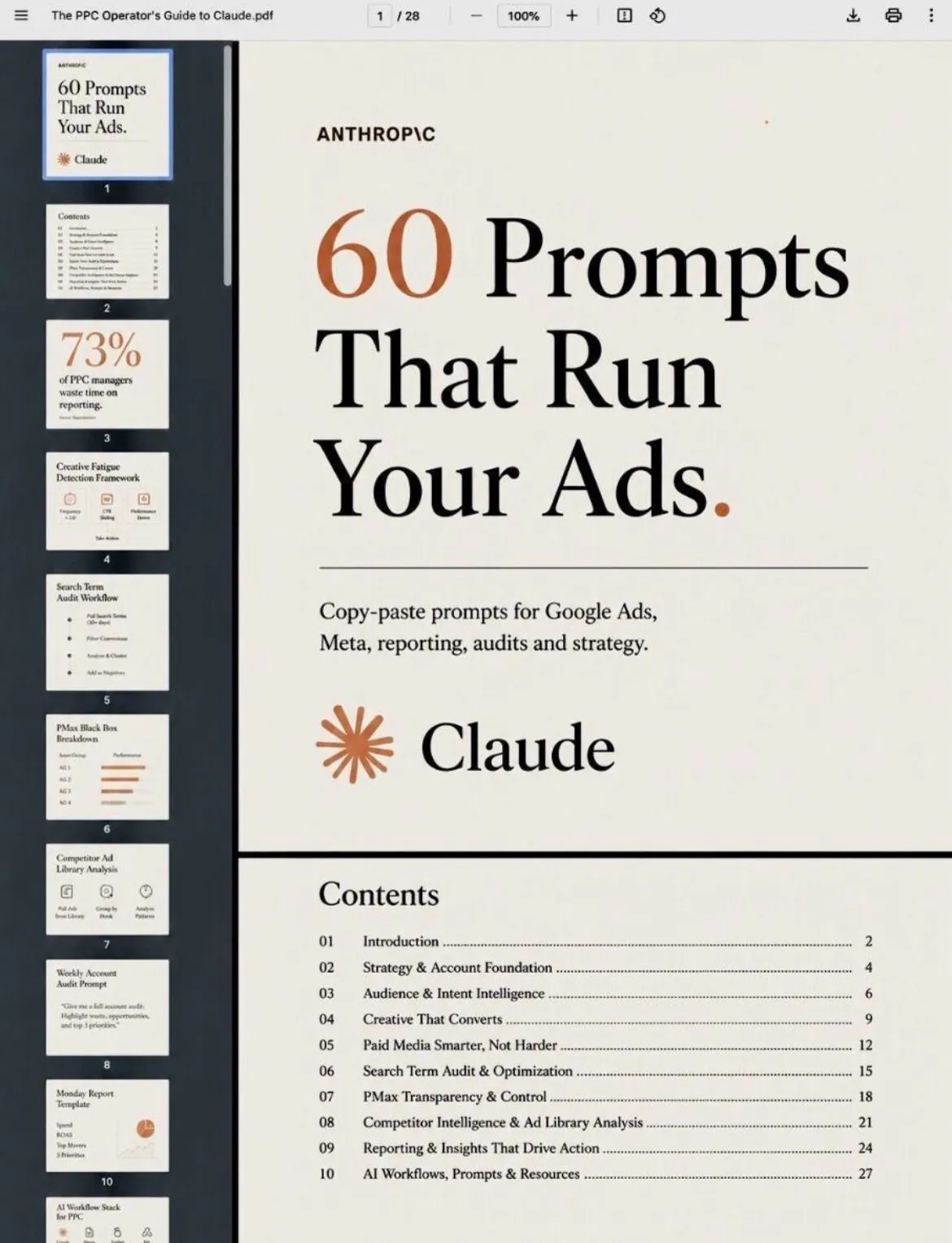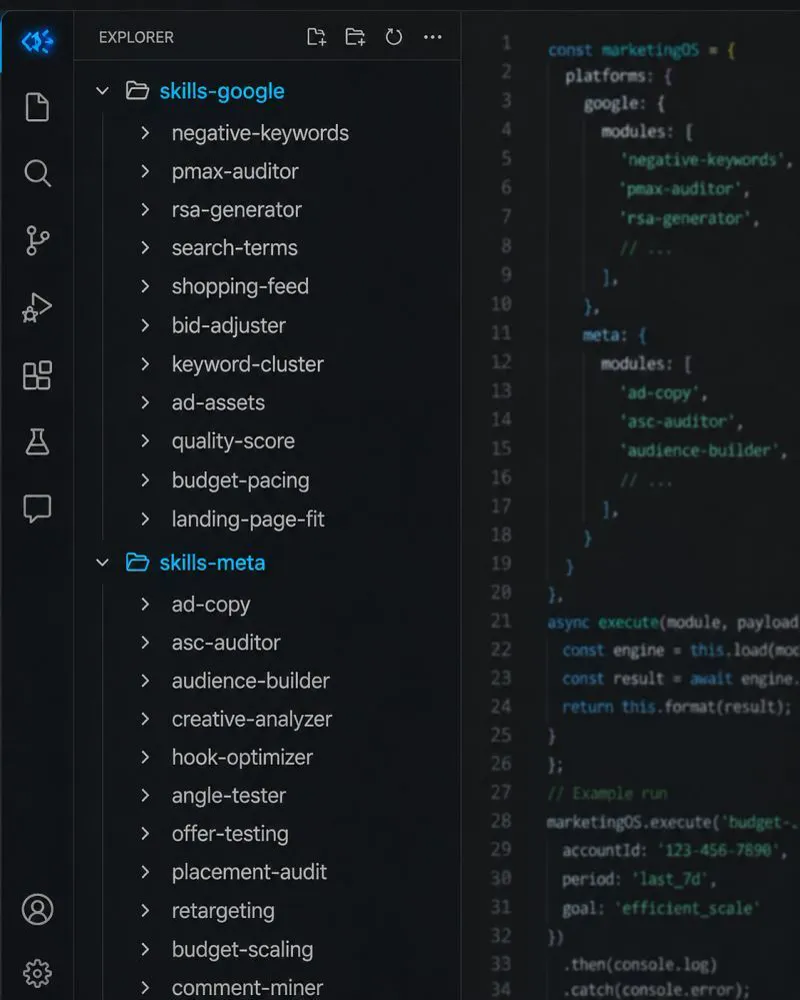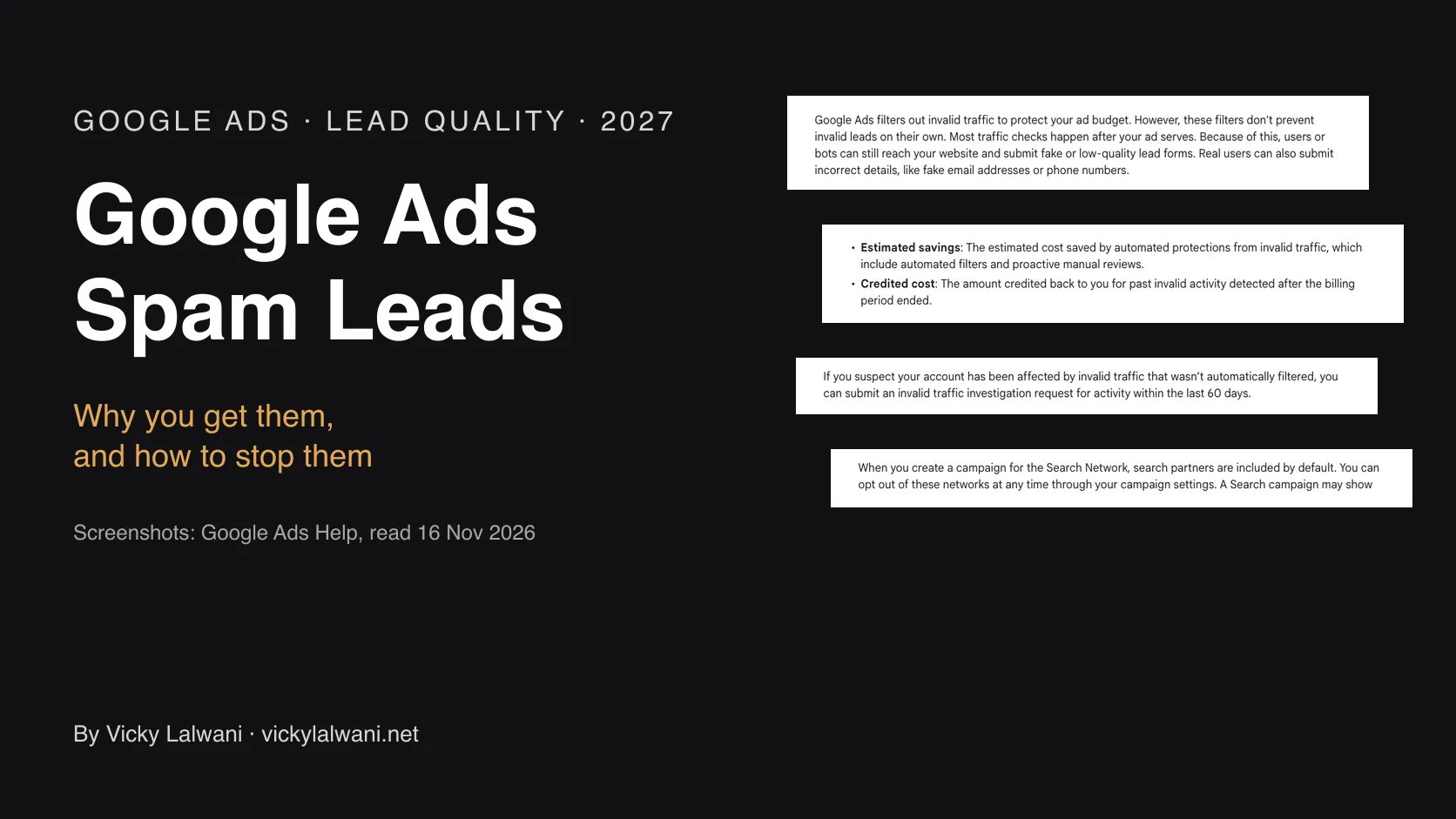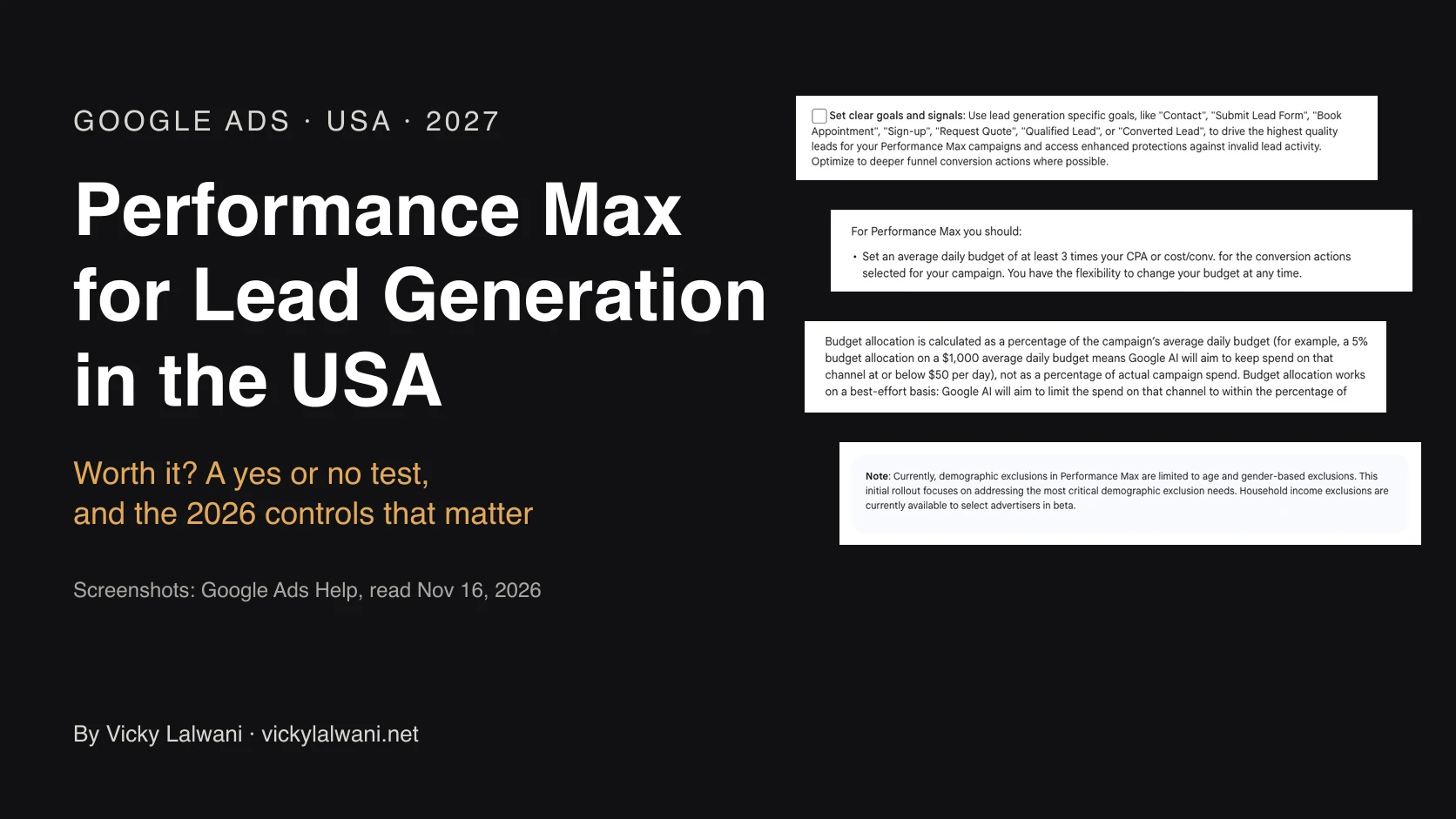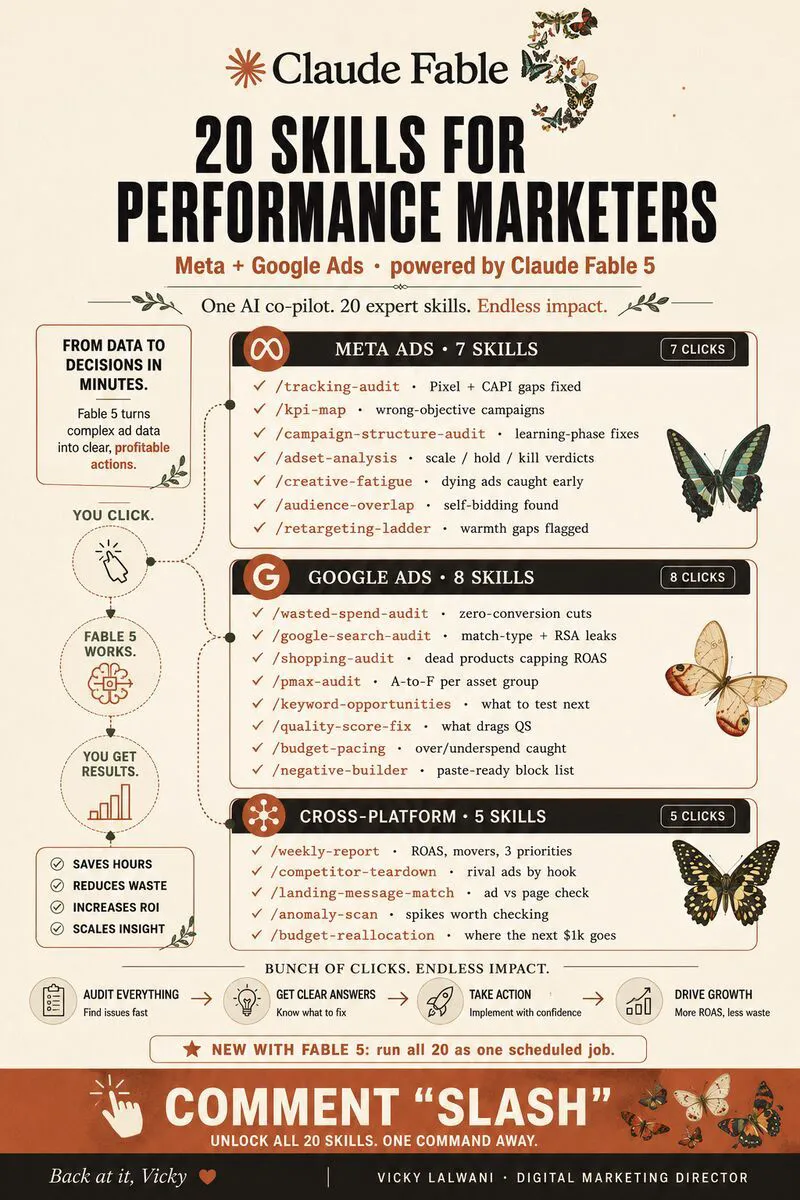
A PPC audit with Claude runs seven checks on a live account: wasted search terms, creative fatigue, Performance Max, overlap, budget pacing, competitor ads and the Monday report. Claude reads the data and drafts actions from one account brief; a person approves every change. Set the search terms line against your target cost per lead (flag at 1x, propose a negative at 2x to 3x) rather than a fixed sum, and flag fatigue when frequency is above about 3.0 while CTR falls.
You open a Google Ads account on a Monday and the numbers look fine. Then you sort the search terms by cost and find a page of queries that never had a chance of converting, an ad that has been fading for six weeks, and a Performance Max campaign that nobody has questioned since launch. None of it is exotic. It hides because checking by hand is slow, so the checks happen too rarely.
This guide shows how to run a PPC audit with Claude across seven checks, what each one needs, and which thresholds to start from. If you would rather have someone run it on your accounts, that is part of my Google Ads management and PPC consulting.
TL;DR
What it is: a repeatable audit where Claude reads your exports or live account data, does the maths and drafts the actions, and you approve every change.
The seven checks: wasted search terms, creative fatigue, Performance Max, overlap between audiences or campaigns, budget pacing, competitor ads and the Monday report.
What changed by November 2026: Performance Max now has a full search terms report and campaign-level negatives, a day can still spend up to twice the daily budget, ad schedules that switch off whole days pace differently from 1 June 2026, and Google ships an official Google Ads MCP server that reads account data but cannot change budgets, bids or campaigns.
The rule that matters most: set thresholds against your own target cost per lead, not a fixed sum, and keep the final decision with a person.
Jump to: Set-up · Search terms · Fatigue · Performance Max · Pacing · Rhythm · X and Reddit · Sources
What does a PPC audit with Claude actually do?
Short answer: Claude reads the data, groups it, does the arithmetic and drafts a ranked list of actions with reasons. It does not know your margins, your sales cycle or what the client said last week, so you supply that context once in a brief and you make every final call.
A PPC audit is a structured check of a pay-per-click account for money that is being spent without a return. The checks themselves are old. What Claude changes is the cost of running them: a search terms export that takes an hour to read by hand takes a few minutes to group, total and question.
The split of work below is the one I use on client accounts. Audit first, put the findings in a sheet, check them by hand, and change nothing in the account before the owner approves it.
| Job | Claude | You |
|---|---|---|
| Read exports and live data | Yes | Spot-check a sample |
| Group, total and rank | Yes | Check the sums once |
| Draft negatives, briefs, reports | Yes | Edit and approve |
| Know margins and sales cycle | Only from your brief | Yes |
| Pause, cut or scale | Suggests | Decides |
Claude is also confidently wrong about platform features more often than people expect. Practitioners in r/PPC describe it recommending settings that do not exist for a campaign's bid strategy (more on that below). The fix is to give it the real account settings and to check any claim about how a Google or Meta feature works against the help centre.
How do you set Claude up for a PPC audit?
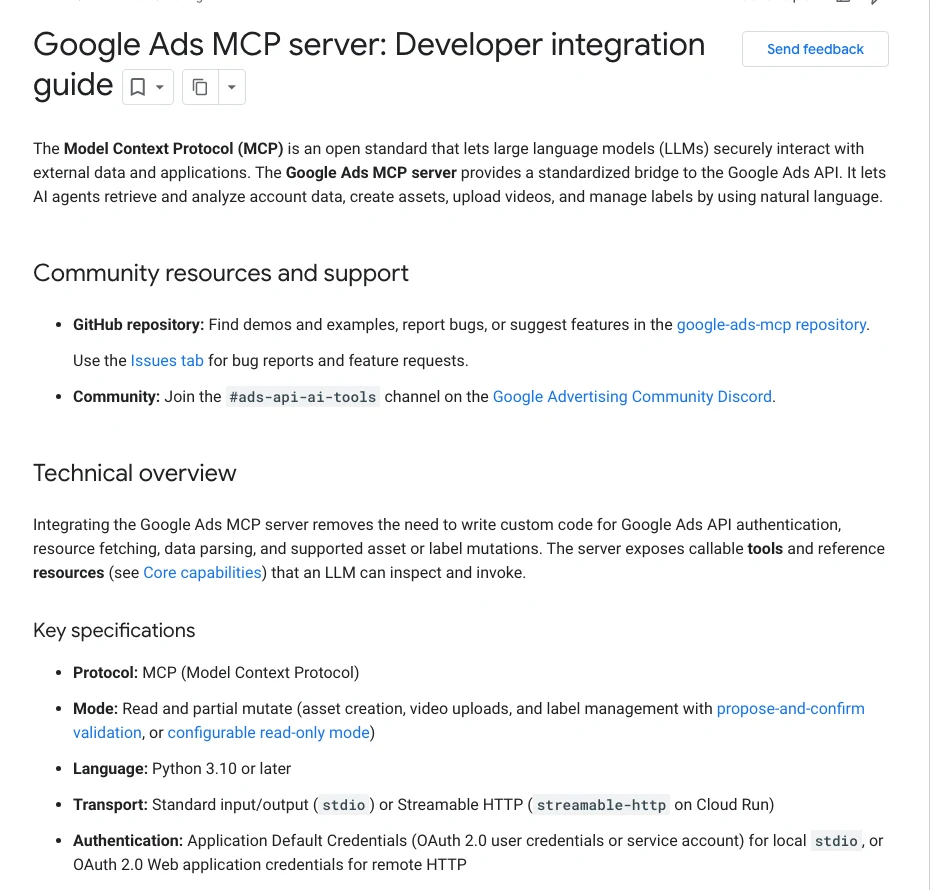
Short answer: Write one account brief, save it in a Claude Project, and decide how data gets in: CSV exports for occasional audits, or a connector such as Google's official Google Ads MCP server for a weekly routine. Check your privacy setting before you upload client data.
Claude Projects are workspaces with their own instructions and files, available on every plan including Free (up to five projects). Put one project per client account, with the brief as a file and the audit prompts as project instructions. That way every chat in the project starts from the same targets.
The brief decides whether you get a useful audit or a generic one. Include:
- The primary conversion and how it is counted (one form submit, a booked call, a purchase).
- Target cost per lead or return on ad spend (ROAS: revenue divided by ad spend), and the floor you will not go below.
- Monthly budget and the pacing target for each campaign.
- Your audit thresholds (the next section has starting points).
- How to treat brand terms, competitor terms and locations you do not serve.
- Your typical time from click to conversion, so recent data is not judged too early.
- Naming conventions and any copy rules.
ACCOUNT BRIEF (save as a file in the Claude Project for this account)
Business: [what you sell, to whom, where]
Primary conversion: [name of the one conversion action that matters]
Target cost per lead: [amount]   Ceiling before we act: [amount]
Monthly budget: [amount]   Campaigns and their share: [list]
Typical days from click to conversion: [number]
Brand terms: [list]   Never negate: [locations, products, brand terms]
Waste rule: flag a search term at 1x target cost per lead with zero conversions;
            propose a negative only at 2x to 3x, or sooner if intent is clearly wrong
Fatigue rule: frequency above 3.0 with CTR down over 30 to 60 days
Output: a table, then three priorities in order, each with the data that supports it.
Never change anything in the account. Draft only.
Then choose how data reaches Claude.
| Option | Needs | Good for | Watch out |
|---|---|---|---|
| CSV exports | Download and upload | Occasional audits | Stale by next week |
| Google Ads MCP server | Python, OAuth, API access | Weekly routines | Read plus limited writes |
| Third-party connector | A vendor account | No local set-up | Who holds your token |
| Cowork scheduled task | Paid plan, connectors | A Monday report | Runs remotely |
Uploaded CSVs need code execution switched on, which lets Claude run Python against the file instead of guessing from a preview. Skills (folders of instructions Claude loads when a task calls for them) are a good home for each audit prompt once it works. They need code execution too.
One privacy point before you upload anything. Since Anthropic's consumer terms update of 28 August 2025, Free, Pro and Max users choose whether their chats help train future models; allowing it extends retention to five years. Team, Enterprise and API use sit under commercial terms instead. Check the setting, and strip names and emails from exports you do not need.
More on connector set-up is in what a marketing MCP server is and in Claude skills for Google Ads.
Check 1: Which search terms are wasting money?
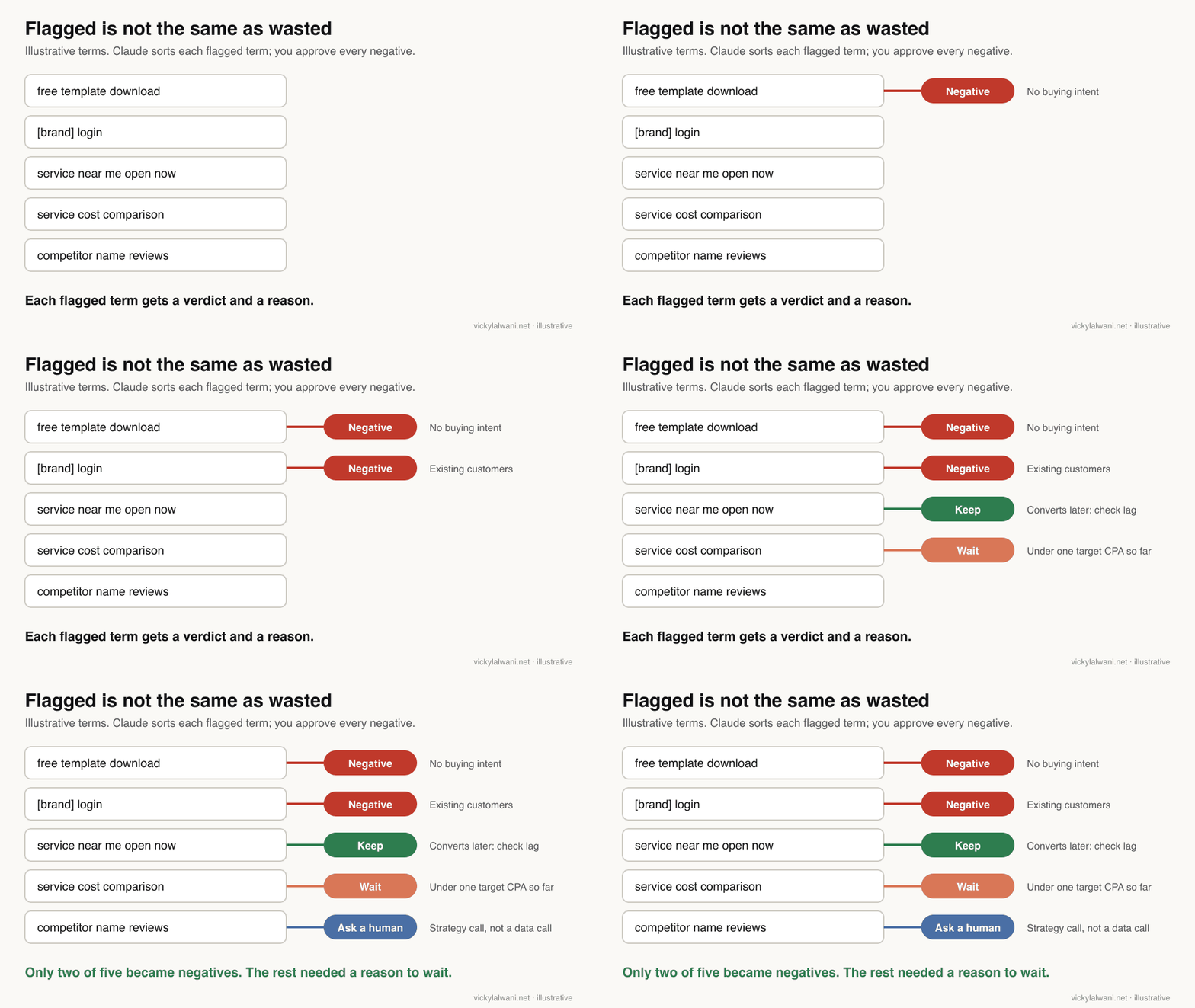
Short answer: Export the search terms report for Search and Performance Max, flag terms that have spent at least one target cost per lead with no conversions, and ask Claude to group them by intent, total the waste and draft negatives. Propose a negative only after two to three times target cost per lead, unless the intent is plainly wrong.
The search terms report shows the real queries that triggered your ads, as opposed to the keywords you chose. Broad and phrase match pull in queries you never picked. Many of them spend without converting.
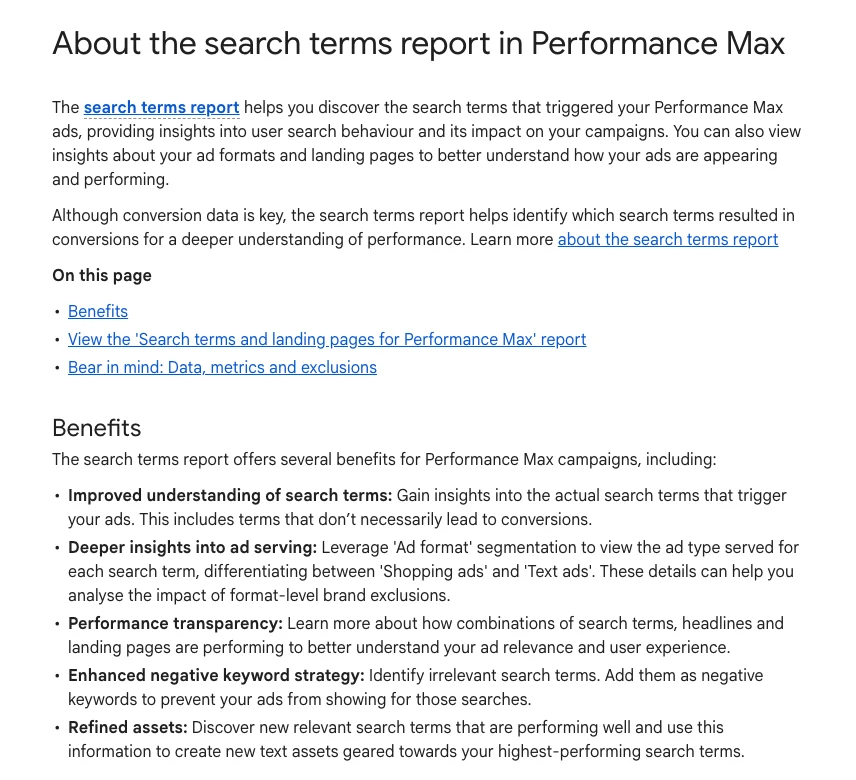
Performance Max (Google's all-channel automated campaign type) now has the same view. Google's help page describes a search terms report for Performance Max with data from March 2023, and negatives can be added at campaign level, including shared negative keyword lists. The Google Ads liaison announced the cap rising to 10,000 negatives per campaign in March 2025. Those negatives only cover Search and Shopping inventory; display and video need content exclusions.
The earlier version of this guide used a flat line of about USD 20 in spend with zero conversions. A flat sum is the wrong unit. LocaliQ's 2026 benchmarks put the average search ads cost per lead above USD 20 in all 23 industries it tracks, so a USD 20 line flags terms before they have had a fair chance to produce even one lead.
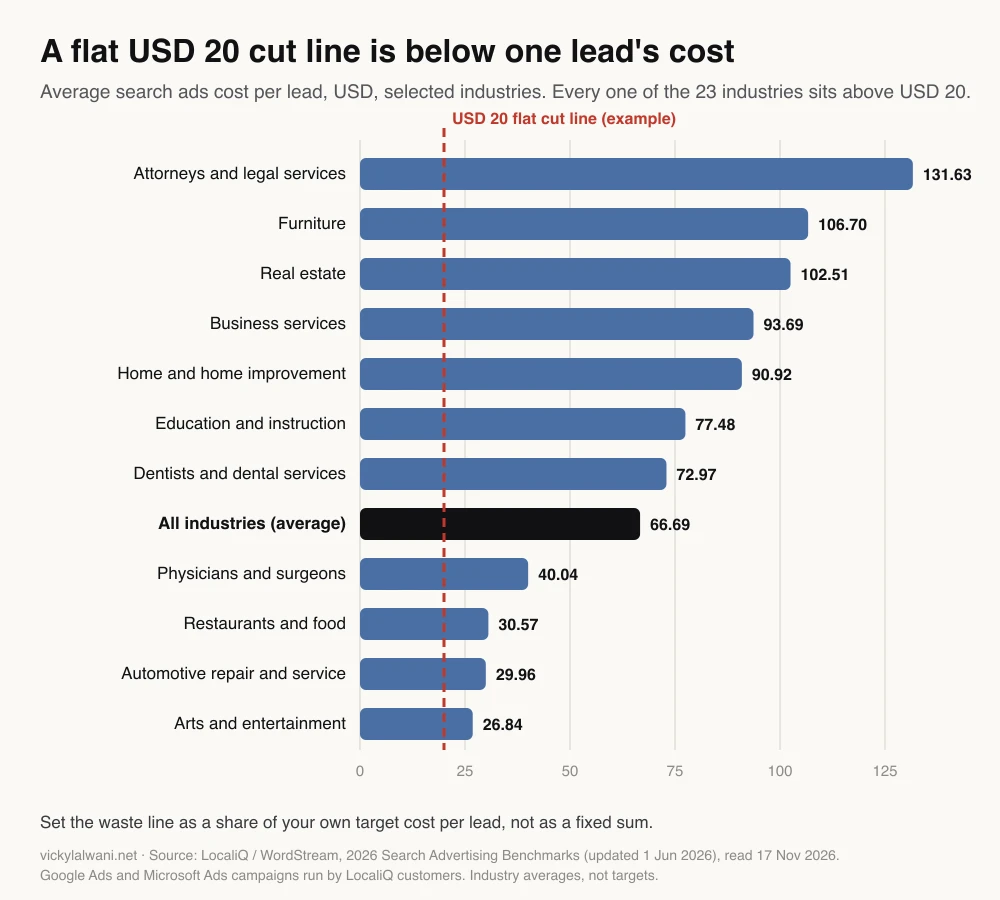
So tie the line to your own target. A starting rule that works for most lead generation accounts:
| Spend, zero conversions | Verdict | Why |
|---|---|---|
| Under 1x target CPA | Leave it | Too early to judge |
| 1x to 2x target CPA | Flag | Read the intent |
| 2x to 3x target CPA | Propose a negative | Unless lag explains it |
| Any spend, wrong intent | Negative now | Jobs, free, login, DIY |
CPA here means cost per acquisition: what you pay for one conversion. On lead generation accounts I work on, an ad gets roughly three to four times the target cost per lead in spend before anyone judges it, so the search term rule above is deliberately a little faster.
Two traps catch most AI-drafted negative lists. The first is conversion lag. Google's Days to conversion segment shows how long your conversions take, and Google advises a date range that ends at least 30 days ago when you study it. If your sales cycle is longer than your date window, a term can look dead when it is simply early. The second is over-reach: candidate lists can include a location you serve or a brand term you want. Read every proposed negative before it goes in, and do not block a borderline term on day one. Let the next report decide.
Attached: search terms export, last 60 days, Search and Performance Max.
Use the account brief in this project.
1. Remove any term with conversions. Group the rest by intent (wrong product, jobs,
   free/DIY, competitor, location we do not serve, unclear).
2. For each group: total spend, number of terms, and a verdict: negative now / propose
   negative / flag / keep, using the waste rule in the brief.
3. Draft negatives with match type and level (campaign or shared list).
4. List any term that looks wasteful but may be worth keeping, and say why.
5. Flag anything younger than our click-to-conversion time as "too early".
Do not change the account. Output a table I can paste into a sheet.
For the wider version of this check across Search, Shopping and Performance Max, see how to reduce wasted ad spend in Google Ads.
Check 2: Is creative fatigue raising your costs?
Short answer: Flag ads whose frequency is above about 3.0 while click-through rate has fallen over the last 30 to 60 days, rank them by spend at risk, and decide refresh or pause for each. Treat 3.0 as a starting line, not a rule: broad audiences tolerate more.
Creative fatigue is what happens when the same people see the same ad too many times. It rarely fails loudly. Frequency (the average number of times each person saw the ad) climbs, click-through rate (CTR) slides, and cost per result drifts up while the campaign still looks fine at a glance.
The two signals only mean something together. High frequency with a steady CTR is a healthy ad that people still respond to. A falling CTR with low frequency is usually a targeting or offer problem, not fatigue. In small retail accounts, the most common version I find is the same offer boosted several times as separate posts, each competing for the same people.
Meta's own advice, in a short Meta for Business video on creative fatigue, is to refresh the concept (a new benefit, use case, person or situation) rather than just pause, and to check the recommendations Ads Manager shows. Ask Claude to rank fading ads by budget at risk and to list the healthy ones too, so nobody touches what still works.
Attached: ad-level export, last 60 days, weekly breakdown (spend, impressions,
reach, frequency, CTR, cost per result).
Flag ads where frequency is above 3.0 AND CTR fell in at least 3 of the last 4 weeks.
Rank flagged ads by spend in the last 14 days. For each: refresh or pause, and one
new angle to test (benefit, use case, audience or format). Then list the ads that are
healthy and should be left alone. Draft only.
Check 3: What is Performance Max really doing?
Short answer: Break Performance Max down by channel, asset group, search terms and assets, then ask Claude one question: if you could fix only three things this week, which three and why? The channel and search terms reports added in 2025 make this far more useful than it used to be.
Performance Max used to show almost nothing about where money went. That changed in 2025. The Google Ads liaison announced channel performance reporting with cost metrics in April 2025, and Google's visibility and control page lists search terms reporting for all Performance Max campaigns, full asset statistics, and reporting on assets created by Final URL expansion.
| Report | Question it answers |
|---|---|
| Channel performance | Search, YouTube, Display or Gmail? |
| Search terms | Which queries cost money? |
| Asset group | Which group carries the campaign? |
| Asset stats | Which headlines and images convert? |
| Final URL expansion assets | Which pages did Google pick? |
Google Ads, 25 Aug 2025: official tutorial on the channel performance report. Sells nothing beyond Google Ads itself.
Export each report, give them to Claude with the brief, and ask for the three fixes. A ranked answer beats a long list, because a long list is how audits end up in a drawer. Reporting in Performance Max still changes often, so if a number is missing from your export, ask Claude what to pull next rather than letting it guess.
Check 4: Are your campaigns or audiences competing with each other?
Short answer: Give Claude your audience definitions, campaign targeting and performance, plus any overlap report your platform offers, and ask which campaign or ad set should own each overlap. Start with the overlaps that waste the most spend, and keep the decision on which to pause with a person.
Run enough campaigns and they start to collide. On Meta, the same person qualifies for two ad sets and you bid against yourself. On Google, a Search campaign and Performance Max can chase the same queries, and two location campaigns can overlap at the edges.
Claude cannot see overlap that is not in the data. What it can do is read targeting definitions side by side, spot the duplicates a person misses after the tenth ad set, and match them to spend. Ask for a short table: overlap, which to keep, which to exclude or merge, and the reason. Consolidation is often the right answer, because automated bidding learns faster from fewer, larger campaigns.
Check 5: Will this month's spend land on budget?
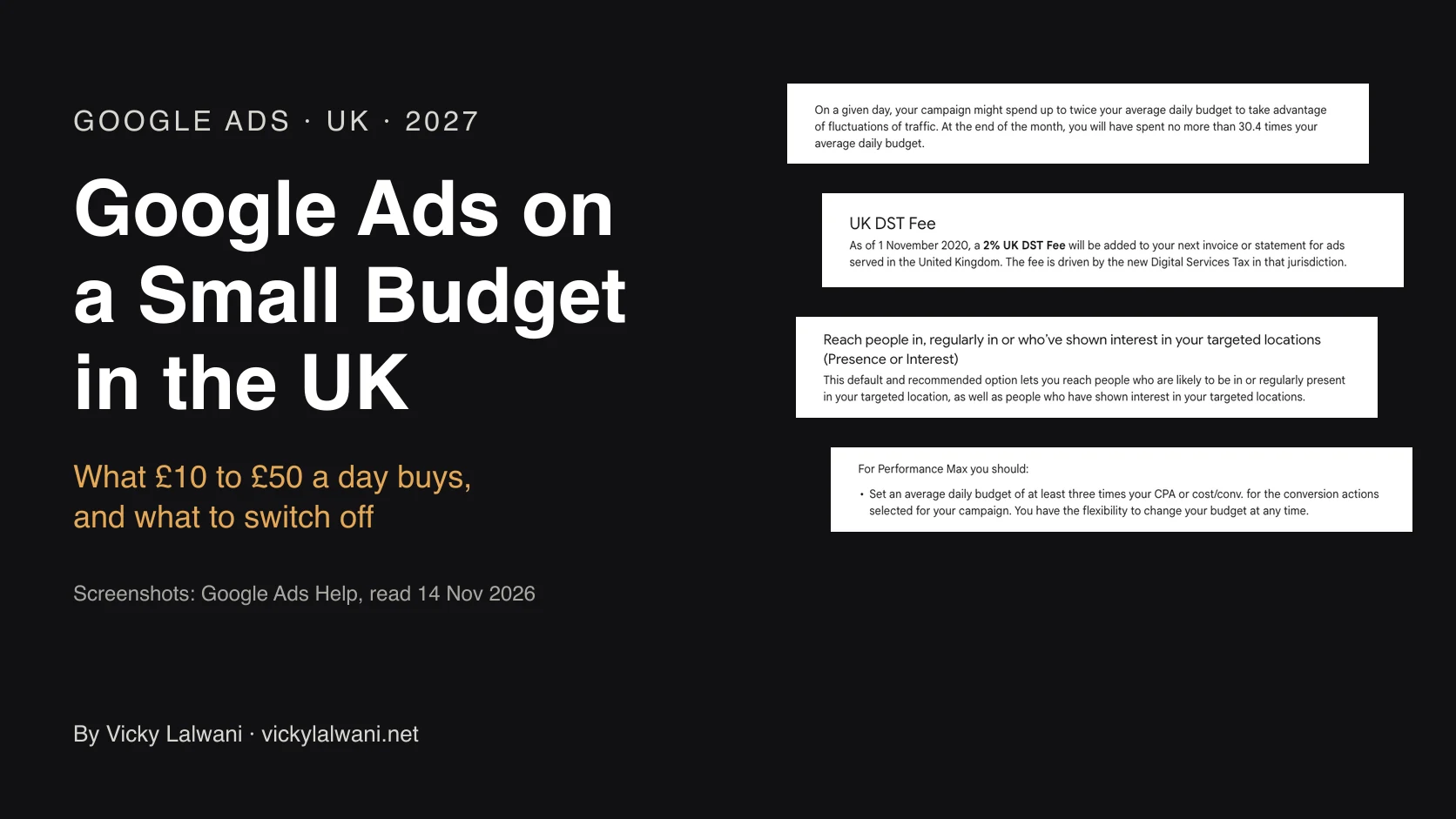
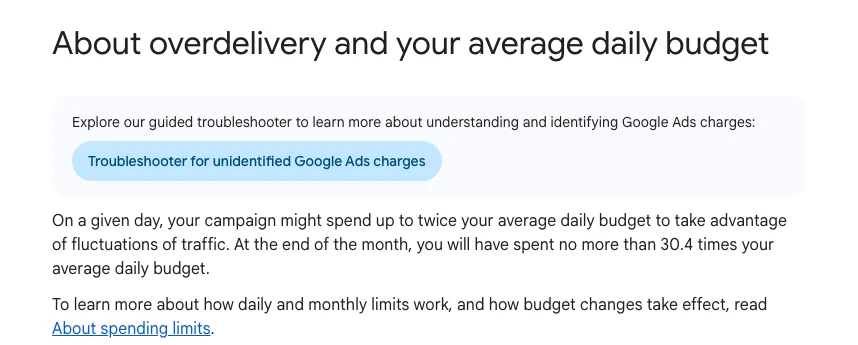
Short answer: Give Claude month-to-date spend by campaign, the monthly budget and the day of the month, and ask for a projection and a short action list. Remember that a Google Ads campaign can spend up to twice its daily budget on one day, and no more than 30.4 times it over a month.
Pacing problems stay invisible until the month ends and the number is wrong. Google's rule is simple: a day can spend up to twice the average daily budget, and a month no more than 30.4 times it. The 30.4 is the average number of days in a month.
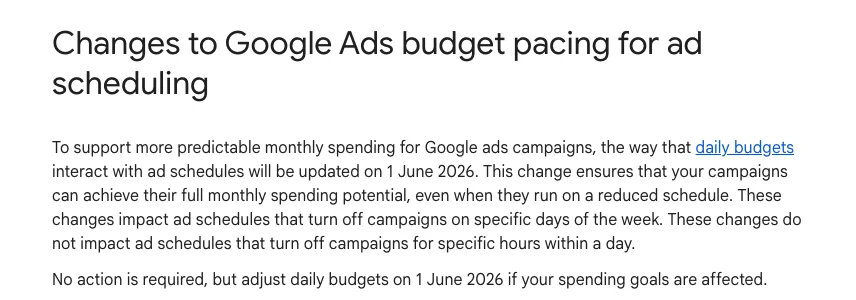
One change from 2026 catches people out. From 1 June 2026, campaigns with ad schedules that switch off whole days pace towards the full monthly limit. Google's own example: a £100 daily budget on a schedule that runs ten days a month could spend £2,000 rather than the £1,000 you expected. Hour-of-day schedules are not affected.
Today is day [N] of a [30/31]-day month.
Attached: month-to-date spend and conversions by campaign; monthly budget by campaign;
ad schedules (which days each campaign runs).
1. Project month-end spend per campaign at the current daily rate, and flag any that
   will miss budget by more than 10% either way.
2. Remember Google can spend up to 2x the daily budget on one day and, for campaigns that
   switch off whole days, now paces towards 30.4x the daily budget for the month.
3. Suggest daily budget changes that protect the cost per lead ceiling in the brief.
Show the arithmetic for each line. Draft only.
Check 6: What are your competitors running?
Short answer: Pull competitors' live ads from the Meta Ad Library and Google's Ads Transparency Center, paste them into Claude, and ask it to group them by hook, offer and format and to name the angle nobody is using. Add auction insights for who you meet in Google auctions.
Both libraries are public. The Meta Ad Library shows active ads by advertiser. Google's Ads Transparency Center, launched in March 2023, shows ads from verified advertisers by region and date. Neither shows spend, bids or the keywords behind a search ad, so treat them as creative research, not market share.
For the auction side, Google's auction insights report shows which advertisers appear alongside you and how often. Paste a few months of it and ask Claude what changed: a new entrant, a competitor pulling back, your own impression share falling at a particular time of day.
The useful output is one paragraph: the three angles every competitor uses, the one nobody uses, and a first creative brief to test it. For a fuller method, see how to analyse a competitor's landing page.
Check 7: What goes in the Monday report?
Short answer: Spend, conversions and cost per lead or ROAS against last week, the biggest movers up and down, any threshold breaches from the brief, and three priorities in order. Keep it short enough to read in two minutes and lead with the headline.
This is the audit you will run most, so it has to be quick. I close every report with a short human note: where we are, what we are doing, what is next. That note is the part clients actually read.
Check the tracking before you trust the report. If conversion counts moved sharply, ask Claude to compare the conversion actions week on week before it explains performance. A broken tag looks exactly like a bad week. A Cowork scheduled task can produce this report every Monday from connected data; scheduled tasks run remotely, so they work from connectors and files saved to your Claude account rather than files on your laptop.
| Line | Example content |
|---|---|
| Headline | Leads up, cost per lead flat |
| Versus last week | Spend, leads, CPL, ROAS |
| Movers | Top 3 up, top 3 down |
| Breaches | Anything past brief thresholds |
| Priorities | Three, in order, with owner |
How often should you run each check?
Short answer: Run the Monday report and pacing every week, search terms and creative fatigue every other week, and Performance Max, overlap and competitors monthly or when something looks off. That is roughly 15 minutes a week plus a longer monthly session once the brief and prompts are saved.
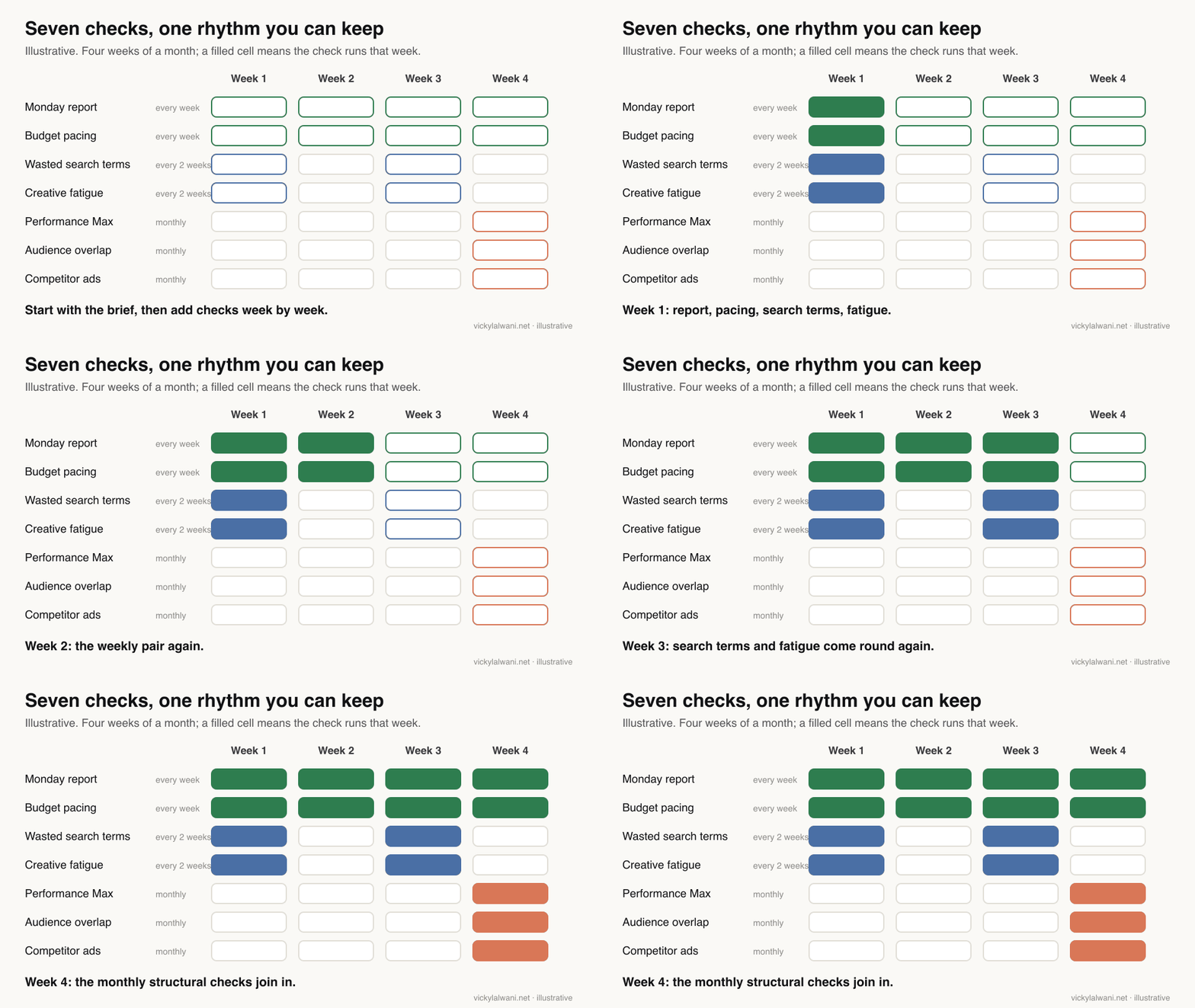
| Check | How often | Data needed |
|---|---|---|
| Monday report | Weekly | Last 2 weeks by campaign |
| Budget pacing | Weekly | Month-to-date spend |
| Wasted search terms | Every 2 weeks | Search terms, 60 days |
| Creative fatigue | Every 2 weeks | Ad-level, weekly |
| Performance Max | Monthly | Channel, terms, assets |
| Overlap | Monthly | Targeting and spend |
| Competitors | Monthly | Ad libraries, auction insights |
In the first 30 days, write the brief, run all seven once and make the Monday report a habit. From day 30 to 60, tune the thresholds to your margins. From day 60 to 90, hand the run sheet to someone else on the team. If they get the same quality of output from the same brief and prompts, you have a system rather than a personal trick. For a printable list, see the PPC audit checklist.
What people say on X and Reddit
Short answer: Practitioners agree Claude is good at reading and grouping account data and weak at platform-specific recommendations unless it sees the real settings. The most common advice is to give it context the export lacks and to keep it away from making changes.
The sharpest thread is in r/PPC, where a practitioner compared Claude and Gemini for campaign analysis. The top reply says the analysis is good but the optimisation advice falls apart under scrutiny, with examples such as target CPA tips for a campaign on target ROAS. Another reply says the bad assumptions stopped once they told the model what is not in the export: conversion lag, attribution model, bid strategy and target, and the exact date range.
In a thread on auditing PPC accounts with AI, several people say scripts that pull a weekly anomaly report beat asking AI to catch everything, and one suggests handing the model only the search terms that moved week on week. A thread on using AI for grunt work, not PPC decisions lands in the same place: useful for drafting and summarising, but keep it in a box where it cannot change the account.
| Source | Date | What it says | Type |
|---|---|---|---|
| Google Ads liaison on X | 23 Jan 2025 | Campaign-level PMax negatives rolling out | Official |
| Google Ads liaison on X | 11 Mar 2025 | PMax negative cap raised from 100 | Official |
| Google Ads liaison on X | 30 Apr 2025 | PMax channel reporting with cost | Official |
| A PPC practitioner on X | 24 Mar 2026 | Claude mines search terms via MCP | First-hand |
| A B2B marketer on X | 3 Nov 2026 | Weekly search terms into Claude | Opinion |
| An AI ads course seller on X | 11 Apr 2026 | Cowork plus Google Ads for audits | Vendor |
| r/PPC | 30 Sep 2026 | Analysis good, settings advice weak | First-hand |
| r/PPC | 30 Oct 2026 | Scripts for anomalies, AI for the short list | First-hand |
| r/PPC | 15 Jun 2026 | AI for grunt work, people decide | Opinion |
| r/PPC | 17 Jun 2026 | Ask for specific flags, CSV is fine | First-hand |
| r/PPC | 19 Sep 2026 | Context in, relevance out | First-hand |
Which videos are worth watching?
Short answer: Start with Google's own Performance Max reporting tutorial, then one practitioner walkthrough of a Claude audit to see the data preparation. Treat agency and vendor videos as one way to do it, not the standard.
A Google Ads consultant channel, 5 May 2026: builds Google Ads scripts that feed every report into a sheet, adds a business context document (target CPA, lifetime value, break-even), then asks Claude for findings. Promotes the creator's own services.
| Video | Channel | Date | What it covers |
|---|---|---|---|
| Channel performance reporting in PMax | Google Ads | 25 Aug 2025 | Official report walkthrough |
| PMax search terms and negatives | A Google Ads coach | 19 May 2025 | Report and 10,000 negatives |
| Solving creative fatigue | Meta for Business | 3 Feb 2026 | Refresh the concept |
| Google Ads audit with Claude | A Google Ads consultant | 5 May 2026 | Scripts plus business context |
| Automating audits with Claude | A B2B ads agency | 9 Jul 2026 | Skill-based audit; sells training |
| Google Ads MCP audit workflow | A connector vendor | 27 May 2026 | Vendor demo of an MCP report |
Where is this advice weak?
Short answer: The thresholds are starting points, not proven rules; the benchmarks are averages from one provider's customers; and Claude's recommendations are only as good as the context and data you give it. None of these checks replaces knowing the business.
- Benchmarks are averages. LocaliQ's figures come from its own customers' Google and Microsoft campaigns. Your market, offer and region will differ.
- Thresholds are judgement. The 1x to 3x target CPA rule and the 3.0 frequency line are where I start, then tune. A high order value account should wait longer.
- Exports miss settings. A CSV does not show bid strategy, conversion settings or attribution, which is where AI advice most often goes wrong.
- Write access is limited on purpose. Google's official MCP server cannot change campaigns, budgets or bids. Third-party tools that can should be treated with care.
- Tracking comes first. If conversions are miscounted, every check above measures the wrong thing. See the Meta and Google audit for tracking checks.
Want a second pair of eyes on your account?
If you want the brief, prompts and rhythm set up on your own accounts, or the audit run for you each week, see my PPC and Google Ads consulting and Meta ads management. For the Claude side (projects, skills and connectors for a team), see Claude consulting. Rates are on the pricing page. The companion guide has the fill-in brief and the prompt for each check.
Sources
| Source | What it supports | Date | Link |
|---|---|---|---|
| Google Ads Help | Search terms report | Read 17 Nov 2026 | Search terms |
| Google Ads Help | PMax search terms, from Mar 2023 | Read 17 Nov 2026 | PMax terms |
| Google Ads Help | PMax negatives, lists, reporting | Read 17 Nov 2026 | PMax controls |
| Google Ads Help | Days to conversion | Read 17 Nov 2026 | Conversion lag |
| Google Ads Help | 2x daily, 30.4x monthly | Read 17 Nov 2026 | Overdelivery |
| Google Ads Help | Schedule pacing from 1 Jun 2026 | Read 17 Nov 2026 | Pacing change |
| Google Ads Help | Auction insights | Read 17 Nov 2026 | Auction insights |
| Google Ads API docs | MCP server scope and limits | Read 17 Nov 2026 | MCP server |
| Ads Transparency Center launch | Mar 2023 | Announcement | |
| Meta | Ad Library | Read 17 Nov 2026 | Ad Library |
| LocaliQ / WordStream | Cost per lead by industry | 1 Jun 2026 | 2026 benchmarks |
| Claude Help Center | Projects, plans, limits | Read 17 Nov 2026 | Projects |
| Claude Help Center | Skills | Read 17 Nov 2026 | Skills |
| Claude Help Center | Code execution for files | Read 17 Nov 2026 | Files |
| Claude Help Center | Scheduled tasks run remotely | Read 17 Nov 2026 | Scheduled tasks |
| Anthropic | Training choice, retention | 28 Aug 2025 | Consumer terms |
| X, Reddit, YouTube | Practitioner views | 2025 to 2026 | Linked above |
FAQ
What is a PPC audit with Claude?
A PPC audit with Claude is a structured check of a pay-per-click account in which Claude reads your exports or live data, groups and totals the numbers, and drafts ranked actions. You supply the business context in a brief and approve every change before anything happens in the account.
What is a good threshold for wasted search terms?
Tie it to your target cost per lead rather than a fixed sum. A practical start is to flag a term with no conversions once it has spent one target CPA and to propose a negative at two to three times, sooner if the intent is plainly wrong. LocaliQ's 2026 data puts the average cost per lead above USD 20 in every industry it tracks, so a flat USD 20 line is usually too tight.
Can I add negative keywords to Performance Max?
Yes. Performance Max supports campaign-level negative keywords, up to 10,000 per campaign, and shared negative keyword lists. They apply to Search and Shopping inventory only, so use content exclusions for display and video placements.
At what frequency does ad creative fatigue start?
A frequency above about 3.0 combined with a falling click-through rate over 30 to 60 days is a sensible first flag. It is a starting line rather than a rule, because broad audiences tolerate more repetition. Meta recommends refreshing the concept, not just pausing the ad.
How often should I audit a PPC account?
Run the weekly report and budget pacing every Monday, wasted search terms and creative fatigue every other week, and Performance Max, overlap and competitor checks monthly or when something looks off. Once the brief and prompts are saved, that is about 15 minutes a week plus one longer monthly session.
Can Claude connect directly to Google Ads?
Yes. Google publishes an official Google Ads MCP server that lets Claude read account data, with limited writes for assets, video uploads and labels. It cannot create or change campaigns, budgets or bids, which suits an audit where a person makes the decisions.
Should Claude make the changes in the account?
No, not for an audit. Claude is good at reading, arithmetic and drafting, but it does not know your margins, sales cycle or client context, and practitioners report it recommending settings that do not fit the campaign. Keep pause, cut and scale decisions with a person.
How much can a Google Ads campaign overspend its daily budget?
Google says a campaign can spend up to twice its average daily budget on a single day and no more than 30.4 times it over a month. Since 1 June 2026, campaigns whose ad schedules switch off whole days pace towards that full monthly limit, so check daily budgets on scheduled campaigns.
Is it safe to upload ad account data to Claude?
Check your settings first. On Claude Free, Pro and Max you choose whether chats can train future models, and allowing it extends retention to five years, while Team, Enterprise and API use sit under commercial terms. Remove names and contact details you do not need before uploading.