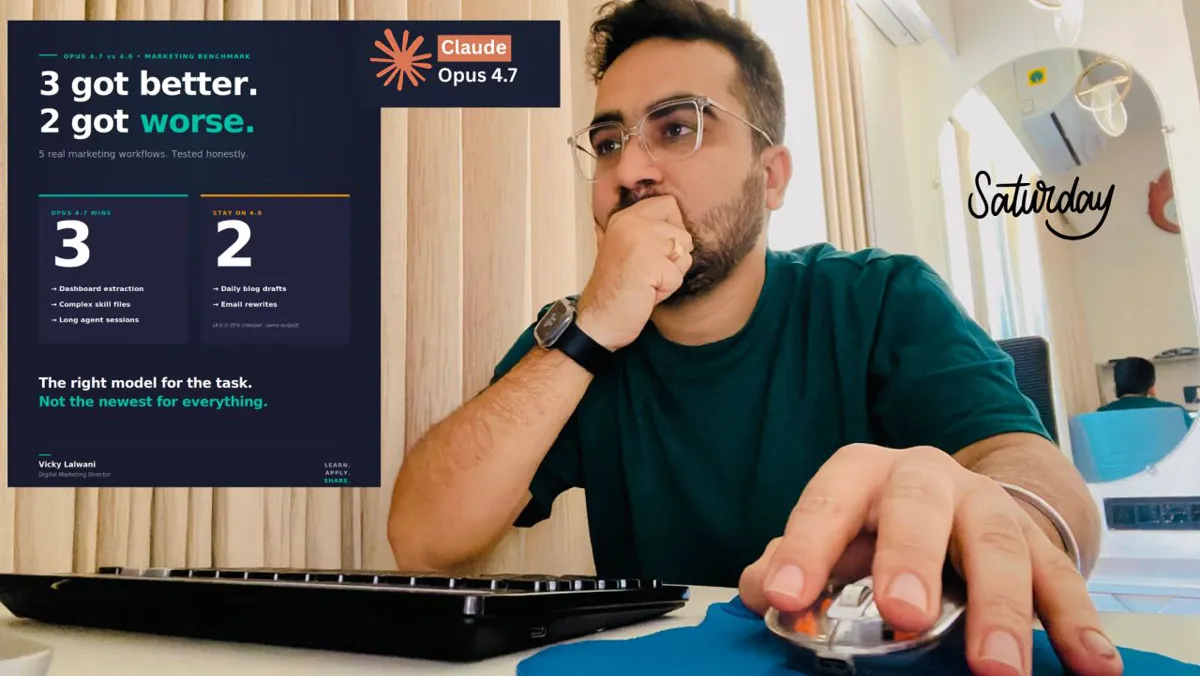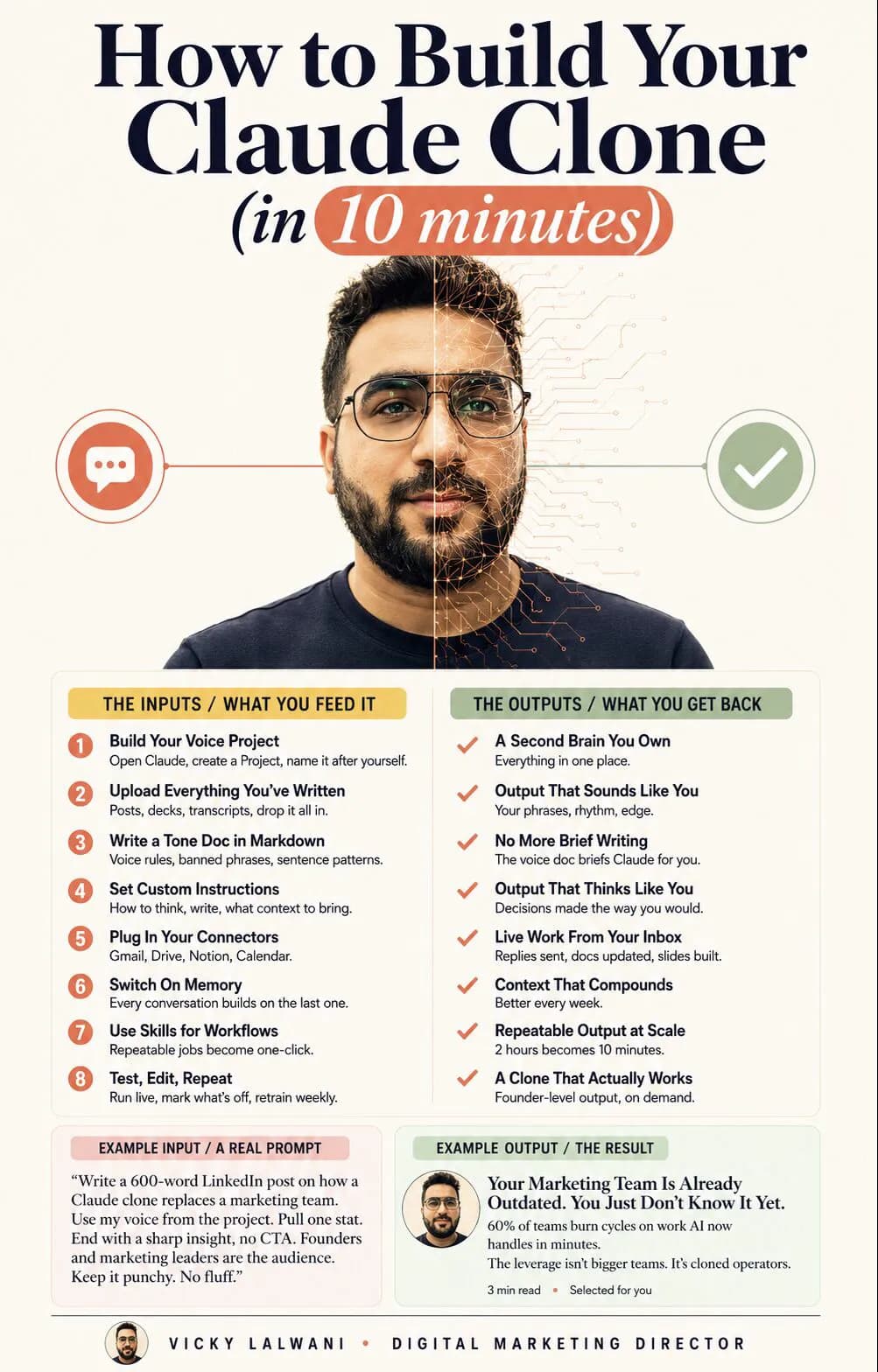
To train Claude on your writing style, put your best real writing in a Claude project, have Claude turn it into a voice profile with evidence, save that as a voice skill with rules, banned phrases and before-and-after edits, keep Instructions for Claude short, and add your most common edits to the skill each week. As of November 2026 Anthropic documents skills, not Styles, for tone and your own writing.
TL;DR
To train Claude on your writing style, give it your best real writing in a Project, turn the patterns into a voice skill with rules, banned phrases and before-and-after edits, keep your account-wide instructions short, and feed your weekly edits back into the skill.
The tools changed in 2026. Anthropic's Help Center no longer has a page for Styles; its personalisation guide now lists three tools (Instructions for Claude, project instructions and skills) and says skills are the way to apply "communication patterns based on your own writing". Each project also has its own memory.
Claude gets close, not identical. You still read every draft before it goes out under your name.
Short answer: you do not train Claude in the machine learning sense. You give it evidence (your writing), rules (a voice skill) and context (a project), then correct it. Set up once, it gets closer every week you feed your edits back.
This page is about your personal writing voice: posts, emails, newsletters, reports. If you need a company's visual brand rules for decks and designs, that is a different file, covered in AI brand guidelines. If you would rather have the whole setup built around your business, that is part of my Claude consultant work.
What changed in Claude for writing in your own voice?
Short answer: Styles have faded out of Anthropic's documentation and skills have taken over the job. As of 18 November 2026, the personalisation guide lists Instructions for Claude, project instructions and skills, projects have their own memory, and on a Mac (Pro, Max, Ultra and Team plans) you can record a skill instead of writing one.
Styles launched in November 2024 with presets (Concise, Explanatory, Formal) and custom styles built from uploaded writing samples. Anthropic's Help Center article on them, last archived in January 2026, explained both. That article address, and Anthropic's original styles announcement, now return "page doesn't exist", and the current personalisation guide describes skills for tone instead.
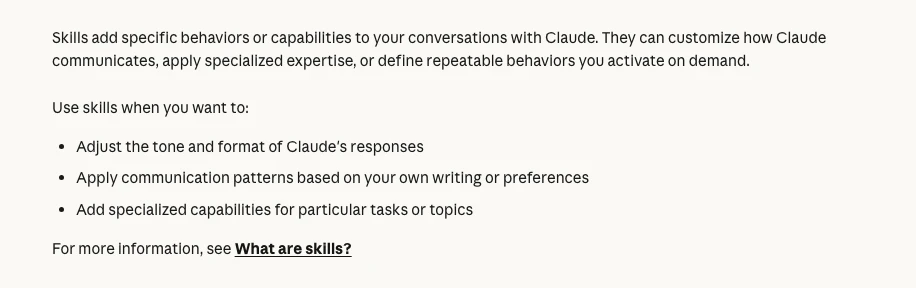
I could not confirm from Anthropic whether the Styles menu has been removed from every account. If you still see "Use style" in your chat menu, a custom style built from a writing sample is a quick first draft of your voice. Build the lasting version as a skill, because that is the feature Anthropic now documents and develops.
| Change | When | What it means for your voice |
|---|---|---|
| Skills launched | 16 Oct 2025 | A reusable voice rulebook |
| Record a skill (Mac, Cowork) | 21 Jul 2026 | Show Claude a task instead of writing it up |
| Chat and Cowork merged | From 16 Sep 2026 | Global instructions moved to Instructions for Claude |
| Project memory | Current docs | A voice project can keep its own memory |
| Styles help article | Gone by Nov 2026 | Use skills for the durable version |
Which Claude feature should hold your voice?
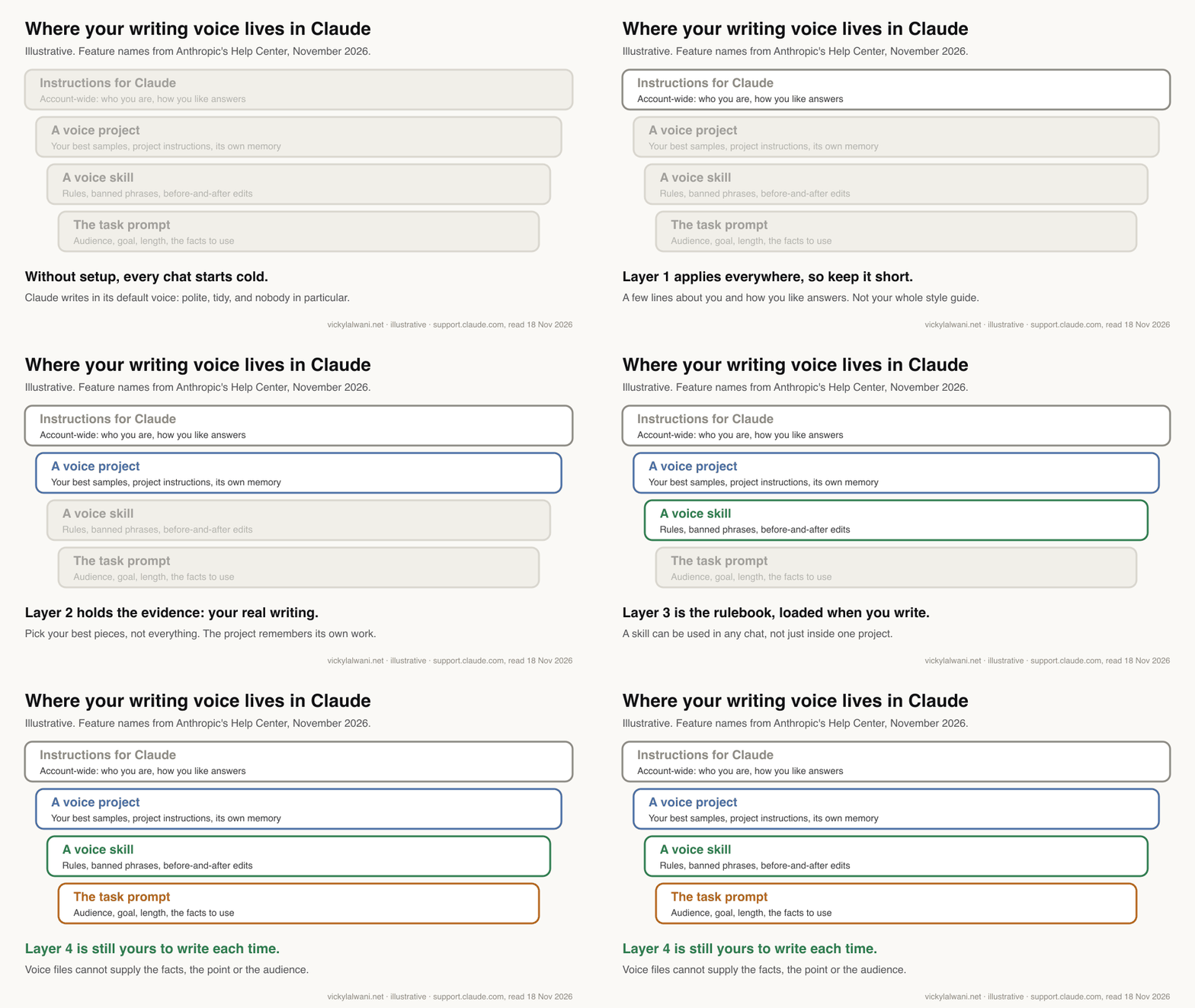
Short answer: all three, each with a different job. Instructions for Claude hold a few lines that apply everywhere. A project holds your samples and the context for one kind of work. A skill holds the voice rules and loads whenever you write, in any chat.
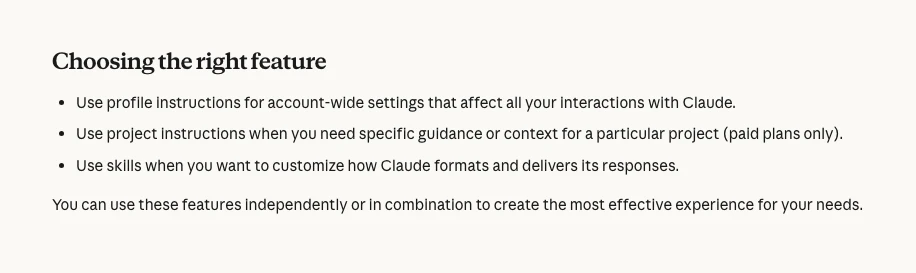
| Feature | Applies to | Put here | Keep out |
|---|---|---|---|
| Instructions for Claude | Every chat | Who you are, how you like answers | Your full style guide |
| Project | Chats in that project | Best samples, audience, context | Rules you need elsewhere |
| Voice skill | Any chat, when relevant | Rules, banned phrases, examples | Facts that change weekly |
| Memory | Built up as you chat | Running preferences | Anything you need exact |
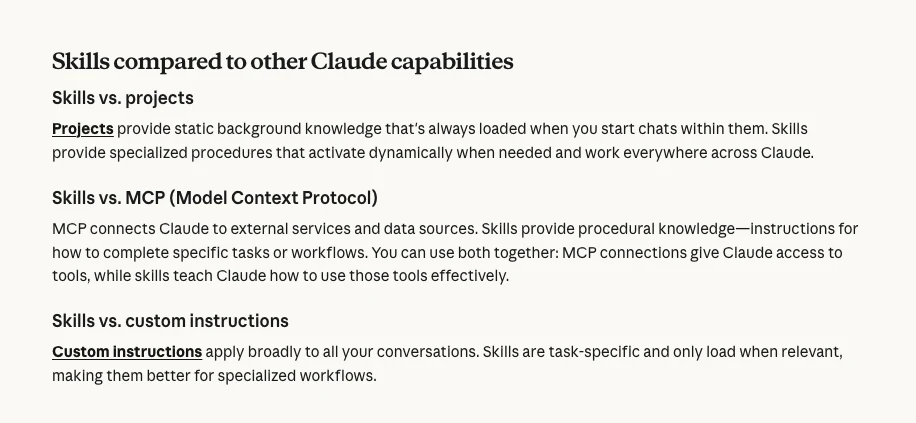
Anthropic's What are skills? page draws the line clearly: projects provide background knowledge that is always loaded in that project, while skills are procedures that load when needed and work everywhere across Claude.
I keep one Claude project per client and per kind of work, with chats named by task and skills kept in one known place. The same habit works for a personal voice: one project for your writing, one skill for your voice, and nothing about your voice scattered across old chats.
Step 1: which writing samples should you give Claude?
Short answer: a handful of your best finished pieces across the formats you want Claude to write; five to fifteen is a sensible start. Choose final, edited versions you are proud of, not everything you have ever written, and leave out anything that was AI-drafted, quoted from others or confidential.
| Sample | Include? | Why |
|---|---|---|
| Posts you edited heavily | Yes | Closest to your real voice |
| Emails to clients | Yes, anonymised | Shows how you talk to buyers |
| Talk or call transcripts | A few | Your spoken rhythm and phrases |
| AI-drafted posts | No | Teaches Claude its own habits |
| Client documents | No | Not yours to share |
Variety matters more than volume. Five newsletters teach one format; two newsletters, two posts and a client email teach your voice. If you dictate a lot, a transcript of you explaining something is often closer to how you really sound than anything you have polished.
Put the samples in a project. On paid plans, Anthropic's projects page says project knowledge switches to retrieval when it nears the context limit, expanding capacity by up to ten times. Projects are available on every plan, with up to five on Free; the Help Center is inconsistent on whether Free accounts get project instructions, so check yours.
Step 2: how do you turn samples into a voice profile?
Short answer: ask Claude to analyse the samples and report patterns with evidence: sentence length, openings, closings, words you use and never use, how you handle disagreement and how you end. Then have it interview you about what it got wrong. The result is the draft of your voice skill.
Adjectives such as "friendly but professional" are nearly useless. Claude is much better at copying patterns it can see than at following labels. So the analysis has to quote you.
Read every sample in this project. Ignore anything that quotes other people.
Write a voice profile of the author with evidence for every point:
1. Typical sentence and paragraph length (give numbers from the samples).
2. How pieces open and close (quote three examples of each).
3. Words and phrases the author uses often, and words they never use.
4. How they handle opinion, disagreement and uncertainty.
5. Formatting habits: headings, lists, bold, questions.
6. Five things a generic AI draft would do that this author never does.
Then ask me five questions about anything you are unsure of. Do not guess.
One r/ClaudeAI user did the interview the other way round: they asked Claude to interview them and write a style guide from the answers, after readers called out their AI-assisted articles. Both routes work; using samples and an interview together works best, because the samples show what you do and the interview explains why.
Step 3: how do you build a voice skill?
Short answer: a skill is a folder with a skill.md file. It starts with a name (up to 64 characters) and a description (up to 200 characters) saying when to use it, followed by your rules and examples. Upload it as a ZIP in Customize, Skills, or have Claude draft it in chat and refine it there.
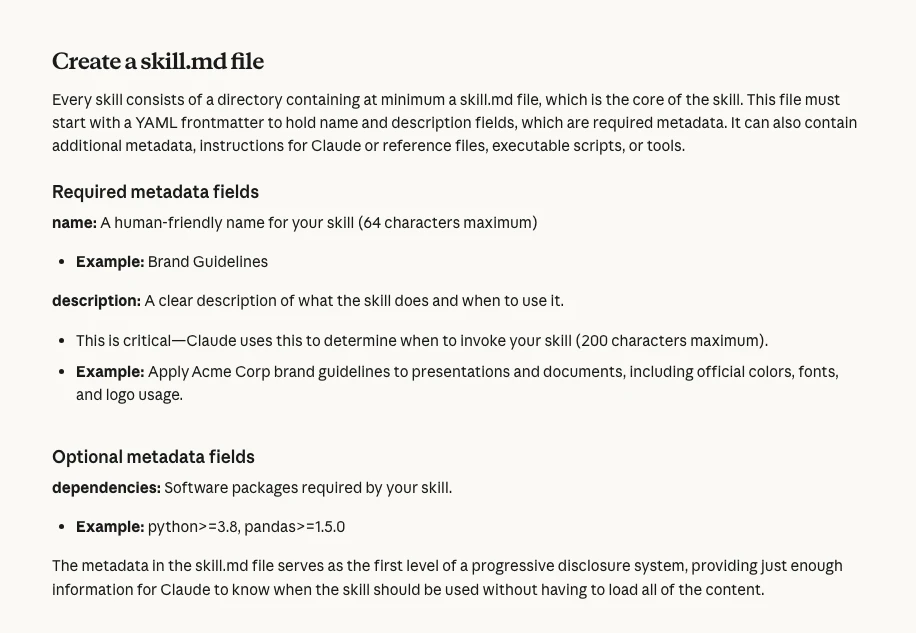
The description is the part people get wrong. Claude reads it to decide whether to load the skill, so "My voice" will rarely trigger. "Use when writing or editing anything published under my name: LinkedIn posts, newsletters, client emails, blog drafts" will.
---
name: my-writing-voice
description: Use when writing or editing anything published under my name, such as LinkedIn posts, newsletters, client emails and blog drafts.
---
# My writing voice

## Who I write for
Founders and marketing leads who are short of time and sceptical of hype.

## Rules
- Lead with the point. No warm-up sentence.
- Sentences under 20 words on average. Paragraphs of one to three sentences.
- First person for what I have done; "you" for the reader. Never "we" for myself.
- Plain words: "use", not "leverage"; "help", not "empower".
- One idea per post. End with a question or a next step, never a summary.

## Never
- "In today's fast-paced world", "game-changer", "unlock", "dive in"
- Long dashes. Use a full stop or a comma.
- Exclamation marks in business writing.

## Before and after
Before: "In today's landscape, it's crucial to leverage data to unlock insights."
After: "Most reports list numbers. Yours should say which one changed."

## When unsure
Ask me rather than invent a fact, a figure or a quote.
The rules above are an example to adapt, not mine to copy, although the ban on long dashes is a real rule for everything published on this site. Anthropic's best practice for skills says to keep each one focused and to include example inputs and outputs. For a voice skill, the before-and-after pairs are the examples, and they teach more than any rule.
Keep one skill per job. When AI-written copy sounds pushy, I check which instruction set wrote it before rewriting anything by hand. I have seen website pages come out like sales letters because a skill built for ad offers was doing the writing. A voice skill and a direct-response skill should never be loaded on the same piece by accident, so a bought-in copy skill is something I invoke by name, not leave running on everything.
Step 4: what goes in your account-wide instructions?
Short answer: very little. Instructions for Claude apply to every conversation, so put only what is always true: your role, your audience, your spelling and the two or three habits you want everywhere. Anything longer belongs in the voice skill.
Anthropic's guide places these under Settings, then Your Claude, then Instructions (or "Instructions for Claude" in the older layout). If you used Global instructions in Cowork, they are now part of the same setting, so check that they still say what you want. A short example:
I run a small marketing consultancy. I write in British English for founders and marketing leads.
Be direct and brief. Say when you are unsure. Never invent figures, quotes or client stories.
When I ask for anything I will publish, use my writing voice skill.
Step 5: should you turn on memory for your voice?
Short answer: yes, inside the voice project, but do not rely on it for rules. Memory saves running preferences as you chat and each project has its own. Anything you need applied exactly every time belongs in the skill, where you can read and edit it.
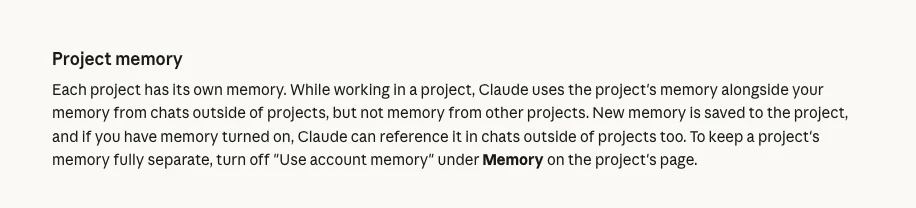
According to Anthropic's memory guide, memory is on by default on Free, Pro, Max and Ultra plans, and you can say "remember this" to save something directly. Inside a project, Claude uses that project's memory plus your general memory, but not other projects'. If you write for several brands or clients, turn off "Use account memory" on each project so voices do not bleed into each other. To run one chat without memory, switch Memory off in the "+" menu before the first message.
Step 6: how do you test and improve it every week?
Short answer: run it on real work, edit the drafts as you normally would, and once a week ask Claude to compare its drafts with your edits and propose new rules for the skill. The number of edits you make per draft is the only measure that matters.
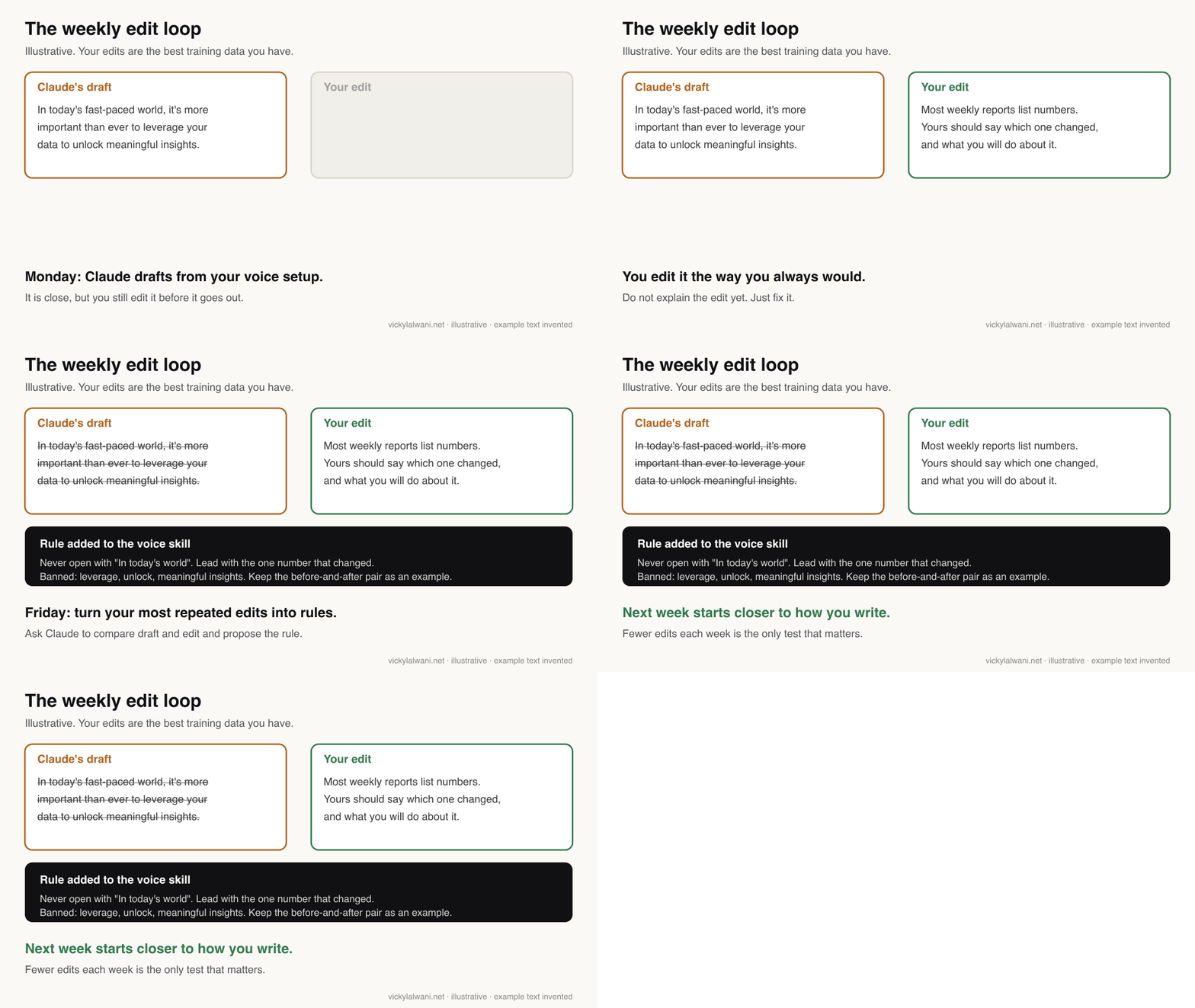
Here are this week's drafts from you and the versions I actually published.
List every change I made, grouped by type (cut, reworded, reordered, added).
For the three most common types, write a rule for my voice skill and a before-and-after example from this week.
Do not add a rule for a one-off change.
Two more tests are worth running. A blind test: give Claude a situation you have already written about, without showing it your version, then compare. A side-by-side test: when you are choosing between two skills or two versions of one, run both on the same brief and the same page, read them together, and keep the winner. That is how I settle any argument about which copy skill to use.
Anthropic's guide to creating skills adds a practical check: try several prompts that should trigger the skill, look at Claude's reasoning to confirm it loaded, and rewrite the description if it does not.
What about Claude Code and Cowork?
Short answer: the same voice skill works in Claude Code and in Cowork tasks. Claude Code also has output styles, which set tone for a whole session, and on a Mac you can record a skill by doing a task on screen while you talk it through.
| Surface | Voice option | Note |
|---|---|---|
| Claude chat | Skill, project, instructions | The main setup above |
| Cowork (cloud) | Same skills and memory | Local sessions do not use memory |
| Claude Code | Skills, CLAUDE.md, output styles | Output style applies every turn |
| Record a skill | Mac, Cowork; Pro, Max, Ultra, Team | About 10 minutes per recording |
Claude Code's output styles documentation says a custom style can turn Claude into a writing assistant. If you work in folders rather than chats, the file-based version of this setup is in the CLAUDE.md file for marketing. For recording skills, see record a skill in Claude, and for a starter set of work skills, Claude marketing skills.
Where this advice is weak
Short answer: Claude can match your patterns, not your judgement, and the features move quickly. Expect to revisit the setup whenever Anthropic changes how projects, memory or skills work.
- Close is not identical. A voice match does not fix a weak point or a bad order of ideas. Those are still your job.
- Facts are not voice. Claude can invent a statistic or a quote in perfect "you" style. Read every draft before it goes out.
- Features are in flux. A new version of projects is in beta, and Styles have dropped out of the documentation. Check the Help Center before rebuilding.
- Long pieces drift. r/ClaudeAI users writing novels report the voice fading over long sessions. Start fresh chats and let the skill reload.
- AI detectors are not a test. Some users check drafts with detectors. A "human" score says nothing about whether the piece sounds like you.
- Other people's writing. Building a skill from someone else's articles is easy. Publishing in their voice is a different question; use your own.
What people say on X and Reddit
Short answer: people who get good results all did the same thing: wrote their voice down once, with real examples, and kept correcting it. The complaints are drift in long sessions and confusion over which feature to use.
| Who | What they said | Take it as | Link |
|---|---|---|---|
| Anthropic (official) | Upload writing samples and Claude generates a custom style (26 Nov 2024) | Official, older | X post |
| Claude (official) | Skills are packaged instructions that teach Claude your way of working (16 Oct 2025) | Official | X post |
| Claude (official) | Record your screen and Claude turns the task into a skill (21 Jul 2026) | Official | X post |
| A creator on X | One voice file in a Cowork context folder made drafts hard to tell from their own (2 Mar 2026) | First-hand | X post |
| An AI tips account | Long guide: use many real samples, extract patterns, test blind (30 Aug 2026) | Opinion | X post |
| A writer and founder | How to build an AI writing system that sounds like you (29 Oct 2026) | Opinion | X post |
| r/ClaudeAI | A one-page style guide for Claude was "the highest-value hour" (12 Sep 2026) | First-hand | Thread |
| r/ClaudeAI | Claude analysed two years of a personal blog and skipped the AI-written posts (25 Sep 2026) | First-hand | Thread |
| r/ClaudeAI | Readers spotted AI articles, so Claude interviewed the author and wrote a style guide (16 Feb 2026) | First-hand | Thread |
| r/ClaudeAI | Style drift and forgetting in long creative writing sessions (1 May 2026) | First-hand | Thread |
| r/ClaudeAI | A writing style skill built from one public article in three minutes (1 Jan 2026) | First-hand | Thread |
Videos worth watching
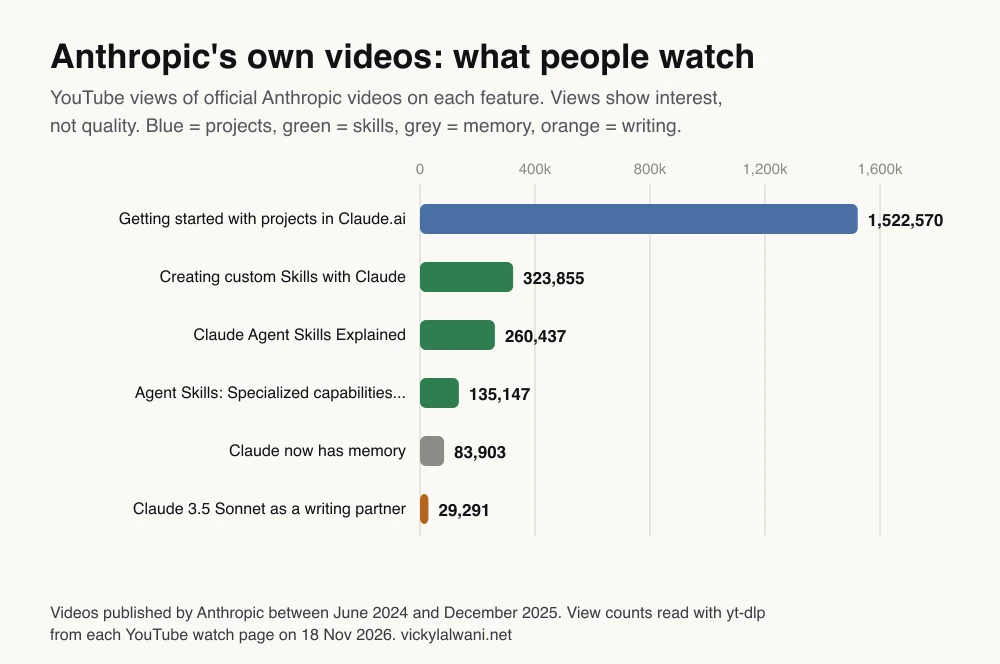
Short answer: Anthropic's own short videos on skills and projects explain the features better than most tutorials. Watch them first, then one practitioner build.
Made by Anthropic, 16 October 2025. It does not sell anything. Under a minute on creating a custom skill.
Made by Anthropic, 26 November 2025. It does not sell anything. How skills differ from CLAUDE.md, MCP servers and subagents, in about three minutes.
Made by Anthropic, 2 December 2025. It does not sell anything. Creating a project, adding knowledge and setting project instructions. It predates the new beta version of projects.
| Video | Channel | Date | What it covers |
|---|---|---|---|
| Creating custom Skills with Claude | Anthropic | 16 Oct 2025 | Making a skill |
| Claude Agent Skills Explained | Anthropic | 26 Nov 2025 | Skills versus other features |
| Getting started with projects in Claude.ai | Anthropic | 2 Dec 2025 | Projects and instructions |
| Claude now has memory | Anthropic | 23 Oct 2025 | Memory basics |
| I Trained AI to Write Like Me | A productivity author's channel | 12 Aug 2025 | A long style guide in practice; links a checklist |
| How to Make AI Write in YOUR Voice (Claude Skill Tutorial) | A fiction-writing channel | 4 May 2026 | Building a voice skill; sells a community |
Sources
| Source | What it supports | Date |
|---|---|---|
| Understanding Claude's personalisation features | Instructions, project instructions, skills | Read 18 Nov 2026 |
| What are skills? | Skills versus projects and instructions | Read 18 Nov 2026 |
| How to create custom skills | skill.md, 64 and 200 characters, testing | Read 18 Nov 2026 |
| Use skills in Claude | Customize, Skills, upload as ZIP | Read 18 Nov 2026 |
| What are projects? | Free limit of five, RAG up to ten times, beta | Read 18 Nov 2026 |
| Chat search and memory | Defaults, project memory, per-chat off | Read 18 Nov 2026 |
| Claude Cowork and chat are one Claude | Global instructions moved | Read 18 Nov 2026 |
| Claude Code output styles | Custom styles in Claude Code | Read 18 Nov 2026 |
| Configuring and using styles (archived) | Presets, custom styles from samples | Archived 15 Jan 2026 |
| Anthropic: skills | Skills launch | Oct 2025 |
| Agent Skills specification | Open skill format | Read 18 Nov 2026 |
| X posts and r/ClaudeAI threads | Practitioner views (table above) | Nov 2024 to Oct 2026 |
Want help setting this up?
If you want Claude to draft in your voice without the weeks of trial and error, my Claude consultant service covers the project, the voice skill, the instructions and a few weeks of edit-loop tuning. Rates are on the pricing page.
To start on your own, pick five pieces you are proud of and run the Step 2 prompt today. The voice profile it returns tells you quickly whether Claude has understood you. The aim is not to remove yourself from the writing; it is to spend your time on the point and the final edit, and let Claude handle the first draft.
This article expands on my post on LinkedIn ↗.
FAQ
How do I train Claude on my writing style?
Put a handful of your best writing in a Claude project, ask Claude to turn it into a voice profile with examples, and save that profile as a voice skill with rules and banned phrases. Then edit its drafts and add your most common edits to the skill each week.
Does Claude still have Styles?
Anthropic introduced Styles in November 2024, but as of 18 November 2026 its Help Center no longer has a Styles article and the personalisation guide lists Instructions for Claude, project instructions and skills instead. If your account still shows Styles you can use them, but build the lasting version as a skill.
What is the difference between a Claude project and a skill?
A project holds files, instructions and memory that are always loaded for chats inside that project. A skill is a set of instructions that Claude loads only when relevant, in any chat, which makes it the better home for voice rules.
How many writing samples does Claude need?
Start with five to fifteen of your best finished pieces across the formats you want Claude to write. Variety matters more than volume, and AI-drafted or confidential pieces should be left out.
What should a voice skill include?
A clear description of when to use it, who you write for, rules on sentence length and structure, words and openings you never use, and before-and-after examples of your own edits. Anthropic recommends focused skills with example inputs and outputs.
Should I use Claude memory to keep my voice?
Use it inside your voice project for running preferences, but keep the rules in a skill you can read and edit. Each project has its own memory, and you can turn off account memory on a project to keep voices for different brands apart.
Can Claude write exactly like me?
It can get close with good samples and a weekly edit loop, but it copies patterns, not judgement. Read and edit every draft before it goes out under your name, and check any fact or quote it adds.
Does my voice setup work in Claude Code and Cowork?
Yes. Skills work in chat, Cowork and Claude Code, and Cowork in the cloud shares memory with chat. Claude Code also has output styles that set the tone for a whole session.