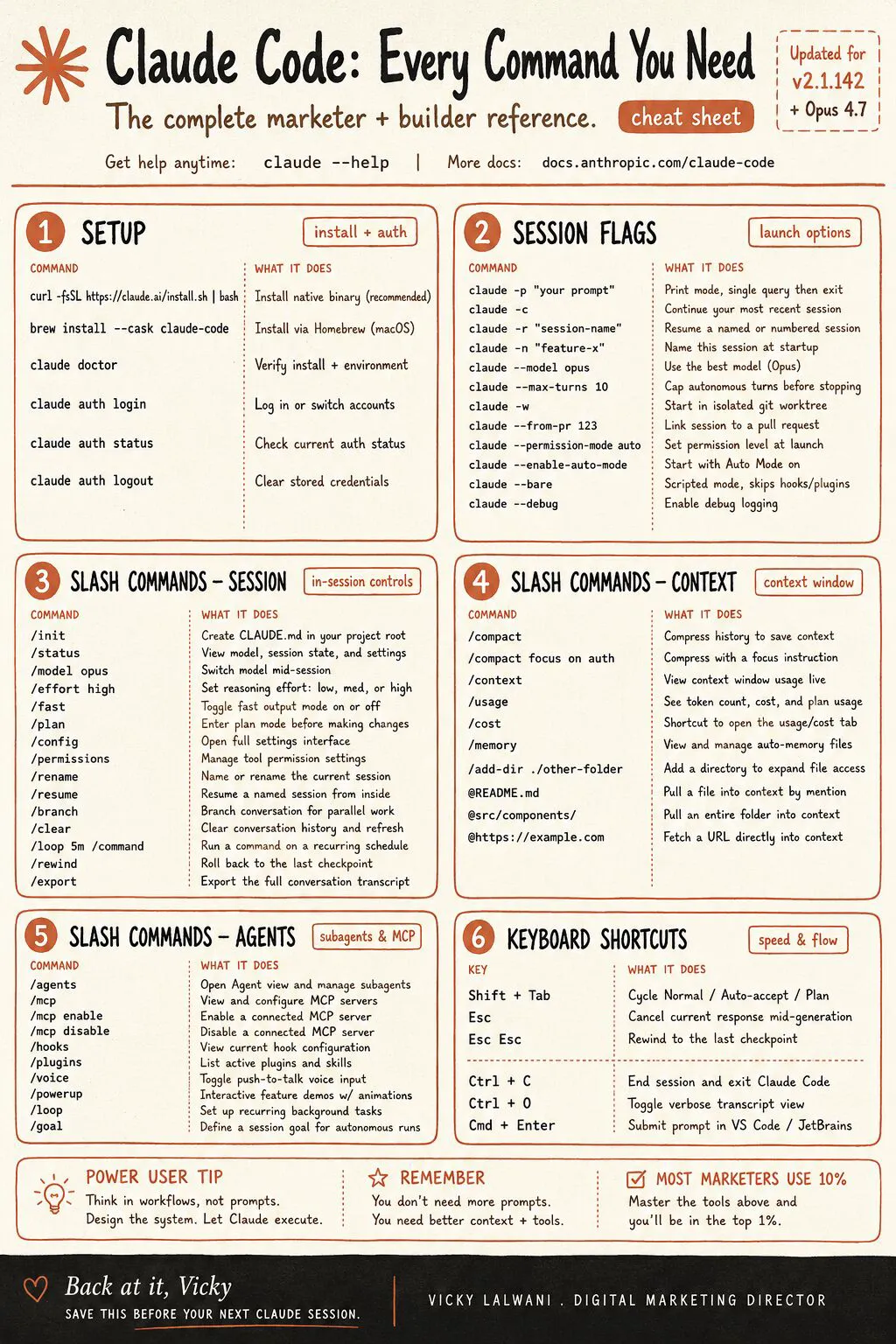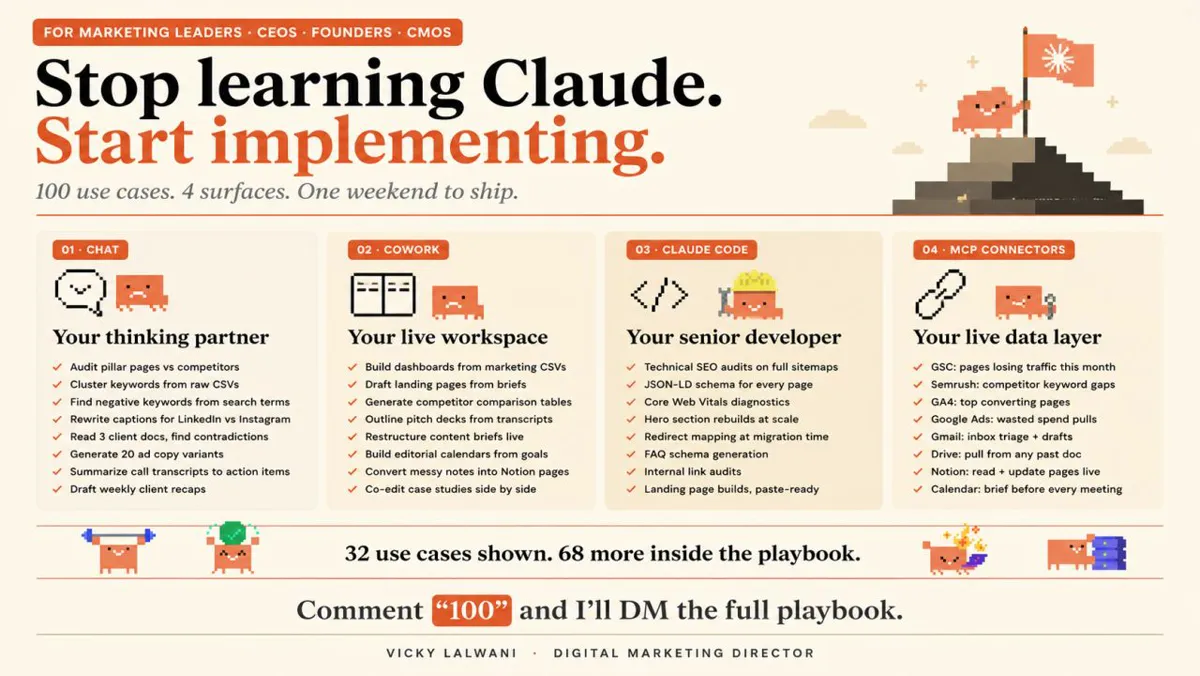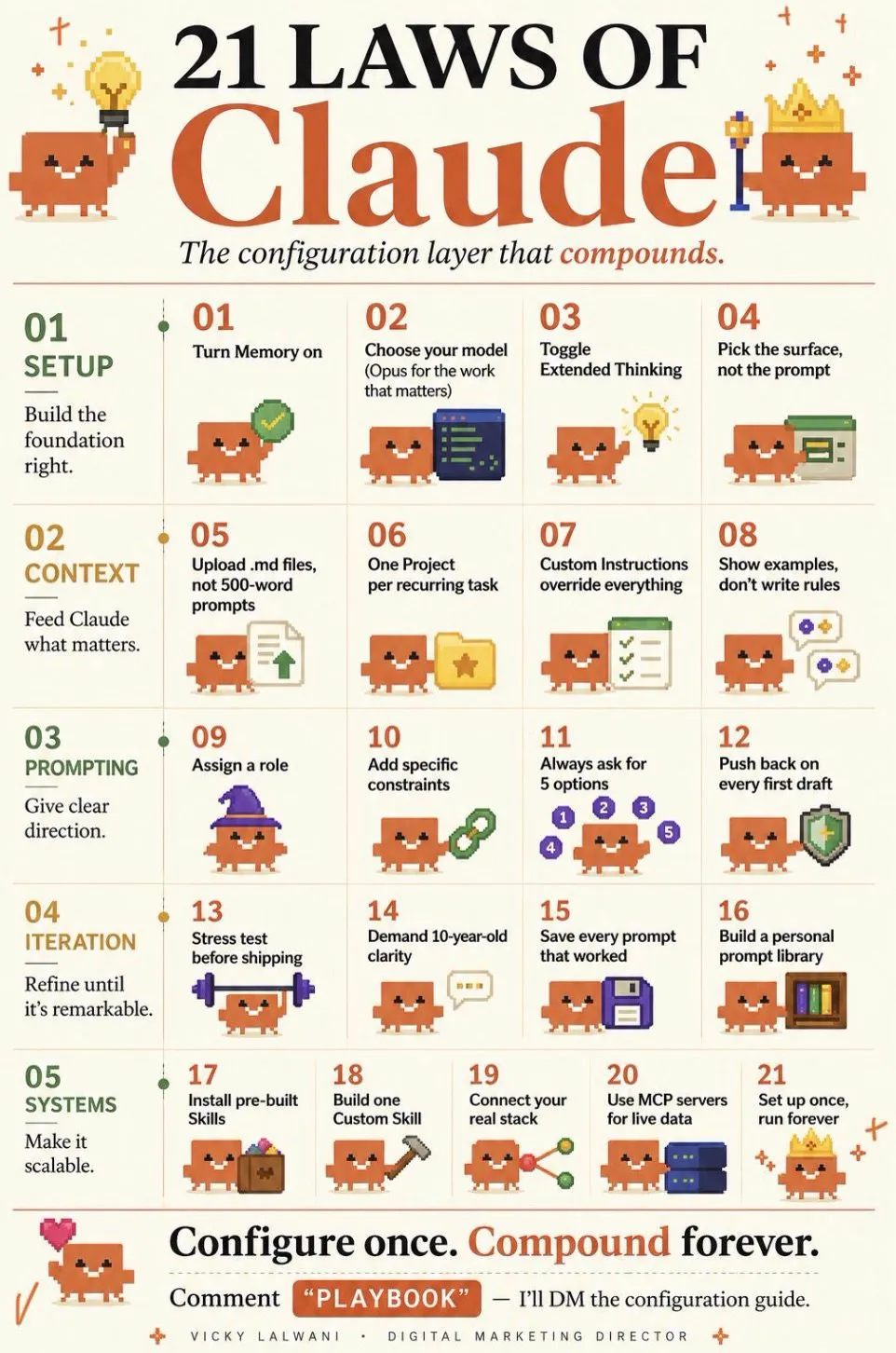
To use Claude for marketing in 2027, configure it once: short Instructions for Claude on how you work, memory on, one project per client or recurring job with your tone, offer and a strong past example, a skill for your most repeated task, connectors for the data you check daily with approval on write actions, and an effort level per task. Once the merged Claude (rolling out since September 2026) reaches your account, any conversation can then run the task and hand back finished docs, sheets or decks.
TL;DR
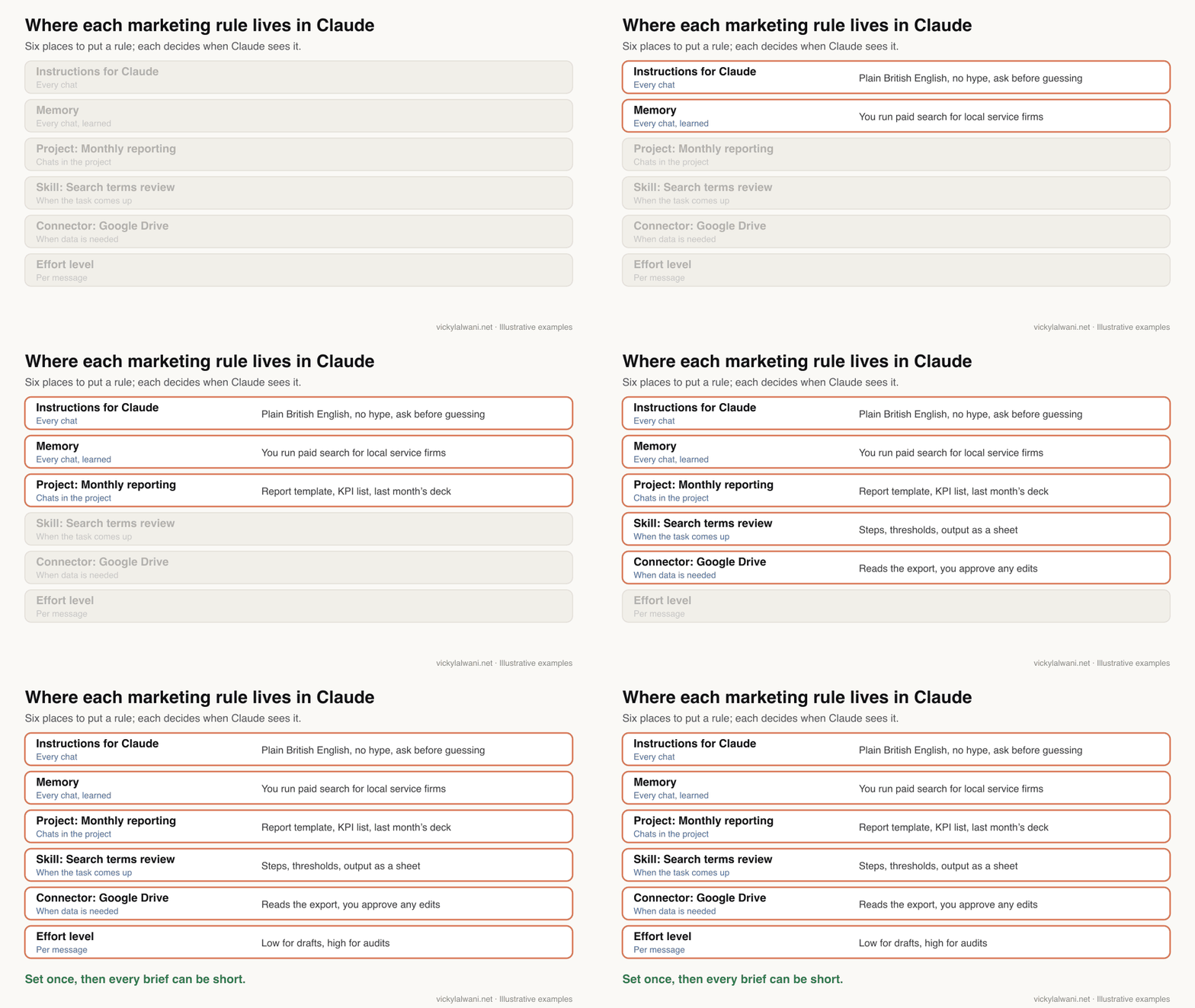
To use Claude well for marketing, set it up once instead of re-briefing it every chat. Six places hold your rules: Instructions for Claude (how you work), memory (what it learns), projects (one client or one recurring job), skills (repeatable methods), connectors (your data) and the effort level (how hard it thinks).
Three things changed in 2026. On 16 September Anthropic began merging chat and Cowork into one Claude conversation, rolling out to Pro, Max and Ultra, and to Team and Enterprise where an owner turns it on. Once you have it, any chat can hand back finished docs, sheets and decks. Since 6 October, new Cowork tasks on Pro, Max and Ultra run in the cloud. And on the newest models you no longer switch extended thinking on; you pick an effort level.
Start with one project for your most frequent SEO or Google Ads job, keep a log of everything you type twice for a week, and move each repeat into the right layer.
Short answer: how to use Claude for marketing in 2027 comes down to configuration. Write short account-wide instructions, give each client or recurring job its own project with your tone, audience and a strong past example, turn your most repeated task into a skill, connect the data you check daily with approval on any write action, and choose the effort level per task. Then brief Claude like a colleague: outcome, format, inputs.
Most marketers who say Claude "feels generic" are using it without any of this. Every chat starts from zero, so the output does too. This guide is about what to put where, with marketing examples for SEO and paid search. It was checked against Anthropic's Help Centre on 18 November 2026.
It does not repeat the menu clicks. For where each setting sits in the app, use my Claude desktop setup checklist. For whether a job belongs in a Claude conversation or in Claude Code, read Claude chat vs Code vs Cowork after the merge. If you would rather have the setup built around your team, that is what my Claude consultant service does.
What does configuring Claude for marketing actually involve?
Short answer: deciding which of six layers holds each piece of context. Account-wide habits go in Instructions for Claude, client and job context goes in a project, repeatable methods become skills, live data comes through connectors, and memory fills the gaps on its own. The effort level stays where you set it until you change it.
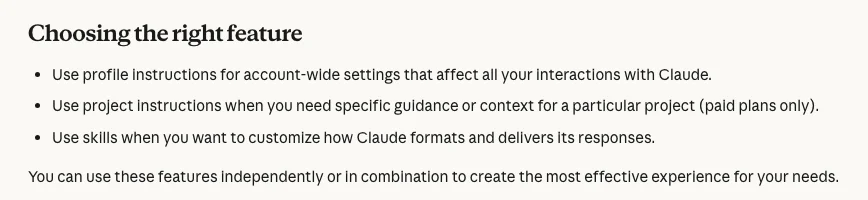
Anthropic's own guidance draws the main line simply: instructions for account-wide preferences, project instructions for one body of work, skills for repeatable behaviour. Memory and connectors sit alongside them.
| Layer | Applies to | Marketing example |
|---|---|---|
| Instructions for Claude | Every conversation | British spelling, no hype, ask before guessing |
| Memory | Every conversation, learned | You run paid search for local service firms |
| Project | Chats in that project | Client tone, audience, offer, last report |
| Skill | When the task comes up | Your search terms review method |
| Connector | When data is needed | Exports in Google Drive |
| Effort level | From the next reply | Low for drafts, high for audits |
The test for any rule is simple: when should Claude see it? If the answer is "always", it is an instruction. If it is "only for this client", it belongs in the project. If it is "only when I do this job", it is a skill.
What should go in Instructions for Claude?
Short answer: how you work, not what you work on. Five to ten short lines on language, format, honesty and when to ask questions. Client facts, tone documents and campaign details belong in projects, where they cannot leak into other work.
Instructions for Claude apply to every conversation on your account. If you used Cowork's Global instructions before the merge, Anthropic says they are now part of Instructions for Claude, so open the setting and check the combined text still says what you want.
Keep the lines specific. People on Reddit who tune instructions report that a hard number, such as a word limit with an exception for when you ask for more, is followed far better than "be concise". The same goes for marketing: "three headline options, each under 30 characters" beats "a few short headlines".
Instructions for Claude (marketing, account-wide)

- I work on SEO and Google Ads for small and mid-sized service businesses.
- Write in plain British English. No hype words, no exclamation marks.
- Lead with the answer, then the reasoning. Keep replies under 200 words unless I ask for more.
- When a number matters, say where it came from. If you are unsure, say so.
- Ask up to three questions before a big task if the brief is unclear.
- Never present a guess about an ad account or a site as a fact.
- Give options as a short table when I ask you to compare.
Write it once, then use it for a week. If a line is ignored, make it shorter and more concrete rather than longer.
Should memory be on for marketing work?
Short answer: for most marketers, yes. Memory is on by default on Free, Pro, Max and Ultra, and each project keeps its own memory that other projects do not use. Turn memory off for a single chat when you handle something you do not want remembered.
Since the merge, memory works across ordinary chats and the longer tasks Claude runs for you in the cloud. What Claude learns while drafting a client update is there next time you ask for a report. Anthropic notes this does not apply to old Cowork tasks that ran only on your computer.
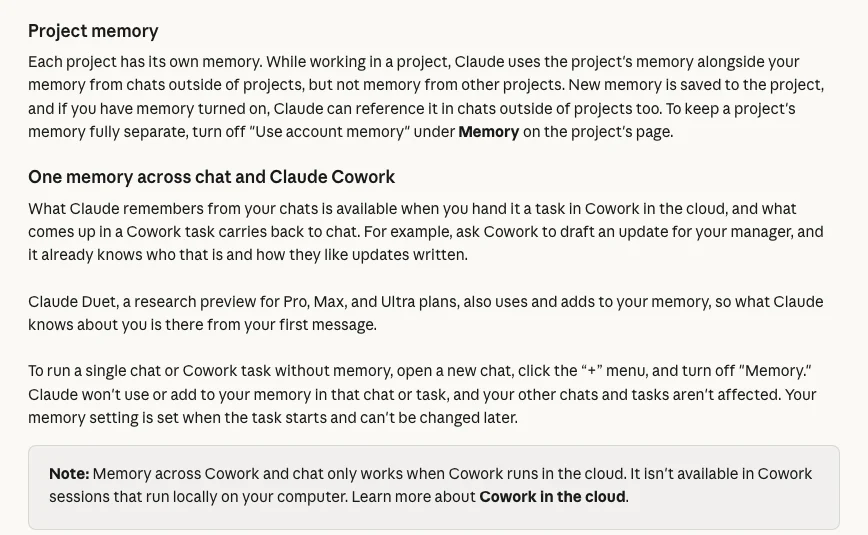
| Situation | Setting to use |
|---|---|
| Normal client work | Memory on, work inside the client's project |
| Keep a project fully separate | Turn off "Use account memory" for that project |
| One sensitive chat or task | "+" menu, turn Memory off before the first message |
| Nothing saved at all | Incognito chat (no file creation in the new Claude) |
| Memory has picked up something wrong | Settings, Your Claude, Manage, edit the topic |
Team and Enterprise are different: owners decide whether memory is available. If it is missing on a work account, ask your admin before assuming it is broken.
How should marketers set up Claude projects?
Short answer: one project per client if you serve several, or one per recurring job if you are in-house. Give each project short instructions on behaviour, a tone and audience document, the offer and proof points, and one strong past example. Narrow projects give sharper answers than one project called "Marketing".
The reason is practical: a project carries its own files, instructions and memory, so every new chat inside it already knows the client. When I audit a client's Google Ads account with Claude, it runs in its own chat, and I attach the exported reports rather than pasting numbers into the message.
In-house teams can split by job instead: monthly reporting, ad copy, SEO briefs. The rule is the same either way. If two kinds of work need different tone, data or output, they need different projects.
| Put in the project | Why |
|---|---|
| Tone and audience document | Stops generic copy |
| Offer, prices, proof points | Claims stay accurate |
| One strong past example | Claude copies patterns well |
| Last month's report or brief | Keeps the format stable |
| A "never say" list | Brand and compliance limits |
Project instructions should describe behaviour, not content. Tell Claude how critical to be, what format to use and what to check, then let the files carry the facts.
Project instructions: [Client] paid search

You support paid search work for [Client], a [type of business] in [market].
Read "tone-and-audience.md" and "offer.md" in this project before writing anything.
- Ad copy: give 5 options per request, each within Google Ads character limits.
- Reports: follow the layout of "last-report.pdf". Start with what changed and why.
- Audits: put findings in a table with evidence, impact and a suggested action.
  Do not recommend pausing anything without showing the numbers behind it.
- If a request needs account data you do not have, say what to export.
- If anything is unfinished when we stop, end with a line starting "OPEN:".
Two practical limits. Free plans can have up to five projects. Paid plans also get retrieval for large project files, which Anthropic says can expand capacity up to ten times. A new version of projects is in beta, starting in Claude Code, and Anthropic says existing projects keep their instructions, files, history and scheduled tasks when they move.
Which marketing skills should you build first?
Short answer: the task you repeat most, written as steps Claude can follow the same way every time. For an SEO or PPC marketer that is usually a search terms review, a monthly report or a content brief. Start with Anthropic's built-in document skills, then upload one custom skill as a ZIP in Customize, then Skills.
Skills are available on every plan, including Free, but they need code execution switched on (called "Create and edit files" in the newer settings). Anthropic's built-in skills already handle Excel, Word, PowerPoint and PDF files, so a report request can come back as a real spreadsheet or deck.
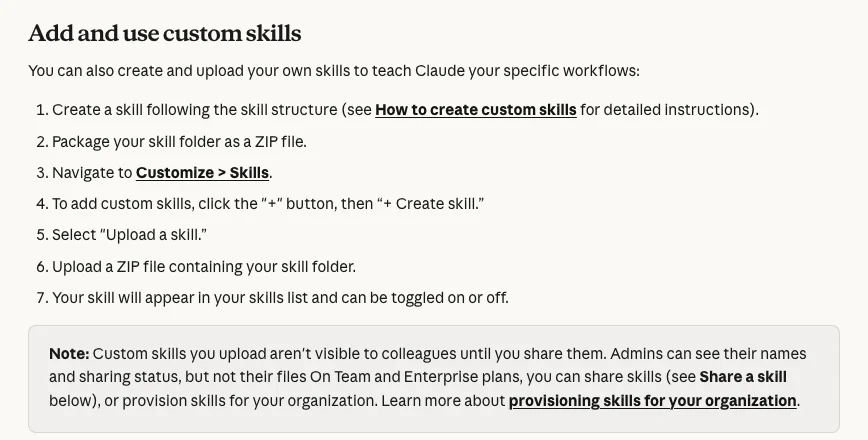
A skill is a folder with a SKILL.md file. The description line matters most, because it tells Claude when to use the skill. Here is a starting point for a paid search marketer.
---
name: search-terms-review
description: Use when I share a Google Ads search terms export and ask for a review, negatives or wasted spend.
---
# Search terms review

1. Confirm the date range and which conversion column the export uses.
2. Group terms by theme. For each theme give cost, clicks, conversions and conv. value / cost.
3. Flag terms with spend and zero conversions over the whole range, sorted by cost.
4. Suggest negatives with a match type, and say which ad group or campaign each belongs to.
5. Never suggest a negative that would block a term with conversions. List those separately.
6. Output a sheet with columns: term, theme, cost, conversions, suggestion, reason.
7. End with the three changes you would make first and what to check after a week.
I install skills often, from GitHub and from creators I follow. Anthropic's advice is worth repeating: only install skills from sources you trust, and read the files before turning one on, because a skill can tell Claude to fetch or run other code. If you would rather show Claude a task than write it down, Record a skill turns a screen recording into a skill. For a weekly paid search routine built from skills, see Claude skills for Google Ads.
Which data should you connect first?
Short answer: the one source you open every day, read-only first. Connectors work on every plan, inherit your permissions in the connected app, and can be set so that any tool which sends, edits or deletes asks first. A connector is also Anthropic's preferred route: faster and more reliable than Claude clicking through a website.
Connected data is what turns Claude from a copy-and-paste tool into something that works inside your stack. Instead of pasting last week's numbers, you ask for the summary and Claude pulls the file.
| Start with | Typical marketing use | Write access? |
|---|---|---|
| Google Drive | Exports, briefs, past reports | Ask first |
| Gmail or Slack | Client threads, weekly summaries | Ask before sending |
| Analytics or Search Console | Traffic and query trends | Read only |
| Ad platforms | Performance questions | Read only, changes by hand |
Two settings protect you. For any connector tool you can choose "Always ask", so Claude checks before each use. On Team and Enterprise, owners can also set tools to Always allow, Needs approval or Blocked for everyone. On client ad accounts my own rule is audit first, findings in a sheet I check by hand, and no changes before approval.
For which analytics and SEO connectors exist and how to add them safely, read connect Claude to Google Analytics safely.
Which model and effort level suit each marketing task?
Short answer: stop toggling extended thinking. On Claude's newest models thinking is always on, and you control depth with the effort level: Low or Medium for drafts and routine edits, High for most analysis, Extra high for long agentic tasks, Max for audits where a wrong answer costs money.
The old advice in this article, "turn on extended thinking when a task needs reasoning", is out of date. Anthropic's Help Centre says thinking cannot be turned off on Claude Fable 5.2, Opus 5.5, Sonnet 5.5, Haiku 5.5, Fable 5.1 or Opus 5. Higher effort gives more thorough answers but takes longer and uses your limits faster.
| Marketing task | Effort |
|---|---|
| Ad copy variations, social captions | Low or Medium |
| Content brief, landing page draft | Medium or High |
| Monthly report with commentary | High |
| Long task across files and connectors | Extra high |
| Account audit, tracking review | Max |
You can change the model or effort mid-conversation, and the change applies from Claude's next reply. For which model to pick per job, see the best Claude model for marketing tasks.
How do you brief Claude now that chat and Cowork are one?
Short answer: the way you would brief a colleague: the outcome you want, the format, and the inputs. On paid plans that have the new Claude there is no Cowork switch; any conversation can answer a quick question or run a whole task in the cloud and hand back a document, spreadsheet or deck.
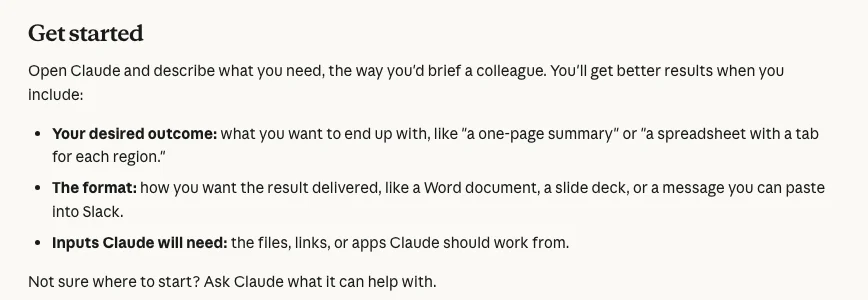
Longer tasks keep running after you close your laptop, and you can schedule recurring ones on paid plans, such as a Monday summary of last week's performance. Tasks that need files or apps on your own computer still need Claude Desktop open.
Outcome: a one-page Google Ads summary for [Client] for last week.
Format: a Word document I can send, plus three bullet points I can paste into Slack.
Inputs: the export "gads-last-week.csv" in this project and last month's report.
Rules: compare with the previous week, explain the two biggest changes,
and list anything you could not confirm from the data.
The format line does more work than people expect. When an audit I asked Claude for came back too generic to show anyone, the fix was not a cleverer prompt. It was a clearer output: what is wrong, in what order, what happens tomorrow, in a sheet with a column for my own check and a column for the decision.
Watch the permission setting in the message box. Auto lets Claude work through steps while automated checks review each action; Manual asks before each action. For anything that sends messages or touches a live account, use Manual and review the result. Two of the gaps Anthropic lists in the merged Claude matter here: you cannot branch a conversation from an earlier point, and incognito chats cannot create files.
Which prompting habits still raise quality?
Short answer: configuration removes most re-briefing, but a few habits still change the result: give a role, give limits as numbers, ask for several options, push back with specifics, and ask Claude to attack its own draft before you ship it.
| Habit | Example |
|---|---|
| Assign a role | "Review this as a sceptical head of marketing" |
| Limits as numbers | "Ask no more than five questions" |
| Ask for options | "Give five angles, not one answer" |
| Specific push-back | "Lacks proof. Add one data point per claim" |
| Self-critique | "Find five holes in this argument" |
For a fuller method, the Claude prompting framework covers prompts for SEO and ads in four parts.
How do you set this up in a day and improve it in a week?
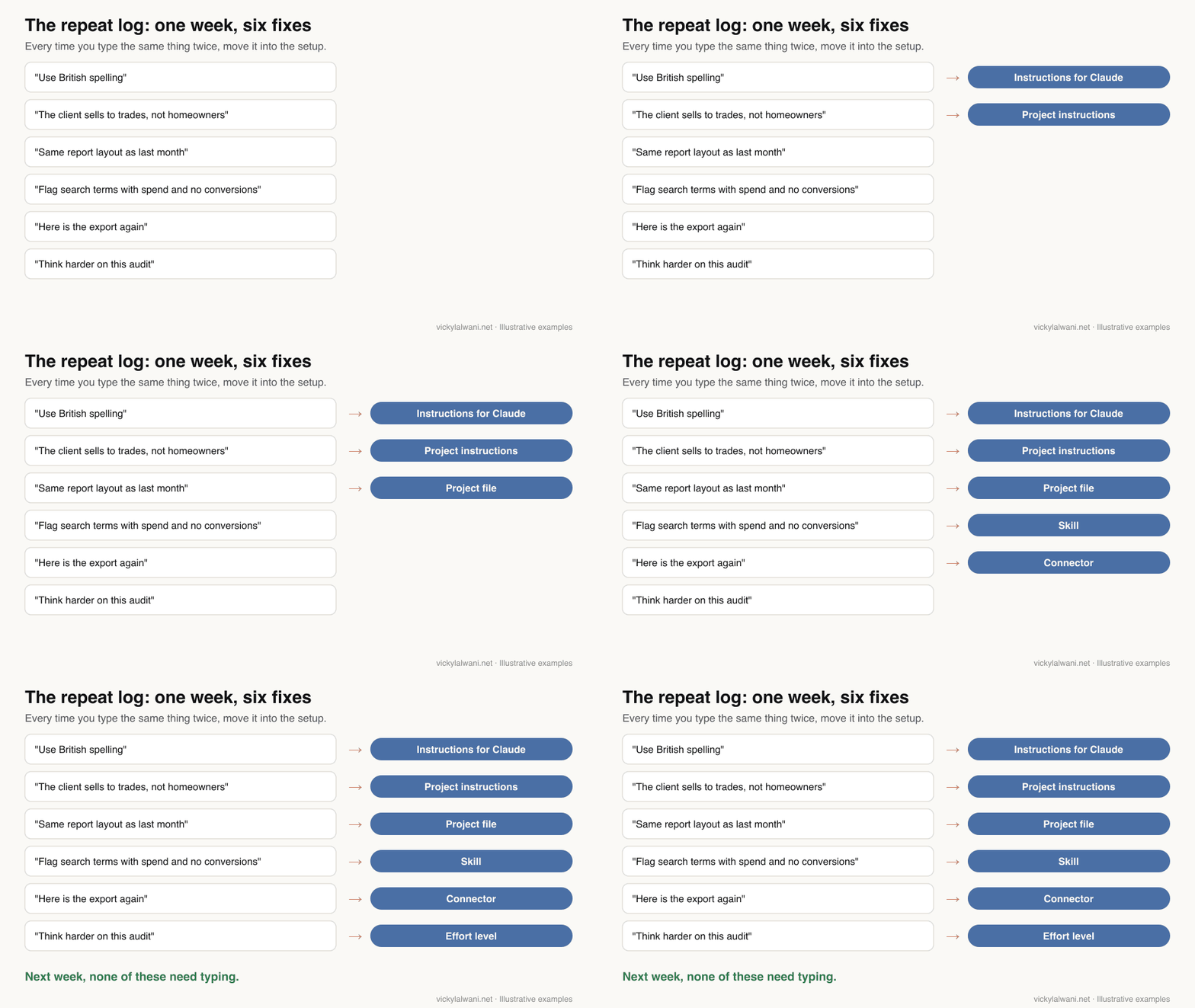
Short answer: spend a morning on instructions and one project, an afternoon on files, one skill and one connector. Then use it on real work for a week and log every instruction you type twice. Each repeat points to the layer that is missing something.
| When | Do this |
|---|---|
| Morning | Write Instructions for Claude; check memory is on |
| Morning | Create one project for your most frequent job |
| Afternoon | Add tone, offer and one strong past example |
| Afternoon | Upload one skill; connect one data source |
| Week one | Keep a repeat log; fix one layer a day |
| Week four | Judge the setup and add the next project |
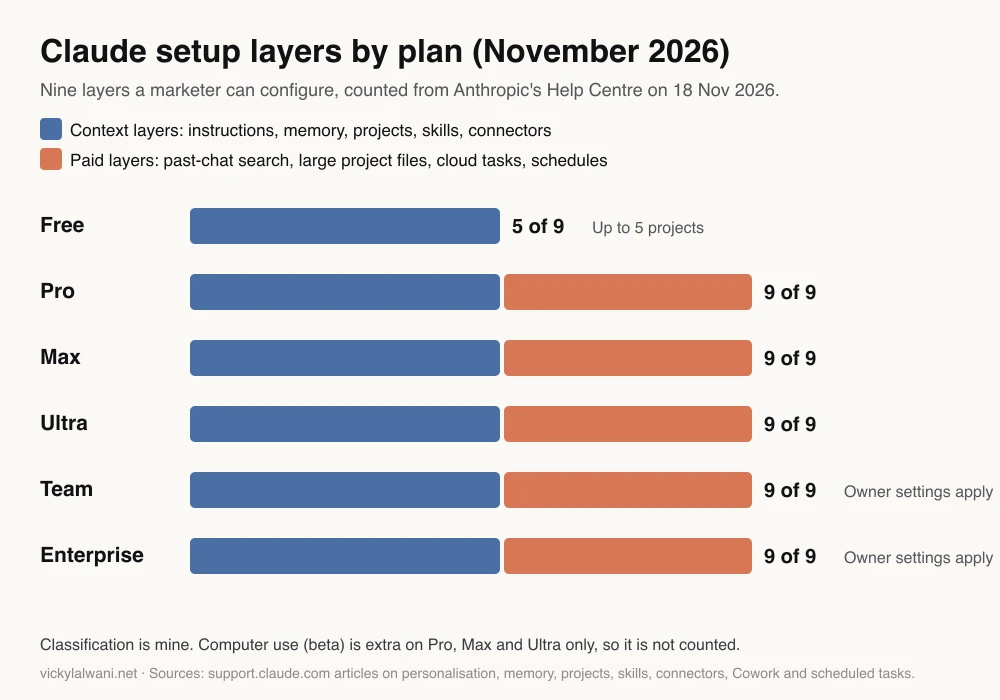
Which layers you can use depends on your plan. The free plan covers the context layers; scheduled tasks, search of past chats, large project files and long cloud tasks need a paid plan.
Videos worth watching
Short answer: start with Anthropic's own short videos on how its marketing team uses Claude and on what skills are, then the projects walkthrough. Older videos show the separate Chat and Cowork switch, which has gone.
Made by Claude, Anthropic's official channel, January 2026. Under three minutes on how marketing teams that adopt tools like Claude Code can spend less time on repetitive execution. Promotes only Claude.
Made by Claude, Anthropic's official channel, February 2026. A short explainer: teach Claude a method once and it applies it when relevant. Promotes only Claude.
| Video | Channel | Date | What it covers |
|---|---|---|---|
| Getting started with projects in Claude.ai | Anthropic | Dec 2025 | Projects, files, custom instructions |
| Claude Cowork and chat are now one Claude | Claude | Sep 2026 | The merge in about a minute |
| Delegate and schedule tasks in Claude Cowork | Claude | Jun 2026 | Handing off and scheduling work |
| I Built an AI Marketing Team With 5 Claude Skills | HubSpot Marketing | Sep 2026 | Marketing skills; offers a free guide |
| I Built a Full Marketing Campaign With Claude in One Afternoon | HubSpot Marketing | Nov 2026 | A campaign end to end; offers a free guide |
What people say on X and Reddit
Short answer: Anthropic's posts trace the features this setup relies on: skills, memory on the free plan, the merge and scheduled tasks. On Reddit, users report that short instructions with hard numbers work best, and that projects keep memory separate, which is useful for clients but awkward for tracking open work.
Paraphrased, dated and labelled. Reddit is credited by community, not by user.
| Account | What they said | Type | Link |
|---|---|---|---|
| @claudeai (16 Oct 2025) | Skills launch: packaged instructions that teach Claude your way of working | Official | Post |
| @claudeai (2 Mar 2026) | Memory reaches the free plan, with import and export of saved memories | Official | Post |
| @claudeai (7 Jul 2026) | Scheduled tasks run with your computer off; follow-ups stay drafted, not sent | Official | Post |
| @claudeai (21 Jul 2026) | Record a skill: show a task on screen and Claude turns it into a skill | Official | Post |
| @claudeai (16 Sep 2026) | Cowork and chat merge; projects, connectors and skills carry over | Official | Post |
| A marketing creator account (25 Nov 2025) | Describes feeding a brand voice and favourite copy styles to Claude, then saving the method as a skill | First-hand | Post |
| A marketing educator (9 Feb 2026) | Says chat, Cowork and Claude Code confused people because they sounded alike | Opinion | Post |
| Community | What the thread found | Type | Link |
|---|---|---|---|
| r/ClaudeAI (16 Nov 2026) | Project instructions gave long answers. Replies: a hard word limit works better than "be concise"; state what you already know | Question | Thread |
| r/ClaudeAI (16 Nov 2026) | Each project has its own memory, so nothing sees open work across projects. A reply adds an "OPEN:" line to project instructions | First-hand | Thread |
| r/ClaudeAI (16 Nov 2026) | Long multi-day runs drift from a rules file. Replies: rules read once get summarised away; keep them where they reload | First-hand | Thread |
| r/digital_marketing (14 May 2026) | How marketers use Claude. Replies: strong at synthesis; connecting Drive and work tools changed most; it does not know campaign history | Question | Thread |
Where this advice is weak
Short answer: menus and plan details are moving fast, the merged Claude is still rolling out, and the setup only helps if you keep the files current. Treat menu paths as correct on 18 November 2026, not forever.
- Rollout timing. The merged Claude is still reaching accounts in stages. If your message box still shows Chat and Cowork options, some steps look different.
- Anthropic's pages disagree in places. The personalisation article says projects are on all plans, including Free, then calls project instructions "paid plans only" in its summary. I follow the projects article: Free users get up to five projects.
- Projects are changing. A new version of projects is in beta, starting in Claude Code. How it behaves for chat-based marketing work is not yet documented.
- The chart is my grouping. The nine layers and the context-versus-paid split are my classification of Anthropic's help articles, not an Anthropic table.
- Stale files hurt. A tone document or offer file that is six months old will be followed faithfully. Date your project files and review them each quarter.
- Connector names change. I have not listed every marketing connector, because the directory changes often. Check what your plan shows before you plan around one.
Want help setting Claude up for your marketing?
If you would rather not build this alone, my Claude consultant service sets up instructions, client projects, skills and safe connectors around your team's real work. If the work you want Claude to help with is paid search, see Google Ads management; for organic search, SEO consulting. Hourly rates and packages are on the pricing page.
Next, read the Claude desktop setup checklist for exact menu paths and Claude chat vs Code vs Cowork for which tool each job belongs in.
Sources
| Source | What it supports | Date |
|---|---|---|
| Claude Cowork and chat are one Claude | Merge, briefing advice, Auto and Manual, limitations | Read 18 Nov 2026 |
| Cowork on web, desktop and mobile | Cloud tasks since 6 Oct 2026; desktop needs | Read 18 Nov 2026 |
| Personalisation features | Instructions, project instructions, skills | Read 18 Nov 2026 |
| Chat search and memory | Memory defaults, project memory, per-chat off | Read 18 Nov 2026 |
| What are projects | Free limit, retrieval, new projects beta | Read 18 Nov 2026 |
| Use skills in Claude | Plans, built-in skills, upload, safety | Read 18 Nov 2026 |
| Use connectors | Availability, permissions, tool settings | Read 18 Nov 2026 |
| Let Claude use your computer | Connector first, then browser, then screen | Read 18 Nov 2026 |
| Models, effort and thinking | Effort levels; thinking always on | Read 18 Nov 2026 |
| Schedule recurring tasks | Scheduled tasks on paid plans | Read 18 Nov 2026 |
| @claudeai on X | Skills, memory, schedules, merge | Oct 2025 to Sep 2026 |
| Reddit (r/ClaudeAI, r/digital_marketing) | User reports in the table above | May to Nov 2026 |
| YouTube (Claude, Anthropic, HubSpot Marketing) | Videos above, checked by oEmbed | Dec 2025 to Nov 2026 |
This article expands on my post on LinkedIn ↗.
FAQ
How do I use Claude for marketing?
Set Claude up once, then brief it per task. Write short Instructions for Claude, keep memory on, make one project per client or recurring job with your tone and offer files, add a skill for your most repeated task and connect the data you check daily. Then ask for an outcome, a format and the inputs, as you would brief a colleague.
What should I put in Instructions for Claude for marketing work?
Put how you work, not client details: language and spelling, length limits as numbers, when to ask questions and how to treat uncertain numbers. Five to ten short lines work better than a long list. Client tone, audience and offer belong in a project instead.
Should I use one Claude project per client or per task?
Use one project per client if you serve several businesses, so each client's files and memory stay separate. In-house marketers can use one project per recurring job, such as monthly reporting or SEO briefs. Avoid one broad project called Marketing, because narrow projects give sharper answers.
Is Claude memory on by default?
Yes, on Free, Pro, Max and Ultra plans memory is on by default, according to Anthropic's Help Centre in November 2026. Each project keeps its own memory, and you can turn memory off for a single chat from the plus menu. On Team and Enterprise plans, owners decide whether memory is available.
Do I still need to turn on extended thinking in Claude?
Not on the newest models. Anthropic says thinking cannot be turned off on Claude Fable 5.2, Opus 5.5, Sonnet 5.5, Haiku 5.5, Fable 5.1 or Opus 5. You control depth with the effort level instead, from Low for drafts to Max for audits.
What is a Claude skill and which one should a marketer build first?
A Claude skill is a folder of instructions, with a SKILL.md file, that Claude follows whenever a matching task comes up. Build your first one for the task you repeat most, such as a search terms review, a monthly report or a content brief. Upload it as a ZIP in Customize, then Skills.
What happened to Claude Cowork?
On 16 September 2026 Anthropic began merging Cowork and chat into one Claude conversation, rolling out to Pro, Max and Ultra and to Team and Enterprise where enabled. Once an account has it, anything Cowork did is available from any chat, and existing tasks, projects, connectors and skills carry over. Since 6 October 2026, new Cowork tasks on Pro, Max and Ultra run in the cloud.
Which Claude features for marketing need a paid plan?
Instructions, memory, projects (up to five on Free), skills and connectors work on the Free plan. Search of past chats, retrieval for large project files, long tasks in the cloud and scheduled tasks need Pro, Max, Ultra, Team or Enterprise. Computer use is a beta on Pro, Max and Ultra only.
How long before a Claude setup pays off?
Expect a visible difference within the first week if you log every instruction you type twice and move it into the right layer. Give the setup about a month of real work before judging it, then add the next project or skill.