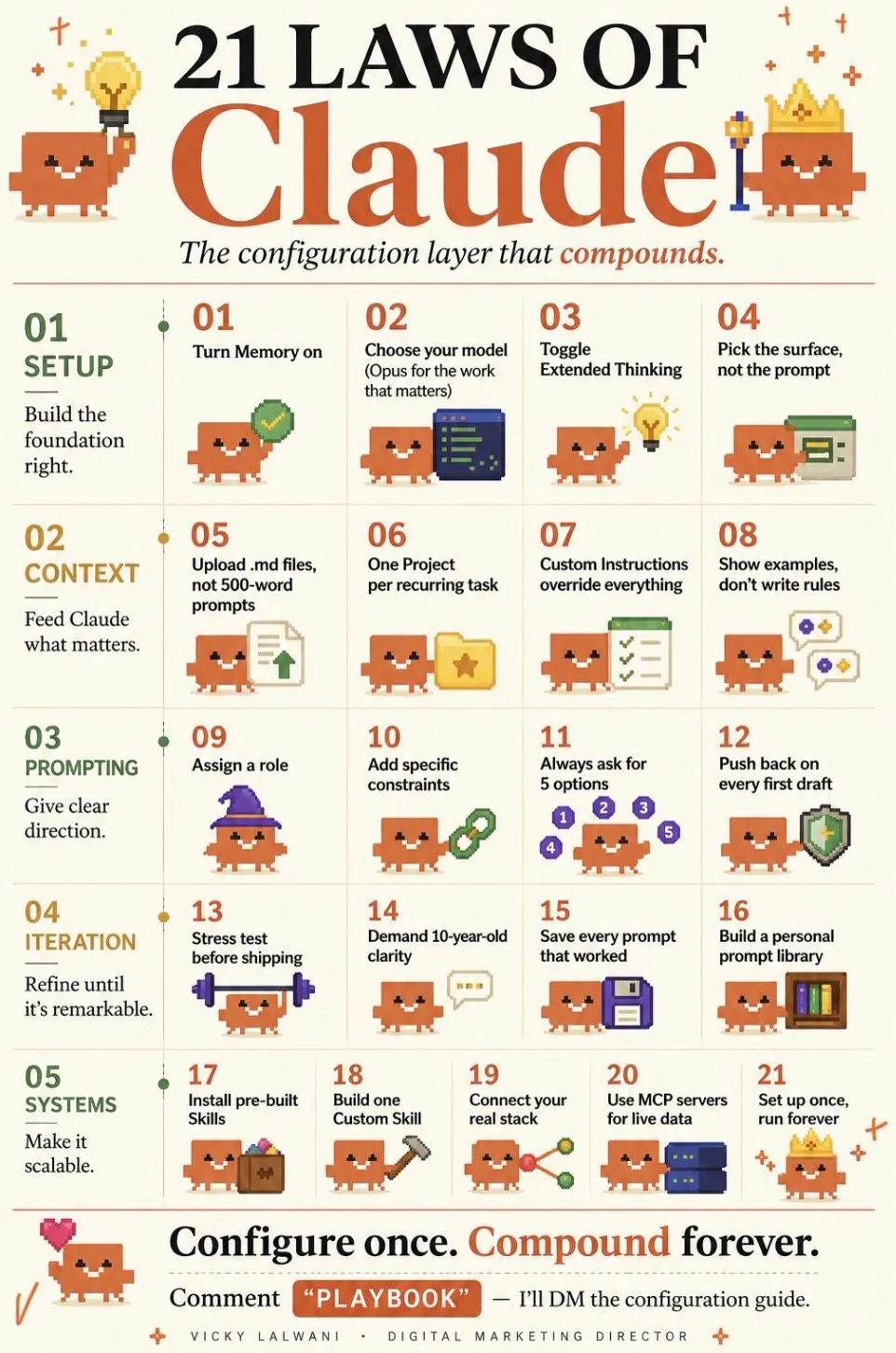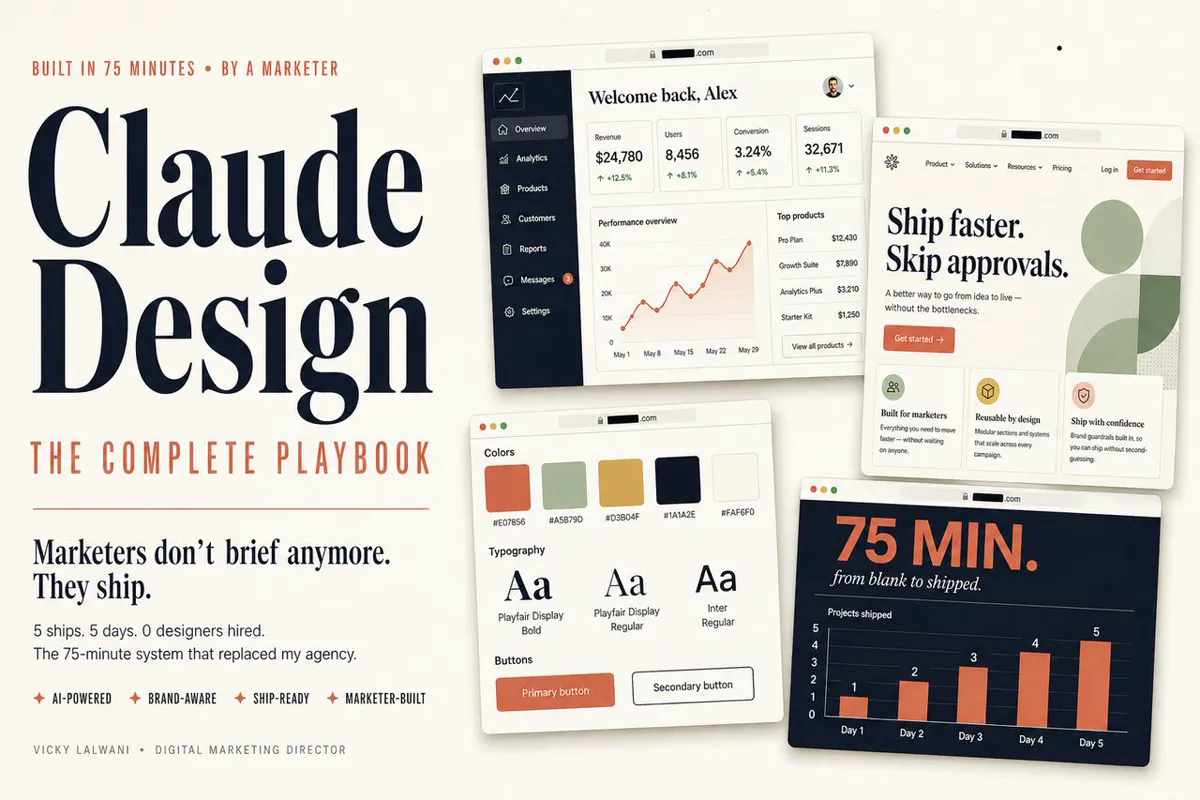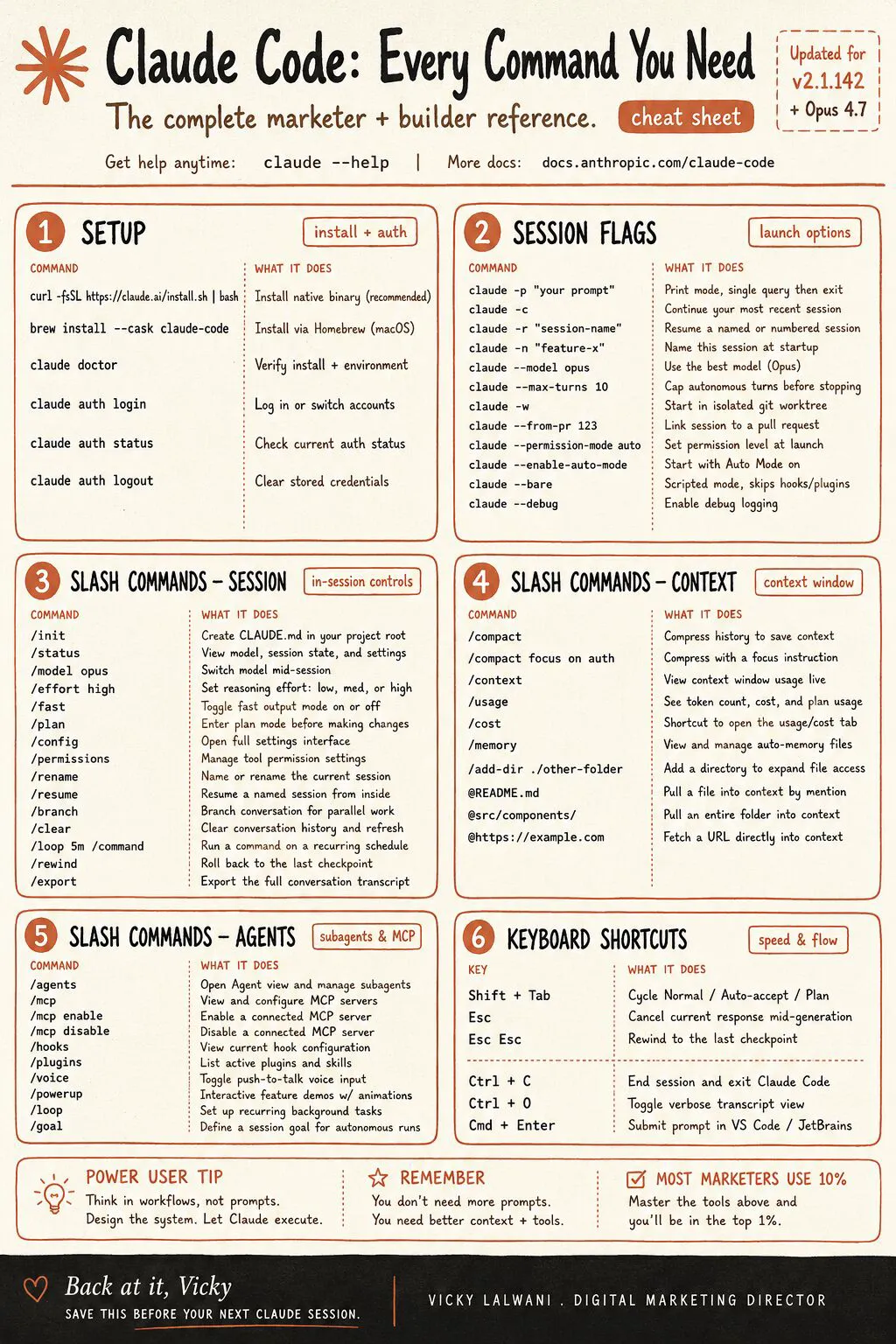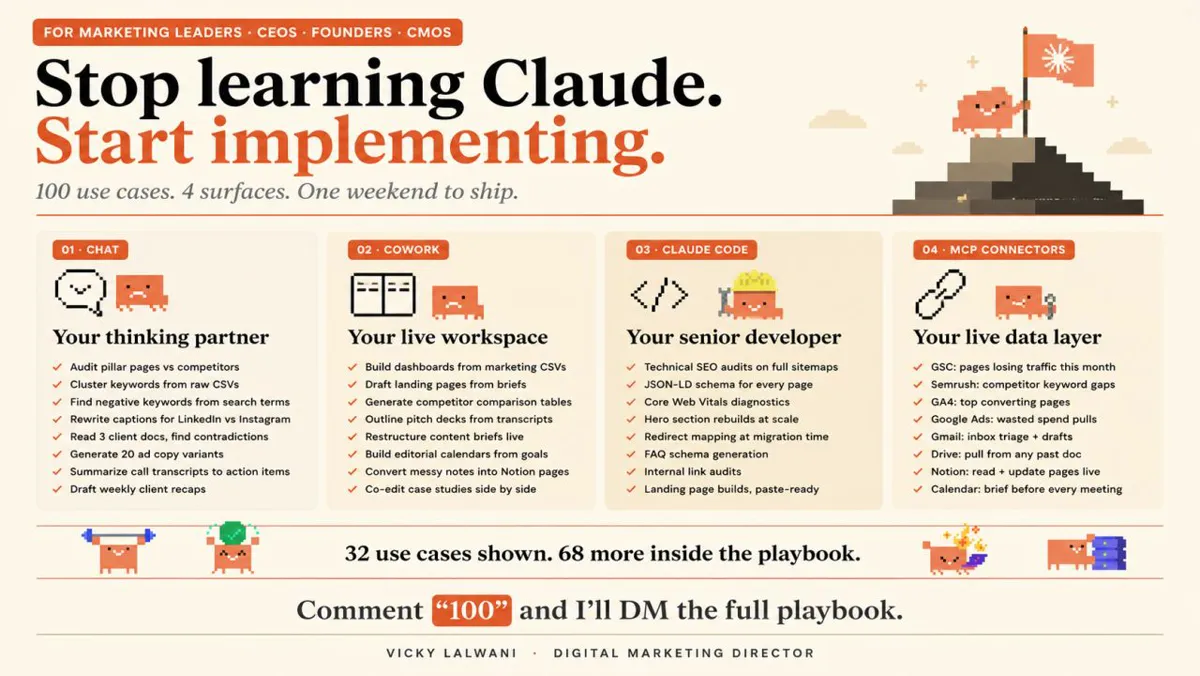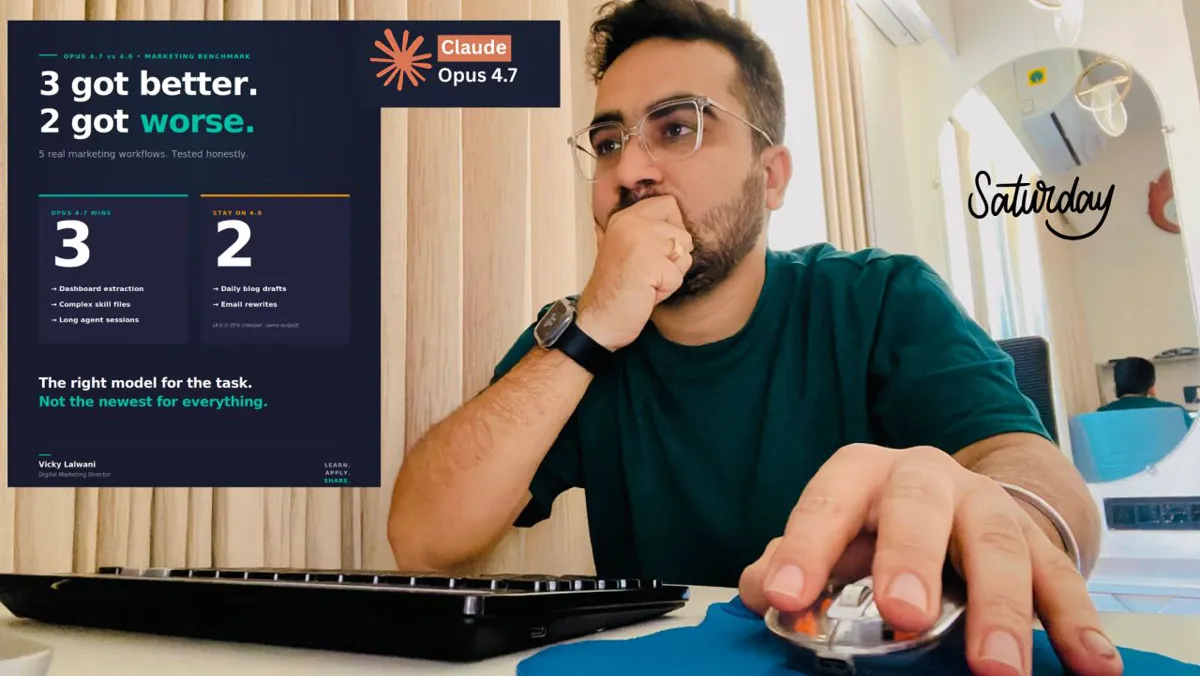
To switch from ChatGPT to Claude, import your ChatGPT memory with Claude's free import tool, download your ChatGPT history as a backup, and rebuild custom GPTs as Claude Projects and Skills. Then run your three most common jobs in both tools for two weeks and move each job only when Claude scores better.
I did not switch to Claude because of hype. I switched because of results on my own work: SEO, PPC, websites and podcast preparation. For a while it was an even split between Claude and other tools, and Claude was just one option for writing. Then I found Claude Code, and my daily routine changed.
This guide is the practical version of that move, updated for November 2026. It covers what actually comes across from ChatGPT, how to import your memory, which plan matches the one you pay for now, and a two-week test that stops you cancelling the wrong subscription. If you want the move done for a whole team, my Claude consultant service covers setup, training and workflow design.
TL;DR
Switch job by job, not all at once. Move one weekly task, run it in both tools for two weeks, and only then move the next.
Only your memory has an import button. Claude's memory import works on every plan, Free included. Chat history, custom GPTs and ChatGPT Projects do not come across; you rebuild them as Claude Projects and Skills.
Prices match at most tiers. Claude Pro and ChatGPT Plus are both $20 a month; Claude Max and ChatGPT Pro 100 are both $100; team seats are $25 a month on both (Anthropic, OpenAI).
Keep ChatGPT for what it does better for you. Claude does not generate photos or illustrations, so image-heavy work may stay where it is.
Should you switch from ChatGPT to Claude?
Short answer: Switch if most of your work is analysis across several files, long documents, repeatable workflows or writing in a set house style. Stay, or keep both, if your work is mostly short copy, quick ideas or image generation. For most marketers the answer is a gradual move of the jobs where Claude is clearly better, not a clean break.
The moment it stopped being a writing tool for me was simple. I gave Claude Code three messy files in different formats: a site crawl export, a Search Console export and a keyword tool report. Combining them by hand used to eat hours. It produced one structured document with the issues, the queries and the priorities lined up. It was reasoning about a messy problem, not just generating text.
From there these jobs moved over for me:
- Technical SEO audits run as code-based workflows.
- Keyword research, clustered and organised from raw exports.
- Large topics where I load many files at once and it keeps the whole picture.
- Page structure and simple site builds, even though I am not a developer.
- PPC work: ad copy, account structure and test ideas.
- Podcast preparation: research, outline and talking points in one session.
That is my work, not a ranking. Tools change every few weeks, so test on your own tasks rather than trusting anyone's league table, including mine. If you want a wider comparison first, my ChatGPT vs Claude vs Gemini vs Grok comparison covers the four side by side.
| Your work is mostly | Lean towards | Why |
|---|---|---|
| Audits across several exports | Claude | Long context, file handling |
| Reports in a fixed format | Claude | Projects plus Skills repeat it |
| Brand and long-form writing | Claude | Holds a style guide well |
| Photos and illustrations | ChatGPT | Claude does not make them |
| Quick one-off questions | Either | Little difference |
| A tool your team already built in | Stay for now | Rebuild cost is real |
What actually moves from ChatGPT to Claude?
Short answer: Your saved memory moves, through a copy-and-paste import. Nothing else has an import button: chat history stays in ChatGPT (you can download it as a ZIP), custom GPTs and ChatGPT Projects have to be rebuilt as Claude Projects or Skills, and connected apps are reconnected as Claude connectors.
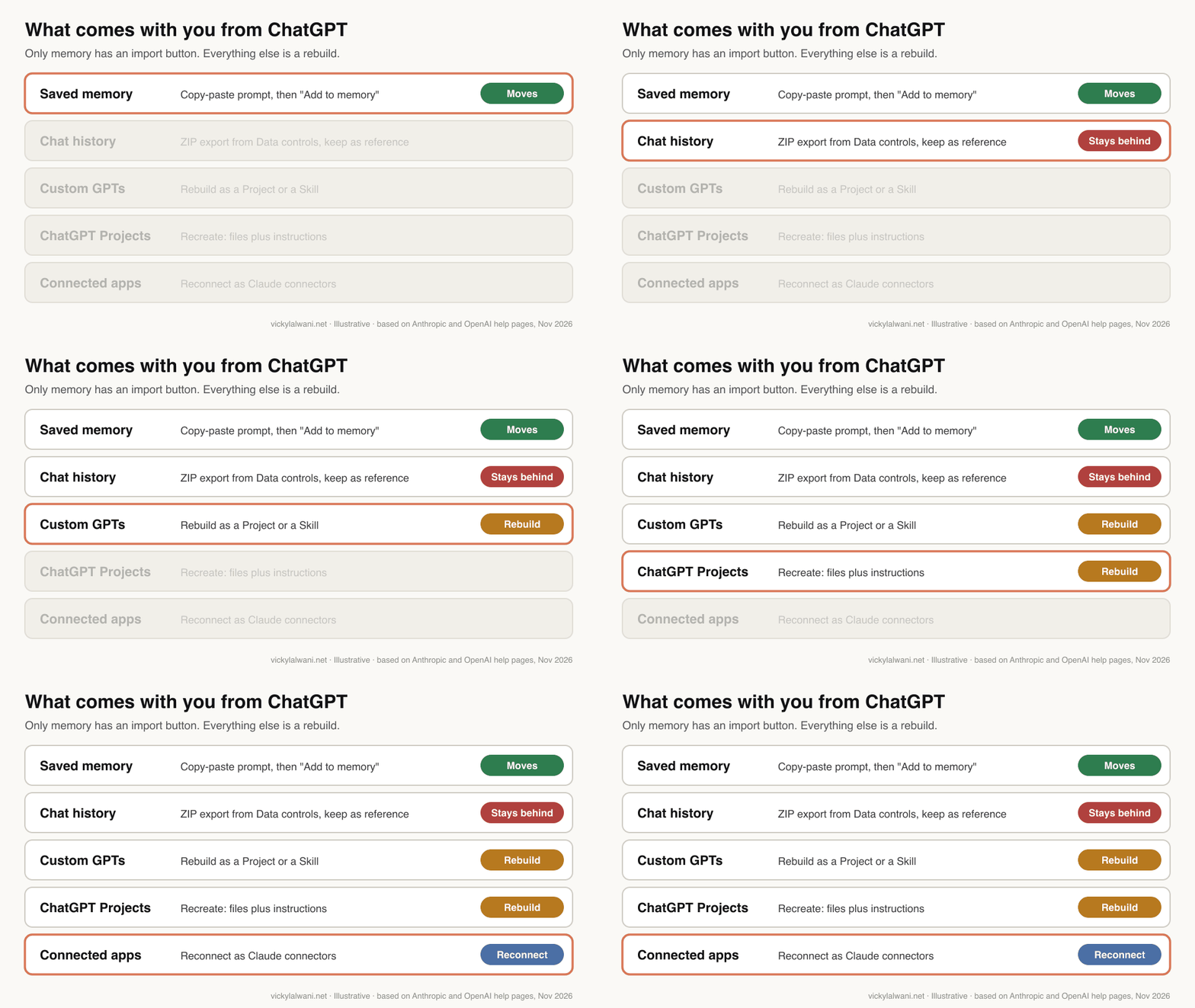
| ChatGPT item | Moves? | How |
|---|---|---|
| Saved memory | Yes | Import prompt, then "Add to memory" |
| Custom instructions | Partly | Included in the export prompt |
| Chat history | No | ZIP export, keep as reference |
| Custom GPTs | No | Rebuild as a Project or Skill |
| ChatGPT Projects | No | Recreate with files and instructions |
| Connected apps and plugins | No | Reconnect as Claude connectors |
The memory import prompt asks ChatGPT to list stored memories and instructions, so custom instructions usually come along inside it. Treat that as a starting point. In my experience the useful part of a custom GPT is rarely the memory; it is the instructions and reference files, and those are what you rebuild in a Claude Project.
How do you import your ChatGPT memory into Claude?
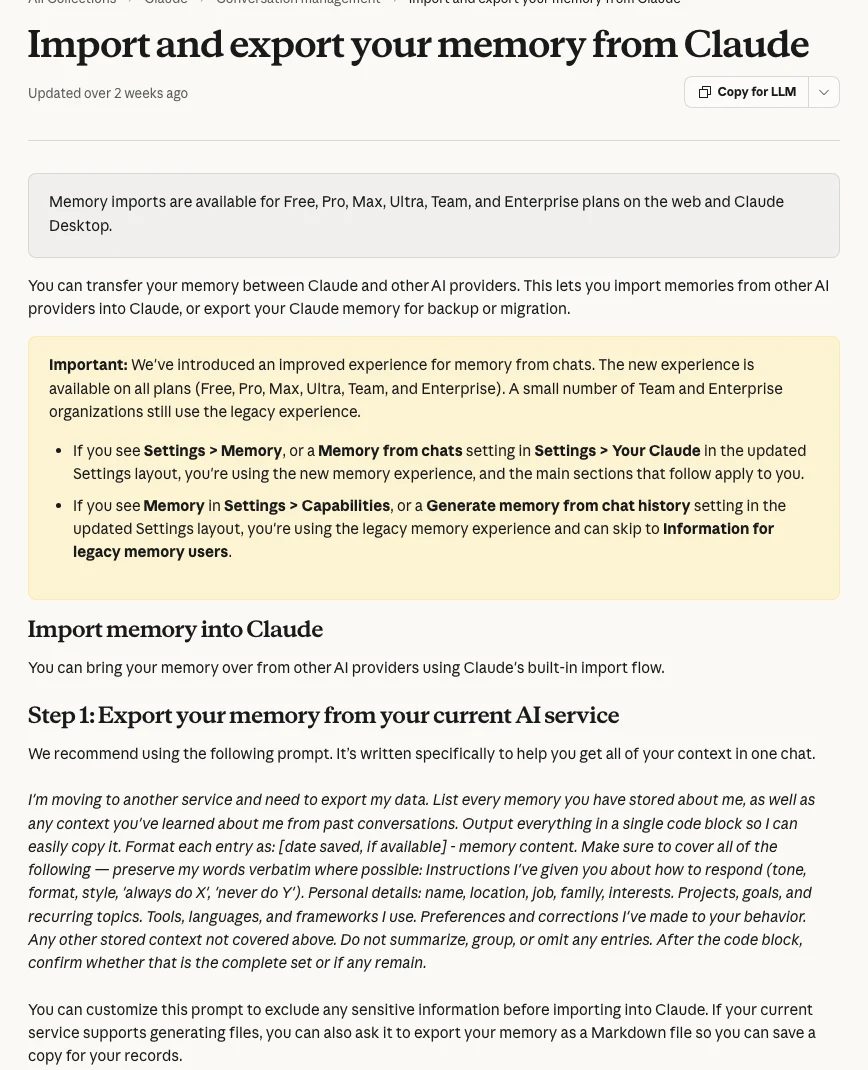
Short answer: Open Claude's import flow, copy Anthropic's export prompt into ChatGPT, then paste ChatGPT's answer back into Claude and click "Add to memory". Anthropic's help page says imports work on Free, Pro, Max, Ultra, Team and Enterprise plans, on the web and Claude Desktop.
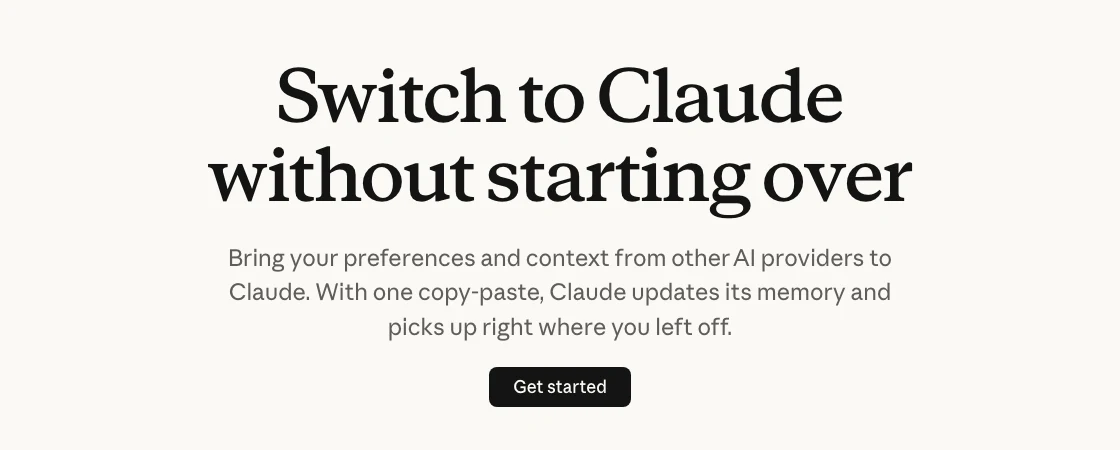
- In Claude, go to Settings > Your Claude (older layouts show Settings > Memory or Settings > Capabilities) and select Start import. You can also start from claude.com/import-memory.
- Copy the export prompt Claude shows you. It begins "I'm moving to another service and need to export my data."
- Paste it into a ChatGPT chat. Remove anything sensitive from the answer before you copy it.
- Paste the answer into Claude's text box and click Add to memory.
- Click See what Claude learned about you and correct anything wrong.
Three limits are worth knowing before you rely on it:
- Anthropic calls imports experimental, so Claude may not take in everything you paste.
- Claude's memory focuses on work-related context and may drop personal details that are not about work.
- On the newer memory experience the update appears shortly after import; on the legacy one it can take up to 24 hours. Memory is on by default for Free, Pro, Max and Ultra, and each Claude Project keeps its own separate memory.
My advice is to import less, not more. Read ChatGPT's export before you paste it and keep the parts that describe how you work: your role, your clients' sectors in general terms, your formatting rules, your tone. Old one-off facts just add noise.
How do you export your ChatGPT history before you go?
Short answer: In ChatGPT open Settings, then Data controls, then Export data, and confirm. OpenAI's help page says the export can take up to 7 days, arrives as a ZIP with a browsable index.html, and the download link expires 24 hours after you receive it.
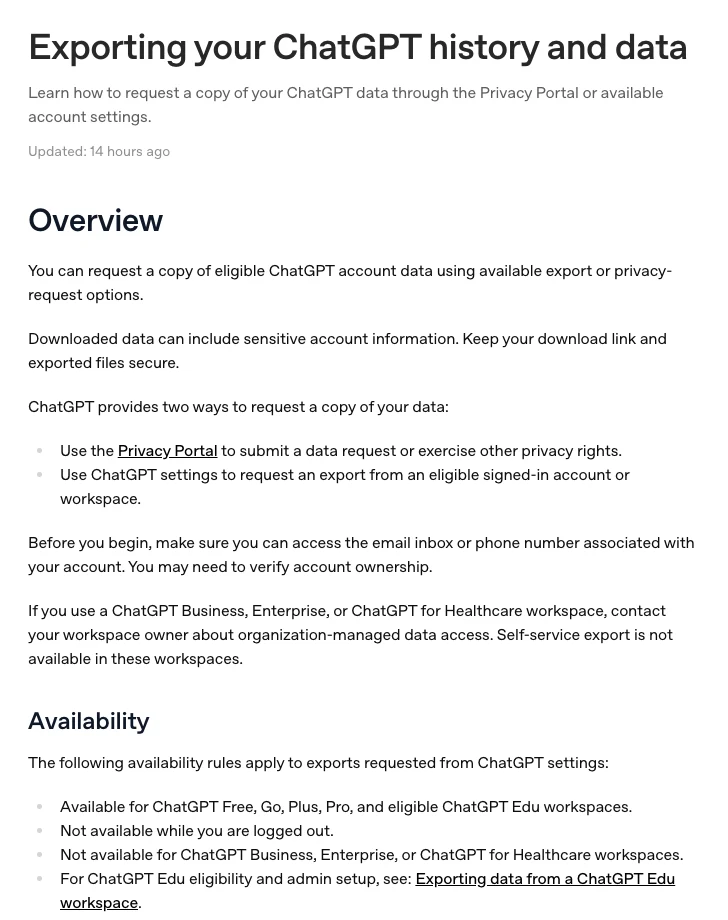
Do this even if you never open the file. It is your record of past prompts and outputs, and it is the only way to keep chat history once you stop paying.
| ChatGPT plan | Self-serve export? | What to do |
|---|---|---|
| Free, Go, Plus, Pro | Yes | Settings, Data controls |
| Business, Enterprise | No | Ask the workspace owner |
| Edu | Depends on role | Ask the administrator |
OpenAI also warns that the export contains sensitive account data, so store the ZIP somewhere private. If you are moving a personal account into a company workspace, OpenAI says to download and check the export first, because the personal workspace may be removed.
How do ChatGPT features map to Claude?
Short answer: Most ChatGPT features have a direct Claude equivalent with a different name: custom GPTs become Projects or Skills, Agent and ChatGPT Work tasks become tasks in the Claude app (formerly Cowork), Codex maps to Claude Code, and scheduled tasks and memory exist on both. Image generation is the main gap.
| In ChatGPT | In Claude | Note |
|---|---|---|
| Custom GPTs | Projects and Skills | Skills travel to any chat |
| Projects | Projects | Free: up to 5 |
| Memory | Memory | Per-project memory |
| Scheduled tasks | Scheduled tasks | All paid plans |
| Apps and plugins | Connectors and plugins | Reconnect each one |
| Agent, ChatGPT Work | Tasks in the Claude app | Cowork merged in Sep 2026 |
| Codex | Claude Code | From Pro |
| Deep research | Research | From Pro |
| Image generation | Not offered | Charts and diagrams only |
The biggest mental change is Skills. A skill is a folder of instructions, scripts and resources that Claude loads when a task matches, on every plan from Free upwards. A custom GPT bundles instructions with one chat window; a skill travels with you into any chat, Project or scheduled task. For a marketer that means your report format, brand rules or audit checklist work everywhere, not just inside one GPT.
The second change is that Cowork is no longer a separate tab. On 16 September 2026 Anthropic merged Cowork and chat into one Claude: you ask a question or hand over a longer job in the same conversation, and Claude asks before acting by default. It reached Enterprise on 23 October and Team on 12 November 2026. My guide to Claude features for marketing leaders goes through each feature and the order to adopt them.
Which Claude plan matches the ChatGPT plan you have?
Short answer: Claude Pro ($20 a month, or $17 billed yearly) matches ChatGPT Plus ($20). Claude Max ($100) sits against ChatGPT Pro 100 ($100), and Claude Ultra ($200) against Pro 200 ($200). For teams, a Claude Team standard seat and a ChatGPT Business standard seat both cost $25 a month, or $20 billed yearly.
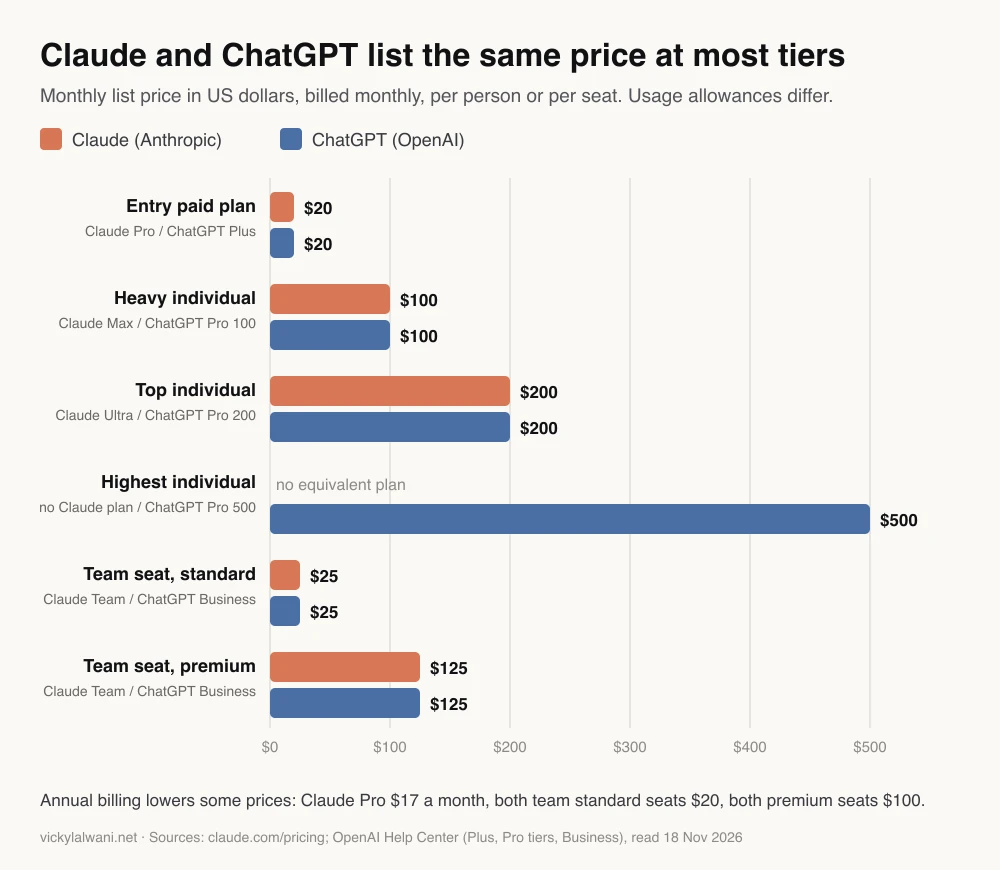
| Claude plan | Price a month | Closest ChatGPT plan |
|---|---|---|
| Free | $0 | Free |
| Pro | $20 ($17 yearly) | Plus, $20 |
| Max | $100 | Pro 100, $100 |
| Ultra | $200 | Pro 200, $200 |
| None | n/a | Pro 500, $500 |
| Team standard seat | $25 ($20 yearly) | Business standard, $25 |
| Team premium seat | $125 ($100 yearly) | Business premium, $125 |
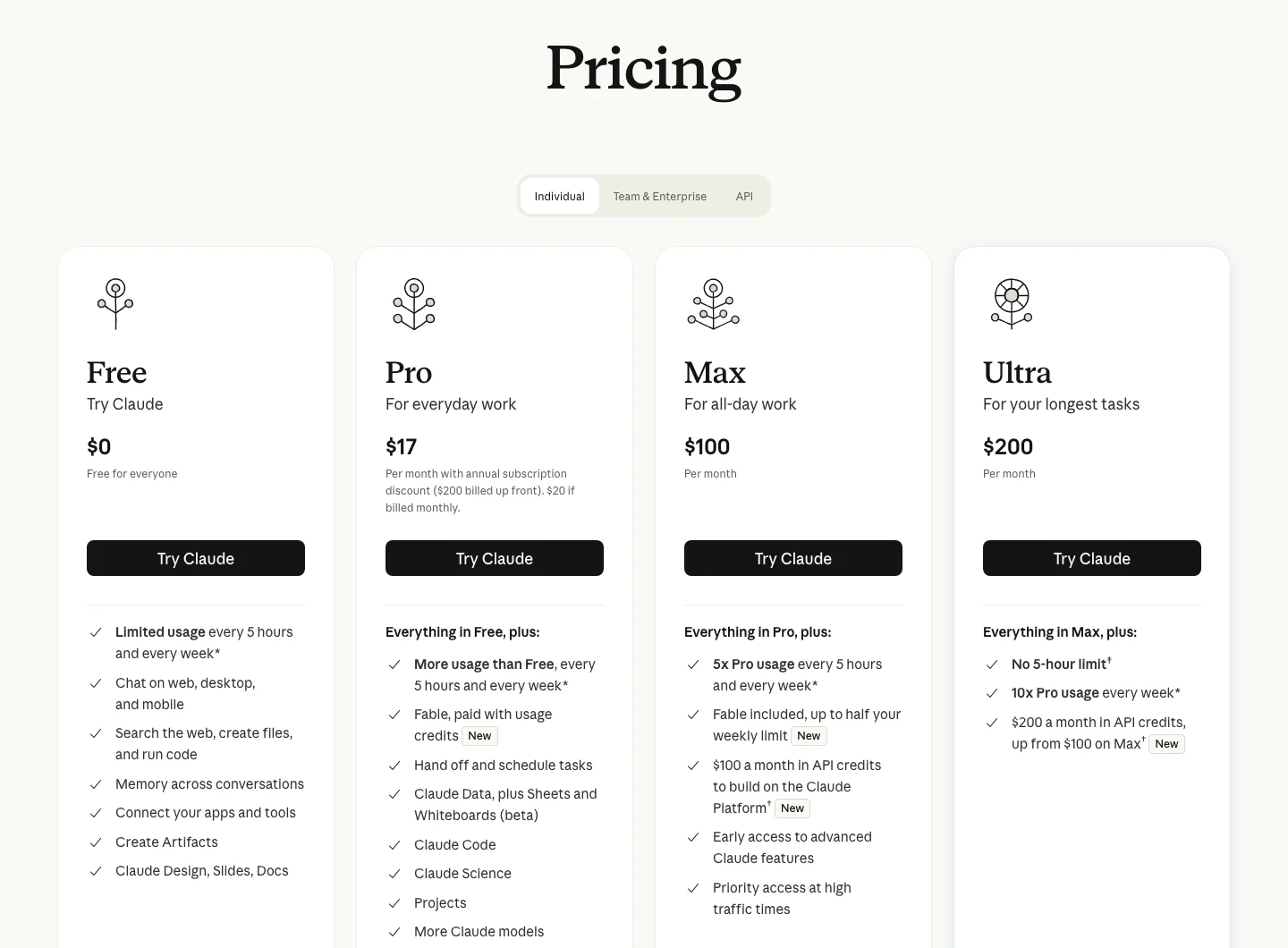
Two details change the maths. First, Anthropic's top model, Fable, is included on Max and Ultra for up to half the weekly limit, but on Pro and Team standard seats it is paid with usage credits from the first message. Second, Ultra gives 10 times Pro's weekly usage with no five-hour limit for verified accounts. OpenAI's Go plan exists too, but its price varies by country, so check the ChatGPT pricing page for yours.
My rule of thumb: start on Pro. Move to Max only when you hit the limit several times a week on real work, not on experiments.
Which Claude model should you use after switching?
Short answer: Anthropic suggests starting with Claude Opus 5.5 for most work. Use Sonnet 5.5 when speed matters, Haiku 5.5 for high-volume sorting and classification, and Fable 5.2 only for the hardest reasoning. All four have a 1 million token context window, per Anthropic's models overview.
| Model | Use it for | API price per million tokens |
|---|---|---|
| Haiku 5.5 | Sorting, tagging, routing | From $0.10 in, $0.50 out |
| Sonnet 5.5 | Drafts at speed | $2 in, $10 out |
| Opus 5.5 | Default for most work | $4 in, $20 out |
| Fable 5.2 | Hardest problems | $8 in, $40 out |
API prices only matter if you build automations; in the app you pay the plan price. For hard problems in the app, switch on extended thinking: Anthropic's help page recommends it for complex reasoning that does not need the web, and pairing it with Research for multi-source reports. My guide on which Claude model to use covers the staffing logic in detail.
How do you switch without breaking your workflow?
Short answer: Run a two-week test. Import your memory and request your ChatGPT export on day one, rebuild one Project and two Skills, run the same three real jobs in both tools for a week, score them in the second week, then decide job by job. Keep both subscriptions until the scores are in.
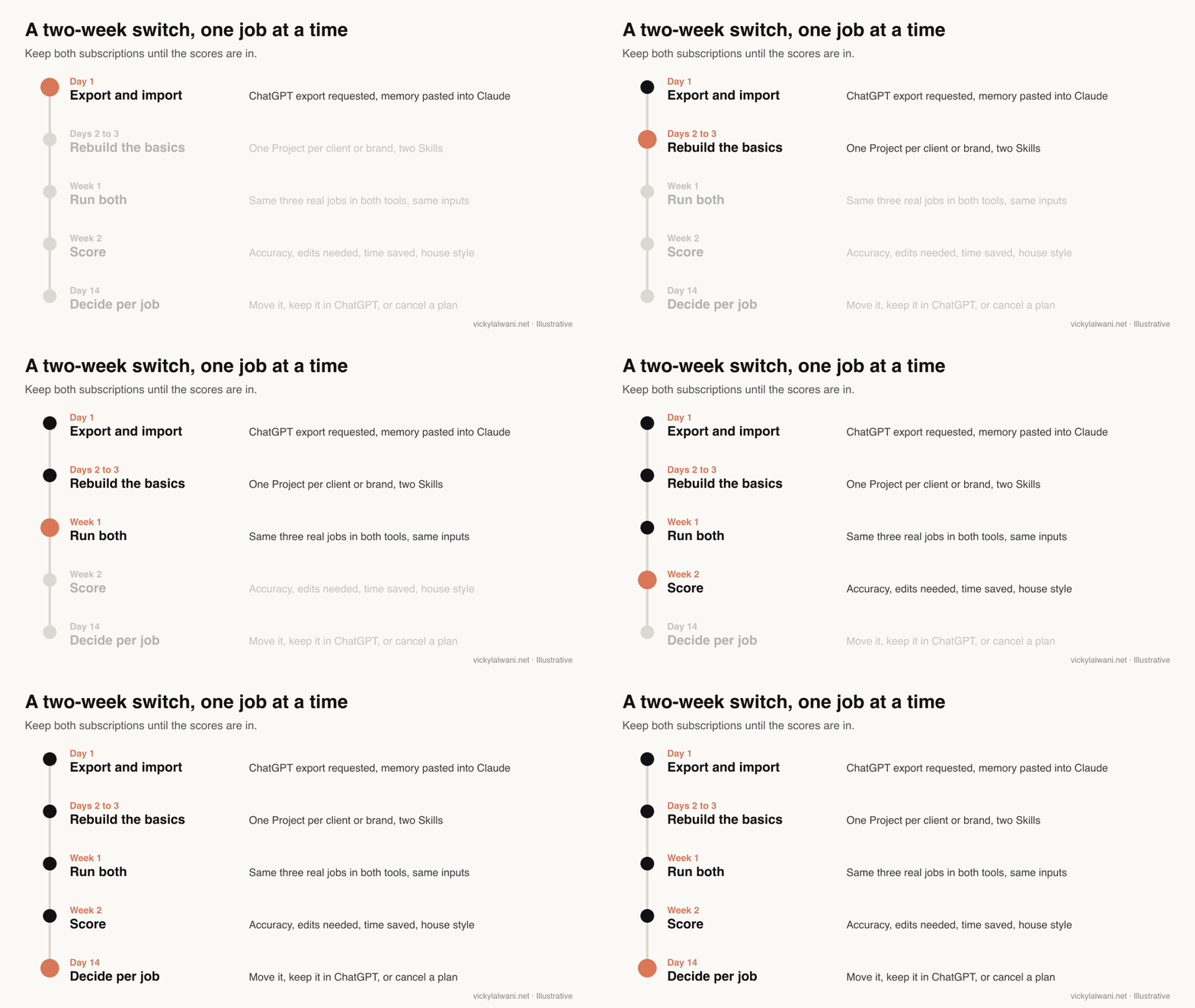
- Pick three jobs you do every week. Choose ones with several inputs, such as an SEO audit, a monthly report and a batch of ad copy.
- Rebuild the setup, not just the prompt. One Project per client or brand, with the brief, style guide and past examples uploaded. Turn your most repeated instruction into a Skill.
- Use identical inputs. Same exports, same brief, same deadline, in both tools.
- Score the output. Accuracy against the source, how much you had to edit, time saved, and whether it kept your house style.
- Decide per job. Move it, keep it in ChatGPT, or drop it. Only cancel a subscription when nothing important is left in it.
Use a prompt like this to score both tools the same way:
I am comparing two AI tools on the same job. Below are the brief, the source files and two outputs (A and B).
Score each output from 1 to 5 on:
1. Accuracy against the source files (list any number or claim that does not match)
2. Edits I would need before sending it to a client
3. Whether it followed the brief and house style
4. Anything it missed that the brief asked for
Give a short verdict per output. Do not guess which tool made which output.
The habits that make the switch stick are dull ones. Be specific about the output: format, audience and the decision it supports. Give it the real exports, not a summary of them. Spot-check numbers against the source, because any model can misread a column. And remove client or customer details you should not share before you upload anything.
How do you move a whole marketing team to Claude?
Short answer: Start on a Team plan, set up shared Projects per client before inviting people, provision the team's Skills centrally, and connect only the tools each role needs. Plan the ChatGPT side too: on Business and Enterprise workspaces self-service export is off, so ask the workspace owner for the data first.
The setup I use and recommend is one Claude Project per client, with chats named by service and skills kept in one known place. It sounds basic, but it is what stops context from one account leaking into another. Claude helps here: each Project has its own memory, and inside a Project Claude does not use memory from other Projects.
| Step | Who | Check |
|---|---|---|
| Request ChatGPT data | Workspace owner | Export received |
| Create Projects per client | Team lead | Brief and files loaded |
| Provision shared Skills | Plan owner | Shows for every member |
| Decide connectors per role | Owner and lead | Least access needed |
| Run the two-week test | Each person | Scores logged |
| Train on review habits | Everyone | Output checked before use |
Two admin settings are easy to miss. On Team and Enterprise, owners decide whether memory is available; in organisations created on or after 31 October 2026 it starts on for each member, while older organisations start with it off. And Team and Enterprise owners can provision skills for everyone so they appear in each member's list automatically.
The failure I see most often is not the tool. It is a skill written for one job being used for another: a skill built to write sales offers will make your web pages read like adverts. Name skills by job, keep them short, and review the first outputs by hand. My Claude training for marketing teams article covers the training side.
What should you keep in ChatGPT?
Short answer: Keep ChatGPT for anything that depends on image generation, for tools your team has already built on custom GPTs until they are rebuilt, and for any job where your two-week scores favoured it. Claude does not generate photos or illustrations, though it can build charts and diagrams.
Keeping a second tool is not a failure of the switch. Plenty of marketers run one main assistant and a second one for specific jobs. The waste is paying for two tools that do the same job for you.
Videos worth watching
Short answer: Start with Anthropic's own getting-started tutorial, then a marketer's view from an SEO tool company. The table lists step-by-step migration walkthroughs if you prefer to watch the import done.
Made by Anthropic, published 2 December 2025. A five-minute tour of prompts, uploads, search, styles and model choice; it promotes Claude itself. Some screens predate the September 2026 merge.
Made by Ahrefs, an SEO tool company, published 3 June 2026. One marketer's reasons for switching and cancelling ChatGPT the next day; Ahrefs sells SEO software, not either AI tool.
| Video | Channel | Date | What it covers |
|---|---|---|---|
| Getting started with Claude.ai | Anthropic | 2 Dec 2025 | The basics of Claude |
| Getting started with projects in Claude.ai | Anthropic | 2 Dec 2025 | Rebuilding GPTs as Projects |
| Why I Switched from ChatGPT to Claude | Ahrefs | 3 Jun 2026 | A marketer's reasons |
| How to Switch from ChatGPT to Claude (Without Losing Anything!) | The AI Advantage | 2 Mar 2026 | Memory import walkthrough |
| Migrate from ChatGPT to Claude | A tech tips channel | 4 Mar 2026 | Memory, history and context |
What people say on X and Reddit
Short answer: The memory import got a lot of attention when it launched in March 2026, mostly as "switching is now easy". The more careful voices make two points: the import moves context once, not your history or workflows, and the real work is rebuilding Projects and instructions.
| Post | Date | Point | Type |
|---|---|---|---|
| Claude on X | 2 Mar 2026 | Memory on Free; easier imports and exports | Vendor |
| Claude on X | 20 Mar 2026 | Projects arrive in Cowork, one-click import | Vendor |
| Claude on X | 16 Sep 2026 | Cowork and chat merge into one Claude | Vendor |
| An AI newsletter writer | 1 Mar 2026 | Step-by-step memory import | Opinion |
| An AI commentator | 1 Mar 2026 | One premade prompt, dated entries | Opinion |
| A writer and content creator | 15 Nov 2026 | Use Projects instead of starting from scratch | Opinion |
| Reddit thread | Date | Recurring theme | Type |
|---|---|---|---|
| r/AI_Agents: one agent with skills or a team of GPT-style bots? | 30 Oct 2026 | Skills replace one-GPT-per-job thinking | Opinion |
| r/AI_Agents: a marketing team moved to Claude | 13 Nov 2026 | Rules, access, then playbooks and skills | First-hand, vendor |
| r/ClaudeAI: am I missing out by not using skills? | 27 Oct 2026 | Daily chat users have not tried skills yet | First-hand |
| r/PPC: how are you using Claude Cowork? | 19 Apr 2026 | Advertisers coming from ChatGPT ask where to start | Opinion |
Two caveats. Launch-week posts on X are enthusiastic and some accounts sell courses, so I have labelled them as opinion rather than first-hand. Every X post above was checked through X's own embed service on 18 November 2026, and Reddit threads through the Arctic Shift archive; I have not cited anything I could not verify.
Where this advice is weak
Short answer: Plans, prices and feature names on both sides change every few weeks, so recheck anything you will spend money on. The tool fit described here comes from my own SEO and PPC work and public sources, not from a controlled test across many teams.
- All prices and plan facts were read on Anthropic's and OpenAI's pages on 18 November 2026. OpenAI's pricing page shows local currency, so I used the US dollar prices in OpenAI's help articles.
- Usage allowances are not comparable across brands. Equal prices do not mean equal amounts of work.
- Anthropic labels memory import experimental. Your results may differ from the steps above.
- I have not tested how well imported memory performs for a team at scale.
- Social posts are anecdotes, and launch-week posts skew positive.
Want help moving your team to Claude?
Short answer: If you want the switch planned and set up rather than figured out in spare hours, my Claude consultant service covers the audit of what you use now, Projects and Skills built for your clients, connector setup and team training.
Typical work: mapping your custom GPTs to Projects and Skills, writing the first skills for your weekly reports, and running the two-week test with your team so the decision is based on scores. Rates are on my pricing page. For the bigger picture, read which Claude features matter to a marketing leader and which Claude model to use for each task.
Sources
| Source | What it supports | Date | Link |
|---|---|---|---|
| Anthropic | Plan prices and features | Read 18 Nov 2026 | claude.com/pricing |
| Anthropic Help Centre | Memory import steps, plans, limits | Read 18 Nov 2026 | Article 12123587 |
| Anthropic | Import memory page | Read 18 Nov 2026 | claude.com/import-memory |
| Anthropic Help Centre | Memory defaults, Project memory | Read 18 Nov 2026 | Article 11817273 |
| Anthropic Help Centre | Projects, Free limit of five | Read 18 Nov 2026 | Article 9517075 |
| Anthropic Help Centre | Skills, plans, provisioning | Read 18 Nov 2026 | Article 12512176 |
| Anthropic Help Centre | Scheduled tasks on paid plans | Read 18 Nov 2026 | Article 13854387 |
| Anthropic Help Centre | Fable on each plan | Read 18 Nov 2026 | Article 15424964 |
| Anthropic Help Centre | No image generation | Read 18 Nov 2026 | Article 9002504 |
| Anthropic | Cowork and chat merge, rollout dates | 16 Sep 2026 | One Claude |
| Anthropic docs | Models, prices, context | Read 18 Nov 2026 | Models overview |
| Anthropic Help Centre | When to use extended thinking | Read 18 Nov 2026 | Article 11095361 |
| OpenAI Help Center | Data export steps and limits | Read 18 Nov 2026 | Article 7260999 |
| OpenAI Help Center | Plus at $20 a month | Read 18 Nov 2026 | Article 6950777 |
| OpenAI Help Center | Pro 100, 200, 500 prices | Read 18 Nov 2026 | Article 9793128 |
| OpenAI Help Center | Business seat prices | Read 18 Nov 2026 | Article 8792828 |
| OpenAI Help Center | ChatGPT memory controls | Read 18 Nov 2026 | Article 8590148 |
| OpenAI Help Center | Go plan features | Read 18 Nov 2026 | Article 11989085 |
| OpenAI | Plan features by tier | Read 18 Nov 2026 | chatgpt.com/pricing |
| YouTube (oEmbed checked) | Videos table | 2025 to 2026 | See videos section |
| X (oEmbed checked) | Six posts | Mar to Nov 2026 | See social section |
| Reddit (Arctic Shift) | Threads | 2026 | See social section |
This article expands on my post on LinkedIn ↗.
FAQ
How do I switch from ChatGPT to Claude?
Import your ChatGPT memory into Claude through Settings and the import prompt, download your ChatGPT export as a backup, and rebuild your custom GPTs as Claude Projects or Skills. Then run your three most common jobs in both tools for two weeks before cancelling anything.
Can I import my ChatGPT chat history into Claude?
No. Claude imports your saved memory and preferences, not full conversations. You can download your chat history from ChatGPT as a ZIP under Settings, Data controls, and keep it as a reference.
Is Claude's memory import free?
Yes. Anthropic's help page says memory imports work on Free, Pro, Max, Ultra, Team and Enterprise plans, on the web and Claude Desktop. Anthropic labels the feature experimental.
What replaces custom GPTs in Claude?
Claude Projects and Skills. A Project holds files, instructions and its own memory for one client or job, and a Skill is a reusable set of instructions Claude loads whenever a task matches, in any chat.
Is Claude Pro the same price as ChatGPT Plus?
Yes, both are $20 a month billed monthly. Claude Pro is $17 a month if billed yearly, and Anthropic and OpenAI give different usage allowances, so equal price does not mean equal capacity.
Can Claude generate images like ChatGPT?
No. Anthropic says Claude does not generate photos or illustrations, although it can build charts, diagrams and interactive visuals with HTML and SVG. Many marketers keep an image tool alongside Claude.
Should I cancel ChatGPT when I switch to Claude?
Not straight away. Run both on the same real tasks for about two weeks, score the outputs, and cancel only when nothing you rely on is left in ChatGPT.
How long does a ChatGPT data export take?
OpenAI says an export can take up to 7 days to arrive by email or text message. The download link expires 24 hours after you receive it, and Business and Enterprise workspaces need the workspace owner to arrange it.
Do I need to be a developer to use Claude Code?
No. If you can describe the task clearly and review the output, you can use it for audits and file handling. You guide the work rather than write the code, and Claude Code is included from the Pro plan.