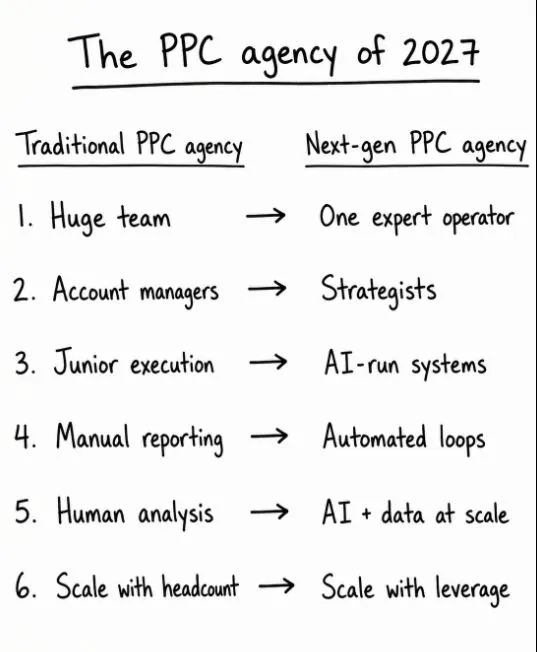
AI marketing workflows turn prompts into systems. Each SEO or PPC workflow has a written spec: a trigger, inputs, steps, checks, an output, a named approver and a measure. Saved as a skill or script and run on a schedule against live data, it returns the same result every time, with a person approving anything that spends money or changes a page.
TL;DR
AI marketing workflows turn a prompt you retype every week into a system that runs the same way every time. The difference is not the model. It is whether the job has a written spec: a trigger, inputs, steps, checks, an output, an approval and a measure.
For SEO and PPC, five workflows earn their keep first: the search terms review, SEO audit triage, page refreshes from Search Console data, the monthly report and multi-account checks. Each one keeps a person at the point where money is spent or a page changes.
Anthropic's own usage data shows the pattern: in August 2025, 77% of business use of Claude through its API showed automation patterns, against about half of chats on Claude.ai. Systems get handed whole tasks; tools get asked questions.
Short answer: AI marketing workflows are repeatable processes where AI reads your SEO or ad data, does the mechanical steps and hands a person a decision. Build one by writing a seven-part spec, saving it as a skill or script, running it on a schedule against live data, and keeping a human approval before anything changes.
You have a good prompt for the search terms review. It lives in a chat from three weeks ago. This Monday someone writes a new version from memory, the output comes back in a different shape, and nobody can compare it with last week. That is AI used as a tool: useful once, then lost.
The fix is to treat the job as a workflow with a written specification. This page shows how to write that spec and applies it to five SEO and PPC jobs. If you would rather have the workflows designed, connected and documented for you, that is what my AI automation service does, usually alongside Google Ads management or SEO consulting.
Several companion articles go deep on single pieces of this, so this one stays on design. For one workflow built end to end, read the Claude morning briefing. For which Google Ads changes are safe to automate, read Google Ads automation with Claude. For which tools to keep or connect, read the AI marketing stack. Product facts below were checked on 18 November 2026.
What are AI marketing workflows?
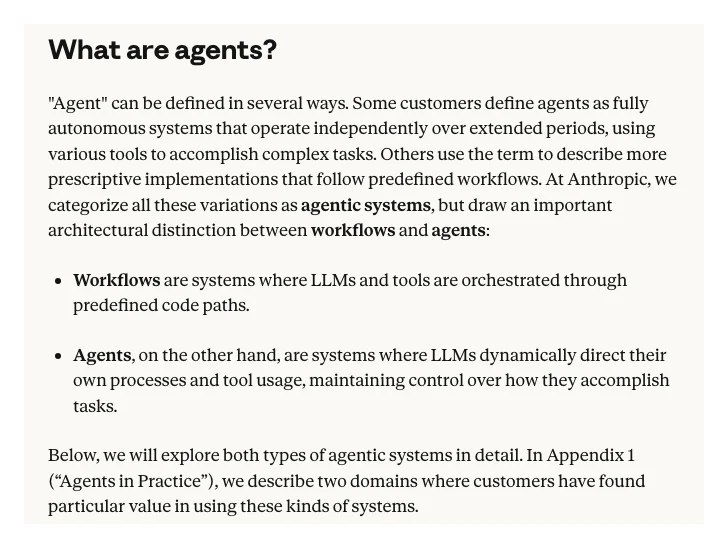
Short answer: a workflow is a fixed sequence of steps where AI and tools do defined jobs in a defined order, and the result is the same shape every time. Anthropic draws the line clearly: workflows follow predefined paths, while agents decide their own steps. Most SEO and PPC work needs workflows first.
Anthropic's engineering guide Building effective agents (December 2024) defines workflows as "systems where LLMs and tools are orchestrated through predefined code paths", and agents as systems where the model directs its own process and tool use. The same guide recommends finding the simplest solution possible and only adding complexity when needed.
In marketing terms, the split between a tool and a system looks like this.
| Question | AI as a tool | AI as a system |
|---|---|---|
| Who starts it? | Whoever remembers | A schedule or event |
| Where are the steps? | In someone's head | In a skill or script |
| What data? | Whatever got pasted | The same live source |
| Output shape? | Different each time | Fixed format |
| Who decides? | Unclear | A named approver |
| Is it working? | Feels faster | A measure, checked monthly |
If the agent side of that line is your real question, AI workflows vs agents covers when each is worth building.
Does building AI into systems really change how work gets done?
Short answer: the usage data says yes. Anthropic's Economic Index found that 77% of business use of Claude through its API showed automation patterns in August 2025, against about 50% on Claude.ai, and that "directive" use, where people hand over a whole task, rose from 27% to 39% in eight months.
The figures are from Anthropic's Economic Index report of 15 September 2025. API traffic is businesses calling Claude from their own software, which is the closest public proxy for AI built into a system. Chat traffic is people asking questions one at a time.
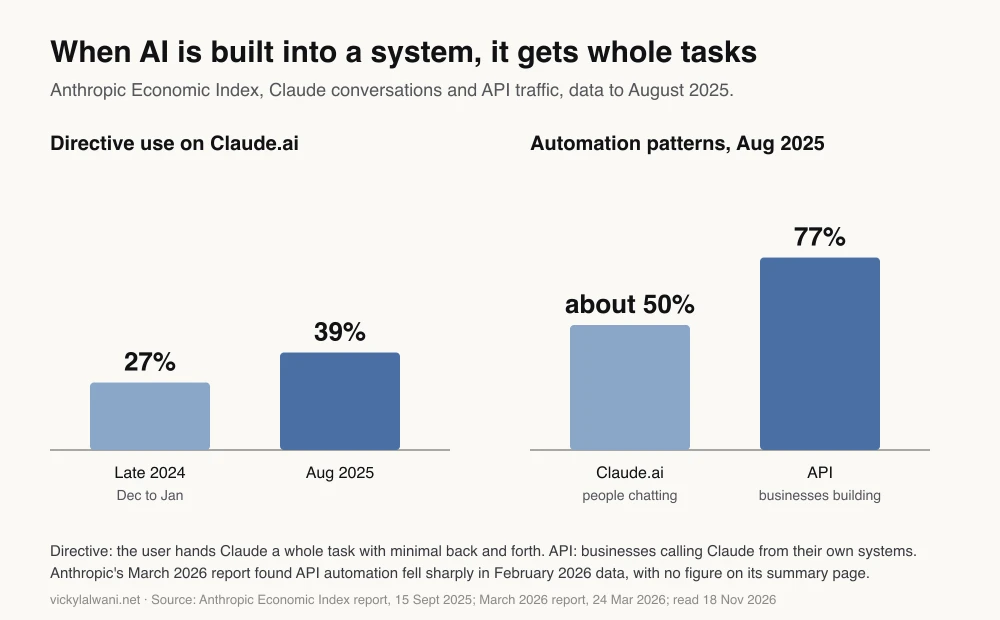
Two cautions. These are all Claude users, not marketers, so the split says nothing about whether marketing work improved. And the trend is not one-way: Anthropic's March 2026 report says automation "decreased sharply" in its first-party API data from February 2026, without giving a figure on the summary page. Read the chart as a picture of how systems get used, not as a growth curve.
What goes into an AI marketing workflow spec?
Short answer: seven parts: the trigger that starts it, the inputs it reads, the steps it follows, the checks it must pass, the output format, the person who approves, and the measure that shows it is worth keeping. Missing any one, and you still have a prompt.
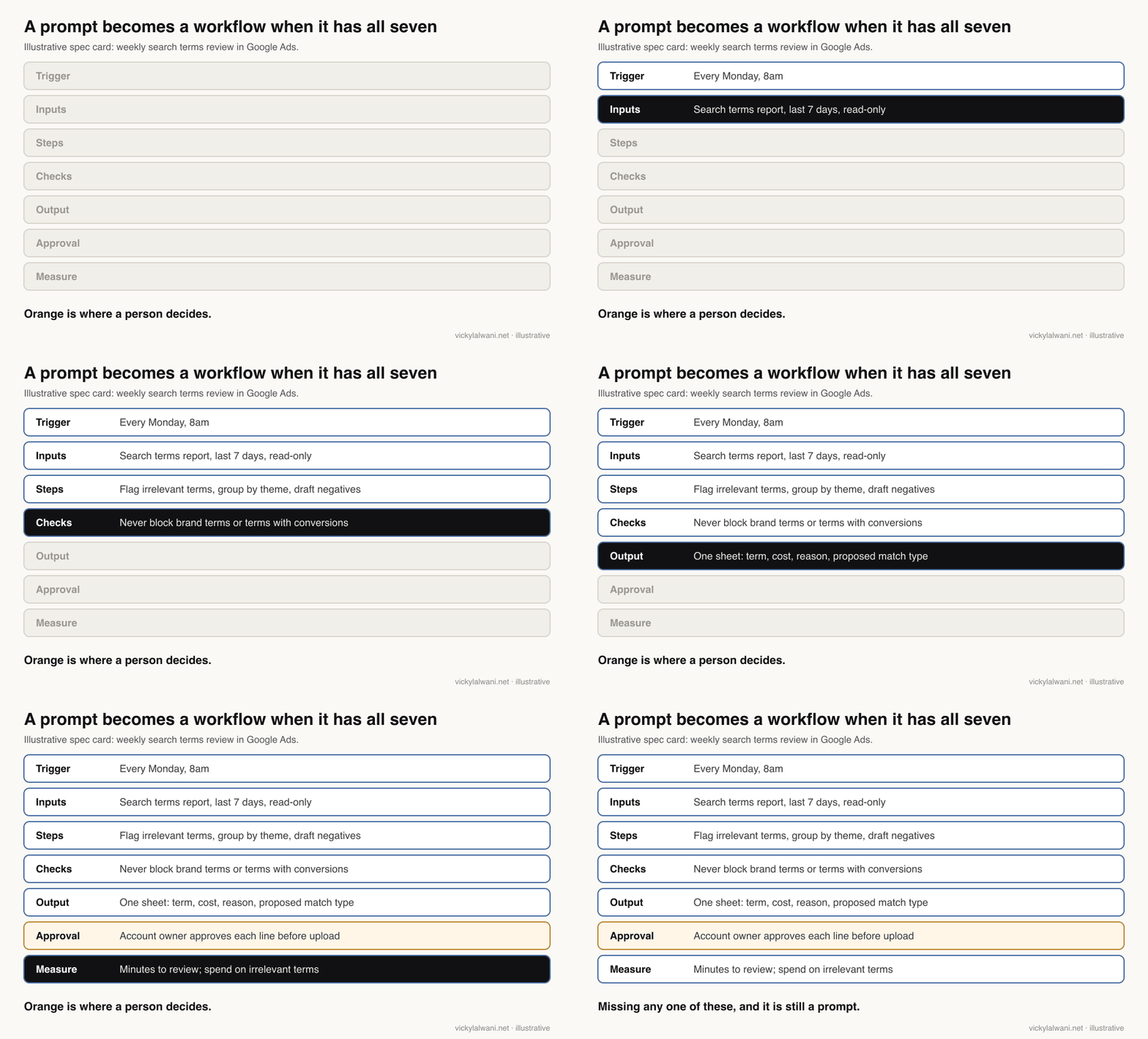
| Part | Answers | Common gap |
|---|---|---|
| Trigger | When does it run? | "When I remember" |
| Inputs | Which data, which dates? | A different export each week |
| Steps | What happens, in order? | Steps left to the model |
| Checks | What must never happen? | No rule for brand terms |
| Output | What shape comes back? | Long prose, no table |
| Approval | Who says yes? | Nobody named |
| Measure | How do we know it helps? | "It feels quicker" |
Write the spec in plain words first, then turn it into whatever runs it: a Claude skill, a Google Ads script or a scheduled task. Here is a template to copy.
WORKFLOW: [name, e.g. Weekly search terms review]
OWNER: [person who approves the output]
TRIGGER: [schedule or event, e.g. every Monday 8am]
INPUTS: [source, date range, access level, e.g. Google Ads search terms, last 7 days, read-only]
STEPS:
1. [first step]
2. [second step]
3. [third step]
CHECKS (stop and flag if any fail):
- [e.g. never propose a negative that matches a brand term]
- [e.g. never propose a negative for a term with a conversion]
- [e.g. say "not in the data" instead of guessing]
OUTPUT: [exact format, e.g. a table: term, cost, conversions, reason, proposed match type]
APPROVAL: [who approves, and where: e.g. owner ticks each row before upload]
MEASURE: [one number, checked monthly, e.g. minutes to review; spend on irrelevant terms]
RETIRE IF: [e.g. two months with no approved changes]
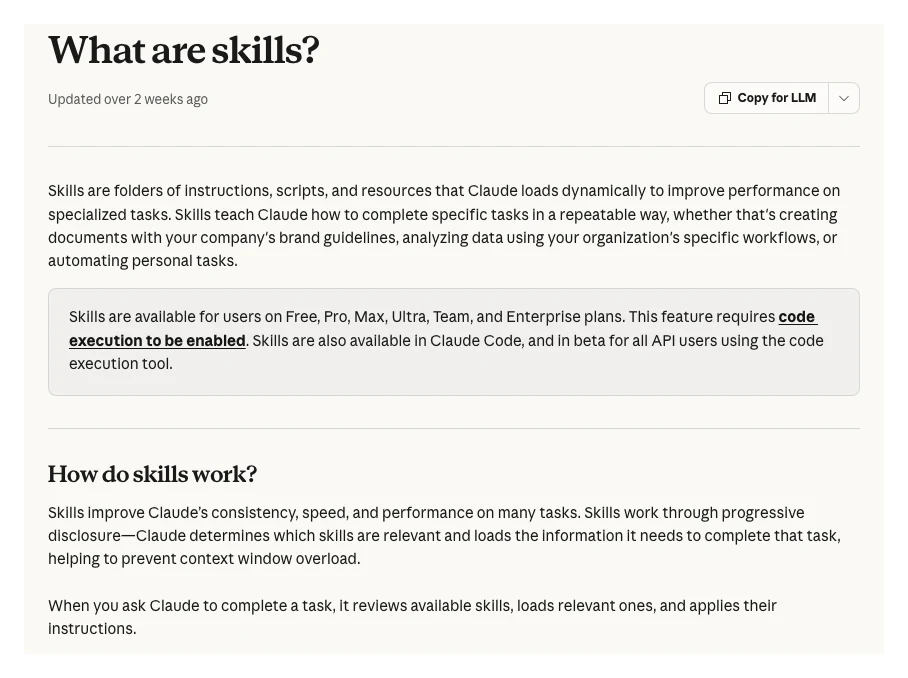
Claude can hold this as a skill. Its help centre describes skills as folders of instructions, scripts and resources that Claude loads dynamically, available on Free, Pro, Max, Ultra, Team and Enterprise plans with code execution switched on, and in Claude Code. Claude reviews the available skills and loads the relevant one when a task matches.
For the skill-writing detail, see Claude skills for Google Ads and Claude skills for SEO. The spec above is the part those guides assume you already have.
How far should each workflow climb from tool to system?
Short answer: only as far as the job needs. Most SEO and PPC workflows pay off at three levels: a written skill, a scheduled run and a connection to live data. Agents that draft changes are worth it only with an approval step, and only once the simpler levels are stable.
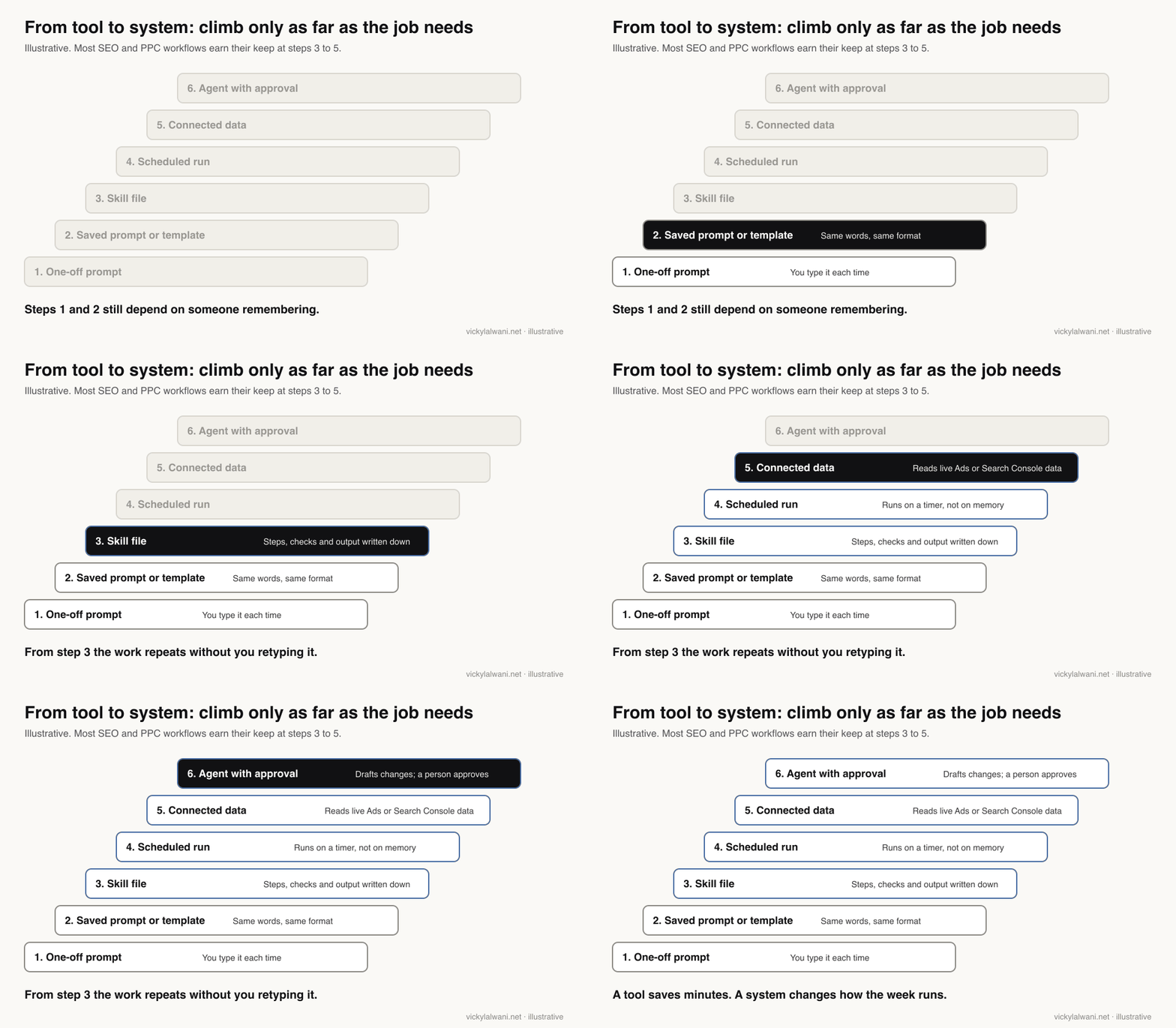
| Level | What it adds | Good for |
|---|---|---|
| Saved prompt | Same words | Ad copy variations |
| Skill file | Steps and checks | Audits, reviews |
| Scheduled run | Runs without memory | Weekly checks |
| Connected data | Live numbers | Reports, alerts |
| Agent with approval | Drafts changes | Mature accounts only |
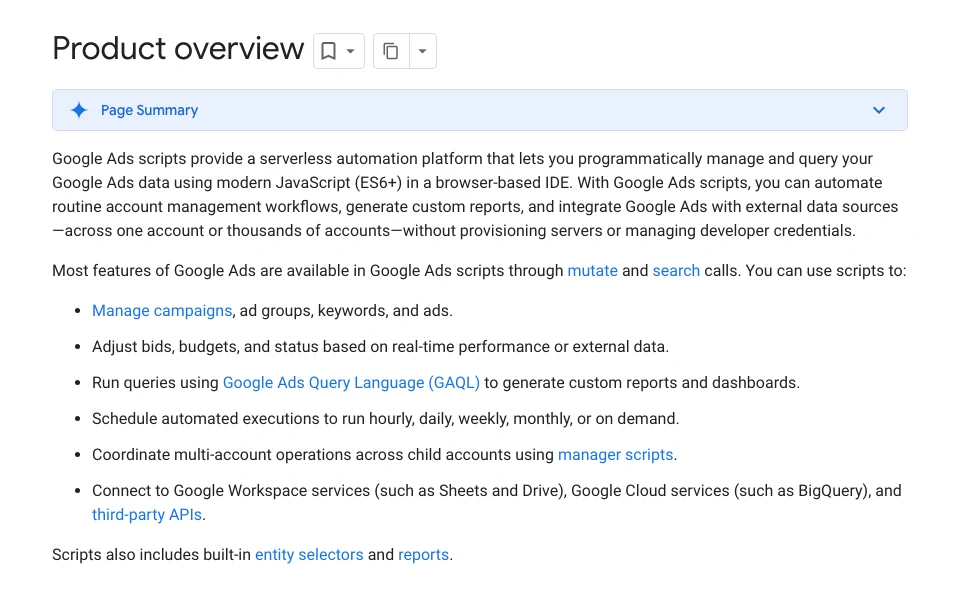
For paid search the scheduler can be Google's own. Google describes Google Ads scripts as a serverless automation platform that can run hourly, daily, weekly, monthly or on demand, across one account or many through manager scripts. A script that exports search terms to a sheet each Monday is a perfectly good first rung.
On the AI side, Claude now runs scheduled tasks too. Anthropic announced routines in Claude Code in April 2026 (in research preview at the time): a prompt, a repo and connectors that run on a schedule, from an API call or on an event. The morning briefing guide walks through the Cowork version step by step.
Which five SEO and PPC workflows should you build first?
Short answer: the weekly search terms review, SEO audit triage, page refreshes from Search Console, the monthly report and multi-account checks. They repeat often, follow predictable steps and each have a clear point where a person should decide.
1. Weekly search terms review
The search terms report shows the actual searches that triggered your ads. Google's help page notes that some low-volume terms are left out of the report for privacy, so the workflow never sees everything. On r/PPC, reviewing search query data for negatives was the most upvoted answer to "what will you never do manually again".
| Part | Spec |
|---|---|
| Trigger | Weekly |
| Input | Search terms, 7 days, read-only |
| Output | Proposed negatives with reasons |
| Human gate | Approve each line |
| Measure | Spend on irrelevant terms |
2. SEO audit triage
A crawl produces hundreds of rows of equal-looking errors. The workflow's job is the sort: which broken redirects, missing titles or orphan pages sit on pages that get impressions or leads. The sorting is the valuable part, because a long list of equal-weight errors tells you nothing. The technical SEO audit automation guide covers the crawl itself.
| Part | Spec |
|---|---|
| Trigger | Monthly, or after a release |
| Input | Crawl export plus Search Console pages |
| Output | Top ten fixes by traffic at risk |
| Human gate | Developer and owner agree order |
| Measure | Fixes shipped per month |
3. Page refreshes from Search Console
This replaces the old "content multiplication" idea with something tied to search. Search Console can schedule a daily bulk export of performance data to BigQuery, everything except anonymised queries. A workflow reads it, finds pages slipping from page one or ranking on page two, and drafts a refresh brief. Google's guidance still applies: fact-check AI-written changes before they go live. For the planning side, see the AI content calendar from Search Console data.
| Part | Spec |
|---|---|
| Trigger | Fortnightly |
| Input | Queries and pages, 28 days vs prior |
| Output | Five refresh briefs |
| Human gate | Editor approves each brief |
| Measure | Clicks to refreshed pages |
4. The monthly report
Feed the same numbers from Google Ads, GA4 and Search Console into one template and let AI draft the summary. In my own reporting, every report carries a short human note: where we are, what we are doing, what is next. The AI drafts the tables; the person writes those three lines. The monthly PPC report in Google Slides guide shows a full build.
| Part | Spec |
|---|---|
| Trigger | First working day |
| Input | Ads, GA4, Search Console, CRM leads |
| Output | One page plus tables |
| Human gate | Analyst checks numbers, writes the note |
| Measure | Hours to send |
5. Multi-account checks
With live connections, one assistant can check many accounts without exports. The risk is mixing them up. I keep one Claude project per client with threads named by service and skills in a known place, and every request names the account. Access is the step that goes wrong most often, so the first run of any multi-account workflow is a read-only check of which accounts it can actually see.
| Part | Spec |
|---|---|
| Trigger | Daily |
| Input | Spend, conversions, disapprovals |
| Output | Exceptions only, one line each |
| Human gate | Account owner acts |
| Measure | Problems caught before the client |
One r/PPC team built a sixth worth copying if you run Meta ads: a daily check that alerts them when Meta switches on creative enhancements or changes Advantage+ targeting on its own. Replies confirmed the settings can come back after an ad is duplicated.
How do you know a workflow is worth keeping?
Short answer: after a month, ask three questions. Does it run without heavy rework? Does its output lead to a decision or an action? Would anyone notice if it stopped? Keep the ones that pass, fix the ones that nearly do and retire the rest.
Those three questions come from the original version of this article and still hold. What 2027 adds is one number per workflow, written in the spec before the first run, so the answer is not a feeling.
| Workflow | Measure | Retire if |
|---|---|---|
| Search terms review | Irrelevant spend | No approved negatives in 2 months |
| Audit triage | Fixes shipped | Same top ten twice running |
| Page refreshes | Clicks to refreshed pages | Briefs never get used |
| Monthly report | Hours to send | Numbers need redoing |
| Account checks | Issues caught early | Alerts nobody reads |
Fewer, better workflows beat a long list nobody trusts. They are also easier to hand to a new team member, because the spec is the training document.
Where do AI marketing workflows break?
Short answer: rarely in the model. They break when access changes, when a platform changes a setting or a report, when the output stops being checked, or when one person's undocumented fix lives only in their head. Each needs its own guard.
| Failure | What it looks like | Guard |
|---|---|---|
| Access drift | Runs, reads nothing | Check row counts each run |
| Platform change | Setting switched on for you | A weekly settings check |
| Review fatigue | Approvals become clicks | Spot-check three rows |
| Silent edits | Fixes outside the spec | Update the skill file |
| Wrong account | Client A data in B's report | Name the account every run |
| Output slop | Drafts need rewriting | Tighter checks, fewer outputs |
Two r/SEO threads make the last point well. In one, an agency team found that pushing AI drafts at scale moved the clean-up work onto the SEO team rather than removing it; replies called it a staffing problem disguised as a workflow problem. In the other, a reviewer argued that "human-reviewed" only means something if the reviewer can block the piece from shipping. Approval has to be able to say no.
What people say on X and Reddit
Short answer: practitioners report the biggest wins in search term reviews, reporting and SEO data work, and the biggest failures where review is weak or the platform changes underneath the workflow. Vendors and creators sell the speed; the threads keep pointing back at checks and ownership.
| Who, on X | What they said | Type | Post |
|---|---|---|---|
| Claude (official) | Routines: a prompt, repo and connectors that run on a schedule, API call or event (14 Apr 2026) | Official | Post |
| A performance marketer at Anthropic | Manages Google Ads with a Cowork plugin: the Ads API via MCP, paid search workflows as skills (24 Mar 2026) | First-hand, vendor staff | Post |
| A growth marketer and founder | Claude Code plus keyword APIs, a Search Console data warehouse and CMS access for SEO (2 Mar 2026) | First-hand | Post |
| An SEO tool founder | Ten Claude skills built on Search Console data, seven run every week (19 Aug 2026) | First-hand, promotional | Post |
| An automation builder | Bots break on apps with no API and an interface that changes every quarter (11 Aug 2026) | Opinion | Post |
| A paid social practitioner | Meta's November Ads Manager updates; some were switched on without asking (10 Nov 2026) | First-hand | Post |
| Community | What the thread says | Type | Link |
|---|---|---|---|
| r/PPC | "Never doing that manually again": top answer is search query reviews for negatives; another says AI misses much of the nuance (20 Jul 2026) | First-hand | Thread |
| r/PPC | A daily check that alerts when Meta switches on enhancements or changes Advantage+ targeting (2 Sep 2026) | First-hand | Thread |
| r/PPC | Automating search term reviews: scripts to Sheets, rule scoring, an AI first pass, final call manual (4 Jun 2026) | First-hand | Thread |
| r/SEO | "Human-reviewed" only means something if the reviewer can block the page and owns updates (26 Aug 2026) | Opinion | Thread |
| r/SEO | Agency pushed AI drafts at scale; clean-up landed on the SEO team; "a staffing problem disguised as a workflow problem" (8 Oct 2026) | First-hand | Thread |
Videos worth watching
Short answer: Anthropic's short explainer on skills and its longer talk on agents cover the system side, and Google Search Central's bulk export video covers the data feed behind most SEO workflows.
Made by Claude (Anthropic's official channel), 27 February 2026, under three minutes. It explains the feature behind workflow specs; the vendor explaining its own product.
Made by Anthropic, 17 October 2025, about 19 minutes. A follow-up to the Building effective agents guide, covering workflows, skills and when simple designs win. It sells nothing directly.
Made by Google Search Central, 18 May 2023, about six minutes. It sells nothing. The feature still works the same way, as Google's help page confirms.
| Video | Channel | Date | What it covers |
|---|---|---|---|
| What are skills? | Claude | 27 Feb 2026 | Skills in under three minutes |
| Building more effective AI agents | Anthropic | 17 Oct 2025 | Workflows, agents, simplicity |
| Intro to Search Console bulk data export | Google Search Central | 18 May 2023 | Daily data feed for SEO work |
| Google Ads Tutorial: Campaign automation with scripts | LinkedIn Learning | 20 Sep 2022 | Scripts basics (older interface) |
| How I Use Claude Code to Automate Google Ads | A PPC automation channel | 27 Jan 2026 | Audits and skills; promotes its agency |
| Claude for Marketing: Build Automated SEO Workflows with MCPs | A B2B marketing agency channel | 25 Mar 2026 | SEO workflows; features a vendor tool |
Where this advice is weak
Short answer: the usage chart is about all Claude users, not marketers; product names and plan limits change every few months; and the five workflows fit lead-generation and service accounts better than large ecommerce catalogues.
- The data is general. Anthropic's Economic Index measures how people use Claude, not whether marketing results improved. Its March 2026 report also showed API automation falling, so the trend is not steady.
- Features move. Skills, routines and scheduled tasks were all new in 2025 and 2026. Check the help pages before you build on a specific plan.
- Ecommerce differs. Large Shopping and Performance Max accounts need feed workflows (titles, attributes, disapprovals) that this page does not cover.
- Measures are proxies. "Hours to send a report" is easy to count and easy to game. Pair it with one result measure, such as cost per qualified lead.
- No figures from client work. The examples are specifications, not results. I do not publish client numbers.
Want your SEO and PPC workflows built?
The useful part is the spec: which jobs repeat, what data they need, where a person must approve, and which number proves the workflow is worth keeping. My AI automation work starts there, then builds the skills, scripts, schedules and read-only connections. If the gap is the account or the site itself, see Google Ads management or SEO consulting. Rates are on the pricing page.
Keep reading: the Claude morning briefing, Google Ads automation with Claude, the AI marketing stack for SEO and PPC and AI workflows vs agents.
Sources
| Source | What it supports | Date |
|---|---|---|
| Anthropic: Building effective agents | Workflows vs agents; start simple | 19 Dec 2024 |
| Anthropic Economic Index, Sept 2025 | 27% to 39%; 77% vs about 50% | 15 Sep 2025 |
| Anthropic Economic Index, Mar 2026 | API automation fell sharply | 24 Mar 2026 |
| Claude Help: What are skills? | Definition; plans; Claude Code | Read 18 Nov 2026 |
| Claude on X: routines | Scheduled routines, research preview | 14 Apr 2026 |
| Google Ads scripts overview | Schedules; manager scripts | Read 18 Nov 2026 |
| Google Ads Help: search terms report | Low-volume terms withheld | Read 18 Nov 2026 |
| Search Console Help: bulk data export | Daily export; anonymised queries excluded | Read 18 Nov 2026 |
| X, Reddit and YouTube | Practitioner views, linked above | Mar 2026 to Nov 2026 |
This article expands on my post on LinkedIn ↗.
FAQ
What are AI marketing workflows?
AI marketing workflows are repeatable processes where AI reads your marketing data, does the mechanical steps in a fixed order and hands a person a decision. In SEO and PPC that means jobs like the weekly search terms review or a monthly report that run the same way every time.
What is the difference between using AI as a tool and as a system?
A tool helps with one task when someone remembers to ask. A system has a written trigger, inputs, steps, checks, output, approver and measure, so it runs on a schedule against the same data and returns the same format every time.
What goes into an AI workflow spec?
Seven parts: the trigger, the inputs, the steps, the checks that must never fail, the output format, the person who approves and the measure that shows it is worth keeping. Write it in plain words first, then turn it into a Claude skill, a Google Ads script or a scheduled task.
Which AI marketing workflow should I build first?
For paid search, start with the weekly search terms review; for SEO, start with audit triage or page refreshes from Search Console data. Pick the job that repeats every week, follows predictable steps and has a clear point where a person decides.
Do I need an AI agent for marketing workflows?
Usually not at first. Anthropic recommends the simplest solution that works, and most SEO and PPC workflows pay off as a skill, a scheduled run and a read-only data connection. Add an agent that drafts changes only with an approval step and once the simpler levels are stable.
Can Google Ads scripts run AI marketing workflows?
Google Ads scripts can run the data side of a workflow on an hourly, daily, weekly or monthly schedule, across one account or many with manager scripts. A common pattern is a script that exports search terms to a sheet, which an AI assistant then reviews for a person to approve.
How do I measure an AI marketing workflow?
Write one number into the spec before the first run, such as spend on irrelevant search terms or hours to send the monthly report. After a month, keep workflows that run without rework, lead to a decision and would be missed if they stopped.
What should stay human in AI marketing workflows?
Approval of anything that spends money or changes a live page, the priorities, the offer and the short note that explains what happens next. A review only counts if the reviewer can stop the change from going live.